Over the past few years, I've seen AI chatbots evolve rapidly, but nothing has integrated into my daily workflow quite like ChatGPT. Whether I'm outlining content, creating reports, refining ideas, or simplifying complex data, it consistently saves time and improves the quality of my work. What makes it even more powerful is how easy it is to use once you understand the basics.
If you're new to ChatGPT and haven't explored its full potential yet, don't worry; in this guide, I will help you get started with confidence. From simple prompts to advanced use cases, you'll learn how to make ChatGPT a reliable partner in your everyday tasks- just like I did.
Let's get started.
ChatGPT is an advanced AI-powered chatbot by OpenAI that is designed to understand and generate human-like content. Built on powerful large language models (LLMs), it can help you create output (images, audio, videos), write content, answer questions, solve problems, and even help with coding or data analysis.
Things you can do with ChatGPT-
There are many medium to use ChatGPT, including via desktop, mobile, and web applications. Using it through the web application or web interface is one of the easiest and relaible method. You just have to follow the given steps:
1. Go to the official website: "https://chatgpt.com/"
2. Log in or sign in to the account.
3. Give your prompt.
4. Check the answer and give your suggestion if you want to make any change.
5. You will get your desired output.
Isn't it a simple process? Well, sure it is, but there are many things you need to make sure of. You must learn how to write an effective prompt and learn the installation process if you want to use it through the desktop application. Don't worry, the upcoming sections cover all you need to know.
Also Explore: GPT-6 Astra- Benchmark and Pricing
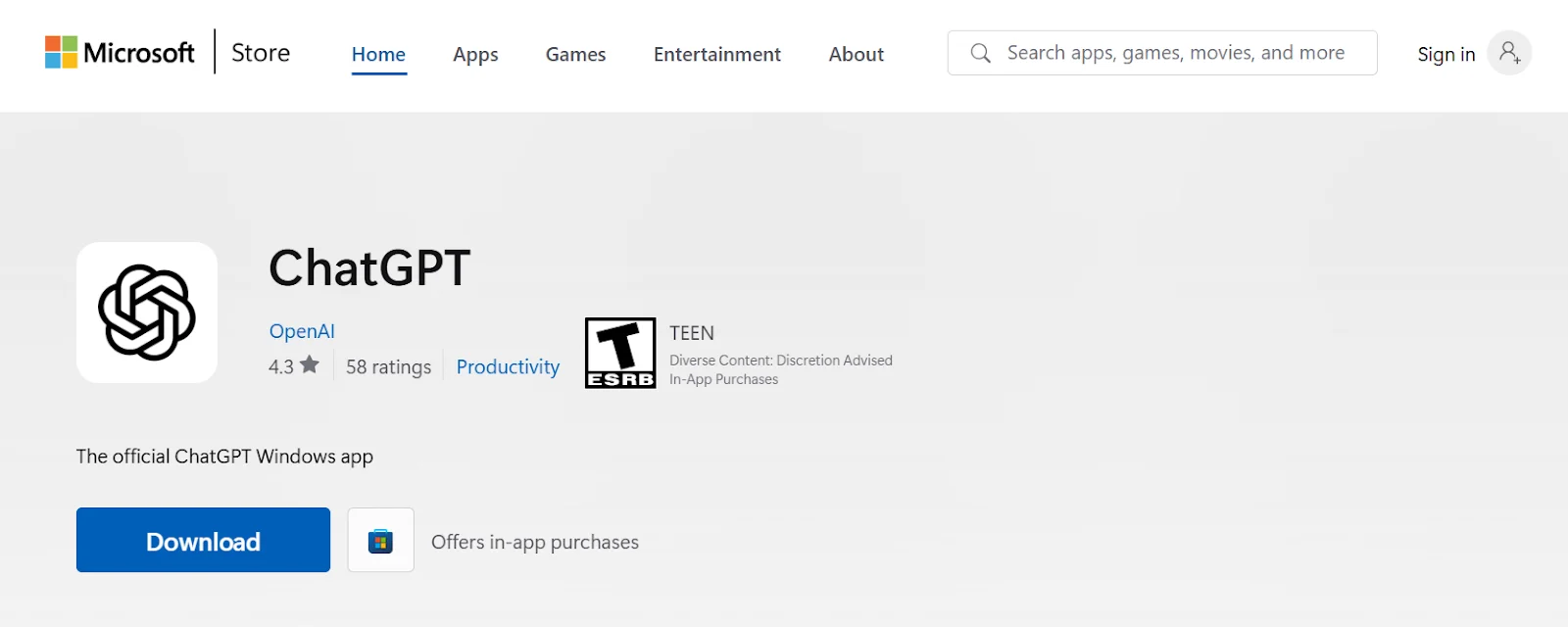
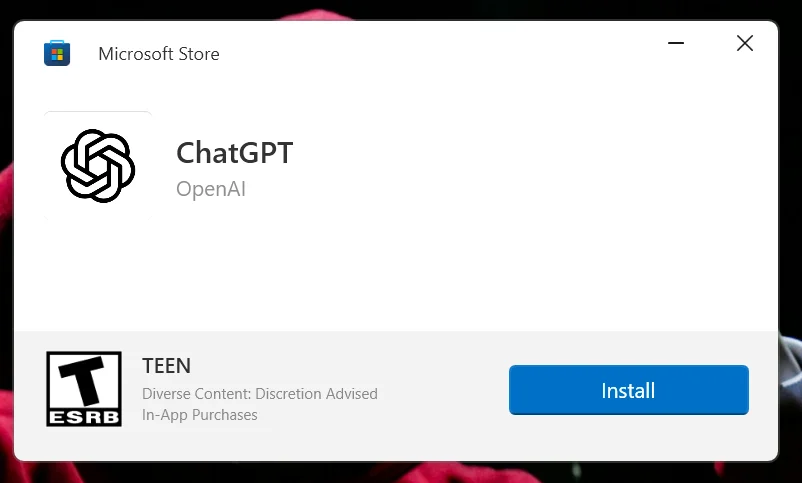
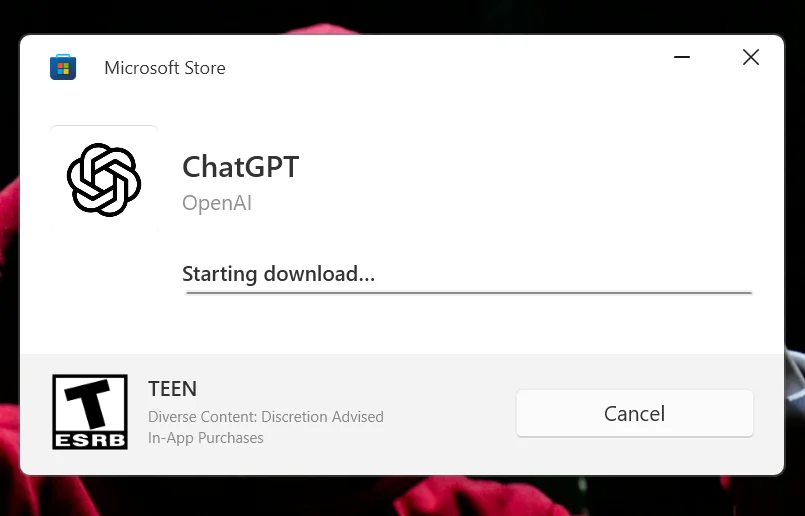
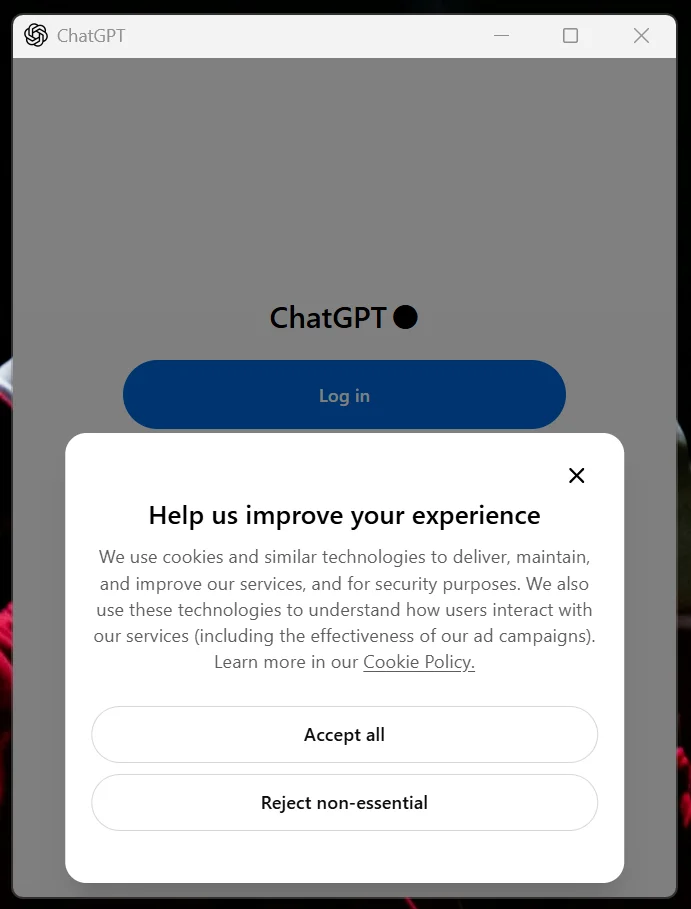
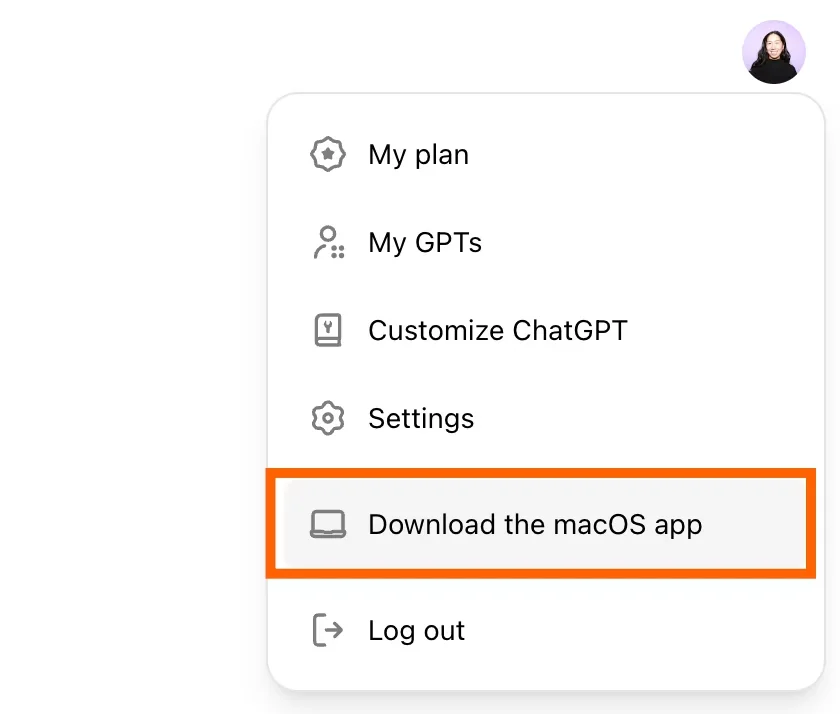
ChatGPT is not limited to a web browser- you can also use it through dedicated desktop and mobile applications. These apps provide a smoother and more convenient experience depending on your device. Let's look at how to install ChatGPT on both desktop (Windows and macOS) and mobile separately (Apple App Store or Google Play Store).
Related Article- Skills Required To Become A Prompt Engineer
Using ChatGPT is simple and flexible. It is like you are chatting with a highly knowledgeable assistant. Simply visit the ChatGPT Website or open the mobile app, type or speak your prompt into the text box, and press send. The AI will instantly generate text, draft emails, write code, or answer questions.
You can access it either through a web browser or by using its mobile or desktop app, depending on what's more convenient for you. Both options offer a similar experience, so you can choose based on your device and comfort. To get started, all you need is an account and a clear idea of what you want help with. Once you're logged in, you can begin typing your questions or tasks, and ChatGPT will respond instantly. Follow the steps below to start using it effectively.
You will need to create an OpenAI Account to access the ChatGPT interface. To do this -
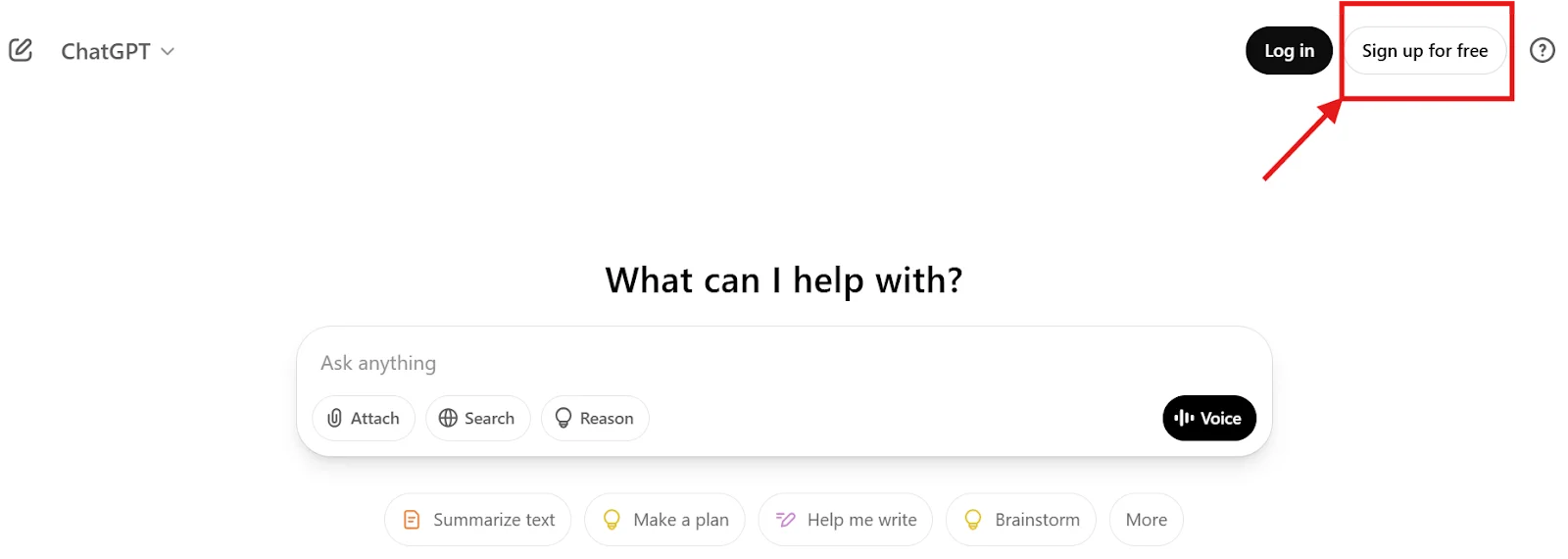
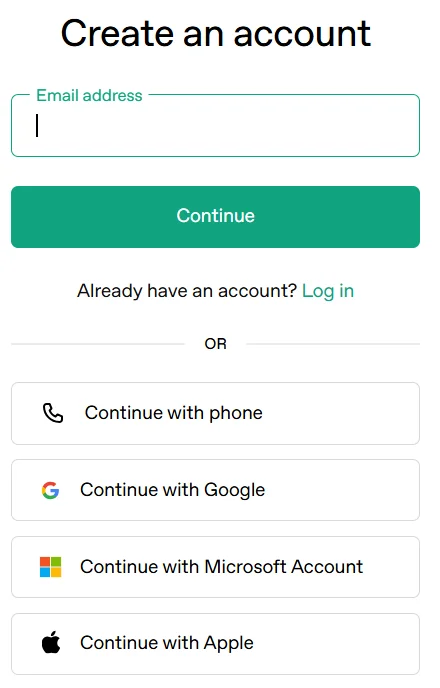
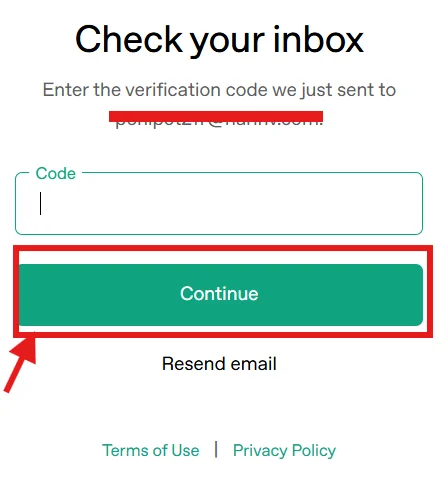
Once you've created your OpenAI account, the next step is to explore and understand the ChatGPT interface. Getting familiar with its layout and features will help you use it more effectively and make the most out of its capabilities.
If you're using ChatGPT in a web browser, you'll see a clean and simple interface. It usually includes a chat area where you type your prompts, a sidebar for managing past conversations, and basic options to control settings. Take a moment to explore these sections so you can use ChatGPT smoothly and efficiently.
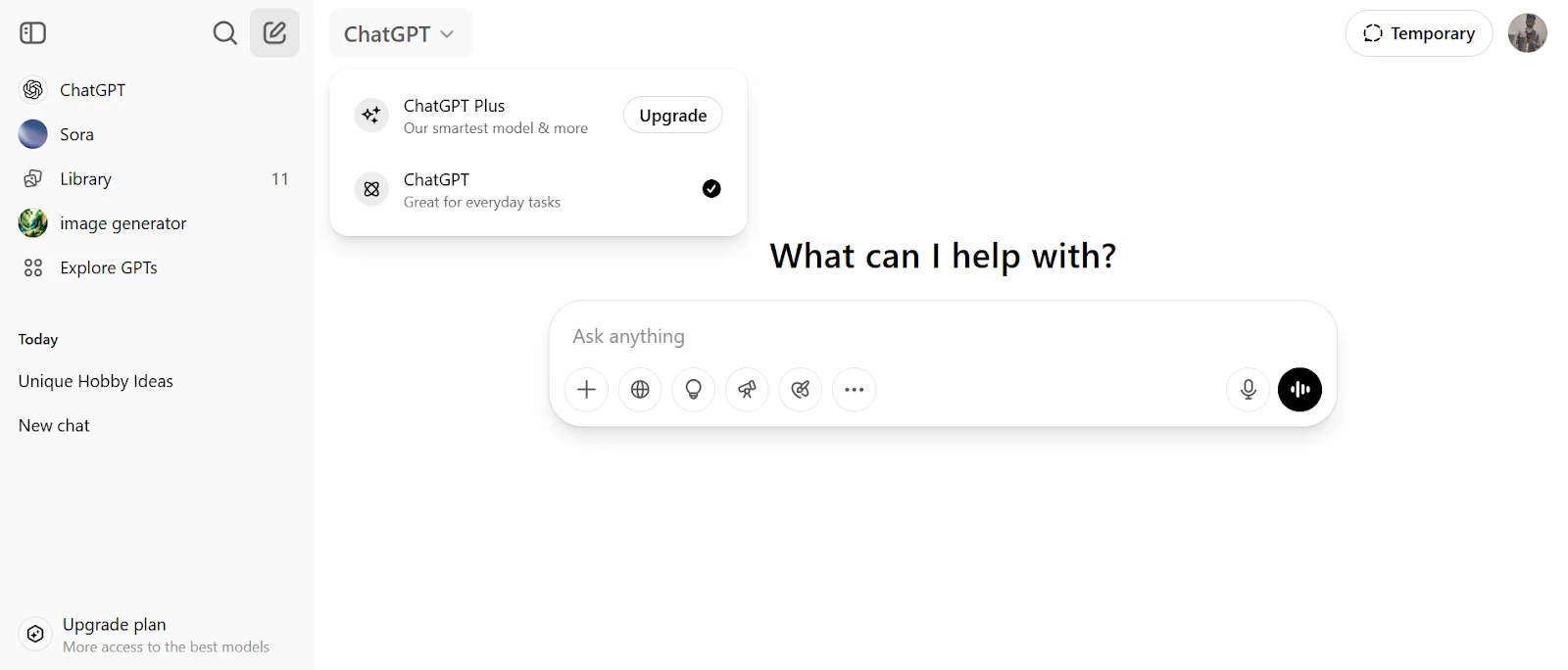
Understanding the Components of ChatGPT's Interface
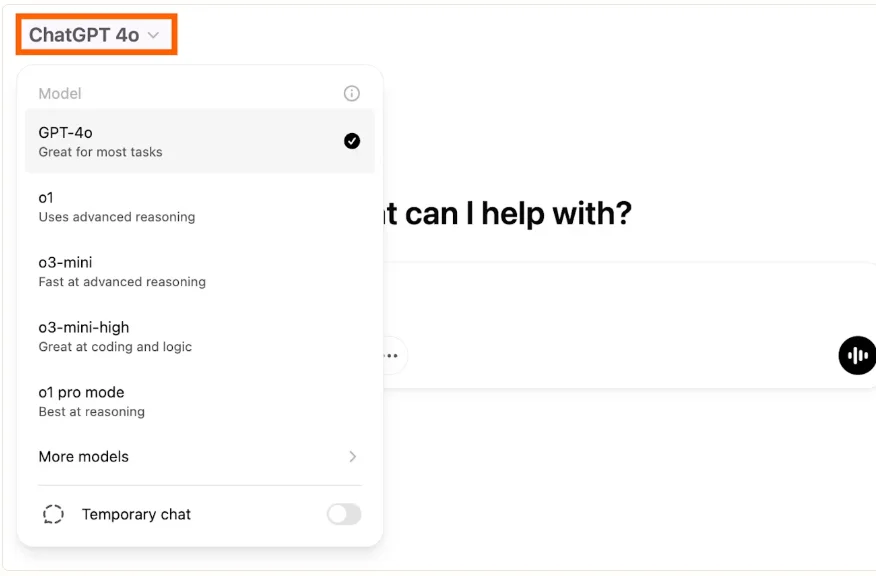
ChatGPT automatically selects a default model for you, so you can start using it right away without any setup. However, if you have access to advanced features (depending on your plan), you may see an option to switch between different models.
To change the model, look for the model selector at the top of the chat interface. Click on it, and you’ll see the available options. Each model may vary in speed, capability, and use case- some are better for quick tasks, while others handle more complex reasoning or detailed work.
Simply choose the model that best fits your needs and continue your conversation.
After selecting the model, you can start using ChatGPT. You can start with a normal conversation to perform simple tasks like a quiz, a recommendation, content creation and more. But when it comes to complex projects, a simple conversation won't be enough to get the best output. This requires you to specify all your requirements, project details, goals, and many more aspects with accurate prompts.
The following are some examples of how one should use prompts:
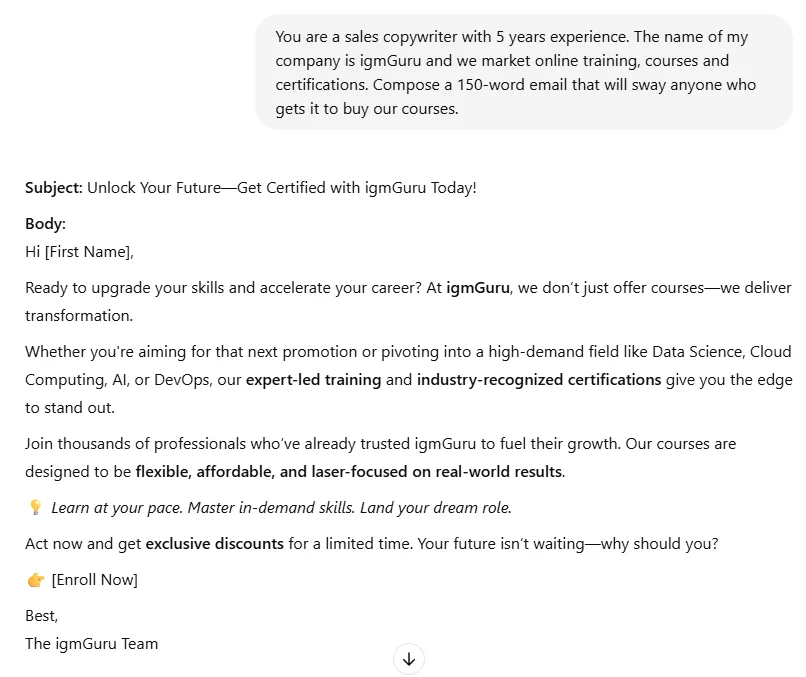
Prompt: You are a sales copywriter with 5 years of experience. The name of my company is [insert name] and we market [insert services/ products]. Compose a 150-word email that will sway anyone who gets it to buy our [insert services/ products].
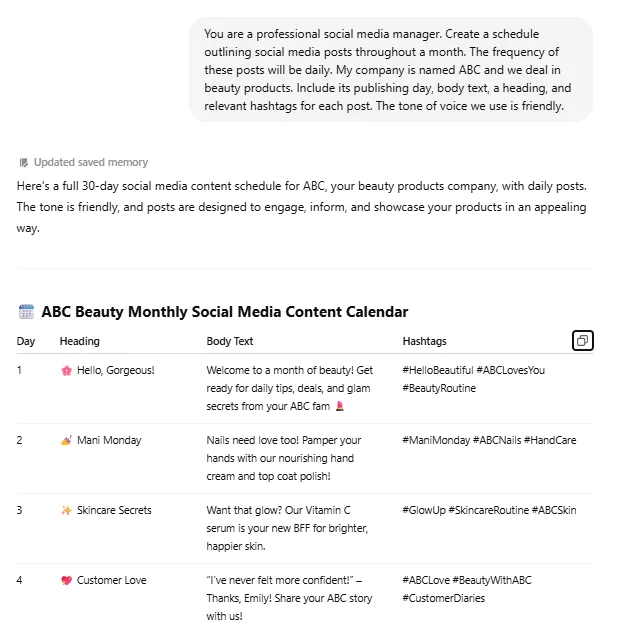
Prompt: You are a professional social media manager. Create a schedule outlining social media posts throughout a month. The frequency of these posts will be [enter frequency]. My company is named [insert name] and we deal in [insert products/services]. Include its publishing day, body text, a heading, and relevant hashtags for each post. The tone of voice we use is [professional/funny/friendly].
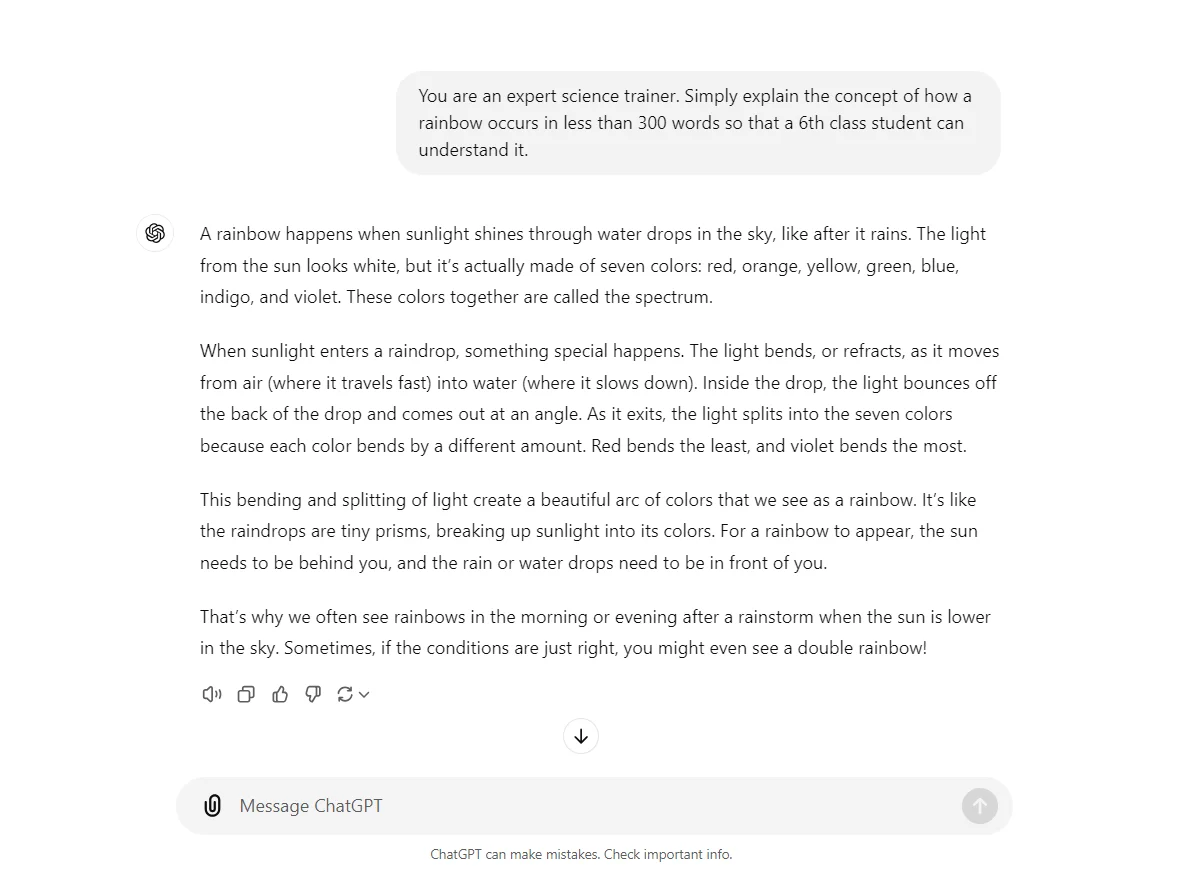
Prompt: You are an expert [enter subject] trainer. Simply explain the concept of [insert topic] in less than 500 words so that a 6th-class student can understand it.
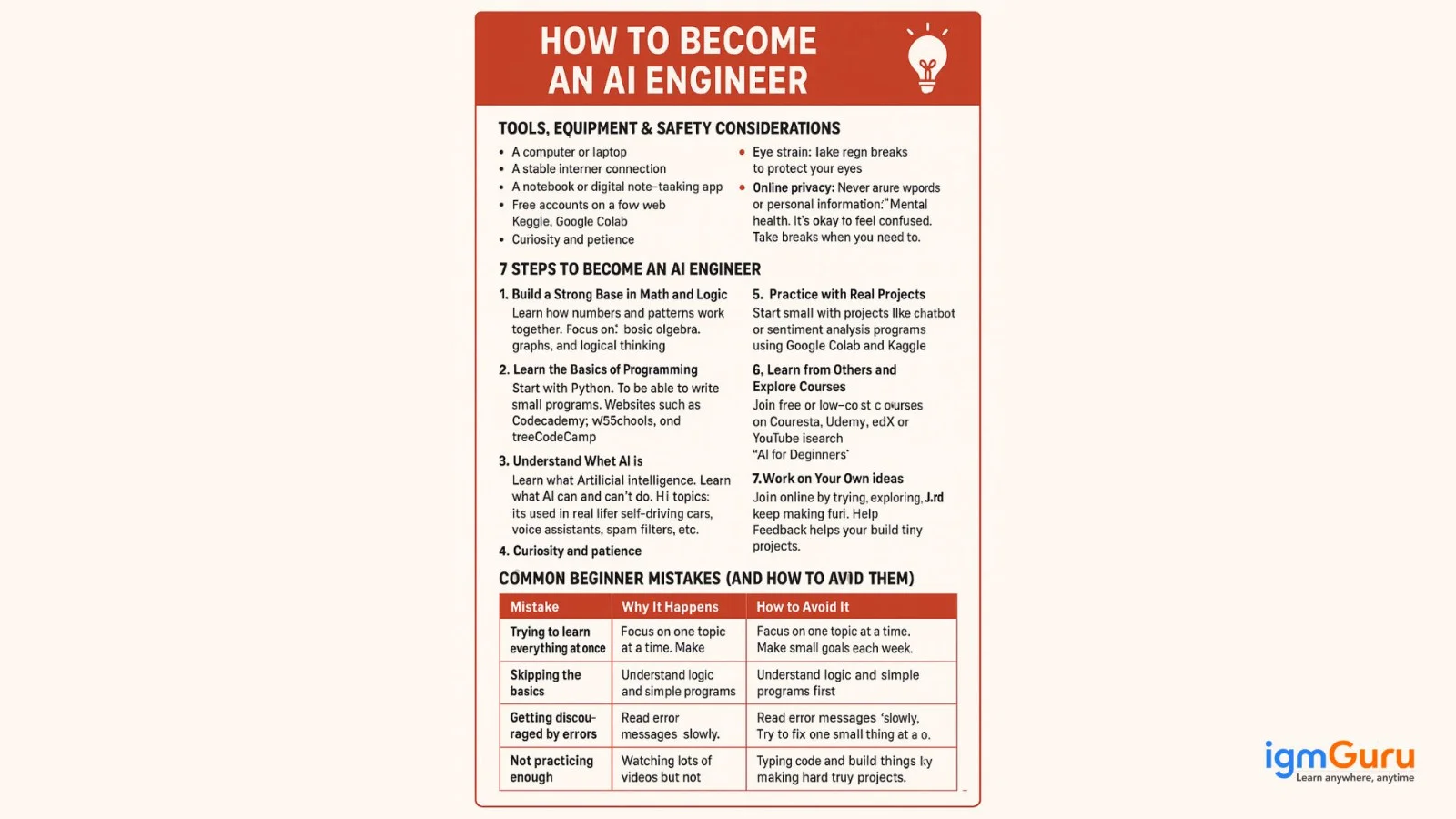
Prompt: You are a teacher. Create a 7-step guide like a template for an AI engineer. Each step should be explained in detail and avoid any technical language or jargon. Start with a section outlining all tools, equipment or items I need. Also mention any important safety considerations, if any. Include a section discussing the most common errors that beginners might make in their first attempt and how to avoid them.
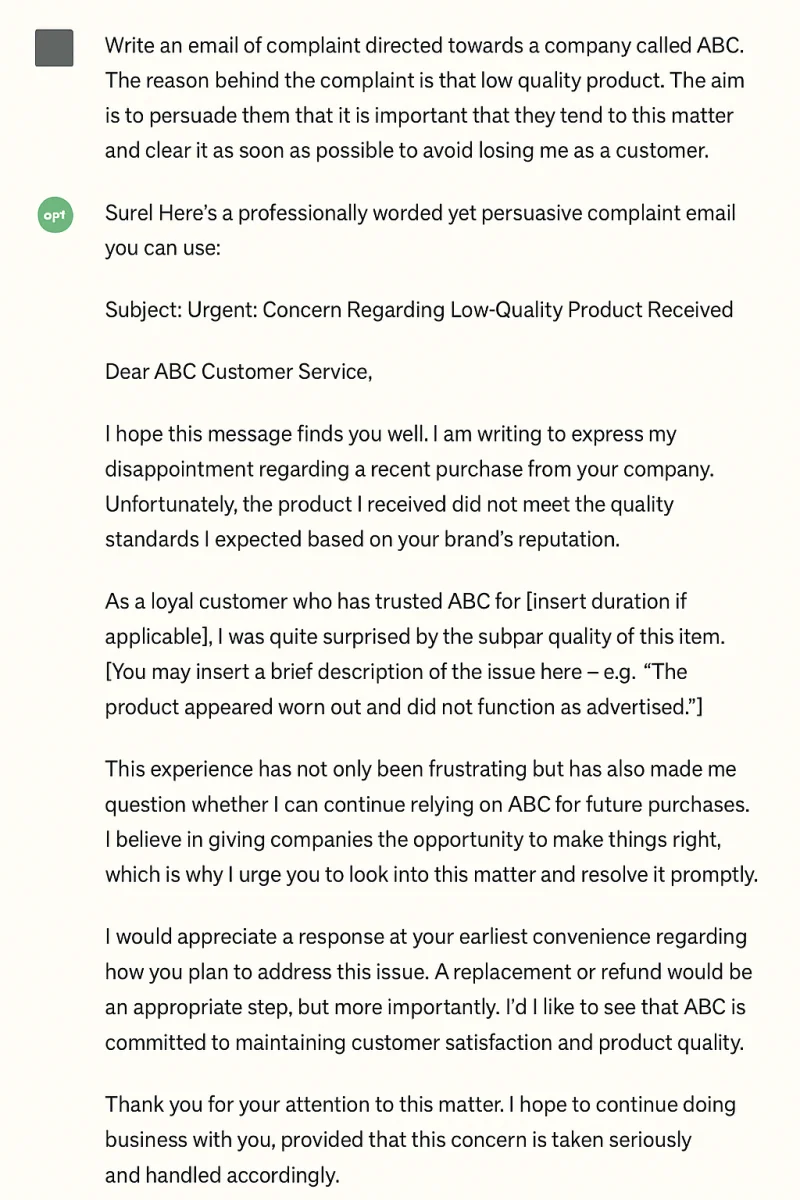
Prompt: Write an email of complaint directed towards a company called [insert company name]. The reason behind the complaint is that [insert reasons]. The aim is to persuade them that it is important that they tend to this matter and clear it as soon as possible to avoid losing me as a customer.
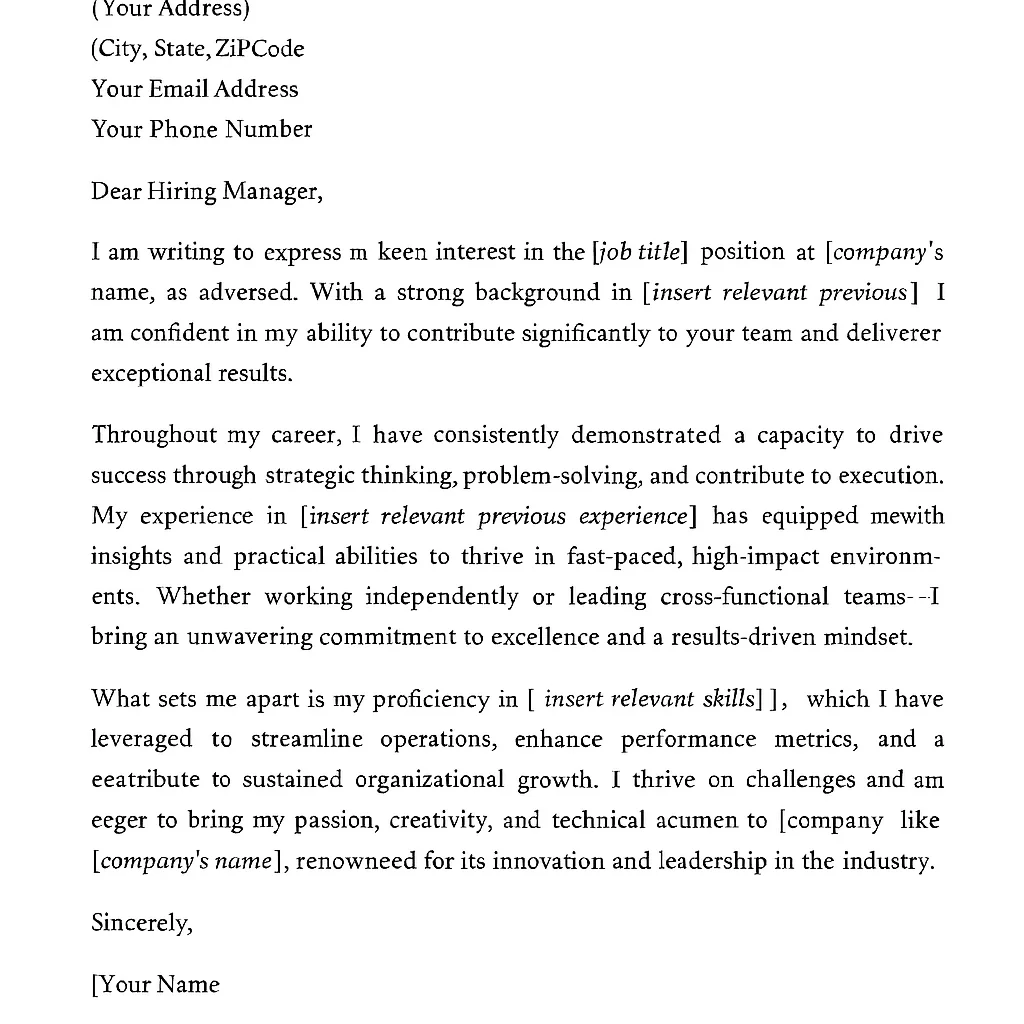
Prompt: Write a job application/cover letter for the position of [job title] directed towards the company [company's name]. Write a commanding application that will make my resume and qualities stand out. Highlight my key skills [insert relevant skills] and my experience [insert relevant previous experience].
Using the accurate prompts is the best strategy to get the desired output. However, there are some cases when you will not get the output according to your requirements. The reason can be anything, like model inaccuracy or an inefficient prompt. In this situation, you can interact with ChatGPT to make it understand your actual requirement. Here is how you can do it -

Related Article- Generative AI Engineer Salary
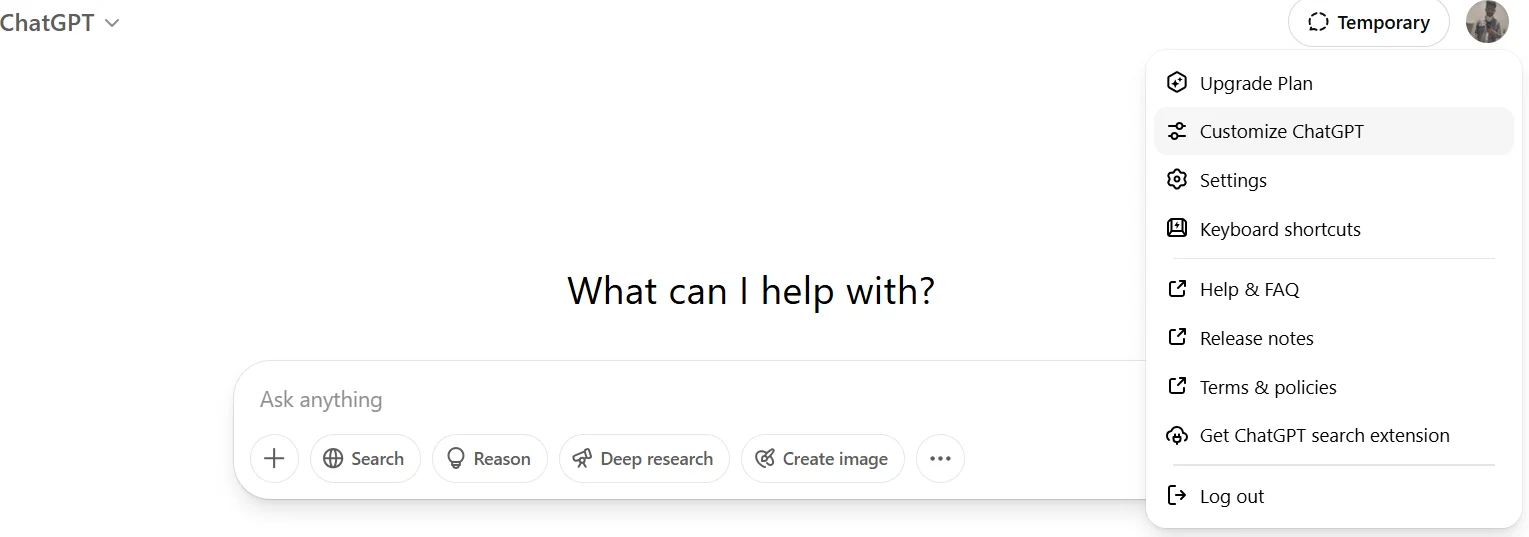
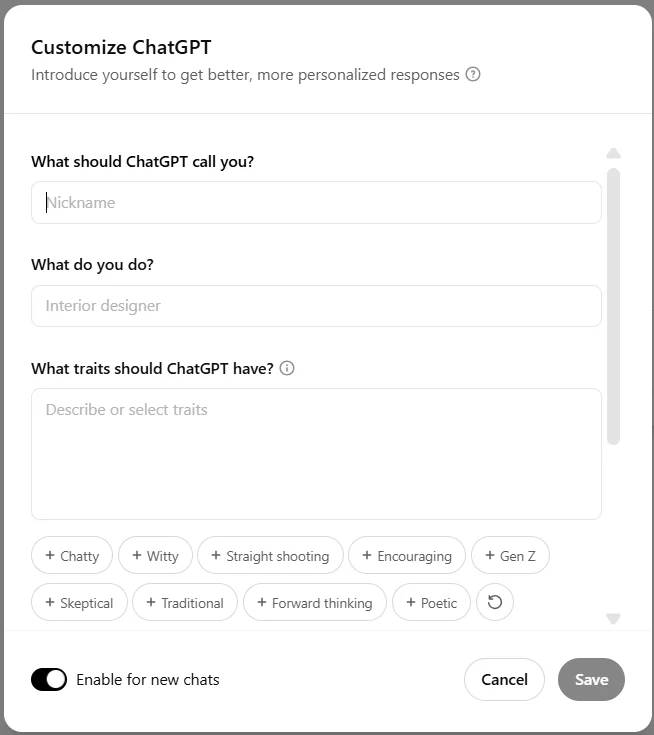
ChatGPT provides an impressive customization option to optimize models. This option is mostly beneficial for users who want the same type of response each time. With this feature, they no longer have to give individual commands again and again. Let's understand how to use this customization option -
Use of custom instructions is the best method for non-paying users. This lets them program ChatGPT with a special set of instructions to keep in mind while generating responses.
ChatGPT now gives you the feature to use it inside your own website, mobile application, chatbot, or software. It is done using the ChatGPT API. It allows developers to integrate OpenAI's models directly into their applications so users can interact with AI without visiting the ChatGPT website. Although it may sound technical, getting started is surprisingly easy when you follow the right steps.
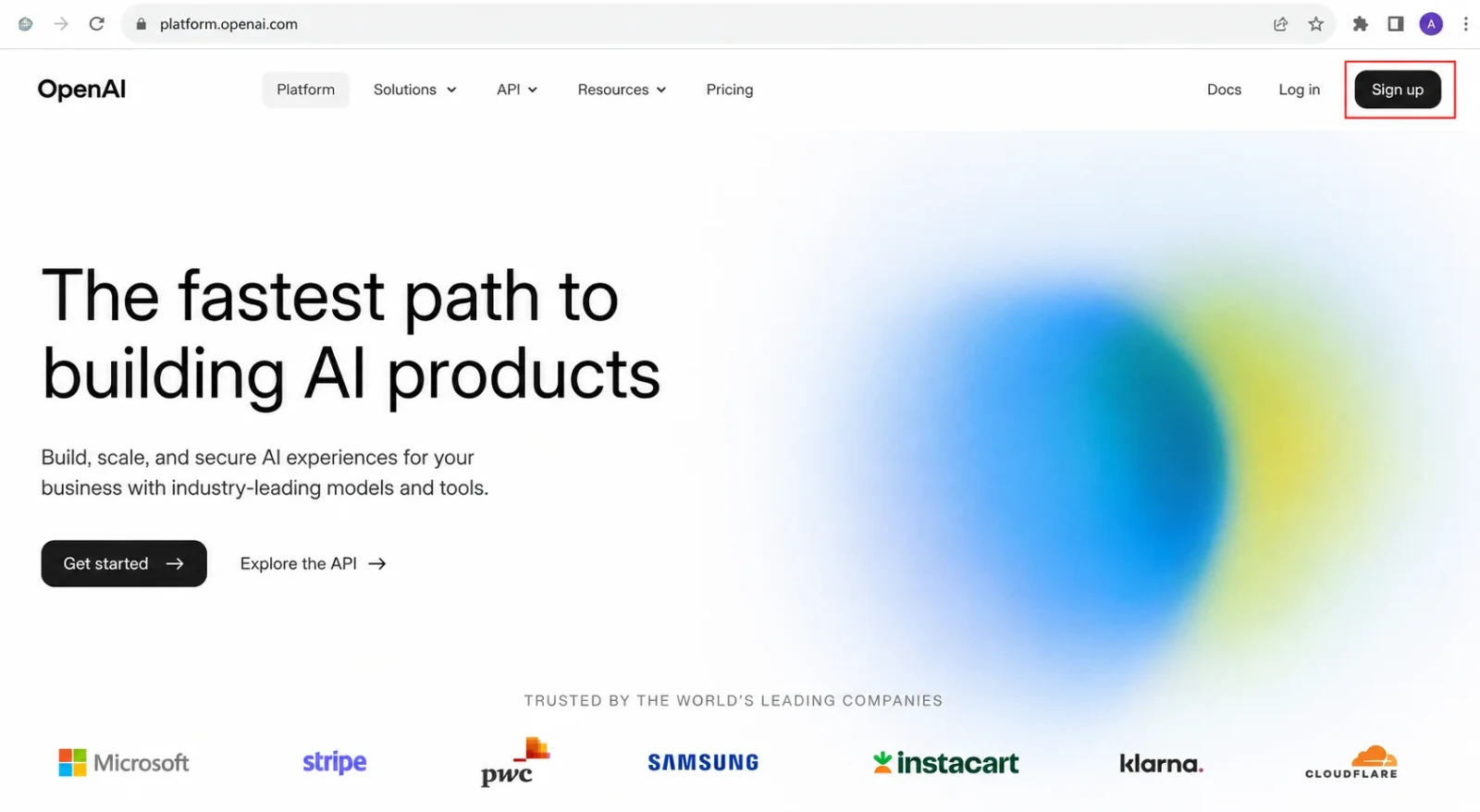
Before using the ChatGPT API, you need an OpenAI Platform account. This account is different from simply using ChatGPT in your browser because the API is managed through the OpenAI developer platform.
Visit the OpenAI Platform website and sign in with your existing ChatGPT account or create a new one if you do not already have one. Once you log in successfully, you will be taken to the developer dashboard where you can access API keys, billing, usage statistics, and other developer tools.
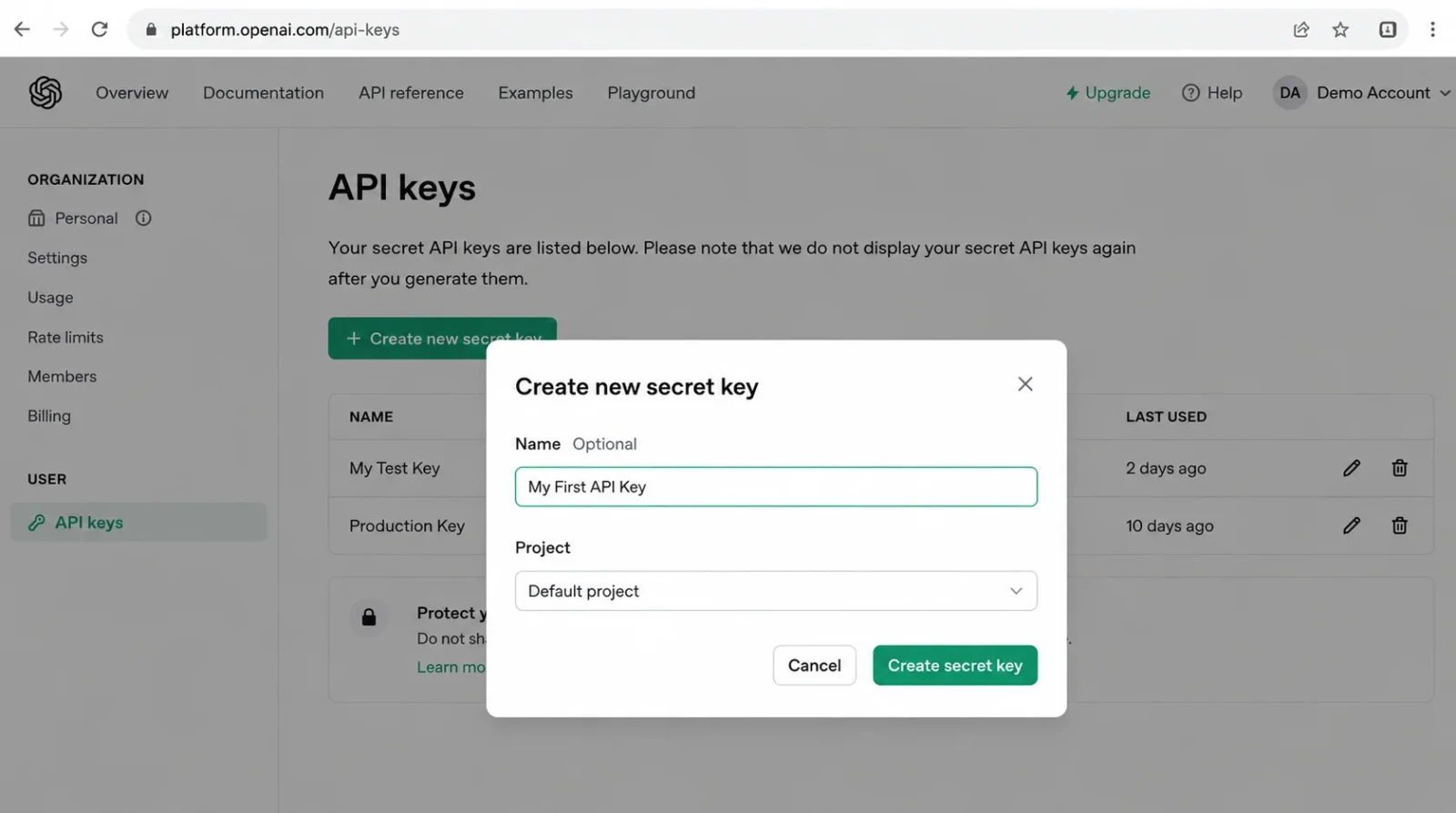
The API key works like a password that allows your application to communicate securely with OpenAI's servers. Every request you send to the API must include this key for authentication.
To create one:
OpenAI will display the key only once, so copy it immediately and store it somewhere safe. Never share your API key publicly or upload it to GitHub because anyone with the key can use your API credits.
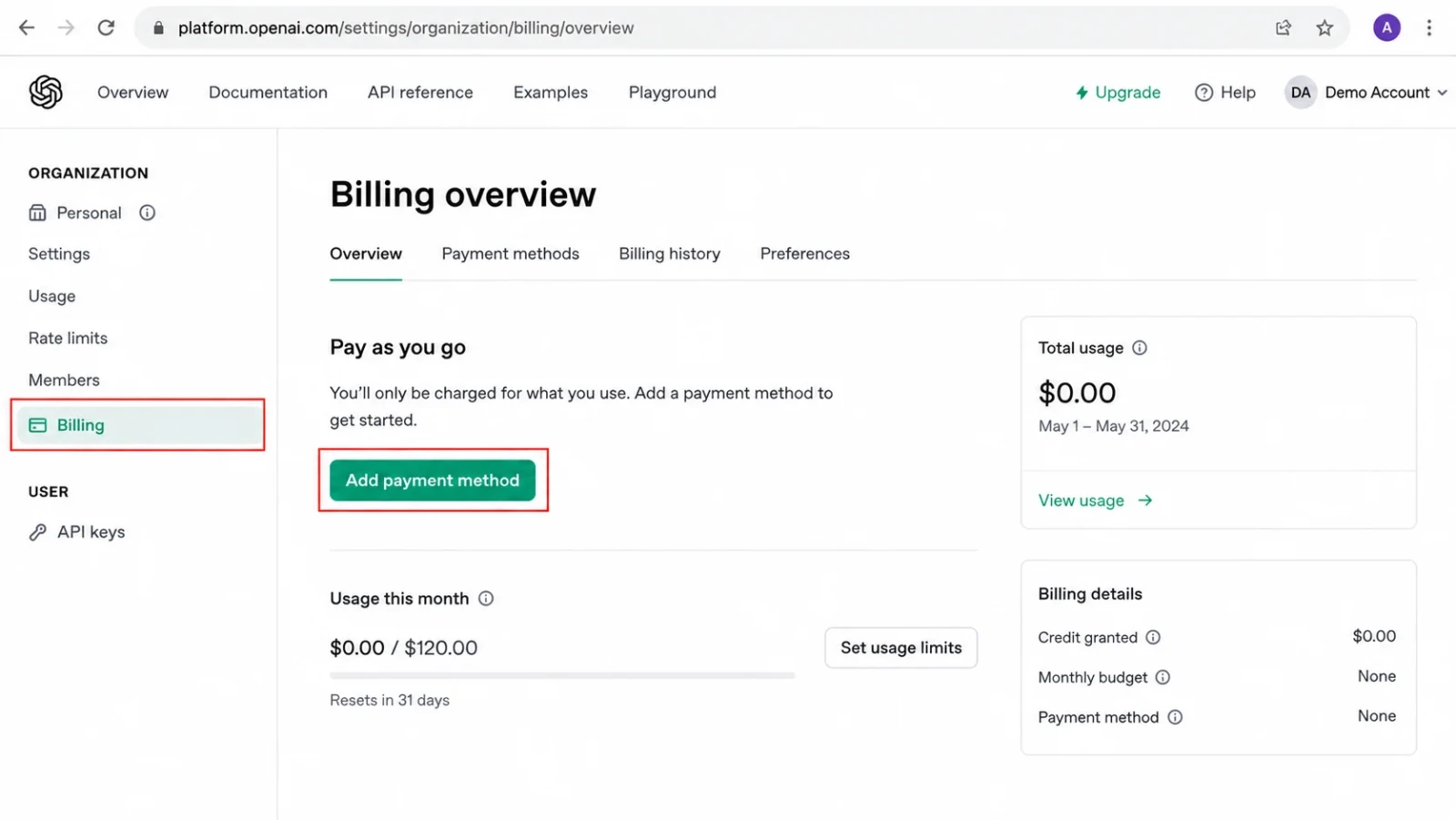
The API usage is not included in the standard ChatGPT subscription. It is billed separately on a pay-as-you-go basis. Before making your first request, open the Billing section from the dashboard and add a valid payment method.
OpenAI charges only for the tokens your application consumes, so you pay according to your actual usage rather than a fixed monthly subscription. You can also configure spending limits to prevent unexpected charges while experimenting with the API.
Once your API key is ready, you can start sending requests to OpenAI. The API supports several programming languages including Python, JavaScript, Java, Go, and C#. Python is one of the easiest options for beginners because it requires only a few lines of code.
The following example sends a simple prompt asking the model to explain artificial intelligence.
| Python Example |
|---|
|
After running the program, the API processes your request and returns a response that your application can display to users.
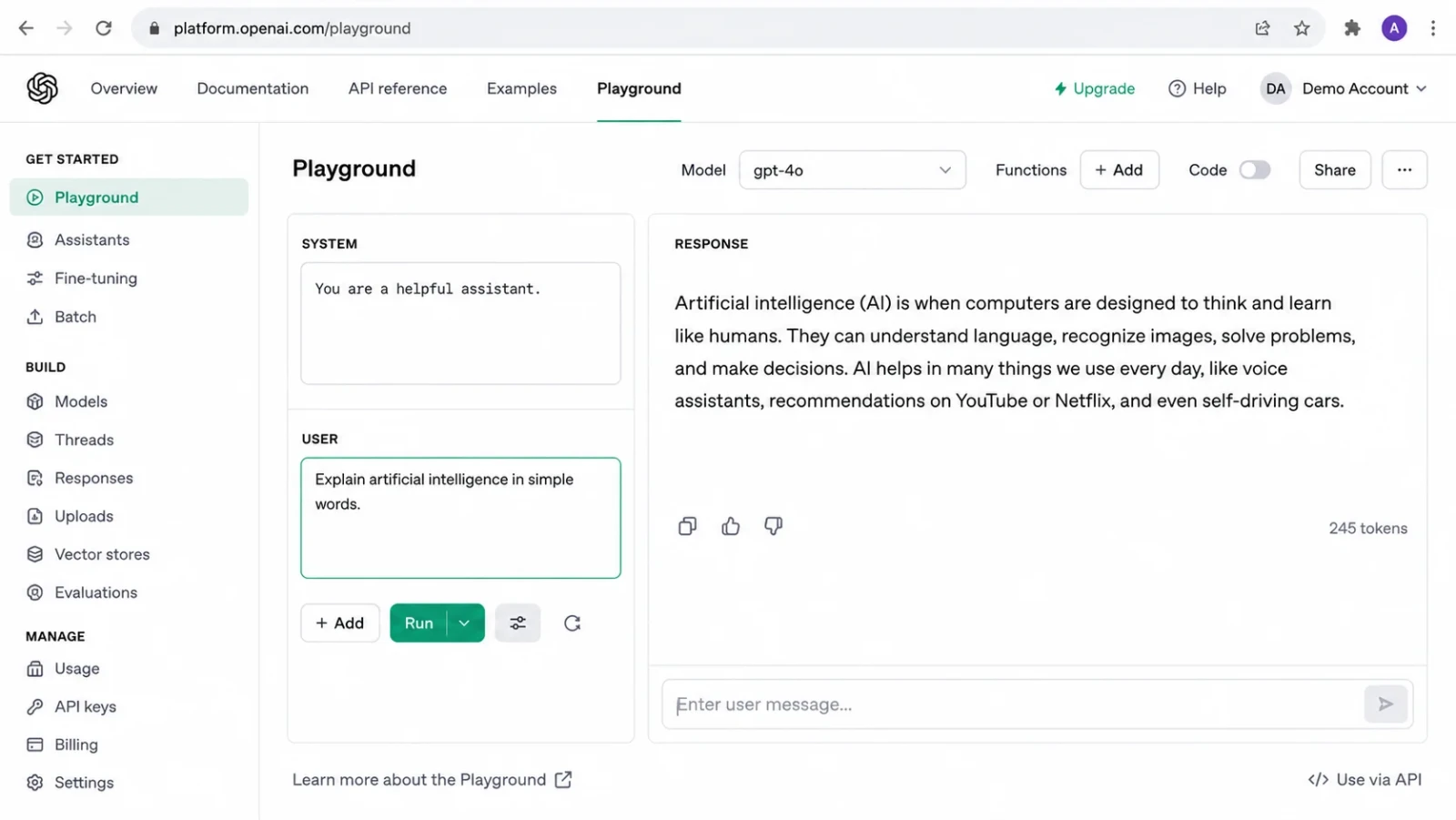
If you are not ready to write code yet, you can test prompts directly inside the OpenAI Playground. This browser-based environment lets you experiment with different models, prompts, and settings without creating a complete application.
Simply enter your prompt, choose a model, click Run, and review the generated response. The Playground is an excellent place to learn how different prompts affect the quality of AI-generated output before integrating the API into your own project.
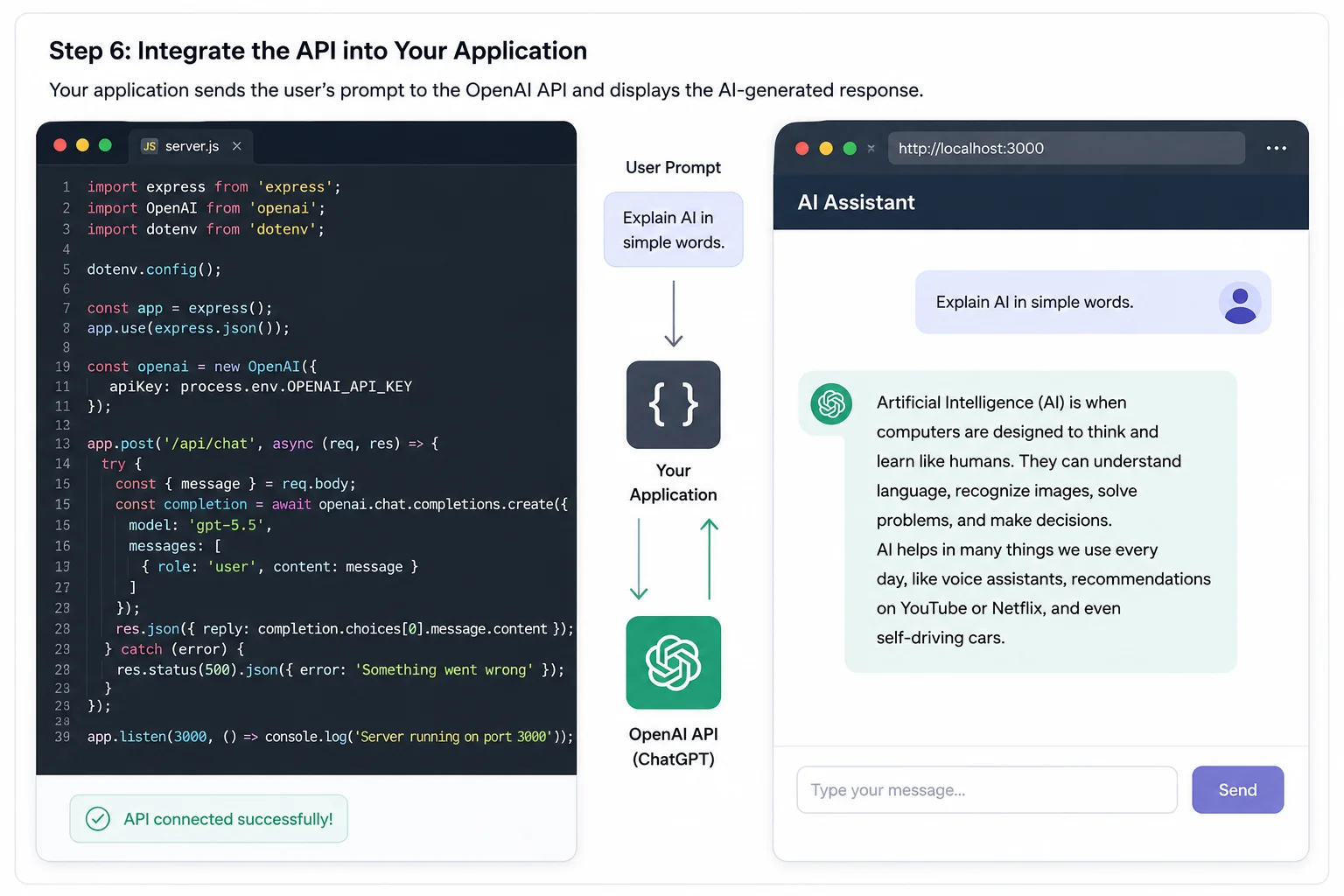
Once your API requests are working correctly, you can integrate them into your website, chatbot, mobile application, or business software. Now your application sends prompts directly to OpenAI in the background and displays the generated responses within your own interface.
Many businesses use this approach to build AI-powered customer support systems, writing assistants, coding tools, document summarizers, recommendation engines, and intelligent search applications.
ChatGPT has evolved rapidly with multiple upgrades, making it faster, smarter, and more capable over time. Below are the key versions available from the past to the present:
It is essential to understand the ChatGPT features in order to use it effectively. The following are some of the common features one may know about -
Voice mode is an interesting feature that enables you to interact with ChatGPT with voice commands. You can see its icon in the right corner on the side of the search bar. You may have to allow the permission if you are using it for the first time.
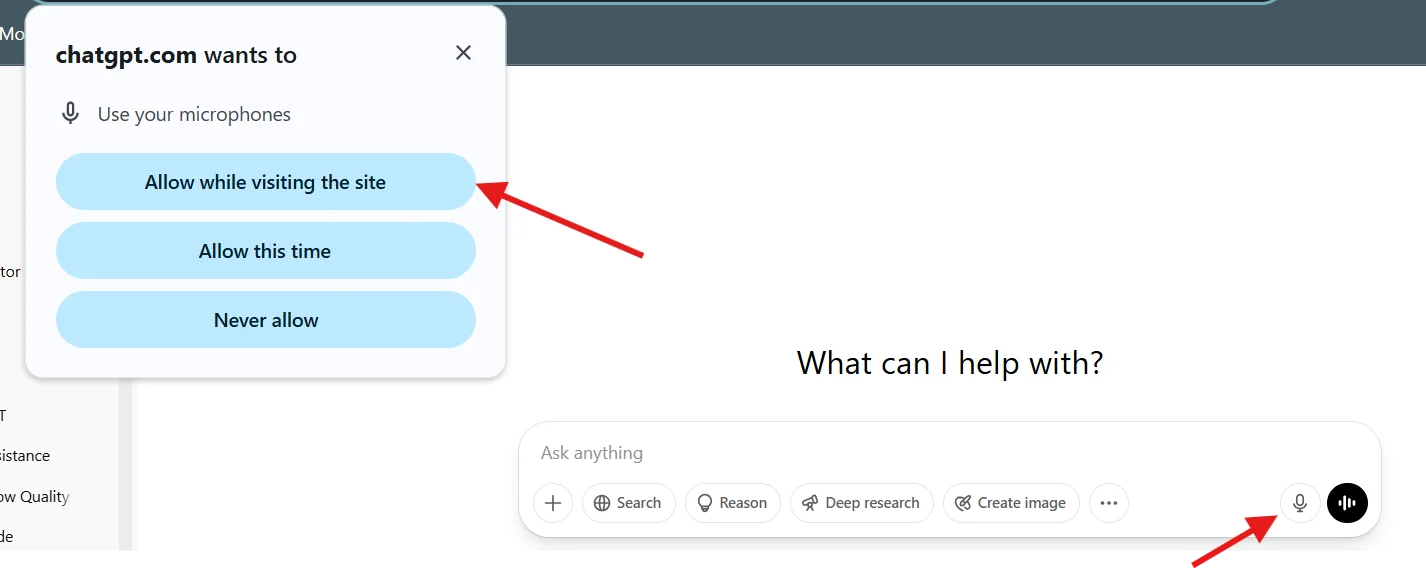
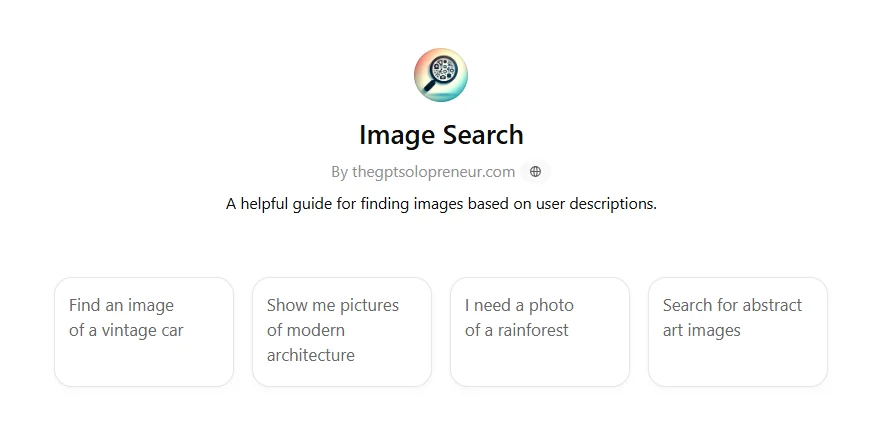
Image search is a type of search function to find images. This function allows you to search actual images by uploading a related image, pasting a link to the image or using text-based queries. For instance, with the search query 'Find an image of a Mercedes car', ChatGPT will show multiple Mercedes images or related links.
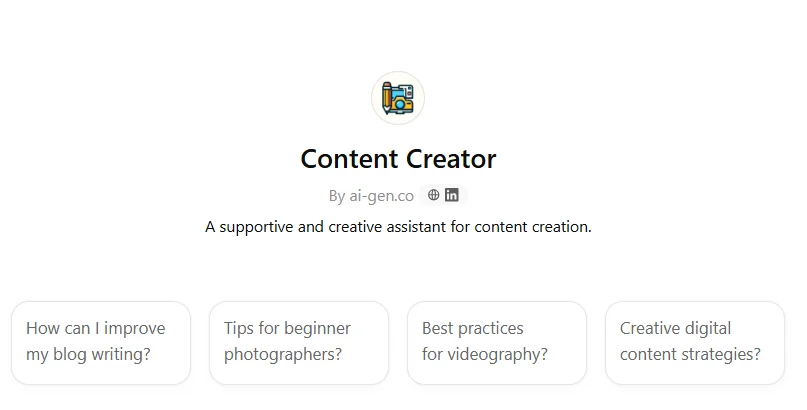
Content Creator is an AI tool that assists in generating different forms of online content, such as blog posts, articles, social media updates and more. It also helps to brainstorm ideas, draft content and even enhance content quality.
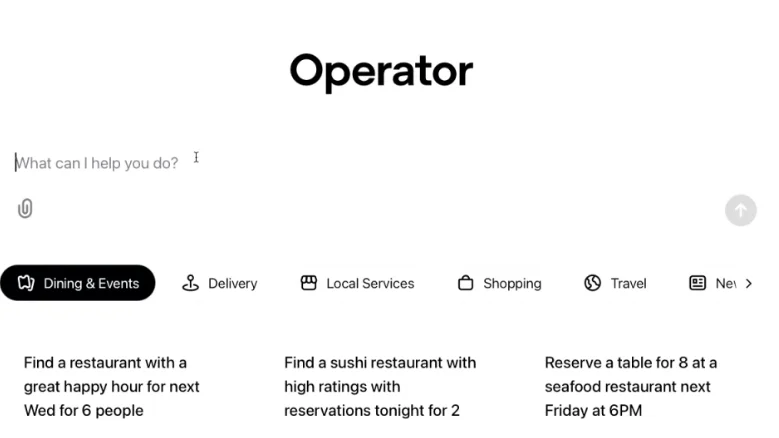
Operator is an in-built feature (for paid users) that allows the AI to perform tasks autonomously on the web. It will have the capability to interact with websites and other applications using a virtual browser. This feature will transform ChatGPT from a chat-based assistant to a more powerful agent-like entity. It will help in everyday tasks like booking flights, making reservations or even managing websites.
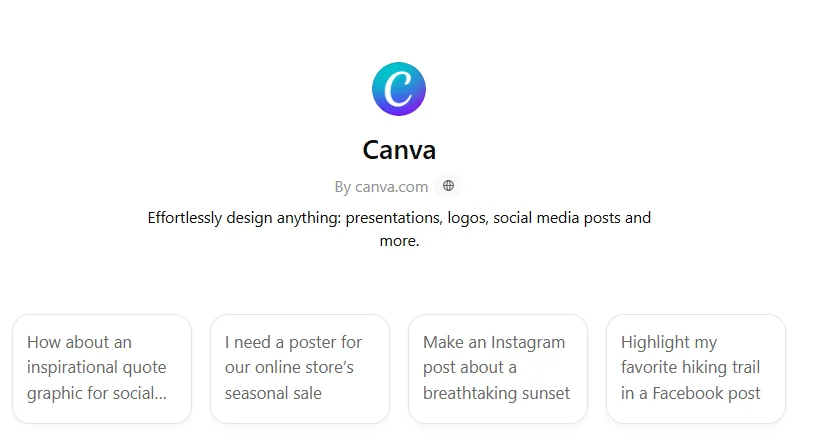
Canvas is a new interface designed for writing and coding. It offers a more collaborative and structured experience compared to the standard chat interface. It allows individuals to interact with the AI model within a separate window alongside the main chat. This makes it easier to make targeted edits, adjust writing length and even debug code.
In this comprehensive guide, we have explored how to use ChatGPT in detail. Now you know how to make good use of this OpenAI product. It has an easy-to-use interface, which allows individuals of each experience level to leverage its capabilities.
It also provides a variety of features for both paid and free users to cater to their requirements, including Canva, operator, content creator, etc. Explore all the features to understand their actual capabilities. This skill is highly sought after in the modern industry and can help you lift your career.
Explore Our Trending Articles Related To ChatGPT
The best way to use ChatGPT for work is to understand its features. It will help you choose the best one catering to your work requirements.
ChatGPT can remember information across conversations if the memory feature is enabled and you choose to save details. You can also disable memory or delete saved memories anytime from the settings. Temporary chats are not saved and do not use memory, making them useful for one-time conversations.
AI chatbots like ChatGPT are not completely safe for work as they involve many limitations and inaccuracies. It basically depends on the way you are using it. If you know what you are doing, then there is no issue.
Yes. ChatGPT offers a free plan that allows you to access its core AI features. Free users can chat with AI, upload files (with limits), generate images (with usage limits), and use several powerful models. Paid plans provide higher usage limits, faster responses, access to advanced models, and additional features.
Avoid sharing sensitive information such as passwords, banking details, personal identification numbers, or confidential business data. Also, verify important information generated by ChatGPT before using it for legal, medical, financial, or academic purposes, as AI responses may occasionally contain inaccuracies.
Yes. ChatGPT can generate AI images from text prompts and edit existing images. It also supports video generation through OpenAI's video capabilities, depending on your account and available features. These tools are useful for creating marketing content, presentations, educational materials, and creative projects.
| Course Name | Batch Type | Details |
| Generative AI Training | Every Weekday | View Details |
| Generative AI Training | Every Weekend | View Details |