ChatGPT is an artificial intelligence chatbot developed by OpenAI and has quickly become one of the most widely used AI tools across the world. It uses Natural Language Processing (NLP) to understand user queries and respond in a conversational, human-like manner. Instead of keywords, users interact with ChatGPT through simple prompts, making it intuitive and easy to use for people with any level of technical knowledge.
What makes ChatGPT especially popular is its versatility. It can answer questions, generate content, assist with research, write code, and even help with creative tasks like emails or resumes. Many users now see it as an alternative to traditional search engines because it delivers direct, contextual answers instead of a list of links. As adoption grows rapidly, businesses and individuals alike are expanding how they use this AI tool in daily workflows.
In this article, I will explain what is ChatGPT, how it works, its versions, its benefits, limitations, and more.
Let's get started.
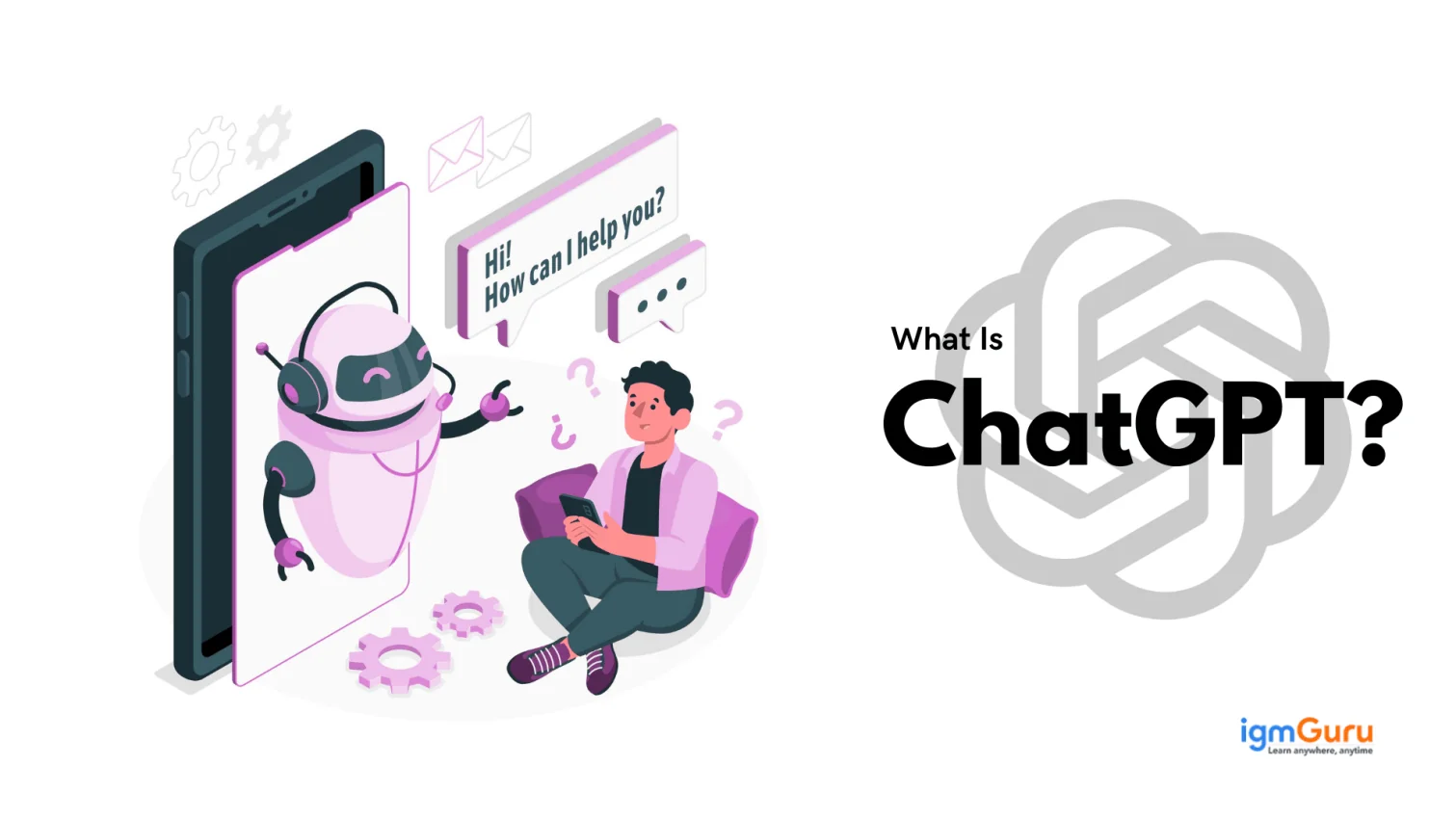
ChatGPT is an AI chatbot developed by OpenAI that uses large language models (LLMs) to understand prompts and generate human-like responses. It can answer questions, write content, generate code, summarize information, and assist with various personal and professional tasks. It is designed to assist, explain, suggest, and sometimes even think aloud, which makes people wonder- can a machine really understand us this well?
At its core, ChatGPT is built on advanced large language models that learn from vast amounts of text data. This training helps it recognize patterns in language, understand context, and generate meaningful responses across a wide range of topics. Whether you are looking for quick answers, content ideas, learning support, or productivity help, ChatGPT adapts its responses based on how you interact with it, making the experience feel personalized rather than robotic.
What truly sets ChatGPT apart is its ease of use and flexibility. You do not need technical skills to work with it. Anyone can start using ChatGPT by typing a simple question, and the tool takes care of the rest. From students and professionals to businesses and creators, ChatGPT has become a go-to AI assistant that fits naturally into everyday digital tasks.
OpenAI, the organization behind ChatGPT, was founded in 2015 in San Francisco with a mission to develop artificial intelligence that benefits humanity. The company introduced the Generative Pre-trained Transformer (GPT) architecture in 2018, which laid the foundation for advanced language models. Over time, OpenAI expanded these capabilities with tools like DALL·E for image generation, and continuous improvements to GPT models. With these advancements, ChatGPT has evolved into a powerful Generative AI system capable of handling a wide range of real-world tasks, setting the stage for the sections that follow.
It is time for a little history lesson, which goes back to the mid-nineties. It was the time when artificial intelligence research started creating strong impressions in the tech world. Richard Wallace is the creator of the first AI chatbot. It was named ALICE, which stands for Artificial Linguistic Internet Computer Entity.
ChatGPT came into existence in 2018 after OpenAI launched its GPT model. This GPT model had the ability to produce answers to questions that were human-like. This led to the creation of ChatGPT as the first hybrid chatbot. This means that it was a mix of GPT technology and natural language processing.
OpenAI first made a splash in 2022 with its image generator, DALL-E. A few months later, the progressive artificial intelligence company did it again with the release of its AI chatbot, ChatGPT. Since then, it has become a worldwide event and altered how humans and AI interact. This left the world wondering - what is ChatGPT?
This chatbot gave more correct and humane answers because of its hybrid nature. It can learn and understand complicated conversations with ease. All these components make it an ideal tool for companies looking to automate their customer service functions, create images, write emails, etc. It appears as a standard of AI, which shows that machines can definitely learn the complications of human language.
Here is the table explaining the versions of ChatGPT to date.
| Release Date | Model Name | Key Highlights |
| June 11, 2018 | GPT-1 | First Generative Pre-trained Transformer model, focused on basic text generation and language understanding. |
| February 14, 2019 | GPT-2 | Introduced improved coherence with 1.5 billion parameters and better contextual responses. |
| June 11, 2020 | GPT-3 | Breakthrough model with 175 billion parameters, widely adopted for content creation, coding and AI apps. |
| January 5, 2021 | DALL·E | First text-to-image model generating images from natural language prompts. |
| April 6, 2022 | DALL·E 2 | Higher-quality, realistic images with editing (inpainting, variations). |
| November 30, 2022 | GPT-3.5 | First public release of ChatGPT, optimized specifically for human-like conversations. |
| March 14, 2023 | GPT-4 | Advanced reasoning and multimodal input support (text + images). |
| September 20, 2023 | DALL·E 3 | Highly accurate prompt-to-image generation integrated into ChatGPT. |
| February 15, 2024 | Sora | First realistic text-to-video generation model. |
| May 13, 2024 | GPT-4o | Faster, multimodal and more efficient model made accessible to free and paid ChatGPT users. |
| July 18, 2024 | GPT-4o Mini | Lightweight, cost-effective version of GPT-4o designed for speed and scalability. |
| December 5, 2024 | o1 | Reasoning-focused model built for complex problem-solving, summarization and analytical tasks. |
| January 31, 2025 | o3-mini | Compact reasoning model optimized for affordability and everyday use cases. |
| February 27, 2025 | GPT-4.5 | Transitional model with improved reasoning and accuracy, later superseded by GPT-5 series. |
| March 2025 | GPT Image 1 | Native image generation inside GPT models (not separate like DALL·E). |
| August 7, 2025 | GPT-5 | Major next-generation model with stronger reasoning, coding and multimodal intelligence. |
| November 12, 2025 | GPT-5.1 | Improved stability and alignment over GPT-5, with better response accuracy, smoother conversational flow and enhanced real-world usability. |
| December 11, 2025 | GPT-5.2 | Advanced multimodal model with strong reasoning, long-context understanding and agentic capabilities; performs complex professional tasks like coding, financial modeling and document creation with high accuracy. |
| December 16, 2025 | GPT Image 1.5 | Faster (up to 4×), better editing, improved consistency in images. |
| February 5, 2026 | GPT-5.3 Codex | Most advanced agentic coding model, combining strong reasoning with state-of-the-art software engineering capabilities; faster, supports long-running tasks and can handle complex multi-step coding workflows. |
| March 3, 2026 | GPT-5.3 Instant | Fast, efficient everyday model with improved tone, reduced hallucinations and better performance in writing, summarization, translation and general tasks. |
| March 5, 2026 | GPT-5.4 | Advanced general-purpose model with native computer-use capabilities, enabling AI agents to perform real-world tasks across software and systems, with improved reasoning, accuracy and long-context execution. |
| April 21, 2026 | ChatGPT Images 2.0 | Next-gen image model with reasoning, precise text rendering, multi-image generation and professional design-level outputs. |
| April 24, 2026 | GPT-5.5 | Most advanced GPT-5 series model with significantly improved reasoning, reduced hallucinations, stronger agentic capabilities and better real-world task execution; supports deeper context understanding, more reliable coding and enhanced multimodal performance across text, images and tools. |
| September 3, 2026 | GPT-6 Astra | OpenAI's latest advanced model with major improvements in reasoning, coding, research, computer use, browsing, software engineering, cybersecurity, science and professional work. It is designed to handle complex multi-step workflows and perform end-to-end tasks with greater autonomy. |
Read Also- GPT-3.5 vs GPT-4 vs GPT-5: What's the Difference?
ChatGPT is trained using a combination of advanced machine learning techniques and massive amounts of data gathered from across the internet. This data includes everything from websites, news articles, books and forums to open source content. For instance, you can think of earlier models like GPT-3 were trained on over 45 terabytes of text data, which is a large amount of information that helps the model understand how humans communicate across different topics and tones. The training process happens in multiple stages:
In the early phase, ChatGPT learns by simply reading and trying to predict the next word in a sentence. This is known as unsupervised learning. There is no specific instruction or label; the model just processes billions of sentences and learns language patterns, context and structure on its own.
After pretraining, the model is refined through supervised learning. Here, human experts provide sample inputs and ideal outputs such as question and answer pairs or conversations. It helps in guiding the model's responses. This teaches ChatGPT to be more helpful, accurate and also context aware.
To make the model's responses more aligned with human preferences, another technique called RLHF is used. Human reviewers rank different outputs from the model and this feedback is used to reward better answers. Over time, this helps ChatGPT in improving the quality, tone and usefulness of its responses.
Unlike the other base GPT models, ChatGPT is further optimized for dialogue using specialized datasets which include conversations, movie scripts and human-like interactions. This makes it better at holding conversations, answering questions naturally and even adapting to different roles like an assistant or mentor.
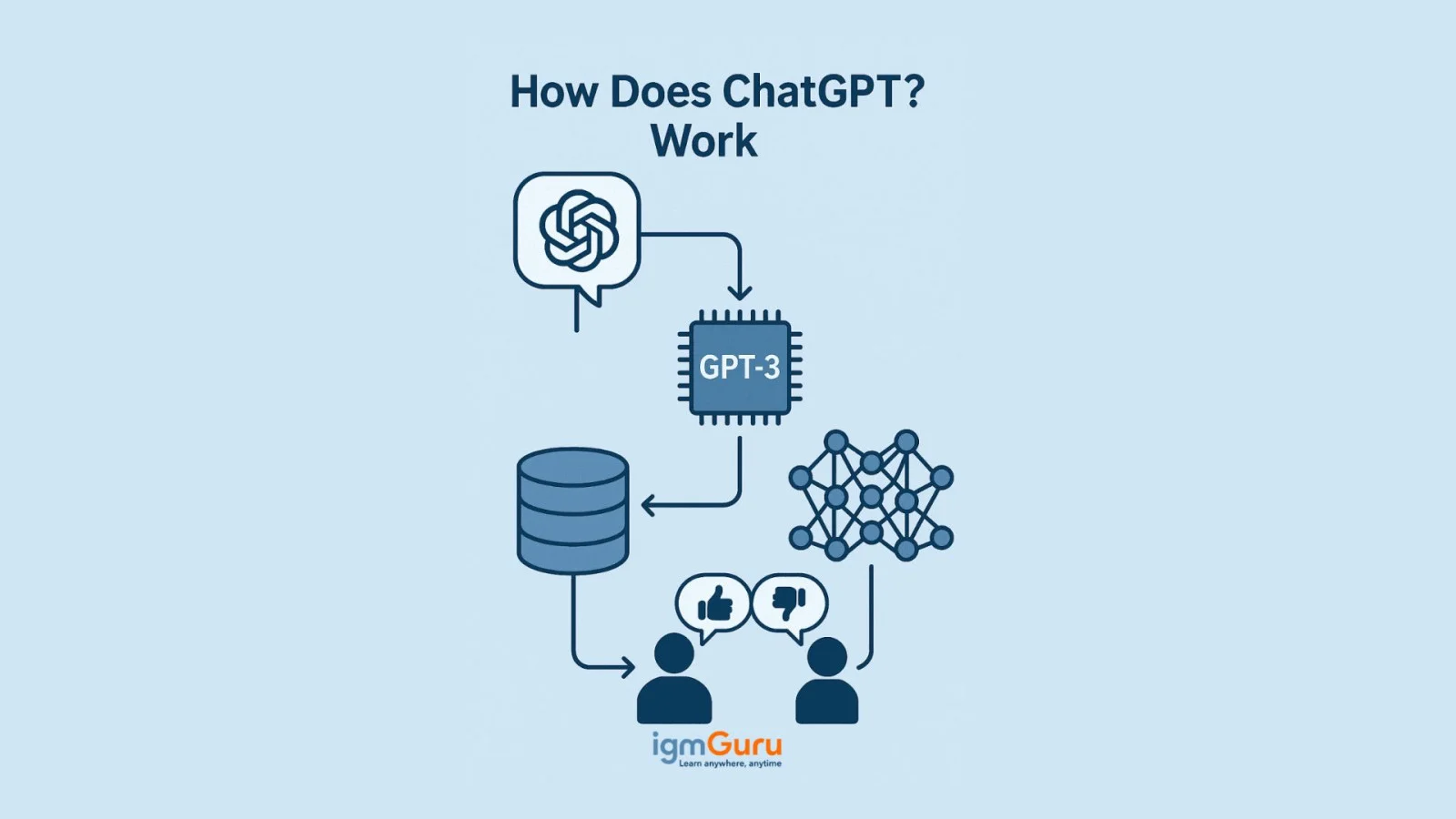
ChatGPT is designed to respond to feedback, yet it does not learn directly in real-time from individual users, it is designed to respond to feedback. The thumbs-up or down ratings and user prompts help developers understand what works, what does not, guiding future updates and improvements.
ChatGPT uses a system called a Generative Pre-trained Transformer. It looks for patterns in data to understand how to respond through specialised algorithms. It originally started with the GPT-3 model which is a machine learning model. This model brings and frames a response from a great amount of data.
ChatGPT creates text that sounds like it was written by a human through deep learning and transformer neural networks. This transformer can tell what world, sentence or paragraph would come next based on patterns from its training data.
Basic data is the starting point of training till it moves to more exact data for specific tasks. ChatGPT learnt the human language from online texts and then it learnt the basics of conversations through transcripts.
Human trainers chat with the bots to test and then rank the answers they give. This is done to find the best answer among all the given responses. Users can vote their responses by giving a thumbs up or thumbs down to improve the chatbot training. Additional comments by users are also kept to make the chat better in the future.
Getting started with ChatGPT is simple and does not require any technical background. You begin by creating an account, typing a clear prompt, and reviewing the response generated by the tool. Over time, you can improve the quality of outputs by refining your prompts, adding context, and asking follow-up questions. Many beginners also make small mistakes, such as using vague inputs or expecting perfect answers in one go, which improves with practice.
If you want a step-by-step, beginner-friendly explanation with practical examples, you can explore our detailed guide on How to Use ChatGPT, where we have covered everything in depth to help you use ChatGPT effectively from day one.
After using ChatGPT extensively for research, writing, learning, and productivity tasks, I have found that it is not designed for just one type of user. Its real strength lies in its flexibility. Whether you are learning a new skill, managing daily work, creating content, or solving technical problems, ChatGPT can act as a personal assistant that helps you work faster and think more efficiently. However, the value you get depends largely on how you use it and the type of tasks you expect it to perform.
Here are some of the people who can benefit the most from ChatGPT:
| User Type | How ChatGPT Helps |
| Students | Explains complex concepts, creates study notes, generates practice questions, and helps with exam preparation. |
| Content Writers and Marketers | Assists with content ideas, article outlines, social media posts, keyword research support, and copywriting. |
| Software Developers | Helps debug code, explain programming concepts, generate sample code, and learn new technologies faster. |
| Business Professionals | Drafts emails, prepares reports, summarizes meetings, and supports everyday business communication. |
| Job Seekers | Creates resumes, improves LinkedIn profiles, prepares interview answers, and drafts cover letters. |
| Entrepreneurs | Generates business ideas, creates plans, prepares marketing content, and helps organize business processes. |
At the same time, ChatGPT should not be treated as the final authority for critical decisions involving medical advice, legal matters, financial planning, or highly specialized professional guidance. While it can provide useful information and explanations, important decisions should always be verified with qualified experts and trusted sources.
In simple terms, if your work involves learning, writing, analyzing information, brainstorming ideas, or improving productivity, ChatGPT can become a valuable everyday tool.
This generative tool creates responses like humans through natural language processing (NLP). But what can ChatGPT do? This bot can do a lot of tasks like-
Read Also- The 5 Best AI Browsers You Need to Know
To truly understand the value of ChatGPT, it helps to see how people use it in everyday situations. Below are some real-time, practical prompt examples that show how ChatGPT works beyond theory.
A job seeker can use ChatGPT to improve their resume by giving a simple prompt like:
"Rewrite my resume summary for a data analyst role with 3 years of experience in SQL and Power BI."
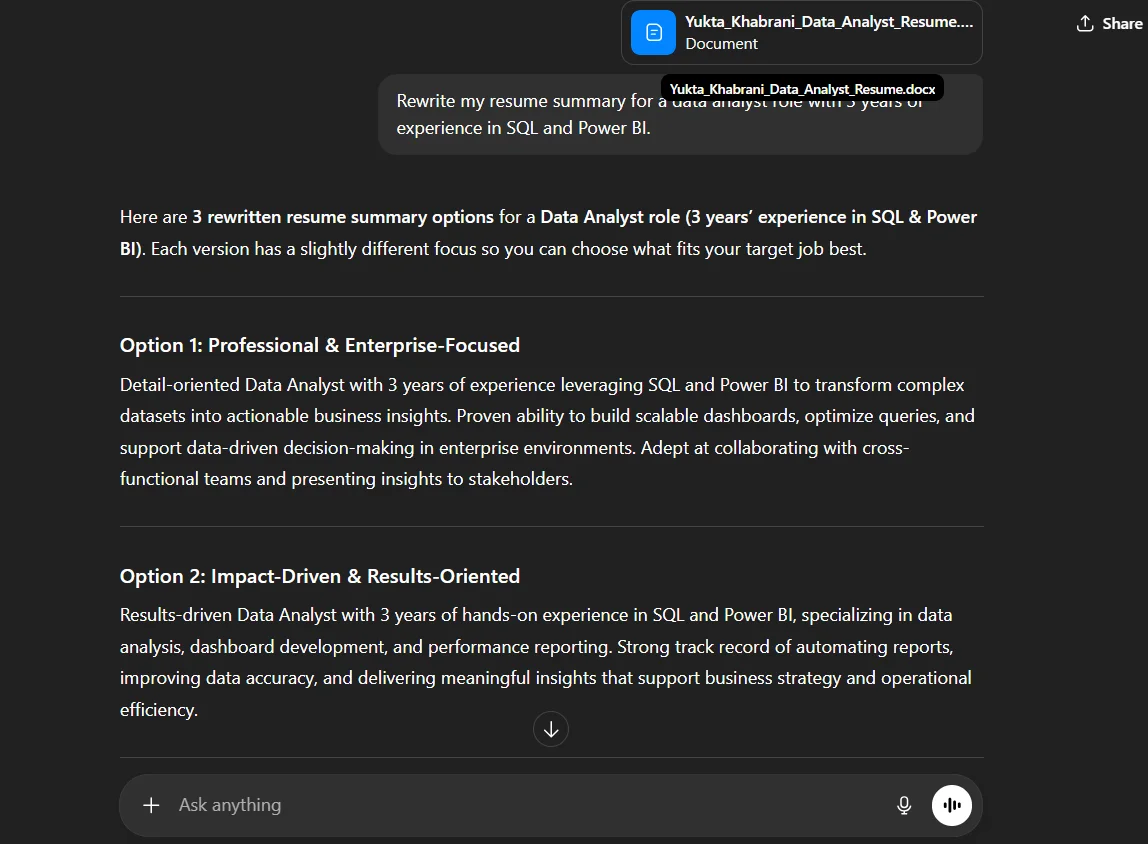
ChatGPT responds with a polished, role-specific summary that saves time and improves clarity.
Professionals often use ChatGPT to respond to emails efficiently. For example:
"Write a polite follow-up email to a client who hasn't replied in a week."
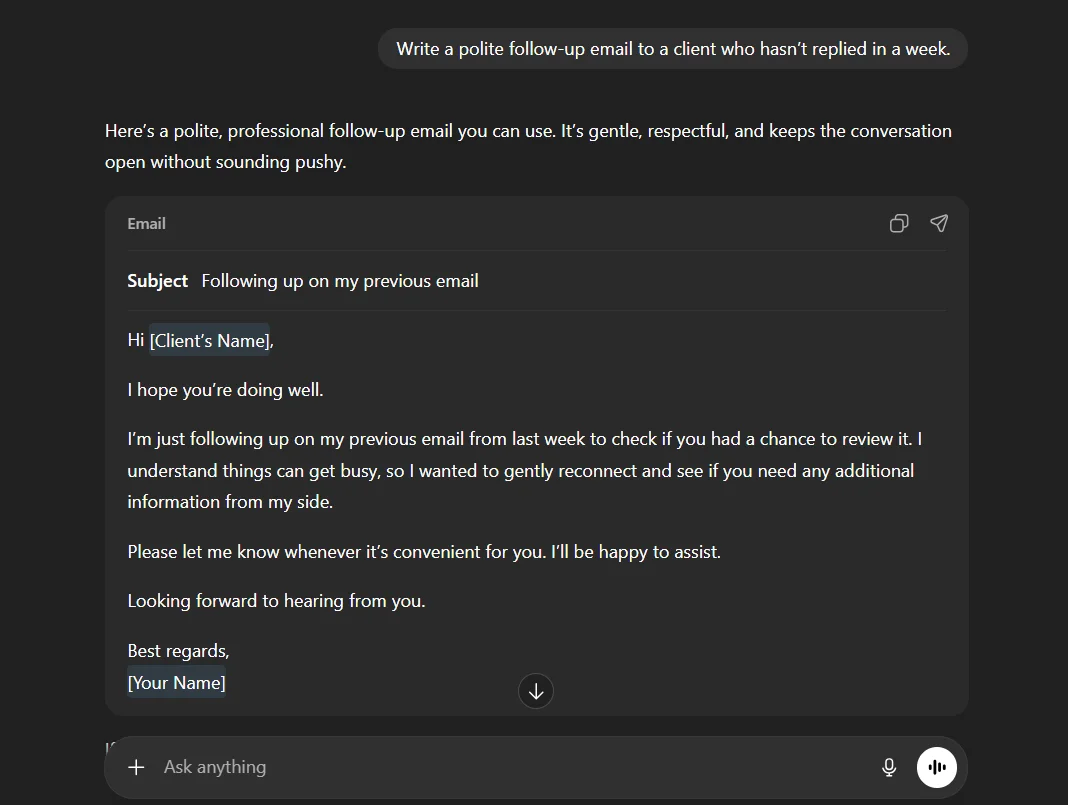
The response is structured, professional, and ready to send with minimal editing.
Developers use ChatGPT as a support tool during coding. A common prompt could be:
"Explain why this Python code is throwing a 'NoneType' error and how to fix it."
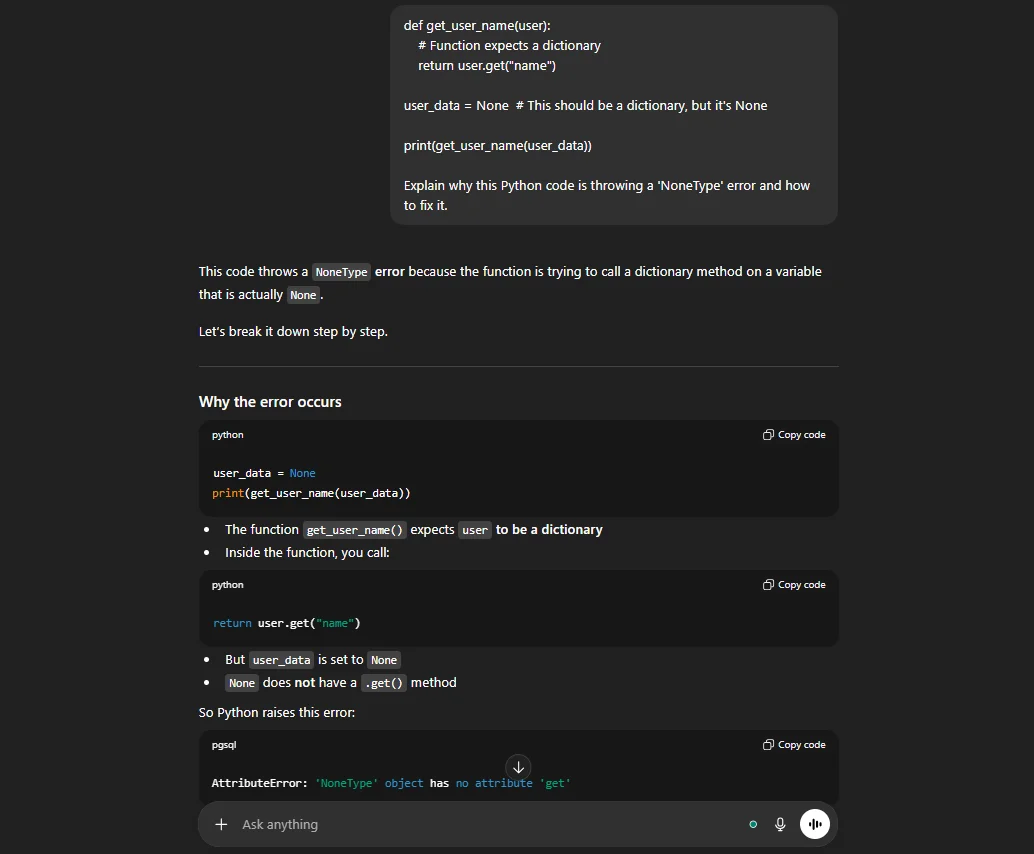
ChatGPT breaks down the issue in simple terms and suggests a solution, helping developers debug faster.
Students frequently rely on ChatGPT for quick learning support. For instance:
"Create short study notes on supervised vs unsupervised learning with examples."
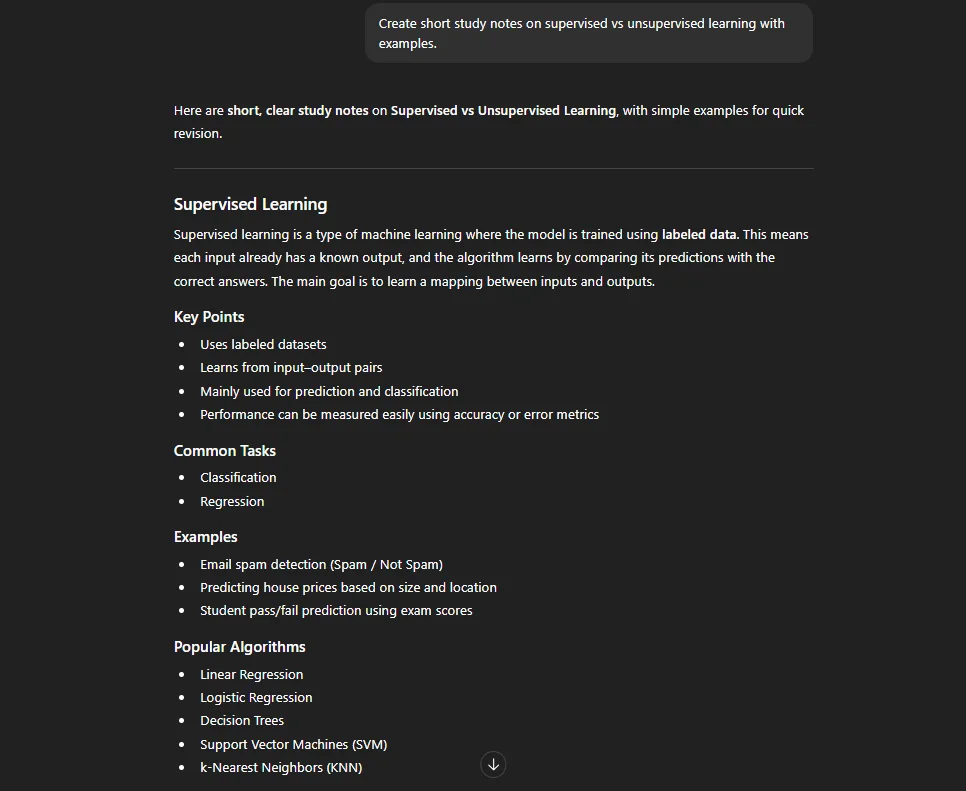
The output is concise, easy to understand, and ideal for last-minute revision.
Learn about the top Advantages and Disadvantages of AI.
Users can shape conversations and control the response's length, format, style, level of detail and language. This chatbot's applications are spread over many industries, from customer service to making coding accessible. Here are some benefits of ChatGPT.
This AI Chatbot has a responsive and effective first point of contact for its customers. It serves as a round-the-clock customer support assistant for prospects in different time zones. This chatbot can recognize customer queries and support situations. It can handle many queries simultaneously, lessens queues and opens the door for a better customer service experience.
Combining this chatbot for managing particular time-consuming tasks. It offers the potential for reallocating human resources towards more complicated or creative endeavors. One can automate tasks like -
- Data entry and processing
- Scheduling and appointment setting
- Email and communication management
These applications can provide significant benefits. Their effectiveness depends on how well this chatbot is integrated and trained in the particular framework of a business.
It is combined with business workflows. It can significantly improve efficiency and automation, specifically in human resources. Automating routine tasks focuses more on complicated and human-centric tasks like mediating conflicts and solving workplace issues. HR teams can gather recently asked questions and workflows in standard company policies. One can train their customized model. This technology makes sure that it aligns with one's particular organizational context, requirements and needs.
This technology can process and respond to queries instantly. Its quick response time makes it highly beneficial for quick tasks. Programmers can get code examples for common tasks like developing random number generators in Python. This AI chatbot doesn't replace the need for a strong knowledge of programming concepts and practices. AI-generated code needs editing, although it can not handle complicated programming tasks like coding entire applications on its own.
This technology has the ability to be among the most effective Generative AI tools for communicating with users from diverse linguistic backgrounds. For instance, if a Spanish user asks this chatbot, "Que dia es hoy?" (English translation: What day is it today?). The bot will respond with the correct day in Spanish. Even businesses can train their employees from different cultures through this technology. Organizations can respond to their customers in different countries.
Related Article - What is an AI Engineer
No doubt, this AI chatbot offers many benefits, but it also has some drawbacks. Here are a few limitations you should know:
This is one of the most common concerns people have before using ChatGPT, and it's a valid one. In general, ChatGPT is safe and legal to use when applied responsibly and with an understanding of its limitations. It is designed to assist users, not to replace human judgment or decision-making.
From a data privacy perspective, ChatGPT does not have personal awareness or memory of individual users beyond a conversation session. However, it is always wise to avoid sharing sensitive information such as passwords, financial details, or confidential business data. Like any online tool, how safely it is used largely depends on what users choose to input.
When it comes to content responsibility, the outputs generated by ChatGPT should be reviewed before use. While it can help draft content, explain concepts, or generate ideas, the responsibility for accuracy, originality, and ethical use always lies with the user. This is especially important for published content, academic work, or professional communication.
For workplace usage, caution is recommended. Many organizations allow the use of AI tools, but often with clear guidelines. Using ChatGPT to improve productivity- such as drafting emails or summarizing documents- is generally acceptable, but relying on it for confidential projects or decision-critical tasks without approval can pose risks. Understanding your company's AI usage policy is essential.
We all know how famous this technology has become on the internet worldwide and what is ChatGPT. Users can converse with the AI. Its servers are overloaded with its users and that heavily slows it down. This has made people wonder what is better than ChatGPT. If one finds this chatbot frequently down, then here are some of the best ChatGPT alternatives.
Google Gemini is among the closest competitors of ChatGPT. It is similar to this chatbot, it is free to use and is good at creating tasks. As of 2026, Gemini's latest models (Gemini 3 and 3.5) have significantly closed the gap with ChatGPT on reasoning and coding benchmarks. It is great for creative writing and a solid tool for researching any subject, with fast response time and strong image analysis and generation. One can upload files and do deep research, extend support, chat with YouTube videos and take advantage of the Google ecosystem.
DeepSeek is an AI model from China known for strong reasoning capabilities, comparable to OpenAI's current reasoning-focused models. This app has claimed the top spot on the Apple App Store, outranking ChatGPT. This app is best suited for challenging problems in science, coding, math and reasoning. It is freely accessible and can upload images and documents and conduct a web search.
Its users have free access to Claude's current models, including Claude Sonnet 5. This app has excellent AI agents for coding. Its users can upload PDF files, spreadsheets and documents and image analysis. One has full accessibility to features like Claude Artifacts and Code Interpreter.
Copilot is one of the best competitors to ChatGPT. Microsoft Copilot was made to be a helpful companion, and now runs on OpenAI's current GPT-5 series models (with Claude also available as a selectable option in some plans).
Its users can have natural voice conversations with Copilot Voice. One can share their screen and browse the net with Copilot Vision. It has beneficial tools like the Think Deeper tool for complicated queries while Copilot Daily gives AI-generated daily news, accessibility to the latest information through Bing and more. Microsoft Copilot also supports image generation and analysis.
This technology is powered by Meta's Llama models, with newer versions continuing to roll out since Llama 3.2. It is available on the web, Facebook, Instagram and Messenger. Meta can create AI images. Its upcoming features include voice conversation, AI photo editing, and image analysis, all of which are freely accessible. These promised features have not been rolled out. The support for multimodal features will be coming soon on all platforms, according to Meta.
Explore the complete guide on top ChatGPT alternatives.
Many people compare ChatGPT with search engines because both are used to find information. However, they work in very different ways. Traditional search engines are designed to help users discover websites and sources across the internet, while ChatGPT focuses on generating direct answers in a conversational format. Understanding this difference helps users decide when each tool is the better choice.
| Feature | ChatGPT | Traditional Search Engines |
| Response Format | Provides direct conversational answers. | Displays a list of webpages and links. |
| Follow-Up Questions | Supports natural back-and-forth conversations. | Requires a new search for each query. |
| Content Creation | Can write articles, emails, code, summaries, and more. | Primarily helps users find existing content. |
| Research Sources | May summarize information without always showing sources. | Provides access to original websites and references. |
| Learning Support | Explains topics step-by-step in simple language. | Users must visit and compare multiple resources. |
| Real-Time Information | Depends on the version and available web access features. | Typically provides the latest indexed information. |
From my experience, ChatGPT works exceptionally well when you need explanations, brainstorming assistance, writing help, coding support, or quick summaries. Instead of visiting multiple websites, you can ask follow-up questions and receive personalized responses tailored to your needs.
Traditional search engines remain the better choice when you need real-time information, official announcements, original research papers, product reviews, government resources, or fact verification from multiple independent sources.
Rather than replacing search engines, ChatGPT and search engines complement each other. Many users now use ChatGPT to understand a topic quickly and then use search engines to verify information, explore sources, and conduct deeper research.
ChatGPT is being used in many practical ways because it adapts easily to different needs and industries. People do not use it for just one task; instead, they rely on it as a flexible assistant that supports everyday work, learning, and creativity.
In education, ChatGPT helps students understand difficult concepts, prepare notes, and practice questions before exams. It explains topics in simple language, which makes learning less stressful and more approachable.
In content creation, writers and marketers use ChatGPT to brainstorm ideas, structure articles, write drafts, and refine existing content. It speeds up the writing process while still allowing humans to add their own voice and expertise.
For software development, ChatGPT supports developers by explaining code, identifying errors, and suggesting improvements. It is often used as a quick reference or troubleshooting partner rather than a replacement for real development skills.
In business and operations, ChatGPT assists with drafting emails, preparing reports, creating business plans, and responding to customer queries. This reduces repetitive workload and allows teams to focus on decision-making and strategy.
In customer support, companies use ChatGPT to handle common questions, provide instant responses, and guide users through basic issues. This improves response time and enhances the overall customer experience.
ChatGPT is no longer just an emerging technology; it has become a practical tool that is shaping how people work, learn, and solve problems every day. From simplifying learning for students to improving productivity for professionals and businesses, its impact is visible across industries. What makes ChatGPT truly powerful is not just what it can do, but how easily it fits into real-life workflows.
Explore Our Trending Articles
ChatGPT stands for 'Chat Generative Pre-trained Transformer'.
This technology's purpose is to understand natural language and generate. This makes it precious for tasks like content creation, chatbot development, language translation and more.
ChatGPT has a free version with basic features, but advanced capabilities require a paid subscription to ChatGPT Plus.
Course Schedule
| Course Name | Batch Type | Details |
| Generative AI Training | Every Weekday | View Details |
| AI Certification Courses | Every Weekday | View Details |