AI tools are evolving fast but a lot of them still function like basic assistants. Suppose if you request code and they generate a snippet. It is helpful, yet limited. That is where the Codex App stands out.
Codex is designed to act as an agentic partner, not just an AI chatbot. It can understand project context, work through tasks step by step and help developers in building complete features, fix bugs, refactor code and write tests. Codex supports longer and more complex development workflows.
The Codex App is one of the most important AI tools for coding, data analysis, project management tasks, etc. Even if you are a beginner learning to code, a student working on projects or a professional developer aiming to save hours of effort, Codex can help you in all of these.
In this guide, we’ll cover everything you need to know about the Codex App- what it is, how it works, its key features, real-world use cases, pricing, limitations and how it compares to Claude Code.
Codex is an AI-powered coding assistant developed by OpenAI. It helps developers in writing, understanding and maintaining code more efficiently. Unlike general-purpose AI chat tools, Codex is built specifically for software development and engineering workflows.
It is optimized for tasks such as writing functions, fixing bugs, refactoring code, generating tests and explaining complex logic. Codex understands programming intent and applies it in a structured way.
Codex works by analyzing both natural language instructions and the existing code context. This allows it to translate plain English into working code. It can also handle long-running engineering tasks that reflect real-world development practices. Developers can use Codex to build complete applications, improve legacy systems, automate workflows or quickly understand unfamiliar codebases.
Note: OpenAI has just repositioned and upgraded Codex from a strictly developer-focused tool into an autonomous AI agent capable of broad, system-level work.
Codex is built for anyone who works with code and data, regardless of experience level. Its flexibility makes it useful across learning, development and production environments.
The evolution of Codex shows how it has grown from an experimental code model into a full-scale AI coding platform. Below are the most important milestones that shaped the Codex App as it exists today.
OpenAI introduced the original Codex model, a code-specialized descendant of GPT-3. This early version powered code autocompletion tools and later became the foundation for AI-assisted coding experiences such as GitHub Copilot. It marked the first serious step toward AI models built specifically for programming.
OpenAI released the Codex CLI, an open-source command-line tool that could run locally on developer machines. At the same time, codex-mini-latest was introduced via API access, enabling lightweight, faster coding tasks and integrations.
OpenAI launched a cloud-based Codex research preview that could run sandboxed tasks on repositories. This version functioned as an AI coding agent inside ChatGPT plans, capable of handling longer, multi-step engineering workflows.
Codex reached general availability with expanded team support, SDKs and admin controls. This milestone signaled Codex’s readiness for professional and enterprise use.
OpenAI released a dedicated Codex macOS app, turning Codex into a desktop command center for managing multiple agents and long-running development workflows. This launch gained major coverage from outlets like Reuters and TechRadar and significantly increased Codex adoption.
OpenAI expanded Codex availability by launching the dedicated Windows app. It brings the same multi-agent workflow capabilities to a much wider developer base. In this version, users can manage coding tasks, run long processes and interact with repositories. The release was especially significant because it removed platform limitations. It makes Codex more accessible for everyday developers, students and enterprise teams who primarily work on Windows systems.
OpenAI expanded Codex by introducing optional internet access for coding tasks. Developers can now allow Codex to retrieve documentation, package information, API references, and other approved online resources while working on projects. This makes it more effective for implementing new libraries, troubleshooting issues, and building applications that depend on up-to-date information.
Read Also: ChatGPT Tutorial
One of the biggest strengths of the Codex App is that it is not limited to a single interface. Codex is available across multiple environments. It allows developers and teams to use it in the way that best fits their workflow.
The Codex Web or Cloud interface is accessible inside ChatGPT and through a web-based UI. This version works as a cloud-powered coding agent that can manage tasks across repositories and projects. It is especially useful for planning features, running sandboxed tasks and handling multi-step coding workflows without any local setup.
This interface is ideal for developers who want quick access to Codex with minimal configuration.
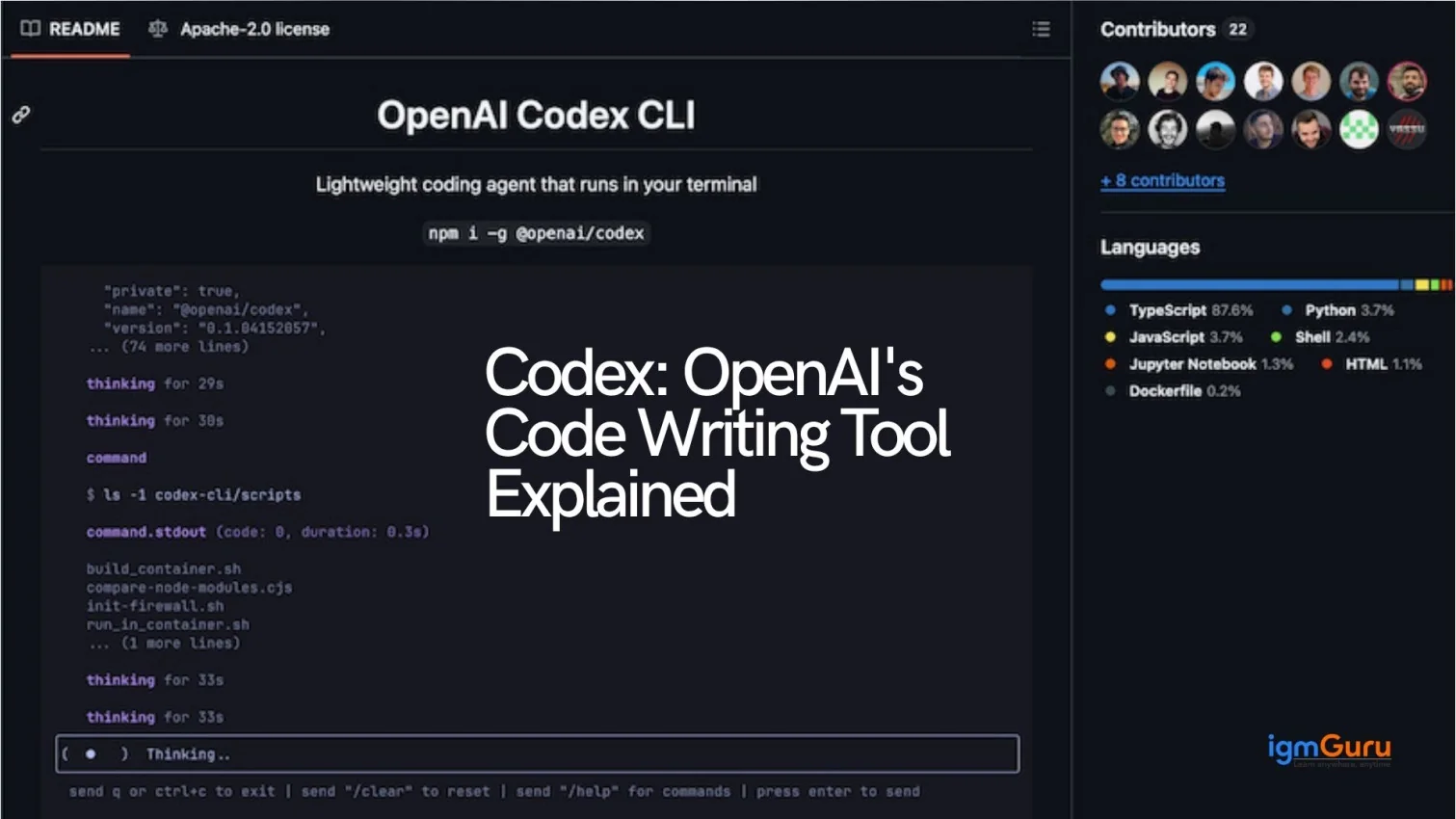
The Codex CLI is a lightweight agent that runs locally inside your terminal or development environment. It is available as an open-source repository on GitHub under the Apache-2.0 license.
The CLI is best suited for developers who prefer terminal-based workflows and want more control over local execution. It works well for scripting, automation and offline-friendly development tasks.
Codex also provides SDKs and API endpoints that allow teams to integrate its capabilities directly into their own tools. Developers can embed AI-powered coding assistance into CI/CD pipelines, editors, internal platforms or custom applications by using the Codex API.
This interface is particularly useful for teams looking to scale Codex across engineering workflows or build custom AI-driven developer tools.
The Codex App is designed to handle real-world software development, not just generate isolated code snippets. Its core capabilities focus on understanding context, executing tasks reliably and supporting long, complex engineering workflows.
Codex can generate complete functions, classes and modules by understanding both natural language instructions and the surrounding codebase. It adapts to project structure, language conventions and existing logic. This makes the generated code more usable in real applications.
One of Codex’s standout capabilities is its ability to work through tasks step by step. It can plan actions, execute them in sequence and adjust based on intermediate results. This is especially useful for multi-file changes, feature development and complex bug fixes.
Codex can analyze unfamiliar or legacy code and explain what it does in clear, simple terms. Developers can ask for line-by-line explanations, high-level summaries or logic breakdowns. It makes it easier to onboard new team members or understand large codebases.
Codex helps improve existing code by refactoring it for better readability, maintainability and performance. It can restructure functions, simplify logic, remove duplication and align code with best practices without changing the intended behavior.
Writing tests is time-consuming, but Codex can automatically generate unit and integration tests based on existing code. This helps teams improve test coverage, catch bugs earlier and maintain more reliable software.
Codex can identify common bugs, logic errors and edge cases by analyzing code behavior. Developers can ask it to debug issues, suggest fixes or explain why a particular error is happening, reducing debugging time significantly.
Unlike simple AI assistants, Codex can handle long-running tasks such as migrating codebases, updating dependencies or implementing features across multiple files. These workflows more closely resemble how real development work is done.
Codex is also effective for automating repetitive tasks. It can generate scripts for file processing, data transformation, build automation and deployment-related tasks. It helps developers save time on routine work.
Security is a critical concern when using AI for software development, especially when code execution and repository access are involved. The Codex App is designed with strong security, sandboxing and governance controls to ensure safe and responsible usage.
Codex runs code inside isolated sandbox environments, meaning any generated or executed code is separated from your actual system and production infrastructure. These sandboxes prevent unauthorized access to files, networks or system resources unless explicitly allowed.
This approach allows developers to safely test scripts, run experiments and validate changes without risking system integrity or sensitive data.
Codex follows a permission-based model. It does not automatically gain access to repositories, files or deployment systems. Developers and teams must explicitly define what Codex is allowed to read, write or execute.
This ensures that AI-generated actions remain transparent and auditable, reducing the risk of accidental changes or misuse.
For professional and enterprise environments, Codex includes governance controls that help organizations manage how the tool is used. These controls may include usage boundaries, role-based access and administrative oversight to align Codex with internal development policies.
This governance layer makes Codex suitable for collaborative teams and large-scale engineering environments.
A key security feature of Codex is that it does not run code directly in production systems. All execution happens in controlled environments first, allowing developers to review, test and approve changes before deployment.
This human-in-the-loop approach reduces risks while maintaining development speed.
Developed by OpenAI, Codex follows responsible AI principles, including safety guardrails and usage constraints. These measures are designed to prevent harmful outputs and encourage best practices in software development.
The Codex App is designed to work across the entire modern development ecosystem. Instead of operating as a standalone tool, Codex integrates with editors, version control platforms, CI/CD pipelines, deployment services and productivity tools—making it easy to adopt without disrupting existing workflows.
Codex is intended to work alongside code editors and local development environments. Through the Codex CLI, SDKs and API access, developers can bring Codex directly into their day-to-day coding workflow rather than switching between tools.
This makes Codex useful for writing, refactoring and reviewing code directly where development happens.
Codex is also part of a growing multi-agent development ecosystem. Platforms such as GitHub and other vendors are integrating multiple AI agent models into their products, allowing developers to choose Codex as an agent option.
For example, tools like GitHub Copilot and Agent HQ support agent-based workflows where Codex can be selected for deeper coding and engineering tasks. This reflects a shift from single-response assistants toward persistent AI agents that work across repositories and projects.
Using Codex SDKs and APIs, teams can integrate Codex into CI/CD pipelines. This allows Codex to assist with tasks such as generating tests, validating changes, preparing scripts and supporting automated workflows while keeping human review in control.
These integrations make Codex suitable for professional and enterprise engineering environments.
OpenAI lists direct and example integrations between Codex and popular deployment platforms. These include services such as Netlify, Vercel and Cloudflare, which are supported inside official documentation and Codex app feature pages.
These integrations help developers move more smoothly from code generation to deployment, reducing friction between development and release stages.
Beyond pure coding tools, Codex is also positioned to integrate with productivity and design platforms. OpenAI documentation references integrations with tools like Figma and others, enabling Codex to support workflows that span design, development and implementation.
This broad ecosystem approach makes Codex useful beyond traditional backend or frontend coding tasks.
With an open-source CLI, flexible APIs and growing third-party integrations, Codex is built as part of an expanding ecosystem rather than a closed product. Backed by OpenAI, Codex continues to evolve as more platforms adopt agent-based development workflows.
Codex becomes much easier to understand when you actually see what it can do. Instead of just theory, these practical examples show how you can use it in real situations.
One of the most powerful features of Codex is its ability to convert plain English into working code. You do not need to write complex logic manually. Just describe what you want and Codex will build it for you.
Try this prompt:
Write a Python program for a calculator that performs addition, subtraction, multiplication and division.
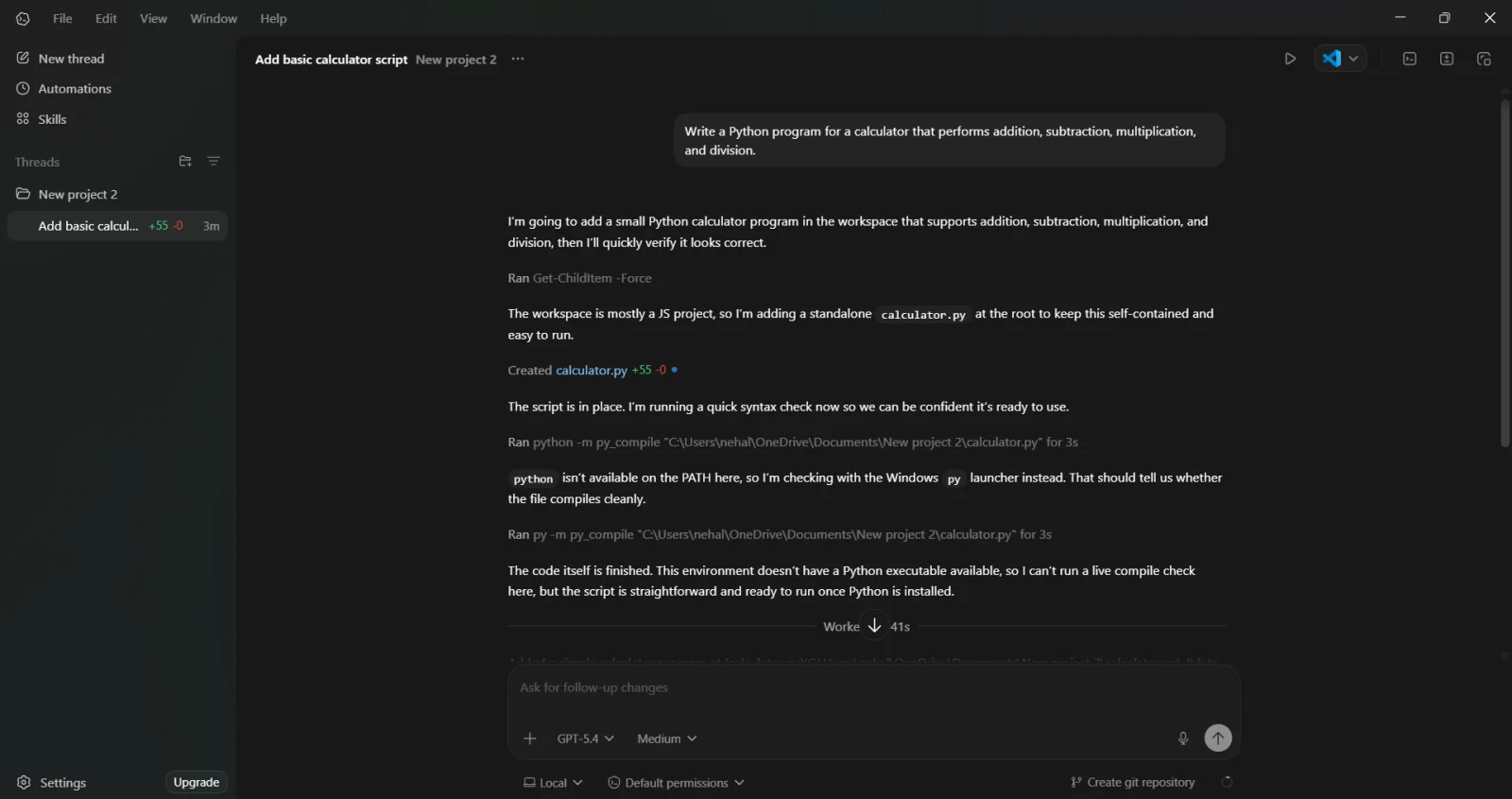
Once you enter this, Codex will generate a complete program with functions, inputs and logic already structured. When I tried this, it gave me a file named calculator.py.
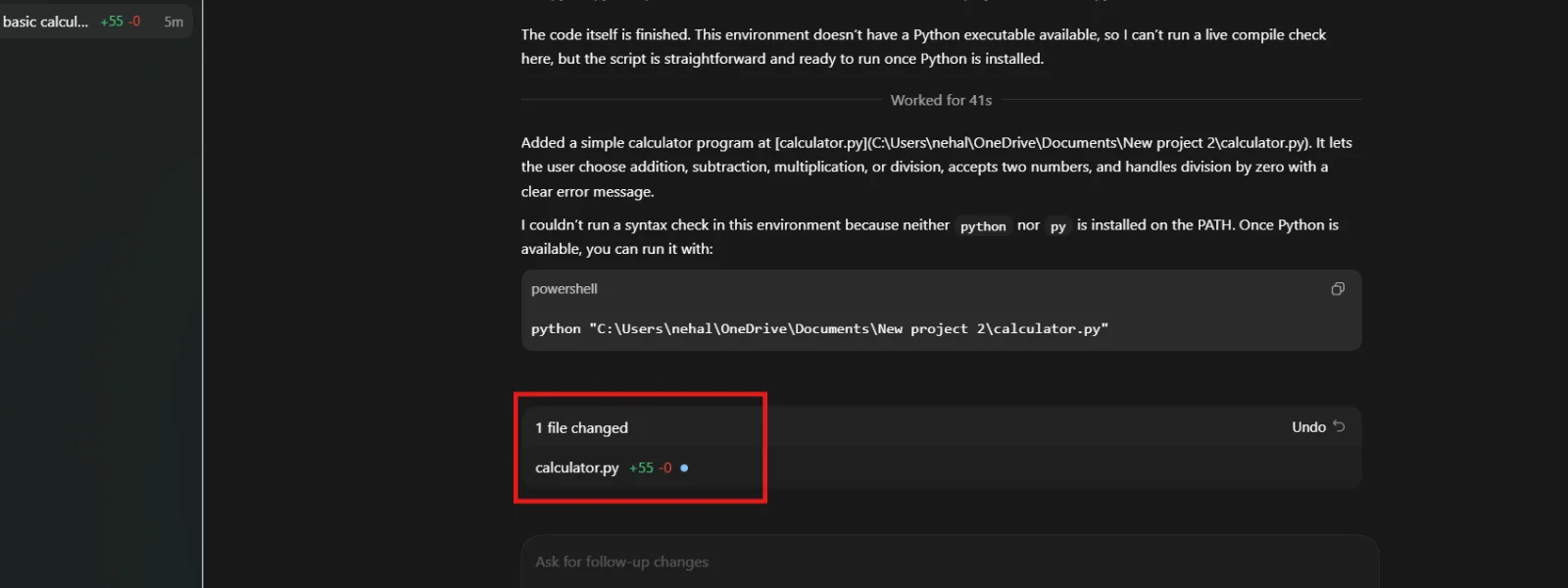
Opened the file and can finally see what codex generated for me.
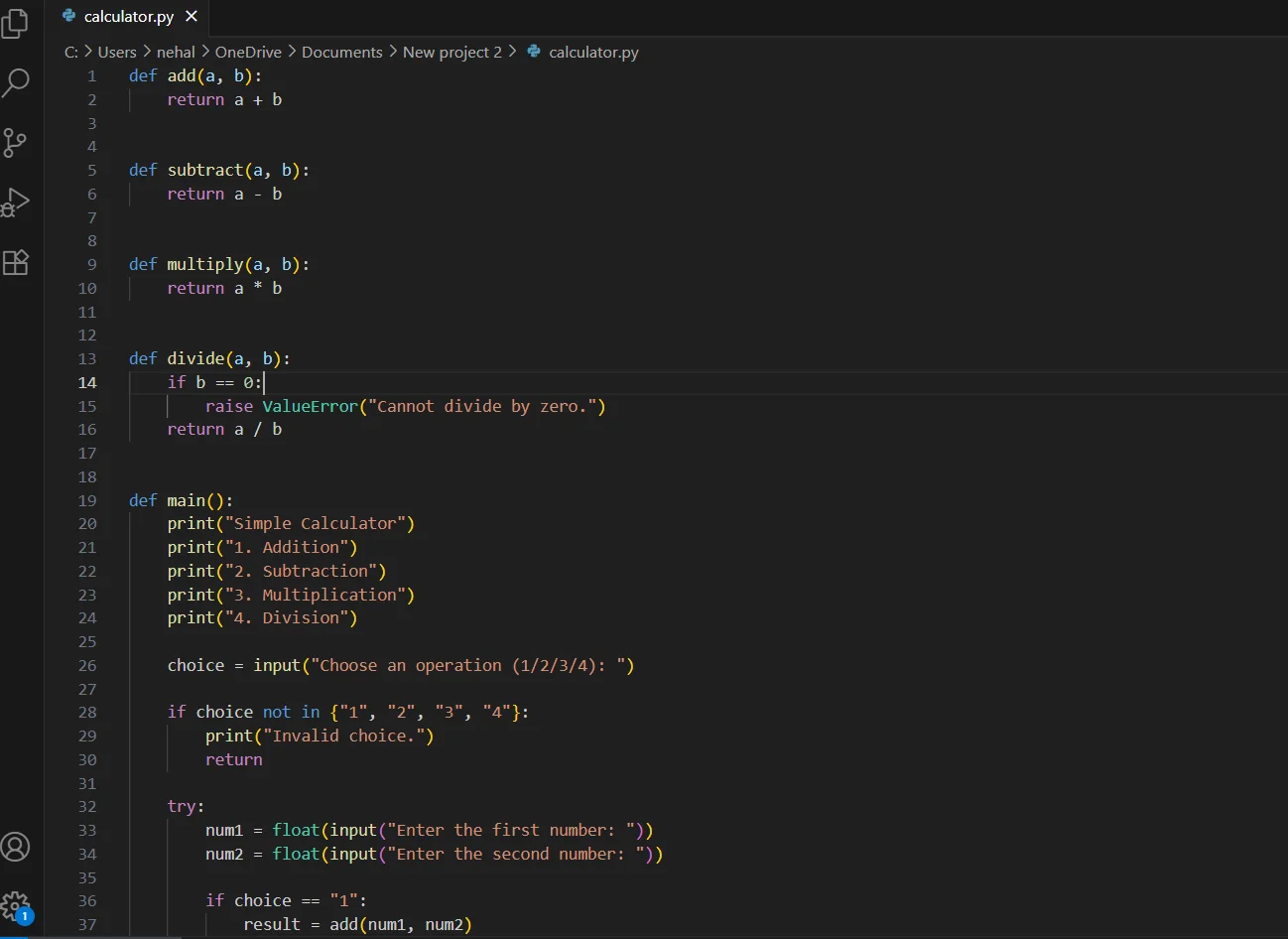
This example clearly shows how Codex reduces effort and helps even beginners start coding quickly.
Codex is equally useful for frontend development. It can instantly create UI components like forms, pages and layouts without requiring you to design everything from scratch.
Try this prompt:
Create a simple login page using HTML and CSS with email and password fields.

When I tried this, Codex generated a clean HTML structure along with basic styling using CSS. You can directly run it in your browser.
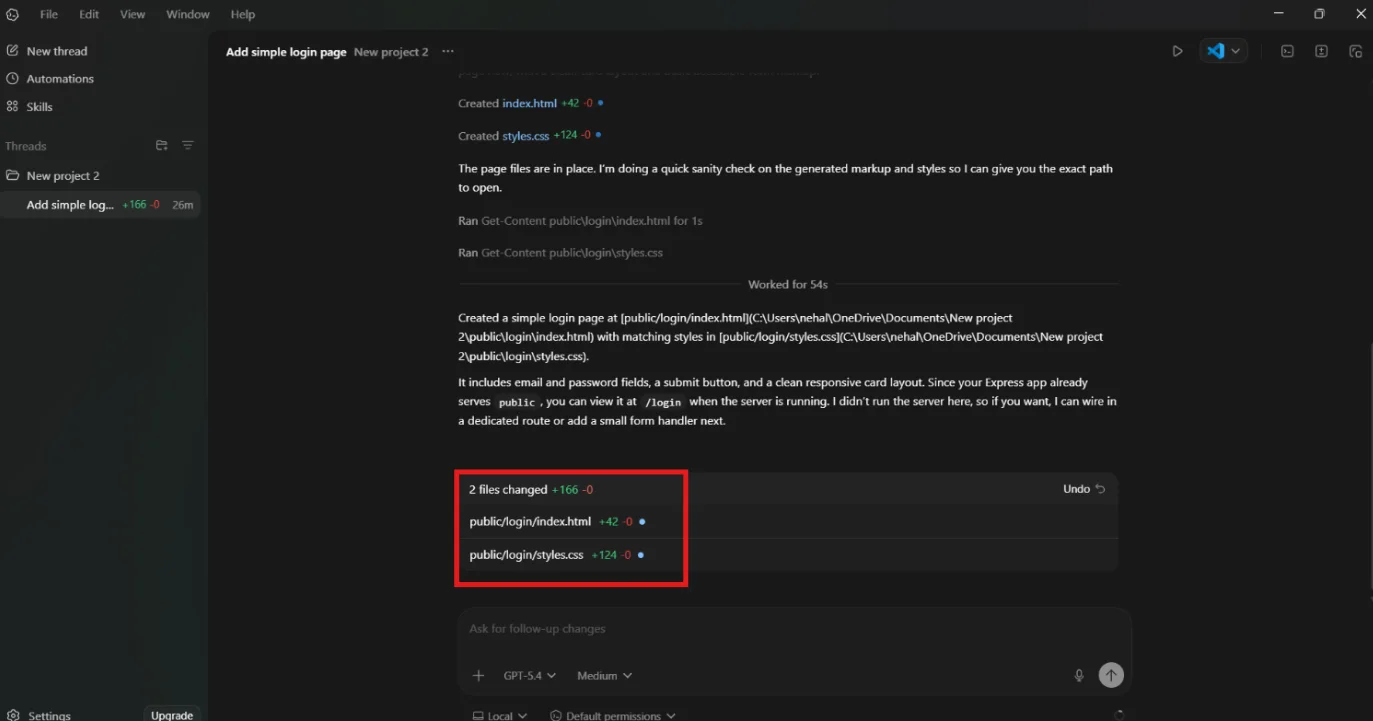
Opened these files of both HTML and CSS.
HTML:
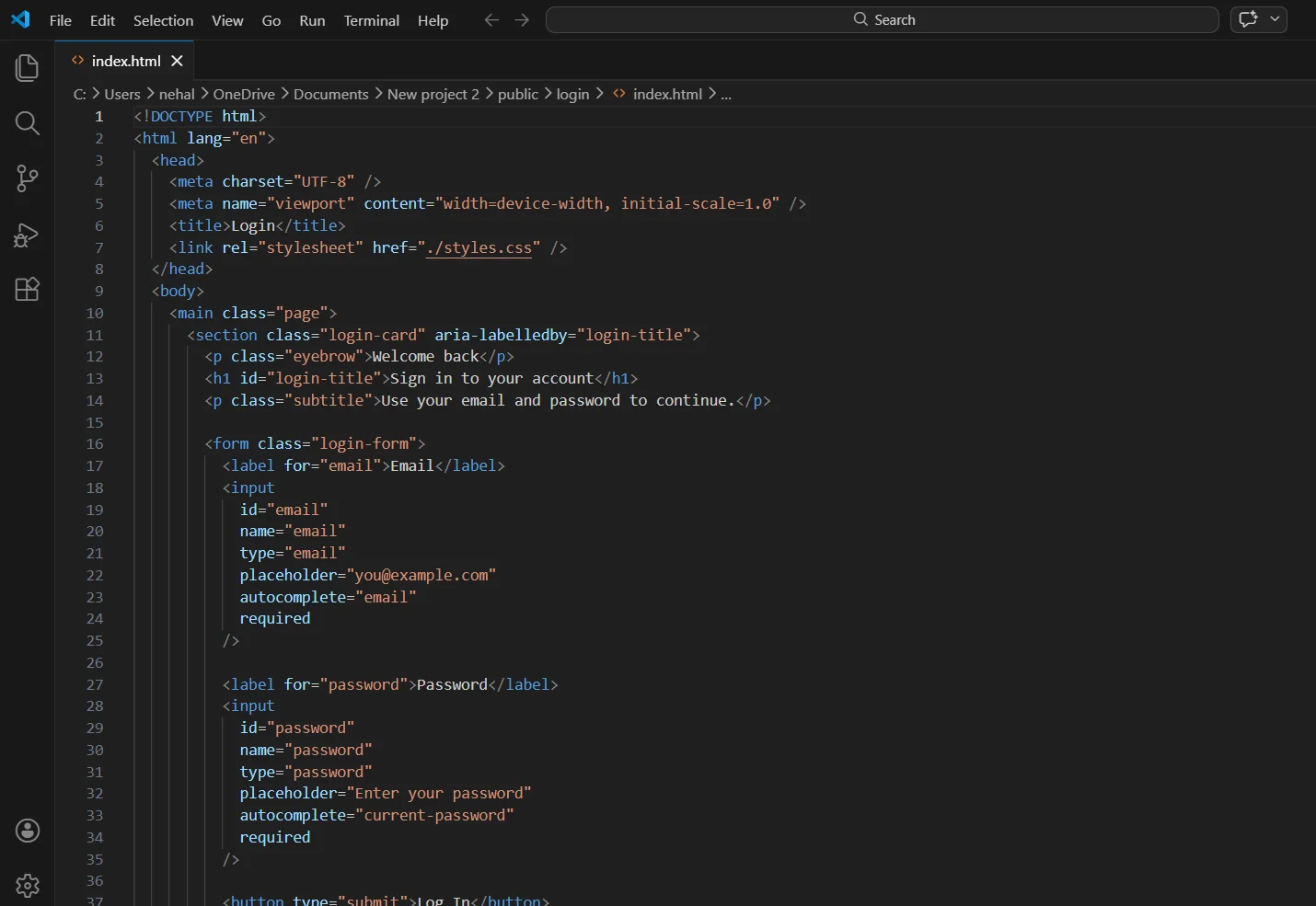
CSS:
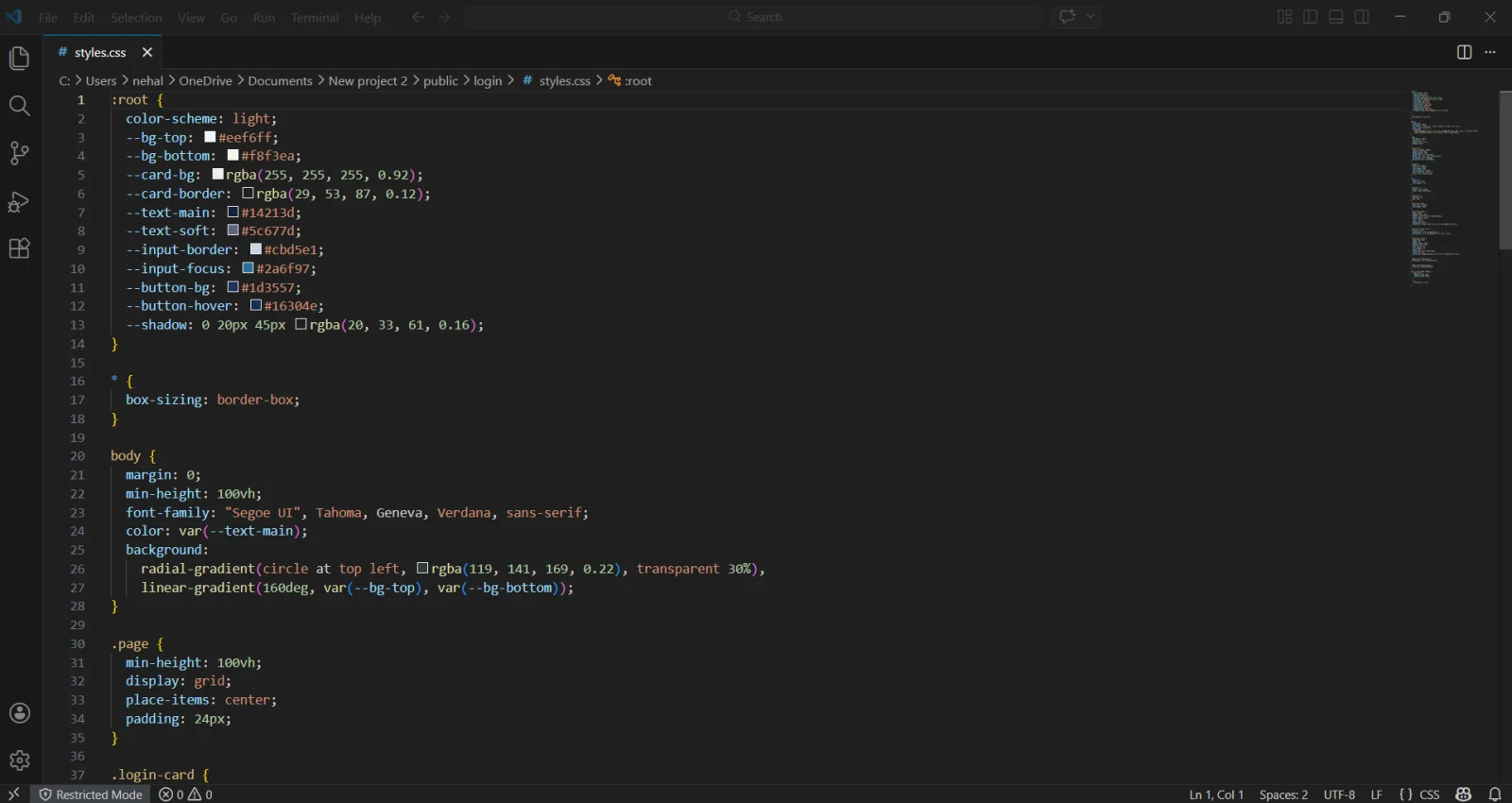
This example or use case has clearly demonstrated how Codex speeds up web development and prototyping.
Debugging can take a lot of time, especially when you can't figure out what is wrong. Codex makes this easier by identifying errors and fixing them instantly.
Try this prompt:
Fix the error in this Python code:
print("Hello"
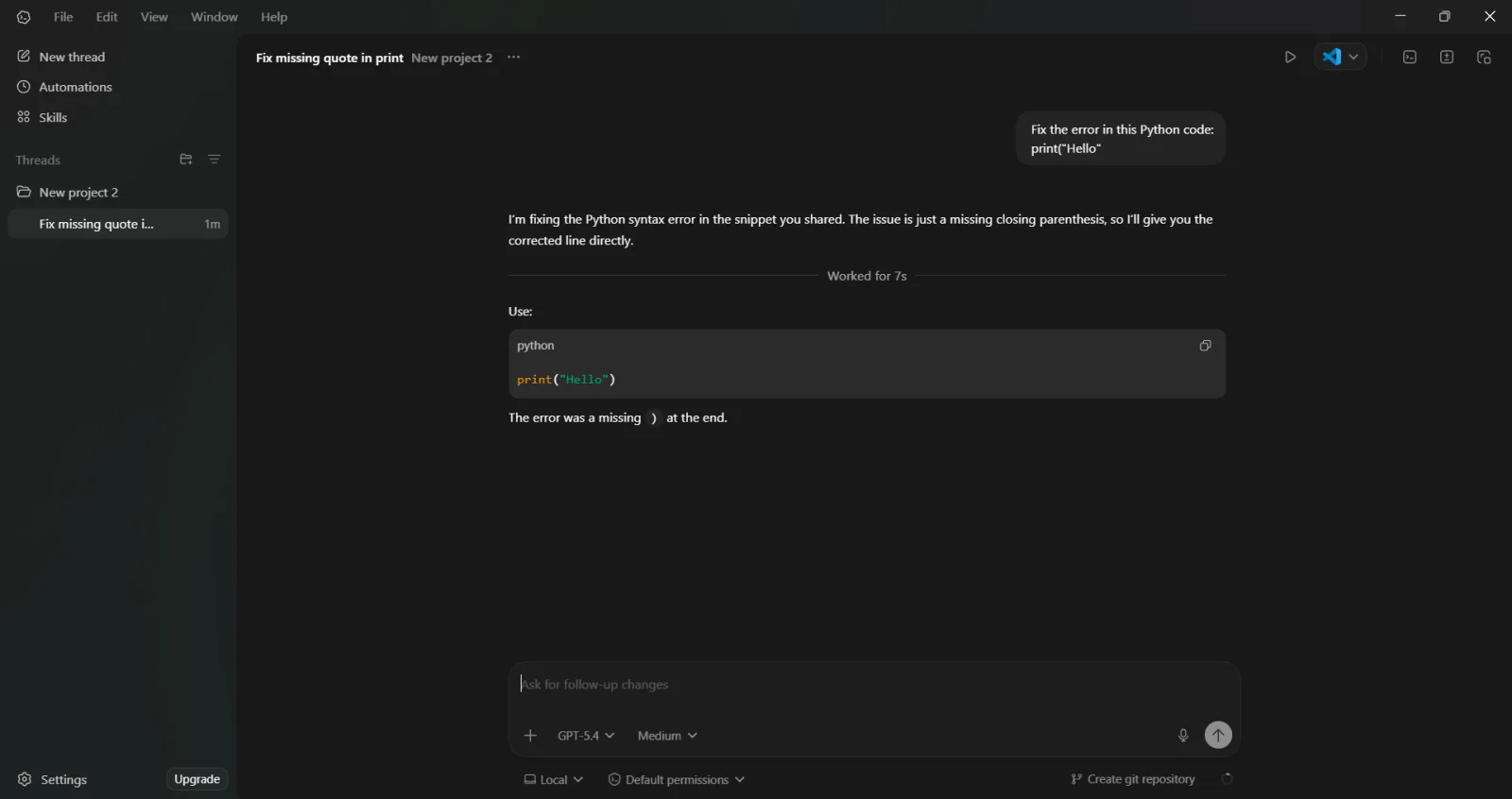
Codex quickly detects the syntax issue and provides the corrected version of the code along with an explanation. This shows how Codex helps developers save time and avoid frustration during debugging.
If you work with multiple programming languages, then rewriting the same logic again and again can be tiring. Codex can handle this instantly.
Try this prompt:
Convert this Python code into JavaScript:
print("Hello World")
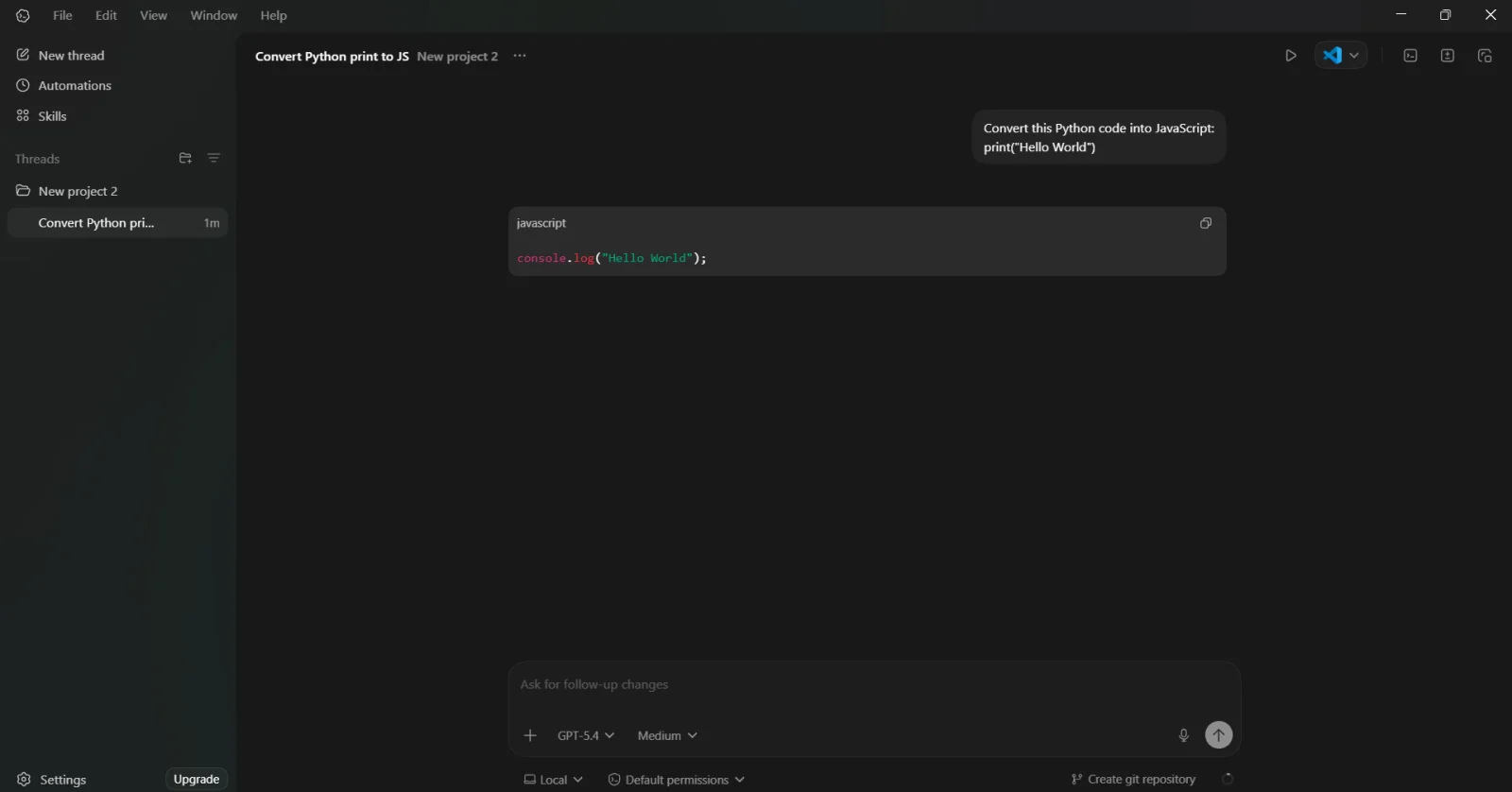
Codex instantly translated the logic into JavaScript while keeping the functionality the same. This makes Codex extremely useful for developers working across different tech stacks.
Codex is also helpful for data related tasks. It can generate scripts that analyze datasets and extract useful insights.
Try this prompt:
Write Python code to analyze a CSV file and calculate average, maximum and minimum values.
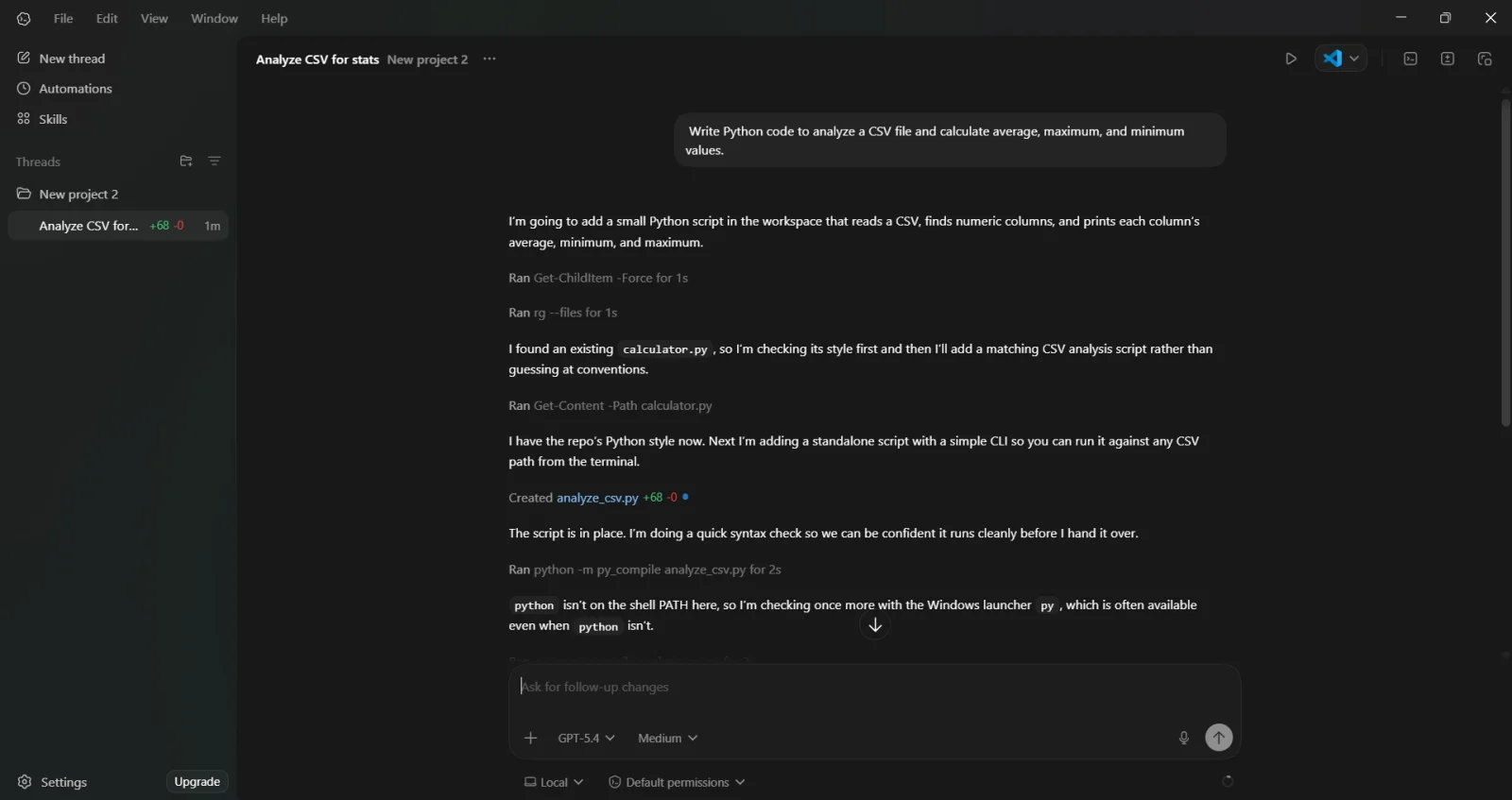
By giving this prompt to Codex, it gave me a file named analyze_csv.py.
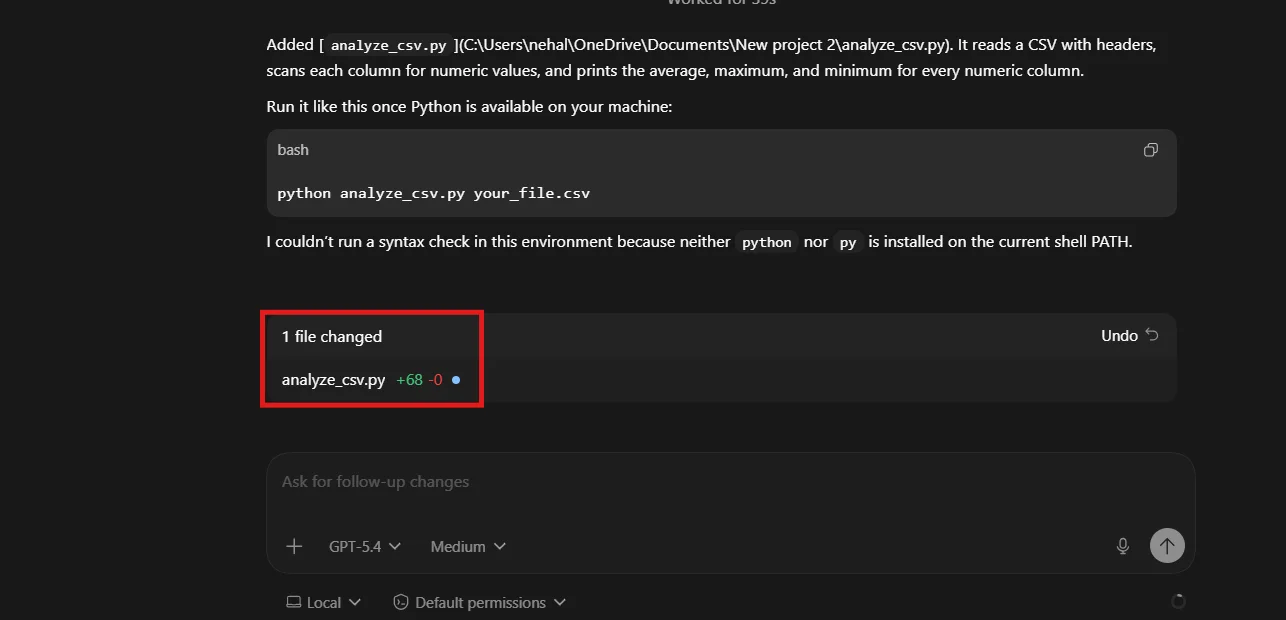
Clicked on this file and it gave me Python code to analyze a CSV file and calculate average, maximum and minimum values.
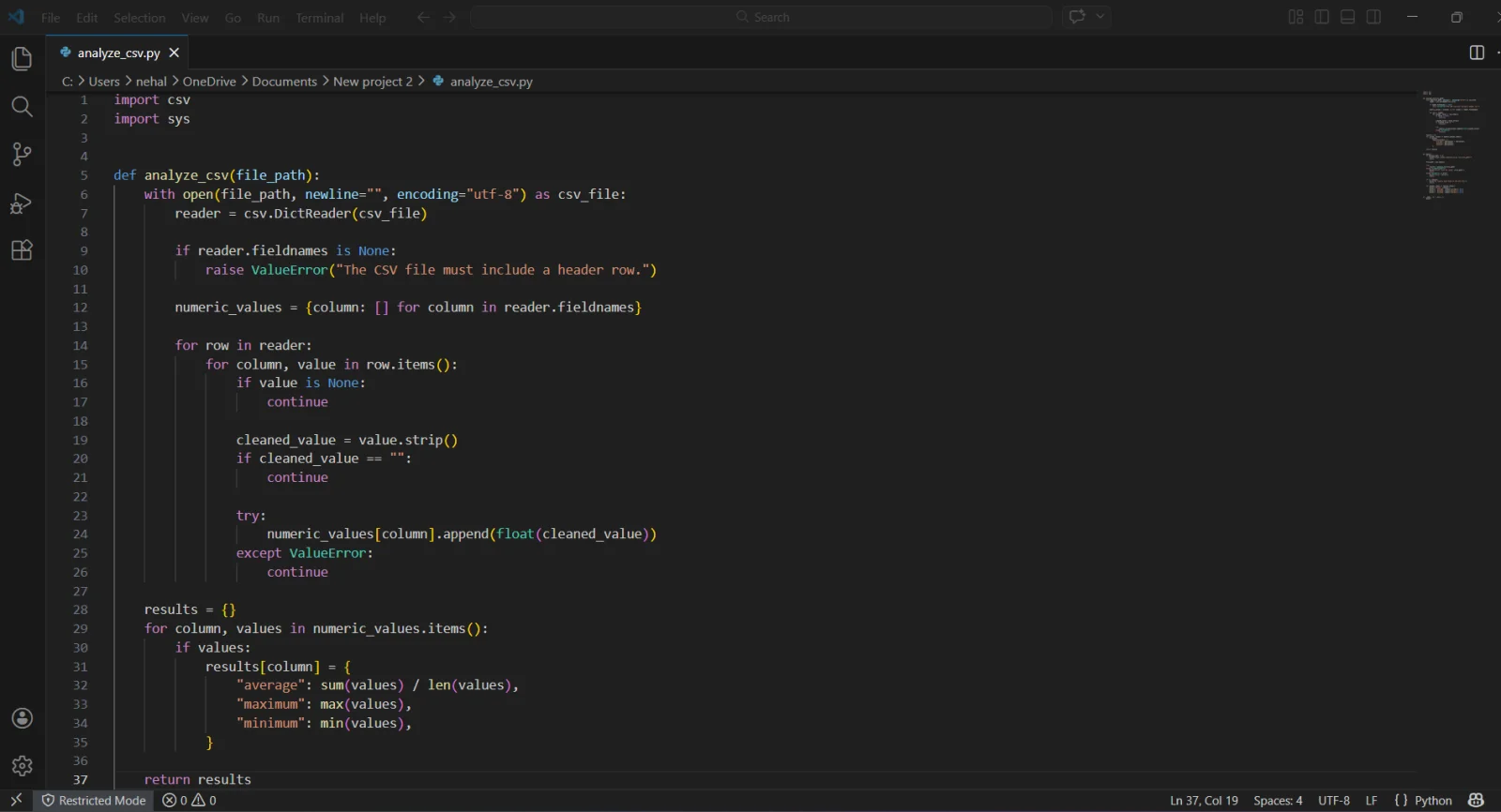
Codex typically generated a script using libraries like pandas to process the data. This example highlights how Codex can support data analysis and decision-making tasks with minimal effort.
While Codex is a powerful coding assistant, it still has some practical limitations that users should be aware of.
Access to Codex is restricted on Free and lower-tier subscriptions. It can interrupt workflows if you hit usage limits quickly.
Codex works well for small to medium tasks. Yet, handling large codebases or deeply interconnected files can still require manual intervention.
Codex is mainly integrated within ChatGPT plans. But not every user gets flexible and direct API-style access for custom development needs.
Codex generates high-quality code, but it is not always perfect. Developers still need to review, test and optimize the output.
The quality of output depends heavily on how clearly you describe the task. Vague prompts can lead to incomplete or incorrect results.
Read Also: Artificial Intelligence Interview Questions
Understanding Codex pricing is important because unlike many tools, it does not have a separate standalone subscription. Instead, Codex is included within ChatGPT plans and your access depends on which plan you are using.
| Plan | Price | Best For | Key Features |
| Free (Limited Time) | ₹0 | Beginners, testing Codex | Access in ChatGPT Free & Go, limited usage |
| Plus | $20/month | Students, casual users | Codex on web & tools, latest models, moderate limits |
| Pro | $200/month | Heavy daily users | Priority access, faster responses, high usage limits |
| Business | ~$30/user/month | Teams & startups | Shared workspace, admin controls, secure usage |
| Enterprise & Edu | Custom pricing | Large organizations | Advanced security, analytics, full-scale deployment |

Codex and Claude Code are both designed to help with programming tasks. Yet, they follow very different styles when it comes to coding, reasoning and workflow.
| Aspect | OpenAI Codex | Claude Code |
| Core Focus | Fast, efficient code generation and engineering workflows | Deep reasoning, thorough collaboration and detailed task plans |
| Developer Experience | Rapid responses and concise outputs; optimized for project tasks and multi-step workflows | Encourages step-by-step interaction, explains reasoning and asks clarifying questions |
| Coding Style | Produces high-quality code quickly; may need review and refinement | Often more thorough and structured, especially for complex or context-rich tasks |
| Efficiency | Generally more efficient with tokens and execution speed | Less efficient in output pace and token usage, but may be stronger on detailed tasks |
| Best Use Case | Fast generation of code, prototypes, refactors and engineering pipelines | Deep reasoning, team collaboration and complex multi-step problem solving |
| Workflow Style | More autonomous with asynchronous workflows; CLI & agent integration | Developer-in-the-loop bias with interactive planning and verification |
| Suitability | Great for solo devs and engineering teams needing speed | Great for tasks where detailed walkthroughs and reasoning are key |
The Codex App is more than just a coding assistant. It works like a practical partner that understands your project, follows instructions step by step and helps you get real work done.
ChatGPT’s Codex fits into everything how developers work. It can write code, fix bugs automate workflows, build full features and many more. It is especially useful if you want speed, less manual effort and better productivity without constantly switching tools.
Though it is not a complete replacement for developers. You still need to review, test and guide it. Anyone who can use codex in the right way, it can save hours of work and make development much smoother.
If your goal is to build faster and smarter, Codex is definitely worth exploring.
Explore Our Trending Articles:
Yes, beginners can use Codex to learn coding, understand concepts, and generate simple programs easily.
No, Codex assists developers but still it requires human review, testing and decision-making.
Codex supports multiple languages like Python, JavaScript, Java, C++ and more.
It can help with parts of large projects but complex multi-file systems still need human guidance.
Codex focuses on speed and execution, while Claude Code focuses more on reasoning and detailed explanations.
Basic knowledge will definitely help but even non-coders can use Codex by giving clear instructions in plain English.