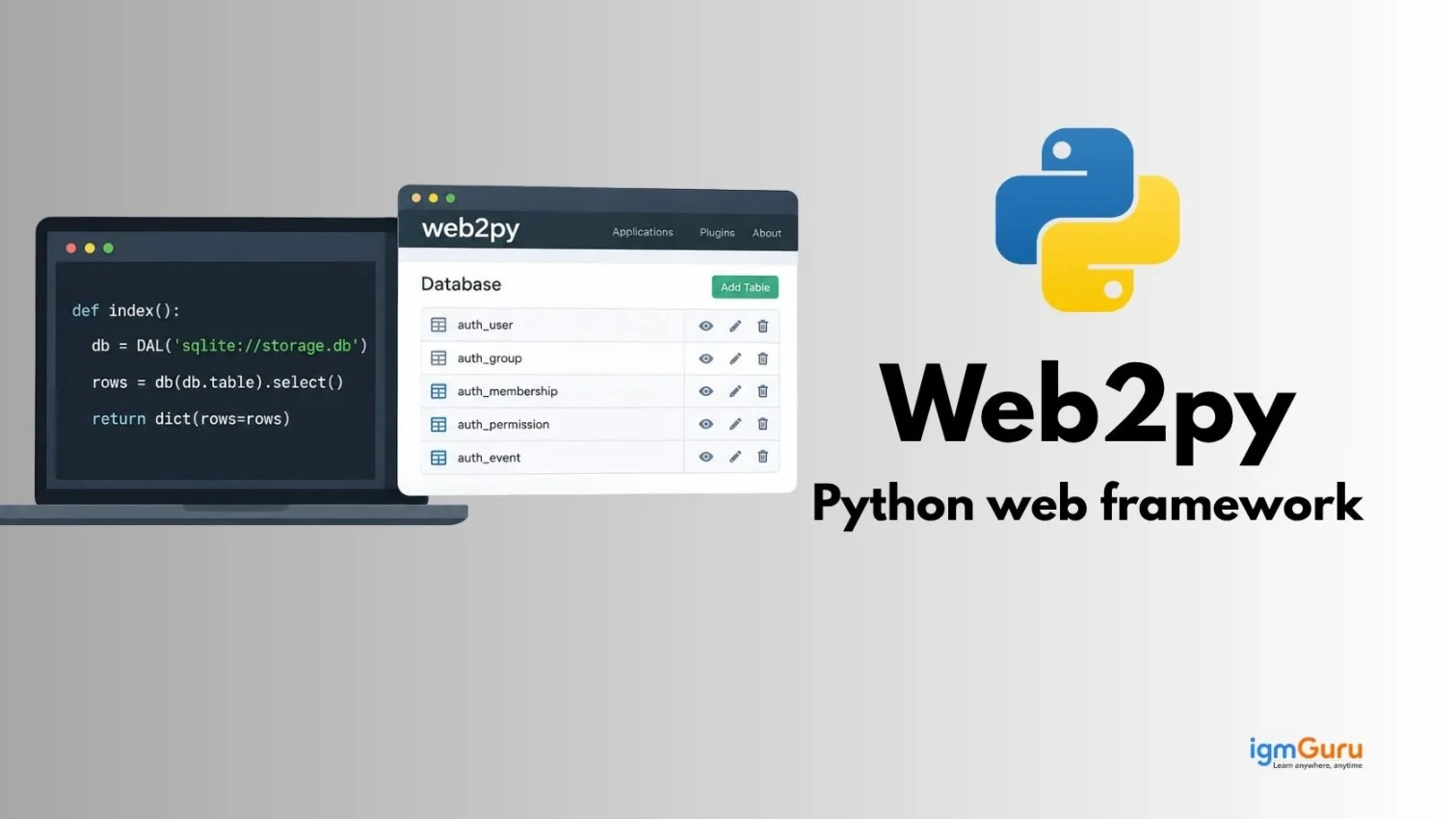
Web2Py is an extremely flexible Python web-based framework that allows rapid development of safe and scalable web applications in an efficient manner.
Based upon my experience in creating web applications, I have used web2Py for about 4+ years to develop structured web applications based on the MVC paradigm, with hands-on experience in understanding database technologies, developing UIs and software logic within web applications. In addition, my skill set includes developing efficient, user-friendly web solutions with high-quality and maintainable code.
In this blog, I will explain you what is Web2Py, how it works, its architecture and many more. Let’s begin!
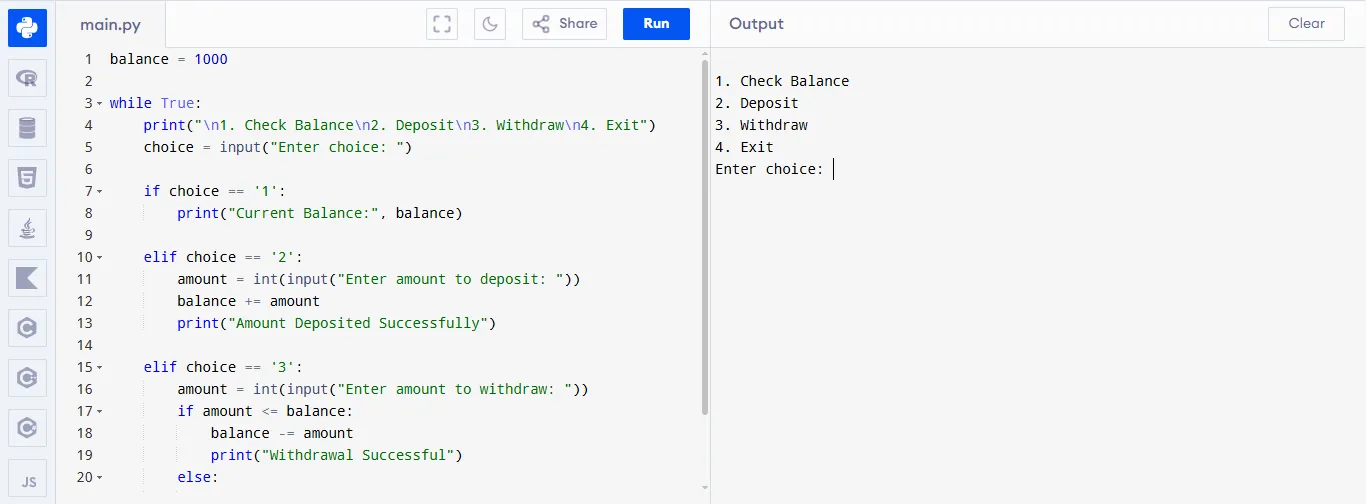
Web2py is an open-source web framework developed with the Python programming language that lets users create online applications quickly using a series of built-in functions like database management, security and development tools. This helps beginners build their own web apps easily and quickly as long as no other more complicated setup is needed.
For example: Bank Account System
|
Read Also: Python Tutorial for Beginners
Massimo Di Pierro designed web2py to be a full-stack Python framework that was simple to use, but also quick to develop applications with. A unique feature of web2py was the incorporation of a web-based IDE (integrated development environment). Security, scalability and simplicity were emphasized as design considerations for web2py. Since 2007, educators as well as developers have increasingly used web2py as a way to develop a secure web application faster than similar alternative frameworks.
Web2py has evolved from a beginner friendly framework into a stable and secure platform. Following is an explanation of the version history of this Python based framework:
| Versions | Key Updates & Features | Why It Matters |
| 2007 (Initial Release) | First version of Web2py created by Massimo Di Pierro | Introduced an easy-to-use Python web framework with built-in tools |
| 1.x Series (2007–2010) | Added web-based IDE, database abstraction layer (DAL) and security features | Made development faster and safer for beginners |
| 2.0 (2011) | Improved performance, better admin interface, enhanced scalability | More stable for real-world applications |
| 2.5+ (2012–2014) | Added plugin system, RESTful API support and better internationalization | Enabled building modern web apps and APIs |
| 2.10+ (2015–2017) | Python 3 support introduced, improved documentation | Kept the framework updated with modern Python |
| 2.15+ (2018–2020) | Bug fixes, security patches and stability improvements | Ensured reliability and long-term usage |
| 2021–Present | Minor updates, maintenance mode, community support continues | Still usable, but not evolving as fast as newer frameworks |
Web2Py is a powerful yet beginner friendly Python web framework designed to simplify web development. It comes with many built-in features, so developers don’t need to install extra tools or write repetitive code. Here are some of its key features:
1. Built-in Web Server and IDE: It includes its own web server and an online code editor (IDE). This means you can write, run and test your application in one place without installing additional software.
2. Database Abstraction Layer (DAL): It allows you to work with different databases (like MySQL, SQLite and PostgreSQL) using the same code. You don’t need to write complex SQL queries.
3. Security Features: Web2Py provides strong built-in security such as protection against SQL injection, cross-site scripting (XSS) and other common web attacks.
4. MVC Architecture: It follows the MVC pattern, which helps organize code better and makes applications easier to manage and scale.
5. Fast Performance: Web2Py runs applications quickly using its Rocket web server, ensuring better speed and performance.
Read Also: Python Interview Questions and Answers
This backend framework is mainly used as a teaching tool rather than for web development. Following are some reasons why Python programmers learn it:
Web2Py functions similarly to how a user might use a browser. The user sends a request by accessing a website or clicking on a hyperlink, which generates an HTTP request sent to the Web2Py server.
When the user enters a URL in their web browser (eg. when they click a link), the browser sends an HTTP request to the Web2Py application running on the Web2Py server (which could also be a package running in a multi-web app server environment across various locations).
Web2Py can have multiple web applications (named both the same as the server, web2py, or as the name of the application), so the Web2Py application will receive the request and will determine which application and function will handle this request.
The controller will execute whatever logic is needed to respond to the user request and may also determine what data is needed (eg. if the controller needs additional data to respond to a user request, it will use the Model to access the database).
If the controller determines that the model requires data from the database, then the model will use Web2Py's Database Abstraction Layer (DAL) to use SQL to get data from or to put data into the database.
The controller has successfully executed all the necessary logic and data requests, it will send any resulting data to the view to be rendered.
The view will render HTML + PYTHON templates to create the final web page that the user will see.
The view will send a message (the final rendered web page) to be rendered in the browser of the user's machine/display.
Read Also: Introduction to CherryPy
This backend framework is based on the Model View Controller architectural pattern. This pattern separates an application into three distinct components, which will allow you a better organization of code, improved maintainability and clear separation of responsibilities.
Represents data & database logic, defines what the database consists of and all operations related to manipulating the data within it.
The models are written in Python inside the models/ directory of a Web2Py application and use the Database Abstraction Layer (DAL) of the framework to communicate with the underlying databases so that developers can avoid writing SQL code directly.
For example:
|
Represents the presentation layer of your application. The View is responsible for sending data to the client in a user-friendly manner.
In Web2Py, the views are HTML templates, which are stored in the views/ directory and can have embedded Python code to help dynamically generate content.
For example:
|
Represents application logic by sitting between the Model and View and responding to the user requests.
Controllers are defined in Python as functions stored in the controllers/ directory and correspond to each action that can be done based on the user request.
For example:
|
This is what happens behind-the-scenes every time a user visits a web page:
1. The Controller receives a request
2. The Controller queries the Model for data
3. The Model returns data
4. The Controller sends the data to the View
5. The View displays data to users.
By using this flow, we can assign a specific role to each part of the application and maintain an organized way of working together.
Read Also: Tornado Framework
This Python-based framework allows you to create secure and scalable web applications based on real-life situations, such as e-commerce, CMS and other forms of data-driven platforms. It provides extremely fast and easy-to-use development, with very few configuration options available, in addition to its powerful built-in features.
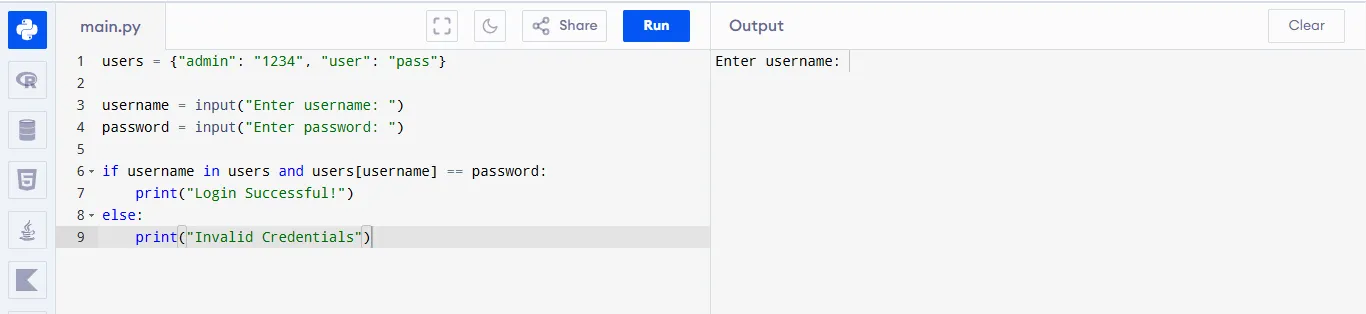
A login system is used in most applications to verify user identity. It checks username and password combinations, allowing only authorized users to access the system and protecting sensitive information from unauthorized access.
For example:
|
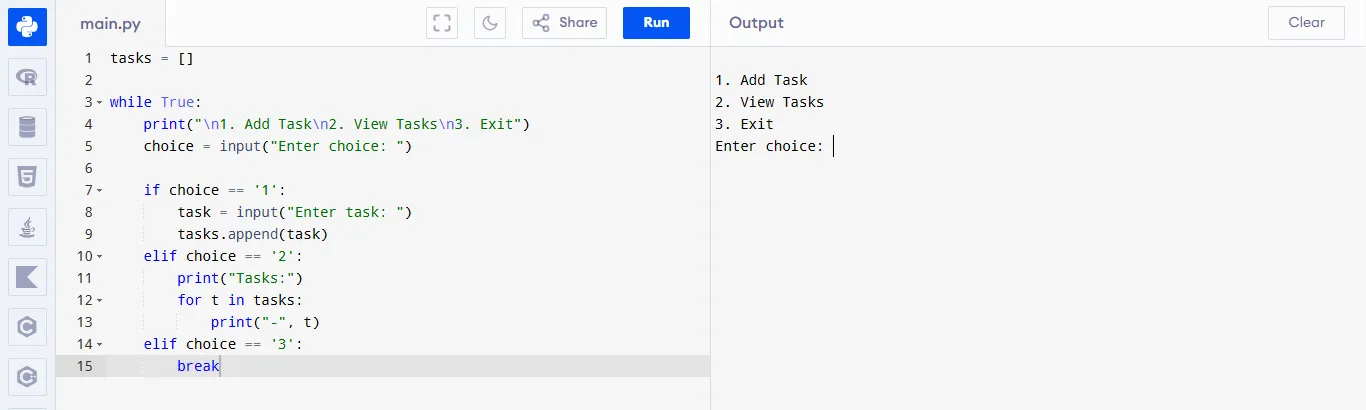
A to-do list application helps users organize tasks efficiently. Users can add, view and manage tasks in a simple list, improving productivity and ensuring important activities are completed on time.
For example:
|
This simulates how systems store and retrieve data. It allows users to fetch predefined data records, similar to how applications communicate with servers to request and display structured information.
For example:
|

A contact system collects user input such as name and message. It is used by websites to receive feedback, inquiries, or support requests without exposing direct communication channels like email addresses.
For example:
|

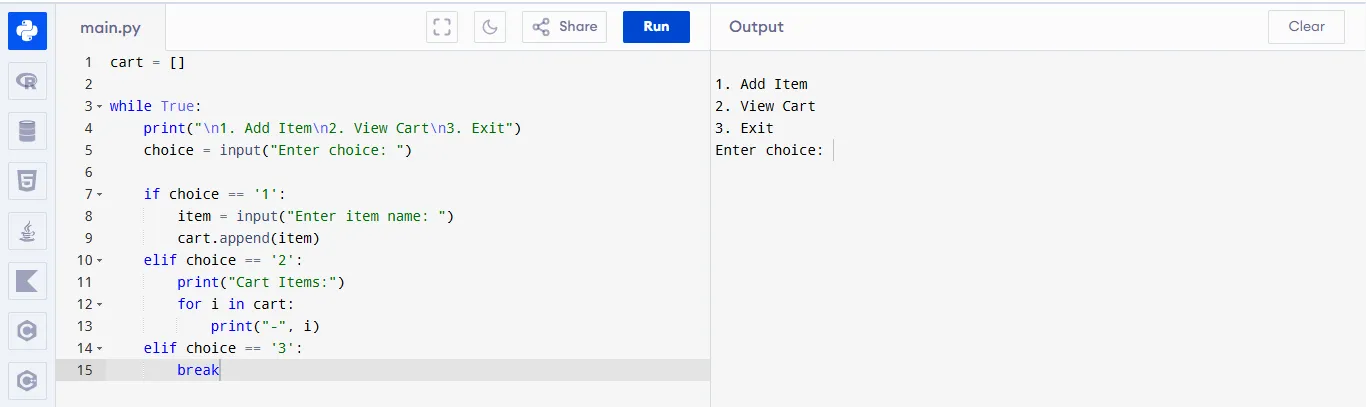
A shopping cart allows users to select and manage items before purchase. It is widely used in e-commerce platforms to review, update and finalize selected products before completing transactions.
For example:
|
Read Also: The Pyramid Web Framework
Web2Py, Django and Flask are Python web frameworks. Web2Py is simple and ready-to-use, Django is powerful and feature-rich, while Flask is lightweight and flexible for small, customizable applications.
Let me explain their differences in a detailed fashion:
| Feature | Web2Py | Django | Flask |
| Type | Full-stack framework | Full-stack framework | Microframework |
| Philosophy | Simplicity with built-in tools | “Batteries-included” (everything provided) | Minimalist and flexible |
| Learning Curve | Easy to moderate | Moderate to steep | Very easy |
| Built-in Features | Includes admin panel, database, authentication | Includes ORM, admin, auth, security, templates | Very few built-in features |
| Flexibility | Less flexible (opinionated) | Moderate flexibility | Highly flexible |
| Project Size Suitability | Small to medium apps | Medium to large-scale apps | Small to scalable apps (with extensions) |
| Database Handling | Built-in DAL (Database Abstraction Layer) | Powerful ORM (Object Relational Mapper) | Uses extensions like SQLAlchemy |
| Security | Strong built-in security features | Very strong (CSRF, XSS, etc.) | Depends on developer and extensions |
This full stack web framework that aims for ease of use and fast development. It includes multiple built to use tools such as a web based IDE, database abstraction and security components, which minimizes the need for external dependencies and lower the amount of setup time require to use the development platform.
1. Built-in Components: Includes everything (web server, database, admin interface) in one package, reducing dependency on external tools.
2. Security Features: Provides built-in protection against common vulnerabilities like SQL injection, XSS and CSRF.
3. Rapid Development: Helps developers build applications quickly with less code due to its integrated environment.
4. Database Abstraction Layer (DAL): Allows switching between different databases easily without changing much code.
5. Cross-Platform Support: Works on Windows, Linux and macOS without major issues.
Also Explore: Variables in Python
Compared to many of the major frameworks, this backend framework has a smaller community and fewer third-party resources. Some of the unique conventions and structure of the framework may also feel restrictive and less flexible when developing larger or more heavily customized applications.
1. Less Popular: Compared to frameworks like Django or Flask, it has a smaller community and fewer resources.
2. Limited Flexibility: Being an all-in-one framework, it offers less customization compared to micro-frameworks.
3. Fewer Third-Party Libraries: Limited ecosystem means fewer plugins and extensions are available.
4. Not Widely Used in Industry: Many companies prefer Django or Flask, so job opportunities may be limited.
In conclusion, Web2Py is an easy-to-use Python framework for creating secure web applications using its built-in tools in a fast and simple manner. It provides support for databases, follows the Model-View-Controller (MVC) design pattern and allows for rapid development compared to other frameworks of its type but lacks flexibility due to a small community compared with other frameworks.
Explore Our Trending Articles:-
Py4Web is a newer, lightweight framework designed using updated methods while web2py is an older and more comprehensive Service with greater functionality, many features and tools for quicker development processes.
Web2py is a complete framework consisting of the webserver, database and backend management system. The main focus of web2py is to simplify the development and deployment processes so developers do not have to rely predominantly on third-party libraries.
No! There are no complicated installation procedures with web2py. Web2py is portable and can be run right away after downloading since it includes its own webserver and database; therefore, it is not difficult to learn.
Yes! Web2py is designed with maximum security by implementing multiple forms of protection against common web vulnerabilities such as, SQL injection, Cross-Site Scripting (XSS) and Cross-Site Request Forgery (CSRF) which ensure secured application development.