Java file handling gives you the ability to effectively manage files for creating flexible applications. It is important for enabling programs to persist data, interact with external resources and maintain state across sessions. I have created this blog for you to understand what file handling in Java truly means. But would you not like to know more about it? This guide also sheds light on file classes, I/O streams and fundamental file operations in Java with useful examples.
So, what is Java file handling? Remember that it is all about organizing files by creating, writing, reading or deleting them. It allows a program to save and make use of information on the computer. You can handle the stories stored on the computer’s disk by using Java’s tools, such as streams, readers, etc. All of this can be done while handling errors and spells.
Also Read: How to Install the Java Programming Language?
But why does file handling in Java matter? It has an important part in Java, mainly for handling different files along with -
Does File Class in Java sound new to you? I can explain. The Java File class is a part of the java.io package. It serves as a representation of a file or directory’s name and location. It gives you ways to make, delete and get data about files or directories as well. Here is an example -
|
|
Also Explore: Java 21 Features
Modern Java applications commonly use the java.nio.file package for file handling because it provides better performance, cleaner syntax and improved scalability compared to traditional I/O classes. Introduced in Java 7, Java NIO simplifies many file operations using classes like Path, Paths and Files.
Developers prefer Java NIO for handling large files, performing non-blocking operations and writing cleaner code in enterprise applications.
|
Let me introduce you to I/O streams in Java. They are an important structure for handling input and output operations. They give a unified approach to read data from different sources like network, memory and files along with writing output to different destinations.
Byte streams in Java handle raw binary data like audio, video, non-text files or images. They process data as sequences of 8-bit bytes. The two primary abstract classes that define Java’s byte stream architecture are InputStream for reading data and OutputStream for writing it. Abstract classes cannot be instantiated directly; this is why their implementation classes are used to perform actual I/O operations -
Character streams in Java are designed for handling text data. It is ideal for international text and language support as it works with 16-bit Unicode characters. They are best for working with text data like strings, characters and text files. There are two key abstract classes for character streams: Reader and Writer. Abstract classes cannot be instantiated directly, this is why their implementation classes are used to perform actual I/O operations -
Character encoding is important while reading or writing text files in Java. Modern applications commonly use UTF-8 encoding to properly support international characters and multilingual text data.
Developers can specify encodings explicitly using classes like InputStreamReader, OutputStreamWriter or Files.writeString() with StandardCharsets.UTF_8.
Read Also: How to Learn Java from Scratch
Java allows a number of important file operations like creating, reading, writing and deleting files. Let’s take a look at each operation one by one-
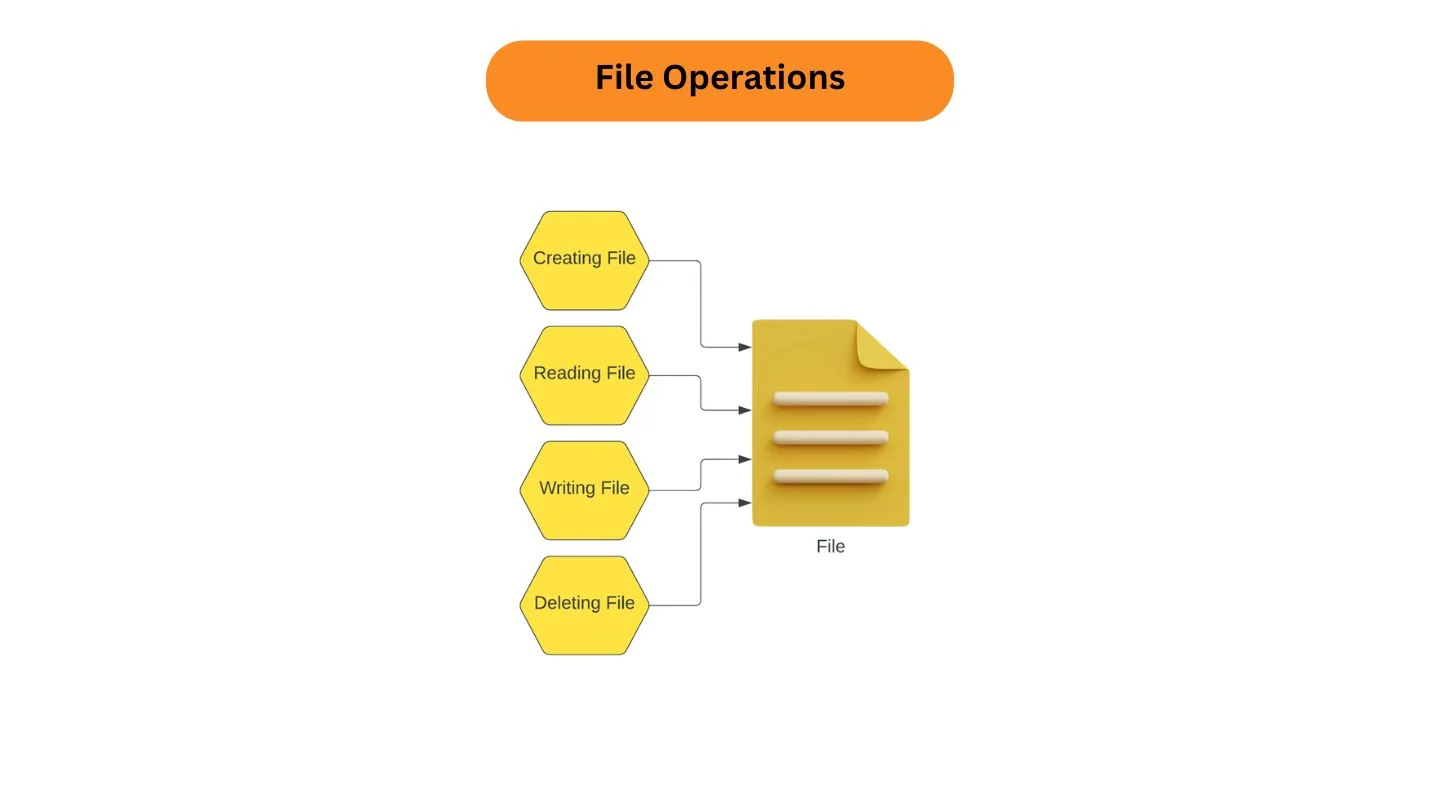
One can create a file in Java by using the createNewFile() method. This method returns true when a new file is successfully created and returns false if a file with the specified name already exists. Here is an example to help you out -
|
|
|
We can send text into a file through Java’s FileWriter class and its write() method. Here is an example -
|
|
The examples above use try-with-resources, a modern Java feature introduced in Java 7. It automatically closes file resources after use, helping developers avoid memory leaks and resource management issues.
We can read contents from a file through the Scanner class. Here is an example -
|
This is what the expected output would look like -
|
Although Scanner is beginner-friendly, modern Java applications often use BufferedReader or the Files class from Java NIO for better performance and cleaner code when working with large files.
We can get rid of a file by using the delete() method.
|
|
|
Read Also: 60+ Java Interview Questions and Answers
| Feature | Java IO | Java NIO |
| Approach | Stream-based | Buffer-based |
| Performance | Suitable for smaller tasks | Better for large-scale applications |
| Blocking Operations | Blocking | Supports non-blocking operations |
| Modern Usage | Used for basic and legacy applications | Preferred in modern Java development |
I hope this guide helped you understand the core concepts of file handling in Java. Modern Java applications use both traditional I/O classes and the Java NIO package for efficient file operations, better scalability and cleaner code structure. By learning file creation, reading, writing and deletion along with modern APIs like Files and Path, developers can build reliable applications that manage data efficiently.
I hope this guide helped you in exploring the important aspects of file handling in Java. The purpose of this blog is to equip readers with a strong grasp of these operations for building applications that require data persistence. Java file handling allows developers to perform file operations with ease through using powerful I/O libraries like BufferedReader, BufferedWriter, and more.
Explore Other Java-Related Articles:
FAQs
Java NIO gives you buffer-oriented data handling, non-blocking I/O and selectors for flexible applications. It is great for high performance and concurrent file operations as compared to traditional I/O.
Developers must ensure safety by using synchronization mechanisms like ReentrantLock and synchronized blocks as Java’s I/O classes are not inherently thread safe.
The best practices include using BufferReader or BufferWriter for reading and writing data in chunks for large files. Another best practice is to avoid loading the entire file into memory to prevent OutOfMemoryError.
File handling in Java is used to create, read, write and manage files on a system. It allows programs to store data permanently instead of losing it when the program stops running.
Modern Java applications commonly use Java NIO classes like Files, Path and BufferedReader for handling large files efficiently. These APIs improve performance and reduce memory usage compared to older approaches.