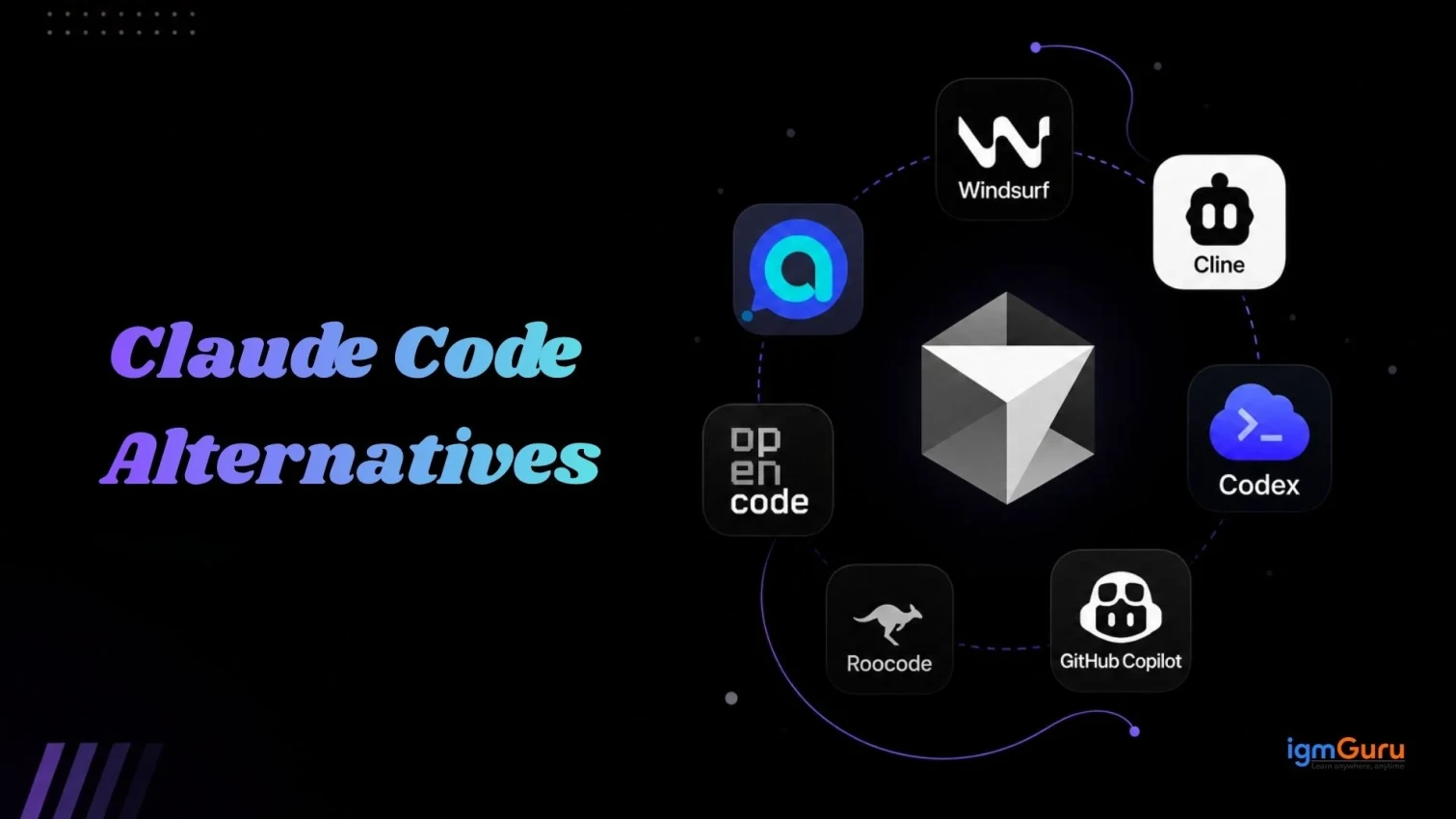
Claude Code has quickly become one of the most popular AI coding tools for developers, and for good reason. It can write code, debug errors, understand entire codebases, and help developers complete complicated tasks faster. But despite its capabilities, Claude Code isn’t the perfect fit for everyone. Its pricing, limitations, workflow, and feature set may not work for every developer or development team.
The good news? You have plenty of options.
Today, a growing number of AI coding tools can help you generate, debug, refactor, and review code while offering different models, integrations, pricing plans, and developer experiences. Whether you're looking for a more affordable option, better IDE integration, an open-source solution, or an AI coding agent with different capabilities, there’s likely a tool that better matches your workflow.
In this guide, we’ll explore the best Claude Code alternatives, compare their features, pricing, pros, and cons, and help you find the right AI coding assistant for your development needs.
Let's get started.
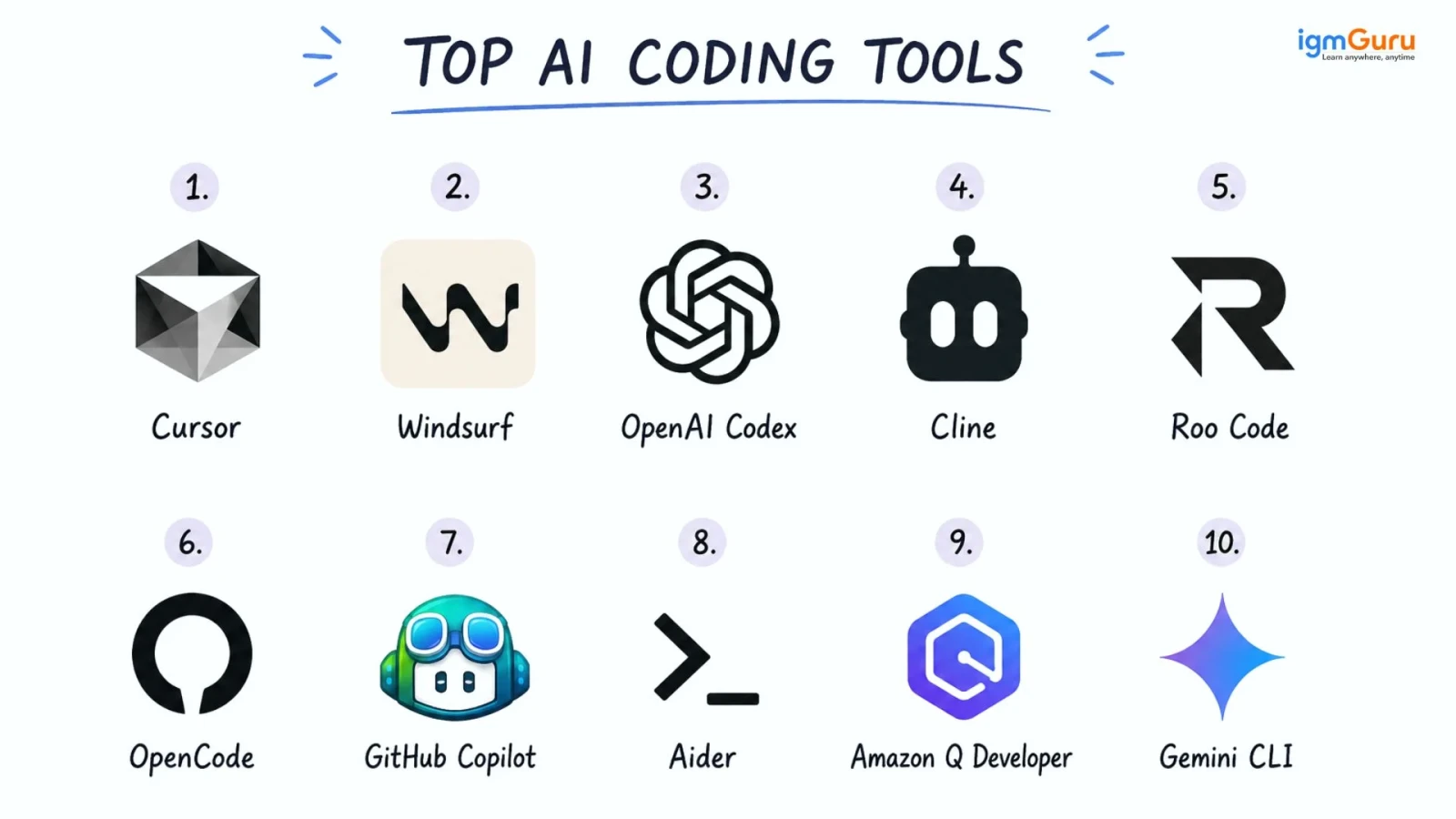
| Tool | Type | Best For | Free Tier | Starting Paid Price | Open Source |
| Cursor | AI-native IDE | Visual, multi-file editing | Limited (2,000 completions) | $20/month | No |
| Windsurf | AI-native IDE | Fast autocomplete, IDE users | Generous free tier | $20/month | No |
| OpenAI Codex | CLI + IDE + cloud agent | ChatGPT subscribers | Included in some ChatGPT plans | $20/month (Plus) | CLI is open source |
| Cline | VS Code extension | Staying inside VS Code | Free harness (pay for API) | API costs only | Yes |
| Roo Code | VS Code extension | Custom agent modes | Free harness (pay for API) | API costs only | Yes |
| OpenCode | Terminal agent | Open source, model choice | Free harness (pay for API) | API costs only | Yes |
| GitHub Copilot | IDE extension | GitHub-heavy workflows | 2,000 completions, 50 chats | $10/month | No |
| Aider | Terminal agent | Git-native pair programming | Free harness (pay for API) | API costs only | Yes |
| Amazon Q Developer | IDE + CLI | AWS-based teams | Unlimited completions, 50 agentic requests | ~$19/month | No |
| Gemini CLI | Terminal agent | Free, high-volume use | 1,000 requests/day | Free | Yes |
Related Article: Claude Code Cheat Sheet for Beginners and Developers
Claude Code is an agentic command-line coding tool built by Anthropic that runs directly in your terminal. It can read your local codebase, edit multi-file code structures, run shell commands, and handle Git workflows through plain-language prompts. It eliminates the need to copy and paste code from a browser.
You can use it to plan features, refactor large sections of code, fix bugs across multiple files, and write and run tests, all without leaving the command line. It works well for developers who already live in the terminal and want an assistant that can follow a task through to completion instead of just suggesting one line at a time.
Claude Code is strong, but it comes with a few constraints, and that is why you need to explore other options.
The Pro plan starts around $20 a month, but heavy agentic use can burn through that allocation by midweek. The Max tiers cost more, and the jump in price does not always match the jump in usable capacity.
Claude Code runs on Claude models only. If a task needs GPT-5x, Gemini, or a local model, you cannot switch inside the same tool.
Developers who prefer a visual IDE with inline diffs, a file tree, and a graphical interface often find the command-line-only workflow limiting.
Claude Code is closed source. Teams that want to inspect, modify, or self-host the agent layer need to look elsewhere.
Claude's reasoning style produces more tokens per response than some competitors, which increases effective cost per task.
Related Article: Best Claude Alternatives
Cursor is a fork of VS Code built around AI-first editing. Its Composer mode handles multi-file refactoring well and keeps a local index of your project so it understands context across the codebase, not just the open file.
What it is used for: Multi-file refactors, fast feature building, and pair programming inside a familiar VS Code-like interface.
Composer mode for multi-file, agentic edits
Large context window for indexing bigger codebases
Privacy mode that skips telemetry storage
Works with multiple underlying models
| Pros | Cons |
| Familiar VS Code-based interface | Free tier fills up quickly |
| Strong multi-file refactoring | Credit-based pricing can be confusing |
| Broad model support | Business tier needed for SSO |
Let's try a basic example to see how Cursor performs on a real multi-file task. I asked it:
"Refactor this Express API route to use async/await instead of callbacks, and update the corresponding test file to match."
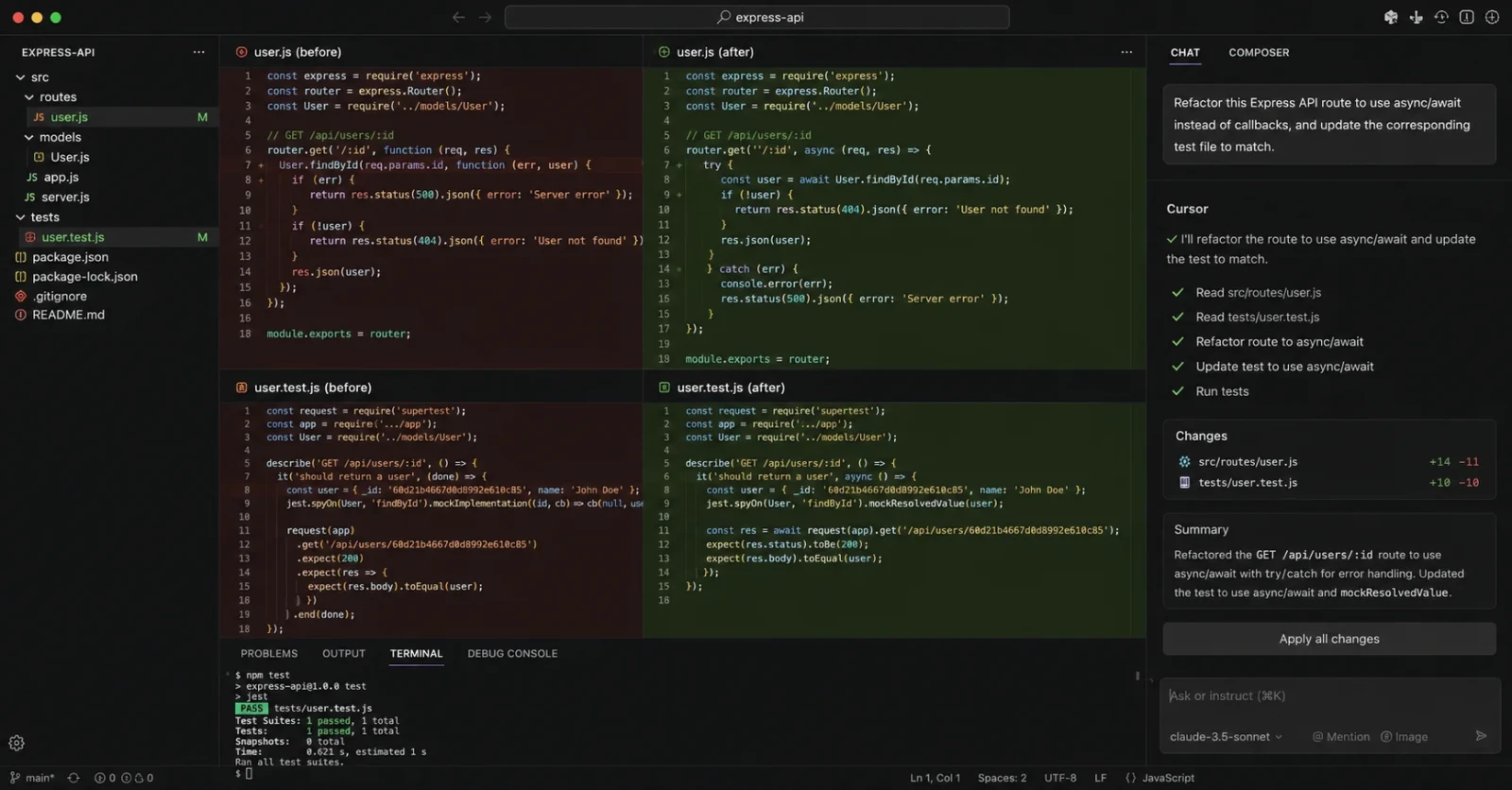
Here's what I found: Cursor picked up the callback pattern correctly, rewrote the route with proper async/await and error handling, and pulled in the linked test file on its own without me pointing to it directly.
The one thing it missed: it left one console.log debug line untouched inside the original callback block, something a careful manual review would have caught right away.
Read Also: What is Google AI Studio?
Windsurf is another AI-native code editor, built for developers who want a smooth, low-latency experience. Its Cascade agent handles agentic tasks, and its autocomplete is genuinely one of the fastest in the category.
What it is used for: Everyday coding with fast inline suggestions, plus agentic tasks when you need more than autocomplete.
Sub-150ms autocomplete latency
Cascade agent for multi-step tasks
Bring-your-own-key flexibility
Generous free tier for individual developers
| Pros | Cons |
| Fastest autocomplete in its class | Newer agent features still maturing |
| Strong free tier | Pricing has changed more than once |
| Clean, dedicated editor | Not terminal-native |
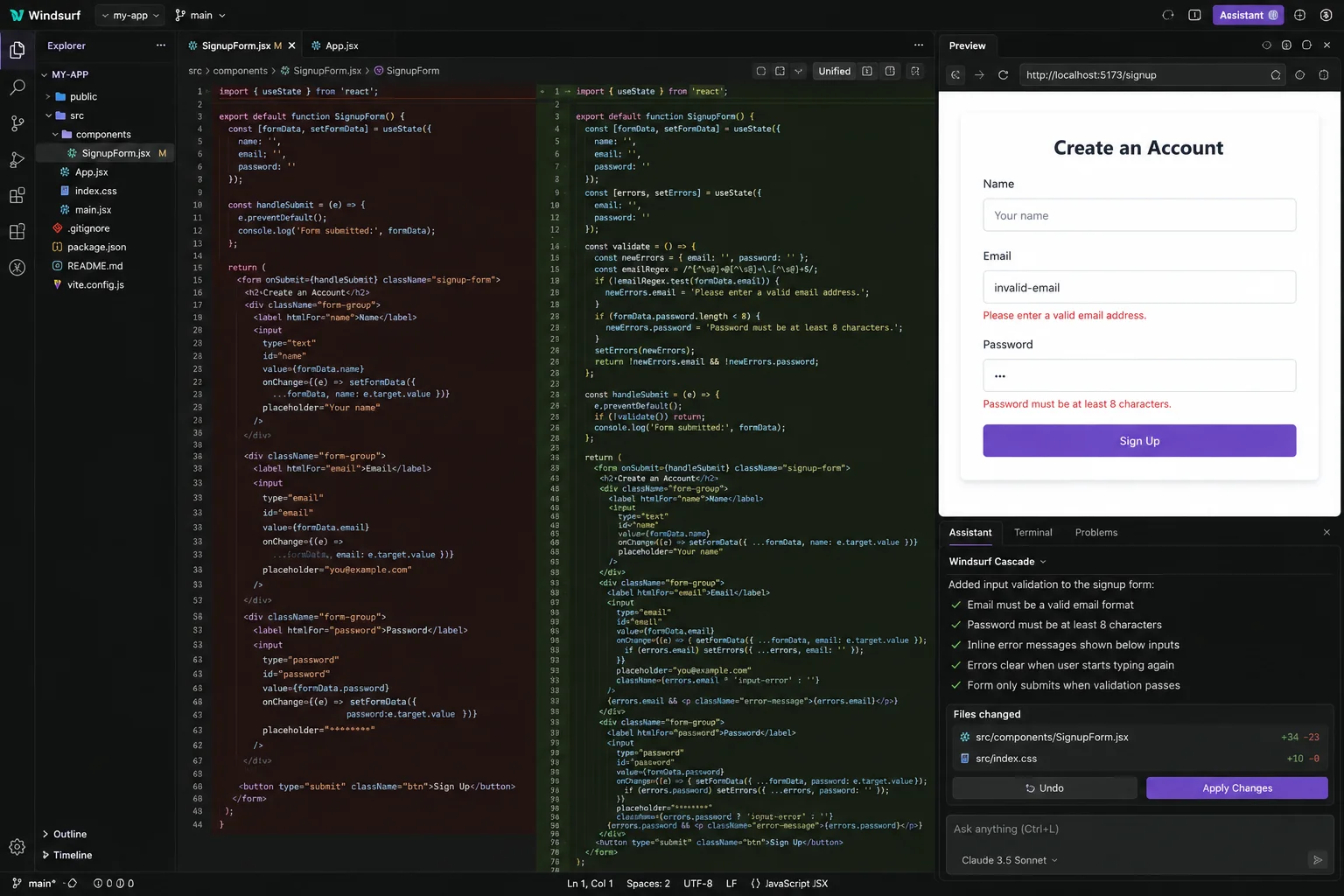
Let's try a basic example to see how Windsurf performs on a common frontend task. I asked it:
"Add input validation to this signup form: require a valid email format and a password of at least 8 characters, with inline error messages."
Also Read: How To Become an AI Engineer?
OpenAI Codex is OpenAI's answer to agentic coding. It runs as a CLI, an IDE extension, and a cloud-based agent that can work on tasks in the background. If you already pay for ChatGPT, you likely already have access to it.
What it is used for: Developers who want an agent that can run tasks autonomously and who are already inside the OpenAI ecosystem.
CLI, IDE, and cloud versions
Sandboxed, safety-focused execution
Desktop command center for running multiple agents on different projects at once
Reported token efficiency gains over some competitors
| Pros | Cons |
| Often already included in ChatGPT plans | Full Pro plan pricing is steep for solo use |
| Strong for parallel, delegated tasks | Best value only if you have a steady pipeline of tasks to delegate |
| Open source CLI available | Less terminal-native feel than Claude Code for some workflows |
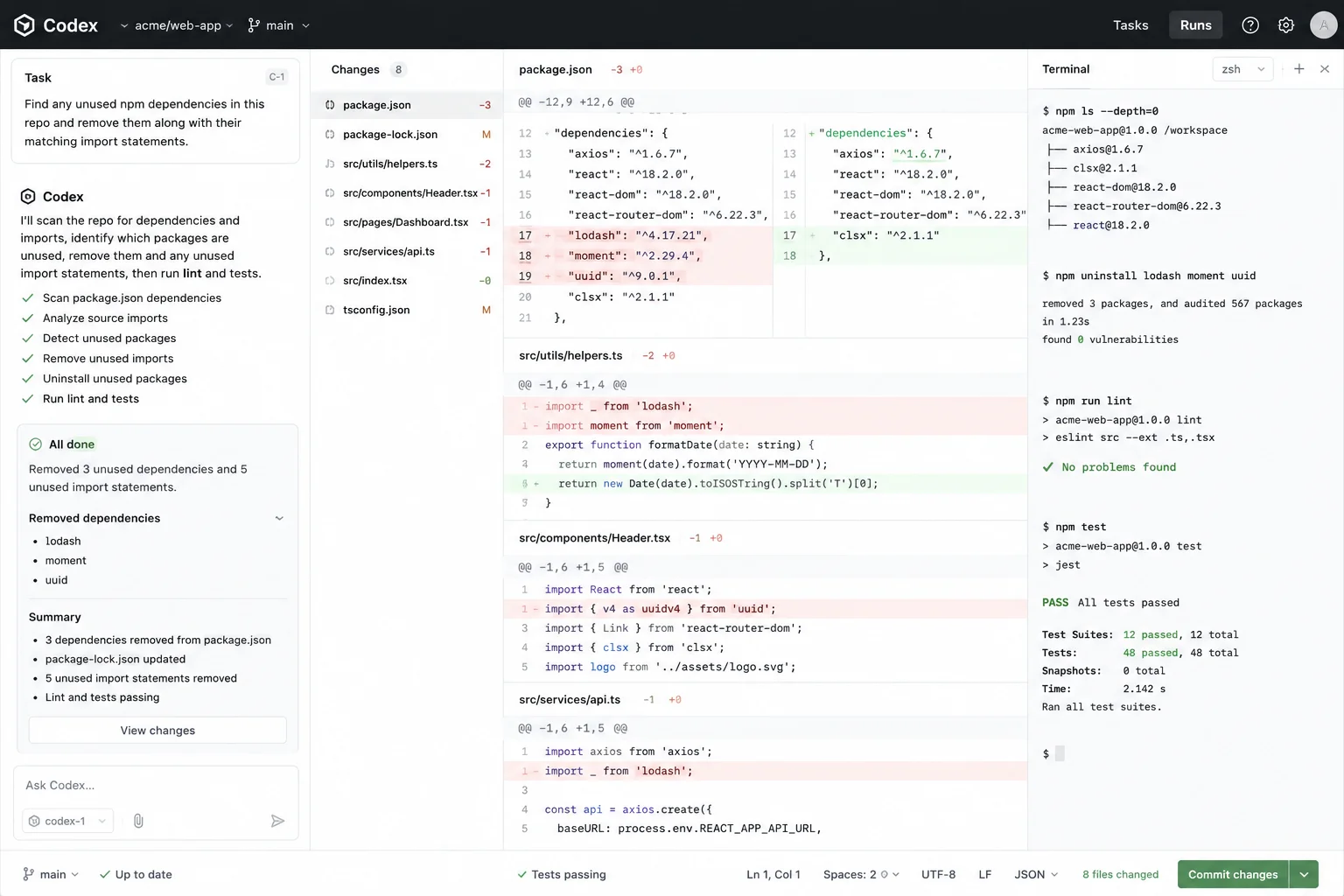
Let's try a basic example to see how Codex performs on a repo cleanup task. I asked it:
"Find any unused npm dependencies in this repo and remove them along with their matching import statements."
Related Article: Claude vs. ChatGPT: Which AI Tool Is Better in 2026?
Cline is a free, open-source VS Code extension that turns your editor into an agentic coding assistant. It supports a Plan-and-Act mode, so it first proposes a plan and then executes it, which keeps you in control of what changes get made.
What it is used for: Developers who want an agent inside VS Code without switching to a new editor or IDE.
Plan-and-Act mode for reviewable changes
MCP marketplace for extending capabilities
Works with your own API key across multiple model providers
Fully open source
| Pros | Cons |
| Free harness, pay only for the model you use | Requires setting up your own API key |
| Strong community and active development | VS Code only, no standalone app |
| Model-agnostic | Setup takes more effort than a polished paid tool |
Let's try a basic example to see how Cline performs when planning before it codes. I asked it, in Plan mode:
"Add a rate limiter to this Node API so no user can hit the /login endpoint more than 5 times a minute."
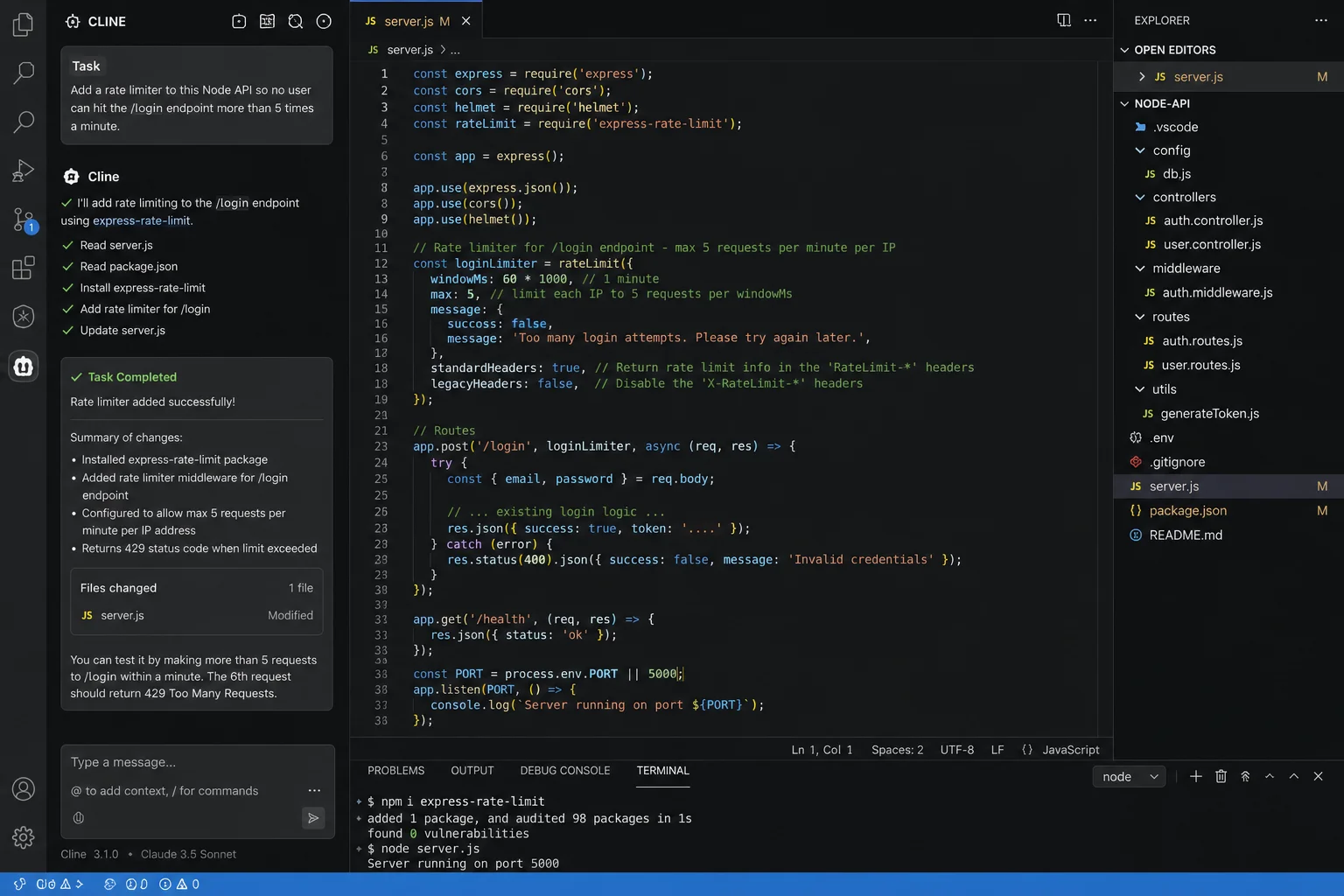
Here's what I found: Plan mode laid out the exact steps before touching any code, including which package it would install and which route it would wrap, so I could catch a wrong assumption before anything changed. Switching to Act mode then carried out that same plan without needing to re-explain the task.
The one thing it missed: the plan did not account for the existing test suite, so once the change was applied, one of the login tests failed because it assumed unlimited login attempts.
Read Also: What is Agentic AI? Key Benefits & Features
Roo Code started as a fork of Cline and has grown into its own project. It adds custom modes, like Code, Architect, Ask, and Debug, so you can switch the agent's behavior depending on the task at hand.
What it is used for: Developers who want more granular control over how the AI approaches different kinds of tasks, from planning to debugging.
Multiple built-in and custom modes
Bring-your-own-key model support
Open source and actively maintained
Runs as a VS Code extension
| Pros | Cons |
| Flexible, task-specific modes | Smaller community than Cline |
| Free harness | VS Code only |
| Good for structured workflows | Still requires your own API costs |
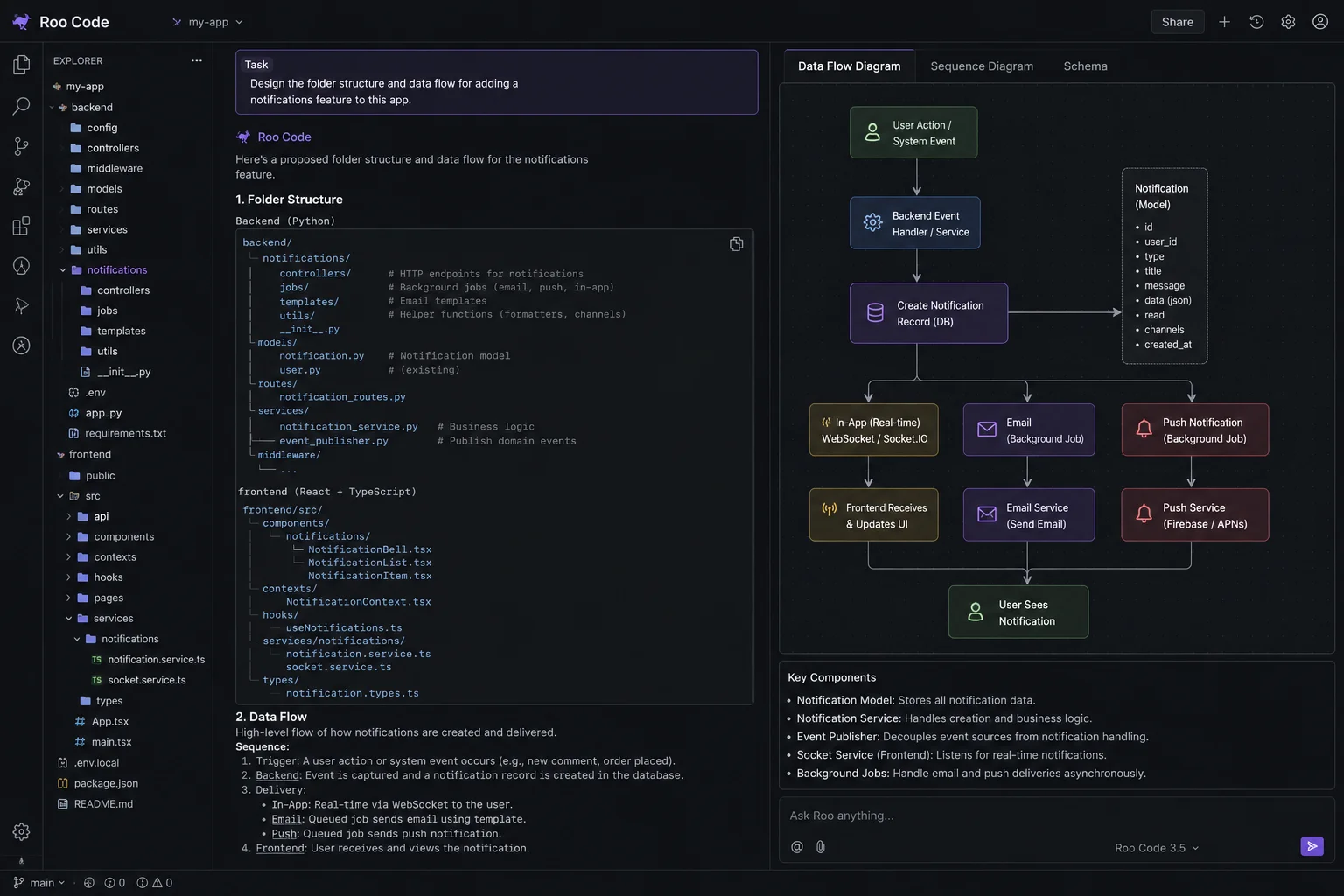
Let's try a basic example to see how Roo Code performs when a task starts with design instead of code. I asked it, in Architect mode:
"Design the folder structure and data flow for adding a notifications feature to this app."
Also Read: Generative AI vs Large Language Models (LLMs): What's the Difference?
OpenCode is the strongest answer if you are searching for an open-source Claude Code alternative. It runs in the terminal, an IDE, or a desktop app, and it supports more than 75 model providers, including local models.
What it is used for: Developers who want a terminal-native agent similar to Claude Code but with full control over which model powers it.
MIT-licensed, fully open source
Support for 75+ model providers
Multiple sessions and terminal, IDE, and desktop modes
Sign in with supported existing subscriptions
| Pros | Cons |
| Real model flexibility | Setup and configuration take more time |
| Free, open source harness | A free harness with a weak model will not outperform Claude Code |
| Terminal-first, close to Claude Code's workflow | No managed enterprise support layer |
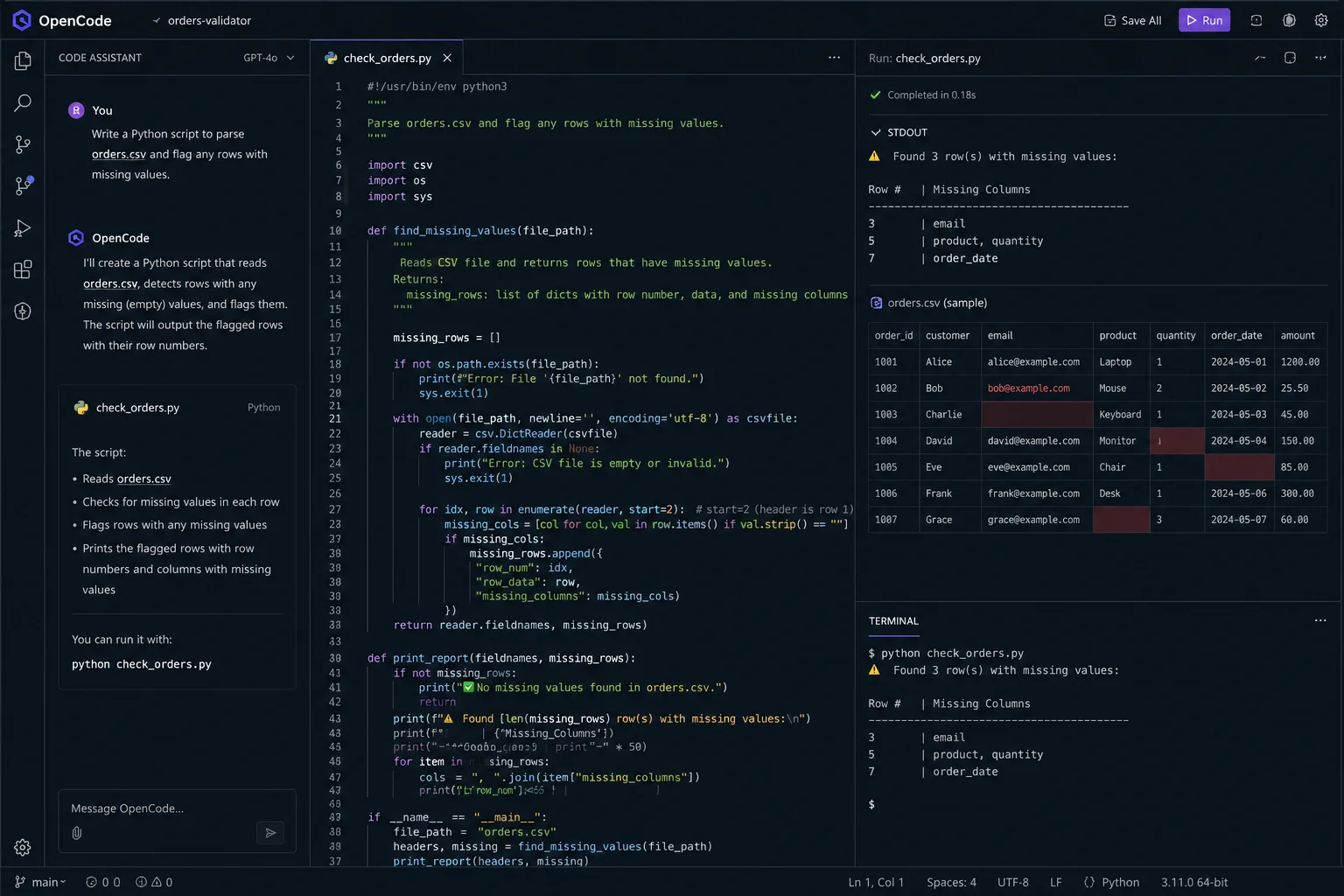
Let's try a basic example to see how OpenCode performs when you switch models mid-task. I asked it:
"Write a Python script to parse orders.csv and flag any rows with missing values."
Also Read: 12 Best AI Chatbots For 2026
GitHub Copilot remains the most widely used AI coding assistant, mainly because of how deeply it integrates with GitHub itself. It works across IDEs, the CLI, and mobile, and it is the cheapest entry point in this list.
What it is used for: Developers who want tight GitHub integration, from pull requests to issues to code review, alongside everyday code suggestions.
Deep GitHub integration, including PRs and issues
Works across VS Code, JetBrains, CLI, and mobile
Real-time code suggestions
Agent HQ for coordinating agentic tasks
| Pros | Cons |
| Lowest entry price in the category | Less autonomous than dedicated agentic tools |
| Excellent GitHub-native workflow | Advanced agent features need higher tiers |
| Broad IDE support | Free tier is fairly limited |
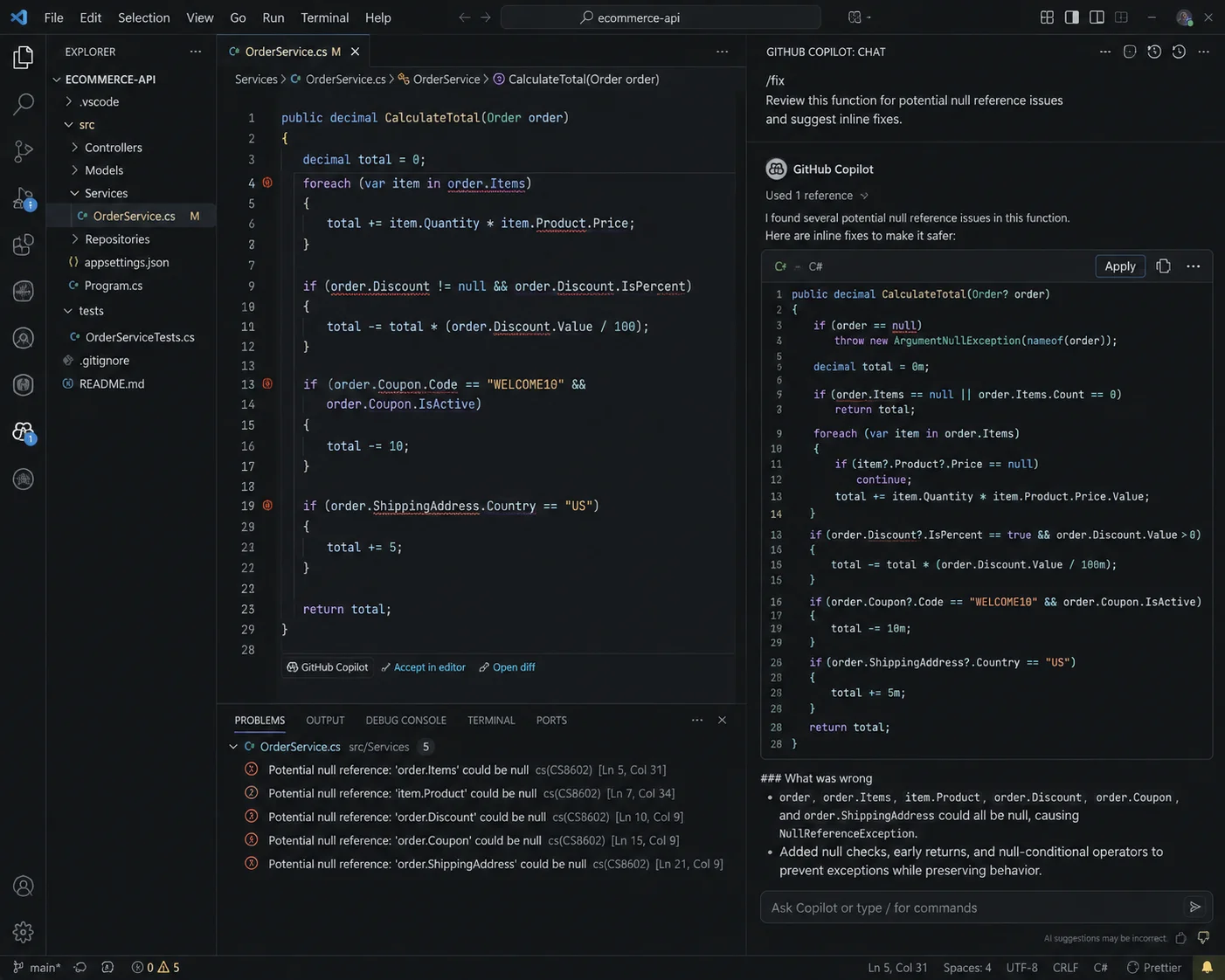
Let's try a basic example to see how Copilot performs on a quick review task. I asked it in Copilot Chat:
"/fix Review this function for potential null reference issues and suggest inline fixes."
Read Also: What is Grok 4?
Aider is one of the oldest names in this space and still holds up as a terminal-based, git-native pair programmer. It works with almost any model, including local ones through Ollama, and it keeps a clean commit history as it works.
What it is used for: Developers who want a lightweight, script-friendly terminal tool that treats Git as a first-class citizen.
Git-native workflow with clean commit messages
Works with Claude, GPT, DeepSeek, and local models
Fully open source
Large, active install base
| Pros | Cons |
| True git-native design | Interface is more bare-bones than newer tools |
| Broad model support | Update pace has slowed compared to newer entrants |
| Free and open source | Requires comfort with the terminal |
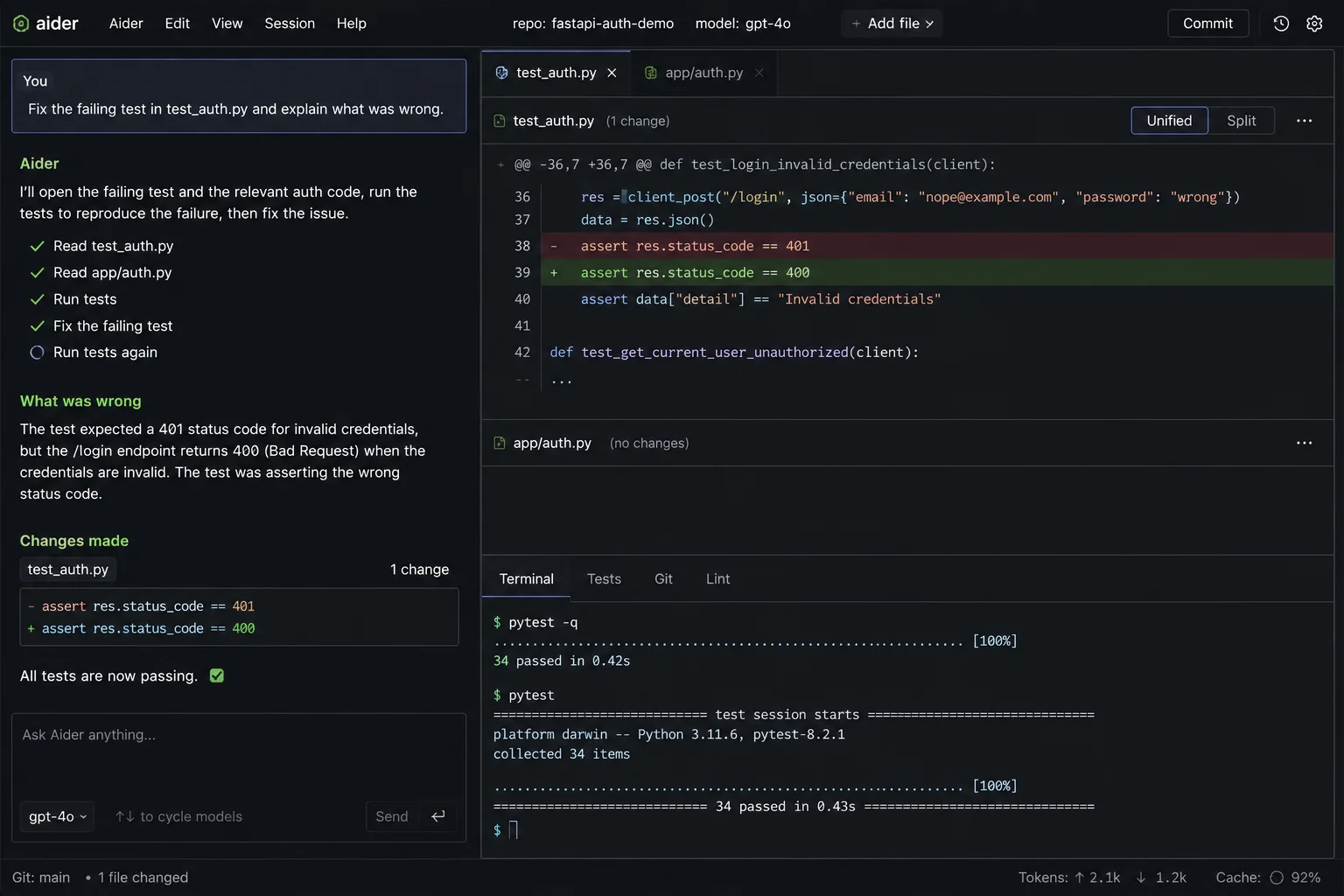
Let's try a basic example to see how Aider performs on a bug fix. I asked it:
"Fix the failing test in test_auth.py and explain what was wrong."
Related Article: What Is Meta Muse Spark 1.1?
Amazon Q Developer is built for teams already working inside AWS. It comes with specialized agents for tasks like code transformation and migration, and its IDE integrations understand AWS services in a way general-purpose tools do not.
What it is used for: Teams building on AWS who want an assistant that understands IAM, infrastructure as code, and deployment patterns out of the box.
Deep AWS service awareness
Specialized agents for code transformation
IDE integrations for VS Code, JetBrains, and Visual Studio
Free tier with agentic requests included
| Pros | Cons |
| Best-in-class for AWS-specific work | Less useful outside the AWS ecosystem |
| Generous free tier | Some users report early context compaction on long sessions |
| Solid IDE integration | Not built as a general-purpose terminal agent |
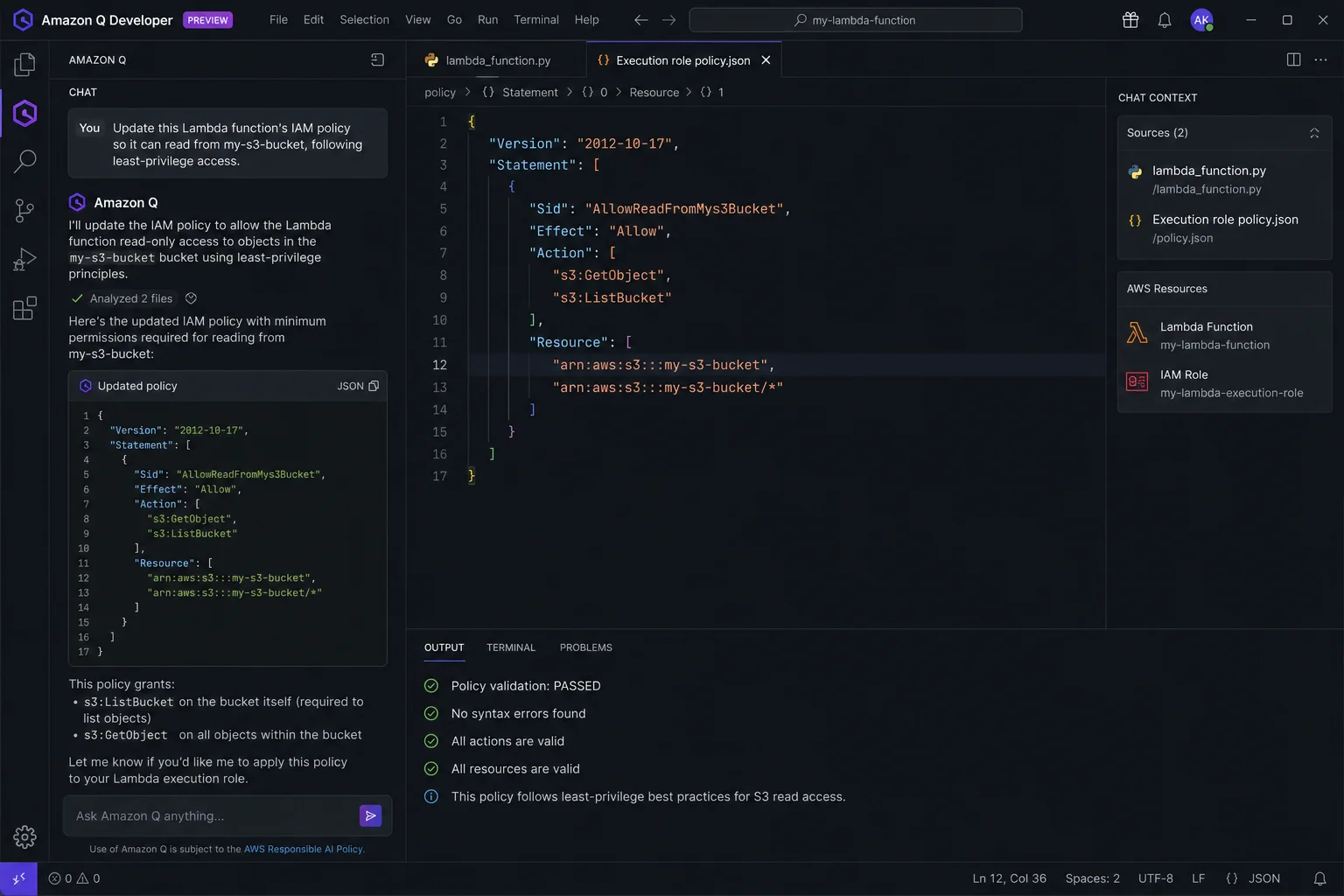
Let's try a basic example to see how Amazon Q Developer performs on an AWS-specific task. I asked it, in the Q chat panel:
"Update this Lambda function's IAM policy so it can read from my-s3-bucket, following least-privilege access."
Related Article: What is ChatGPT Agent?
Gemini CLI is Google's free, open-source, terminal-native coding agent. Its free tier is generous enough that many developers never need to pay for it, and its context window is large enough to handle sizable codebases.
What it is used for: Developers who want a genuinely free, terminal-first agent without a credit card requirement, or who already use the Gemini model family.
1,000 free requests a day
1M-token context window
Open source
Terminal-native, similar in spirit to Claude Code
| Pros | Cons |
| Strongest free tier in this list | Some users report a gap between advertised and practical context capacity |
| No credit card needed to start | Terminal-only, no visual IDE |
| Open source | Fewer enterprise features than paid competitors |
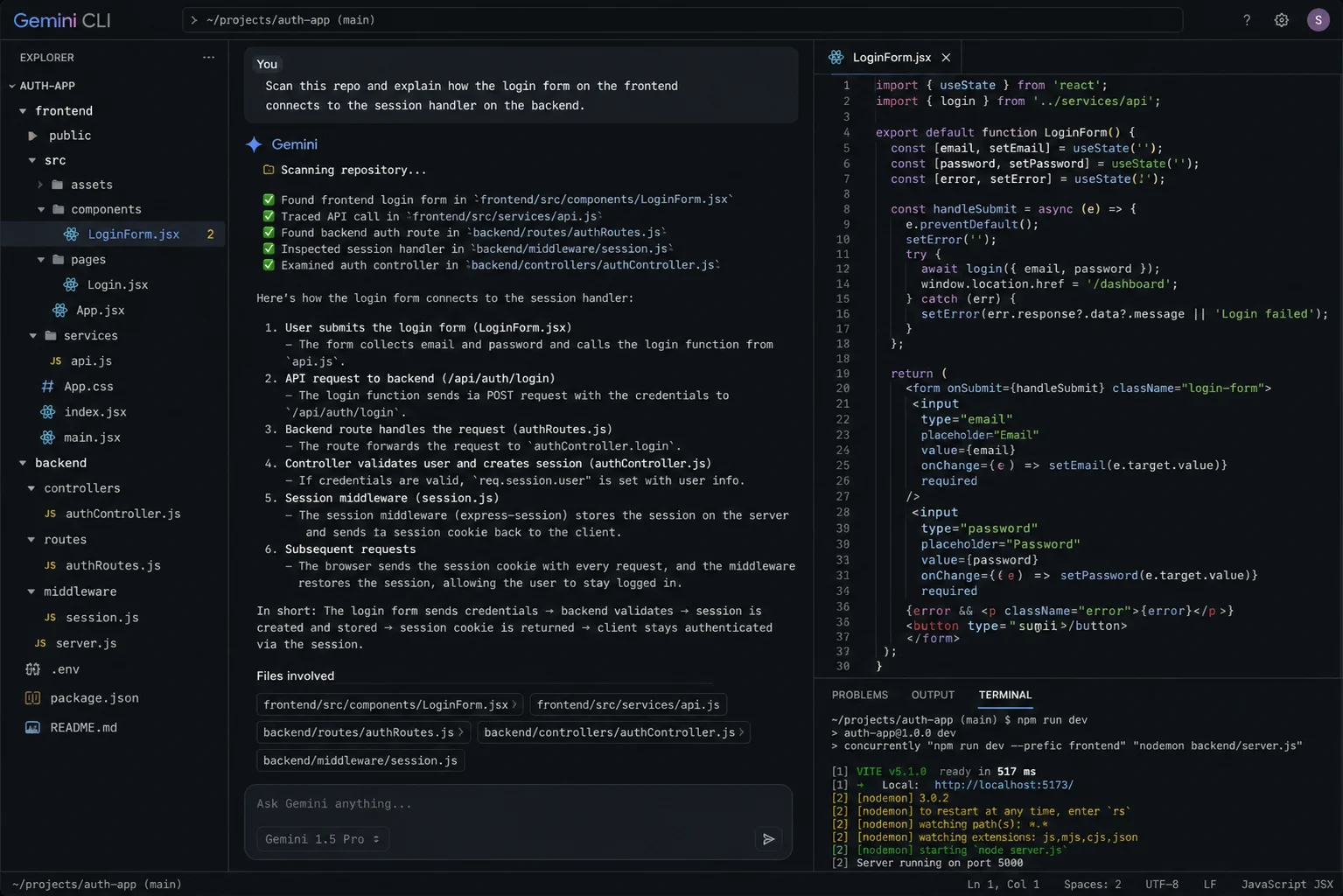
Let's try a basic example to see how Gemini CLI performs on an unfamiliar codebase. I asked it:
"Scan this repo and explain how the login form on the frontend connects to the session handler on the backend."
Read Also: Gemini vs. ChatGPT: Which AI is Better? [2026]
| Feature | Claude Code | Cursor | Windsurf | OpenAI Codex | OpenCode | Aider | GitHub Copilot | Gemini CLI |
| Interface | Terminal | IDE | IDE | CLI, IDE, cloud | Terminal, IDE, desktop | Terminal | IDE, CLI | Terminal |
| Multi-model support | No | Yes | Yes | No | Yes (75+) | Yes | Limited | No |
| Open source | No | No | No | CLI only | Yes | Yes | No | Yes |
| Free tier | No | Limited | Generous | Partial | Harness free | Harness free | Limited | Yes, generous |
| Git-native workflow | Yes | Partial | Partial | Partial | Yes | Yes | Yes | Partial |
| Best fit | Terminal power users | Visual editing | Fast IDE work | ChatGPT users | Open source flexibility | Lightweight terminal use | GitHub-centric teams | Free, high-volume use |
Based on what each tool actually delivers in day-to-day use, here is how I would match them to different kinds of developers.
| Developer Type | Tool to Try | Why It Fits |
| IDE-first developers | Cursor | Familiar VS Code feel with strong multi-file editing |
| Speed-focused developers | Windsurf | Fastest autocomplete and a generous free tier |
| ChatGPT subscribers | OpenAI Codex | Access may already be included in your existing plan |
| VS Code loyalists | Cline or Roo Code | Adds an agent without switching your editor |
| Open source purists | OpenCode | Broadest model support with a fully open codebase |
| Git-focused minimalists | Aider | Clean commits and a lightweight terminal workflow |
| GitHub-heavy teams | GitHub Copilot | Deepest GitHub integration at the lowest price |
| AWS-based teams | Amazon Q Developer | Purpose-built for AWS services and IAM |
| Budget-conscious developers | Gemini CLI | Genuinely free, with real usable capacity |
Before picking a replacement, judge each option against the same checklist:
Model flexibility: Can you switch between Claude, GPT, Gemini, DeepSeek, or a local model without changing tools?
Codebase understanding: Does it index your whole project, or just the open file?
Multi-file editing: Can it plan and execute changes across several files in one go?
Interface: Terminal, IDE extension, standalone editor, or all three?
Pricing and free tier: What do you get for $0, and where do the real costs start?
Open source status: Can you audit, modify, or self-host it?
Git and CI/CD integration: Does it commit cleanly and fit into your existing pipeline?
Autonomy level: Can it run unsupervised for a while, or does it need constant approval?
Extensibility: Does it support MCP servers, plugins, or custom modes?
Team and enterprise support: SSO, audit logs, and compliance features if you need them.
There is no single best answer here. The right tool depends on how you work.
If you want a visual editor with AI baked in, go with an IDE like Cursor or Windsurf.
If you already pay for ChatGPT, OpenAI Codex is likely already included in your plan.
If you want full control over the model and the code, pick an open-source, model-agnostic tool like OpenCode, Cline, or Aider.
If your stack lives on AWS, Amazon Q Developer understands that environment better than general-purpose tools.
If budget is the deciding factor, Gemini CLI and GitHub Copilot Free give you real, usable capacity at no cost.
Match the tool to your workflow first. Chasing the "most powerful" option on paper often means paying for features you will never use.
Claude Code earned its reputation for a reason. It reasons well across large codebases and handles complex, multi-step tasks with fewer hallucinations than a lot of competitors. But it is not the only capable option out there, and it is not the cheapest or the most flexible one either.
If you want an IDE, Cursor and Windsurf are strong picks. If you already pay for ChatGPT, Codex is likely sitting in your plan unused. If open source and model flexibility matter most, OpenCode, Cline, and Aider give you real control. And if you just want something free that still gets the job done, Gemini CLI and GitHub Copilot Free are hard to beat.
The best approach is to try two or three tools that fit your workflow and see which one actually saves you time. Most developers end up using more than one, picking the right agent for the right job instead of forcing one tool to do everything.
Read Also: What is Microsoft Copilot? Understanding Microsoft’s AI Assistant
Yes. Gemini CLI offers 1,000 free requests a day with no credit card required. GitHub Copilot Free and Amazon Q Developer also offer usable free tiers, and open source tools like OpenCode, Cline, and Aider are free to run with your own API key or a local model.
OpenCode supports the widest range, with more than 75 model providers. Cursor, Cline, Roo Code, and Aider also let you switch between models like GPT, Claude, Gemini, DeepSeek, and local options, instead of locking you into a single provider.
OpenCode is the strongest overall pick for an open-source Claude Code alternative. It is MIT-licensed, runs in the terminal, an IDE, or a desktop app, and supports more than 75 model providers. Aider and Cline are also solid open-source choices, depending on whether you prefer a terminal or a VS Code extension.