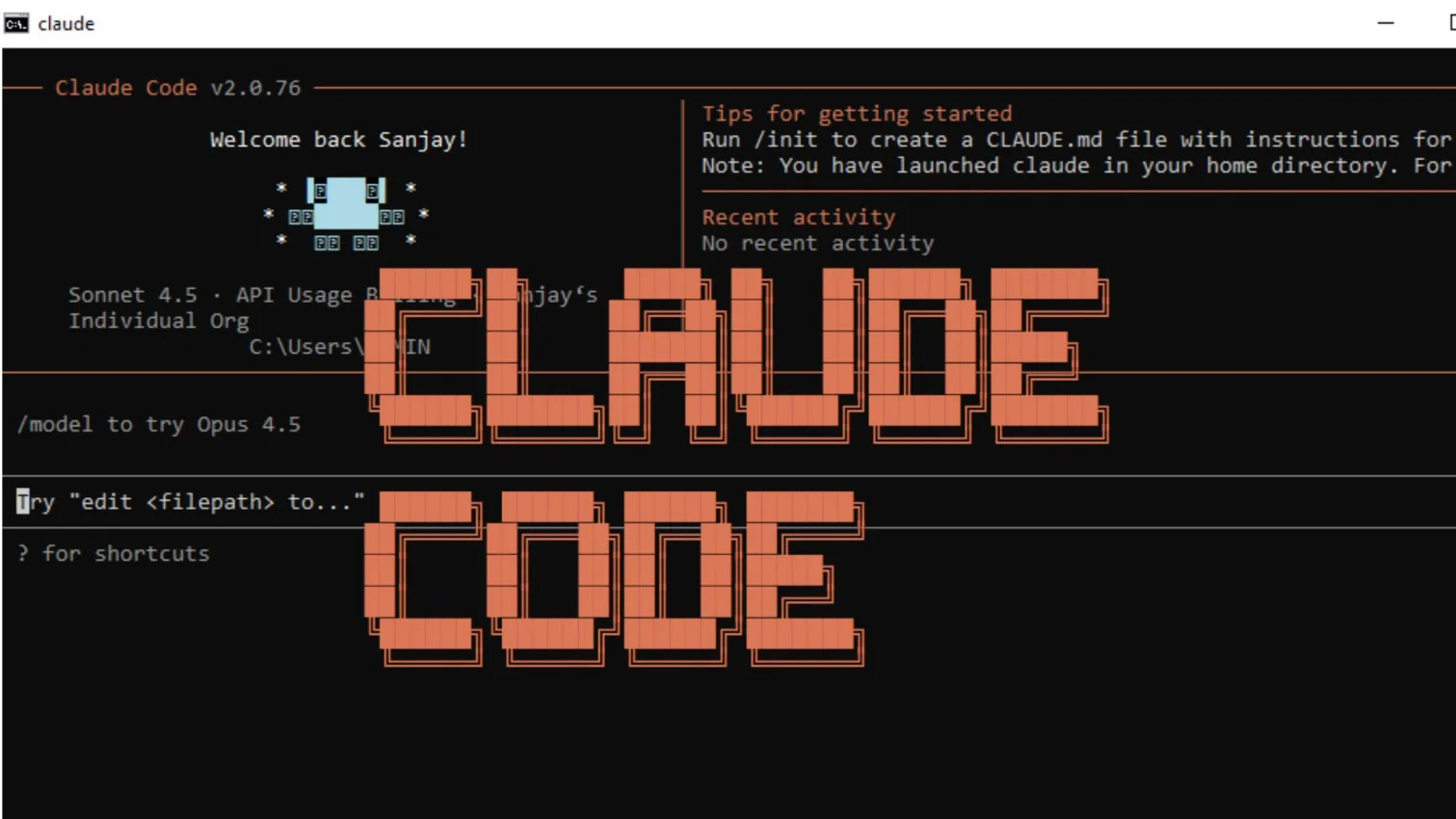
Are you a programmer looking for an assistant who can help you fix your code and give you unique ideas? This is what Claude Code is developed for. It was created by Anthropic and founded in 2021 by Dario and Daniela Amodei along with other AI experts. It helps you write, understand, and improve computer programs — directly from your terminal, inside your actual project files.
I have been using Claude Code for many months now, and it has given me outstanding results for my work. Let me give you a complete guide on Claude Code.
Claude Code is an AI-powered agentic coding assistant developed by Anthropic that runs directly in your terminal and works inside your local development environment. Unlike a chat interface in a browser, Claude Code lives where developers already spend their time: the command line. It reads your entire codebase, plans an approach across multiple files, makes changes, runs tests, and iterates on failures — all through natural language instructions.
It is designed to work across multiple programming languages and frameworks, and is useful for both simple coding tasks and complicated software projects.
What makes Claude Code different from other coding generators is its agentic behavior. Instead of just answering questions and waiting for your next message, Claude Code takes action. It works through an agentic loop — it receives your request, decides what steps are needed, reads files, executes changes, observes results, and continues until the task is complete. Claude Code focuses on reasoning, context awareness, and code quality. It can understand existing codebases, explain unfamiliar logic, and refactor code for better readability. Developers mostly see it as an assistant that helps them in problem-solving during development. Let's explore the idea behind its development for a better understanding.
Let's see how Claude was created by Anthropic and how it eventually evolved into Claude Code.
Anthropic is a US-based AI company located in San Francisco, California. They believed that AI should not just be powerful, but also safe, honest, respectful and helpful to humans. They felt some AI systems answered too fast or gave risky replies. That is why this company wanted to build an AI that thinks carefully before answering. Their idea eventually became CLAUDE. As Claude was trained to:
Their first version of Claude came out in 2023. In the beginning, Claude was able to do a few things such as answer questions, write essays and stories, summarize long articles and help with studying and learning. It was very gentle, and it explained things very clearly compared to other AI tools.
The developers and programmers soon started to use it as their coding assistance due to its friendly responses. They were using it to write, explain and find mistakes in the program. It was not actually as accurate as it is today. This is where Anthropic decided to improve Claude's coding skills and they launched Claude Code in February 2025 as a terminal-based agentic coding tool.
Now you know the idea behind the development of Claude Code. What you don't know is the importance that comes from its robust features. These features are the reason why I chose Claude Code for my development-related tasks. Let's explore them each:
Using this coding assistant is just like you are talking to a person. Just give your instructions in English — even normal English, such as "create a login page" or "sort this list." Claude Code will turn those words into actual working code.
This is the feature that truly sets Claude Code apart from other tools. When you give it a task, it does not just reply — it acts. Claude Code enters an agentic loop where it plans the steps, reads the relevant files in your project, makes the changes, runs tests, and keeps going until the task is done or it needs your input. You describe the goal once and it handles the rest. You can interrupt it anytime by pressing Escape.
Sometimes projects can include multiple files interconnected to each other which creates complications of explaining each file. Claude Code understands all at once rather than going to each file, which neglects the issue completely. This feature is very helpful for large projects.
Code optimization is one of the best features for a developer. It helps in cleaning up long or messy code, without changing what the code does. This makes the code easier to read and maintain for them.
This tool also helps you troubleshoot the code, find the errors and resolve them with the best solution. It also explains you in simple words and shows how to fix it. The best part is that it never shows you confusing error messages.
Claude Code works directly with Git. Once it has made changes to your code, it can stage those changes, write a proper commit message, create a new branch, and even open a pull request — all through a simple natural language instruction like claude "commit my changes with a descriptive message". This makes it incredibly useful if you are working with a team and want to maintain a clean Git history without doing it manually every time.
One feature I find extremely powerful is CLAUDE.md. This is a simple Markdown file you place in the root of your project. Claude Code reads it automatically at the start of every session. You use it to tell Claude Code about your project's coding standards, folder structure, testing commands, and rules — things like "we use Vitest for testing, never Jest" or "all API responses follow a specific pattern." Once it is there, you do not need to repeat instructions every time you open a new session. It is like giving Claude Code a proper onboarding document for your project.
It also provides some test checks that assist in checking the working of programs. This helps you ensure that the code doesn't break while changes are being made.
This platform adds short notes or you can say comments, inside the code. It creates a simple written explanation about what the code does. This is very useful for beginners to understand the code and makes it easier for others to read your work later.
Read Also: What Are the Types of AI
You need to understand its architecture and working before actually using it in real-world applications. Claude Code works on a layered AI architecture that converts human instructions into meaningful, executable code responses.
It is powered by large language models trained on massive datasets that include programming languages, documentation and real-world coding patterns.
Here is how the agentic loop works step by step when you give Claude Code a task:
The platform also uses context retention, meaning it understands previously written code and conversations. This allows it to suggest improvements, debug issues, and maintain consistency across files. This makes it feel more like a collaborative coding partner than a basic code generator.
One important thing to know is the context window. Claude Code's context window is approximately 200,000 tokens, this is its working memory. It holds everything it knows about your current session, including your messages, files read, command outputs, and its responses. A good habit is to clear context between unrelated tasks so Claude Code stays focused.
Understanding the working is not enough to use Claude Code effectively. You have to know what programming languages and frameworks it supports. This is how you know when and where to use it.
This coding assistant works with many popular programming languages that developers use almost every day, such as Python, JavaScript, Java, C++, and more. You can build different pieces of code, complete codes or scripts in these languages with simple instructions. This means you don't have to be stuck on any logic or function, just ask Claude Code and it will help you do that. You can also:
A frontend framework is a collection of ready-made tools and libraries that help developers build the parts of a website or application that users directly see and interact with. These frameworks simplify development by providing structure, improving performance and maintaining visual consistency.
Claude Code helps you understand, organize, and work more efficiently with popular frontend frameworks, especially when projects involve large and complex codebases. Here is a table showing where you can use it:
| Uses | How Frontend Frameworks Help? | Common Frameworks Used |
| Code Structure & Organization | Provides a clear and maintainable structure, making frontend code easier to read, manage, and scale in large projects. | React.js, Angular, Vue.js |
| Speed & Performance | Improves page loading and interaction speed so websites feel smooth while clicking, scrolling, or navigating. | React.js, Svelte, Next.js |
| Design Consistency | Maintains uniform colors, fonts, spacing, and layout across different browsers and screen sizes. | Bootstrap, Tailwind CSS, Material UI |
| Responsive Design | Simplifies the creation of mobile-friendly layouts without writing excessive custom CSS. | Bootstrap, Tailwind CSS |
Backend frameworks handle everything that happens behind the scenes of a website or application. This includes handling data, processing requests, managing servers, and applying business logic. Claude Code can help you understand backend frameworks by explaining how data flows, how APIs work and how different backend technologies interact with each other. It can help you with the following tasks:
| Tasks | How Backend Frameworks Help? | Common Technologies Used |
| Data Handling | Manages user information, login details, orders, and other application data in a secure and organized way. | Node.js, Python, Java |
| Database Connectivity | Connects applications to databases to store, retrieve, and update data efficiently. | Django, Spring Boot, Express.js |
| Server Management | Handles server operations, routing, and resource management to keep applications running smoothly. | Node.js, Java (Spring) |
| Request Processing | Receives and processes requests from the frontend and sends back accurate responses. | Express.js, Django, Flask |
| Business Logic & Rules | Applies calculations, validations, and application rules that control how the system behaves. | Python, Java, Node.js |
A data science and machine learning (ML) stack is a combination of tools, libraries, and frameworks used to collect, process, analyze, and model data. These stacks help you understand how data moves from raw form to meaningful insights. They support tasks such as data cleaning, analysis, visualization, model training, and deployment. Claude Code can assist in explaining complex ML workflows, understanding model behavior, and connecting different tools within the stack.
Claude Code supports these tools to automate work and manage software systems. This helps you make sure that your servers are managed and software is always updated, and it will also automate your repeated tasks. It also helps you in:
Setting up Claude Code on your system is a simple process and does not require any advanced technical knowledge. Just make sure you have a compatible system, a stable internet connection, and Node.js installed. Claude Code is a command-line tool that you install globally via npm and then run from your terminal inside your project folder.
You should have a particular level of system specification to install this coding assistant in your system. Without them, your system will not support or run perfectly.
You must have an Anthropic (Claude) account. Installation and usage require you to sign in with a valid account. Without this, you won't be able to access Claude Code features. You will need either a Claude Pro or Max subscription, or an Anthropic API key.
While Claude Code is not tied to one IDE, it works best if you already have the following components:
You cannot use Claude Code without a user account. Setting up the account is a multistep process that needs to be done carefully. The following are the steps to follow:
1. Go to the official website to create your account. Then type your email id and click on the continue with email button.

2. This will generate a verification code that you need to get from your gmail application. Open the new email sent by Anthropic and click on the sign in button.
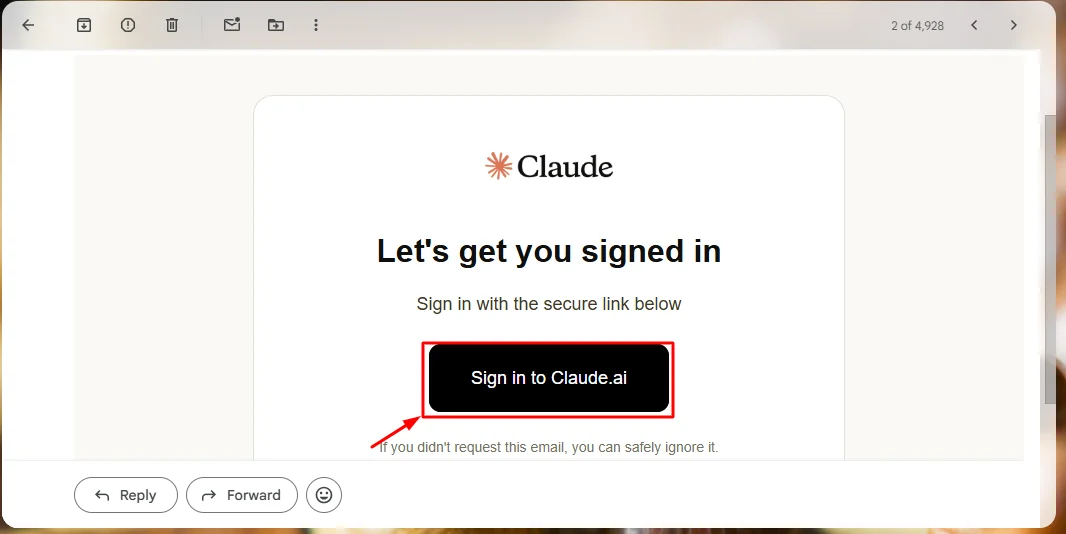
3. You will see a verification code popping on your window. Copy the code.
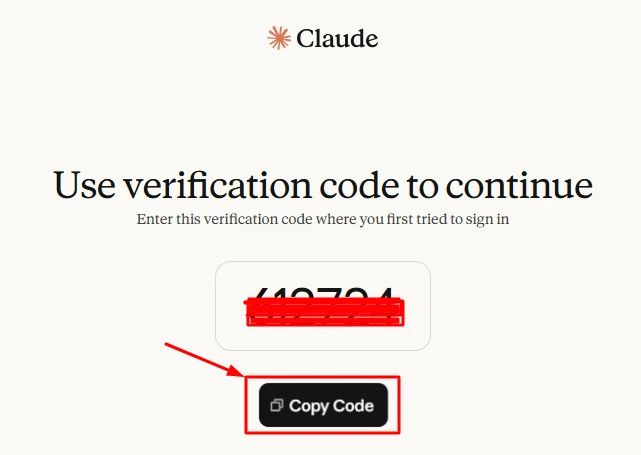
4. Switch to the login page again, paste your code there and continue with clicking on the verification button.
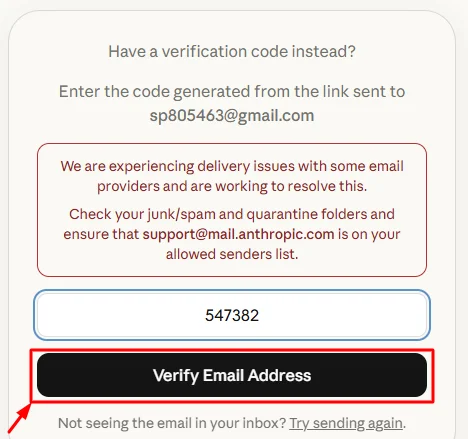
5. A new window will popup asking for the permissions. The first two are mandatory for log in and the third one is optional. Choose your preference and click on the continue button.
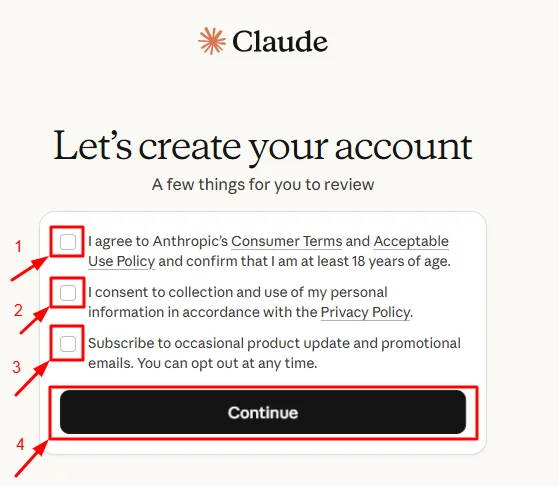
6. Now, it will ask for your mobile number. Add your number and click on the send verification code button.
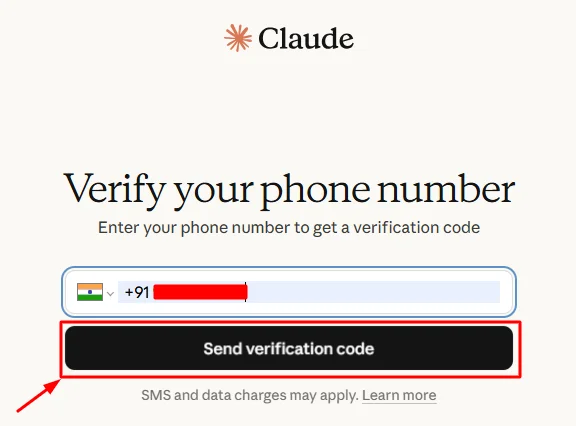
7. Verify the code you received on your mobile number.
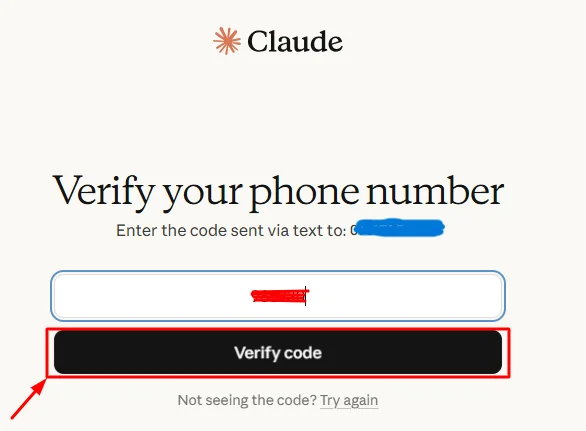
8. Your Claude account is now ready. Once you have an active account, you can proceed to installing Claude Code on your desktop through the terminal.
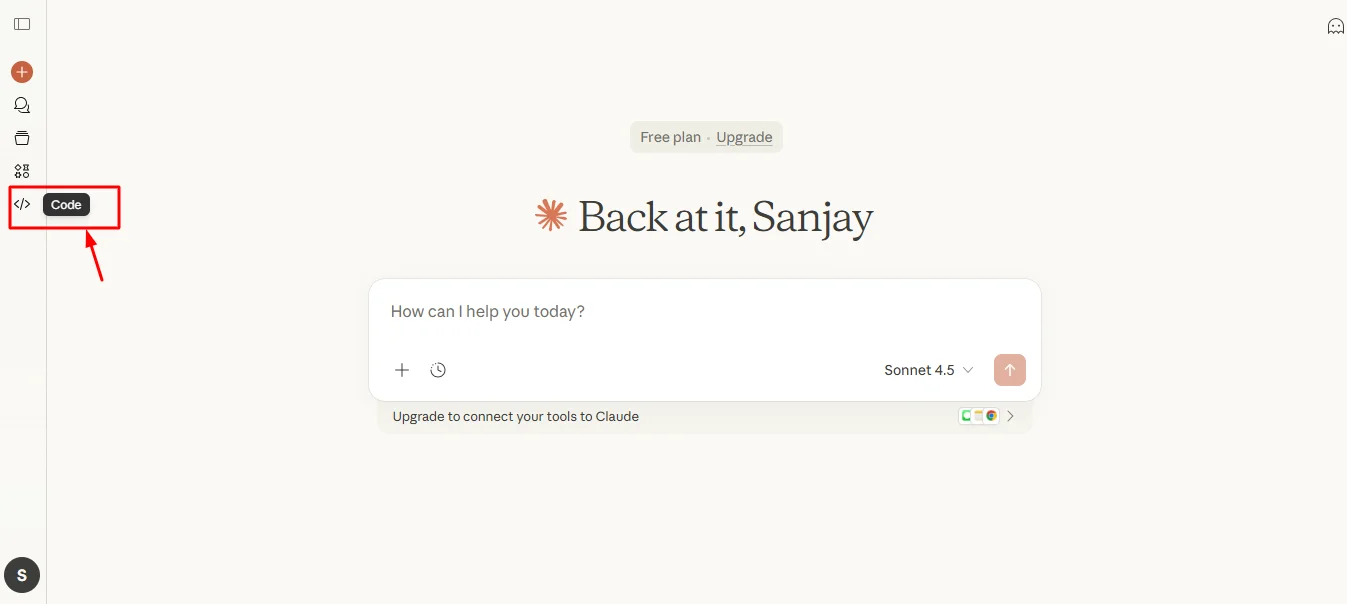
Note: The Claude web interface gives you basic access to Claude. To use Claude Code — the agentic terminal tool that reads your files and runs in your project — you need to install it separately using the steps below.
Node.js is required to install Claude Code via npm. Here are the steps to install Node.js in your system:
1. Go to the official website and download the latest version compatible with your system.
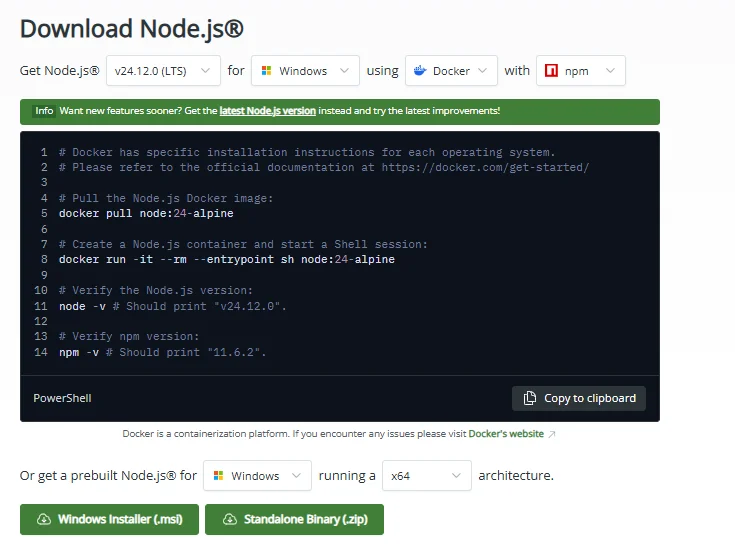
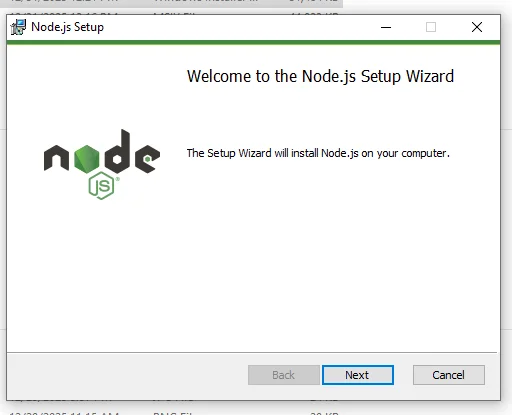
2. Find the downloaded file in your system and double-click on it to start the installation process. You will see a Setup Wizard just like shown below. Click on the next button to start the installation.
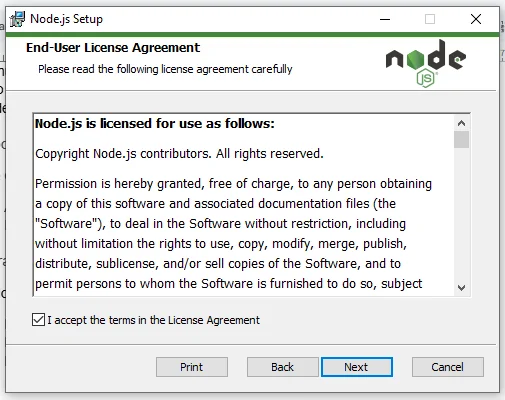
3. This will show the User Licence Agreement. Read it carefully and continue by accepting the terms and clicking on the next button.
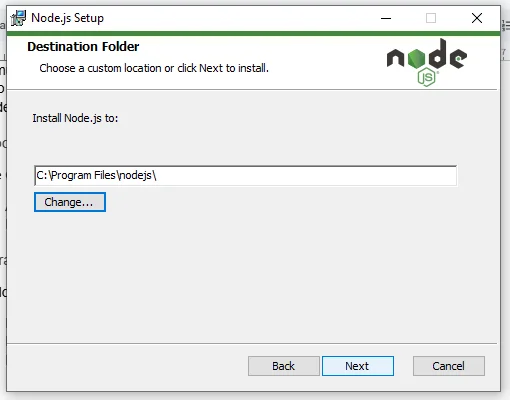
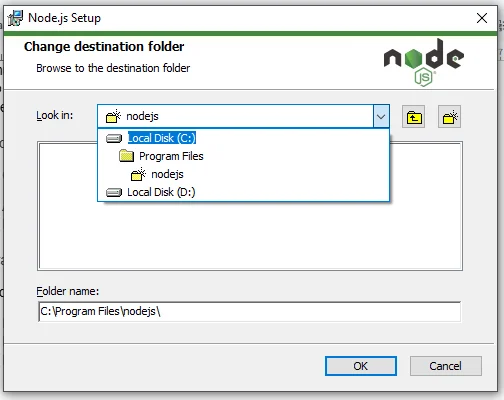
4. The system will now ask you for the download location. Select the location you want and hit the next button. I am choosing the default one.
5. Now, it is time to set the custom settings. Here you can select the features you want with Node.js. Again I am using the default settings only.
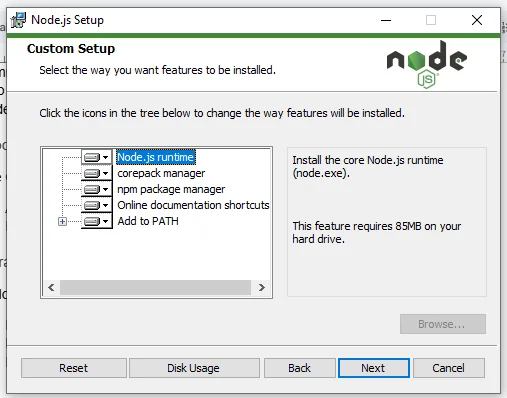
6. You can also select if you want the native tools or not. I am installing all the tools.
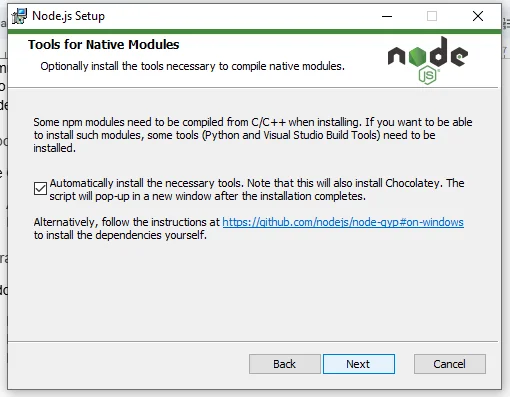
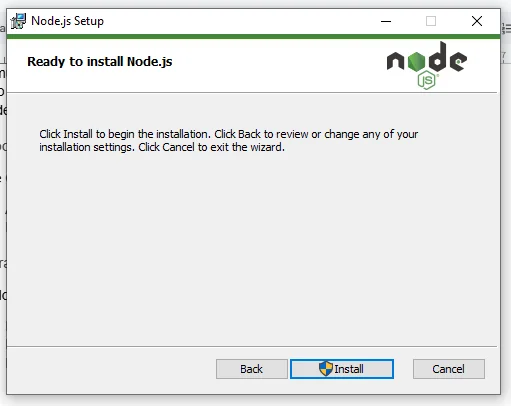
7. Now Node.js is ready to install. Just hit the install button to start the process.
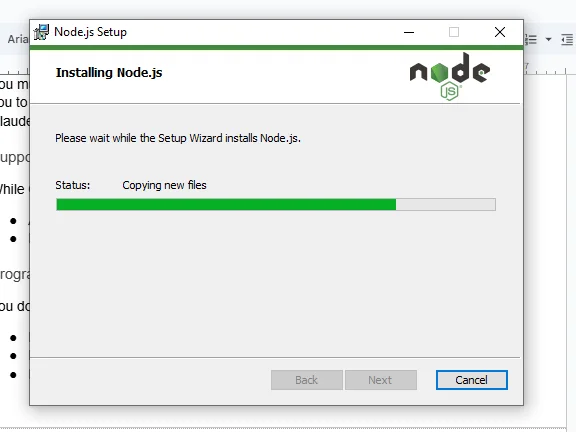
8. You will now see a terminal screen pop out on your screen as shown below. Just press any key to continue.
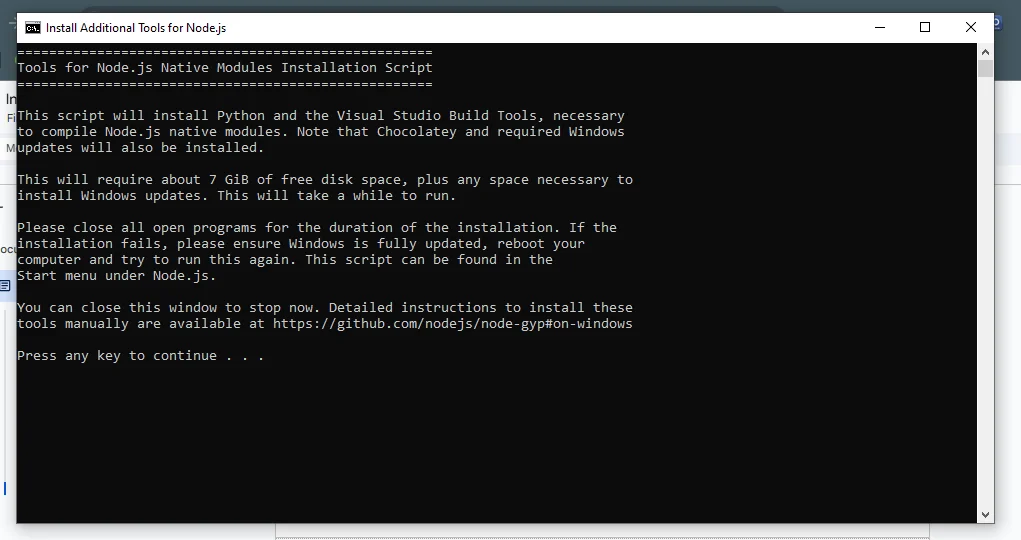
9. Now, you will see a PowerShell that will install all the dependencies and features you have selected. Close the window once it does and the installation process is complete.
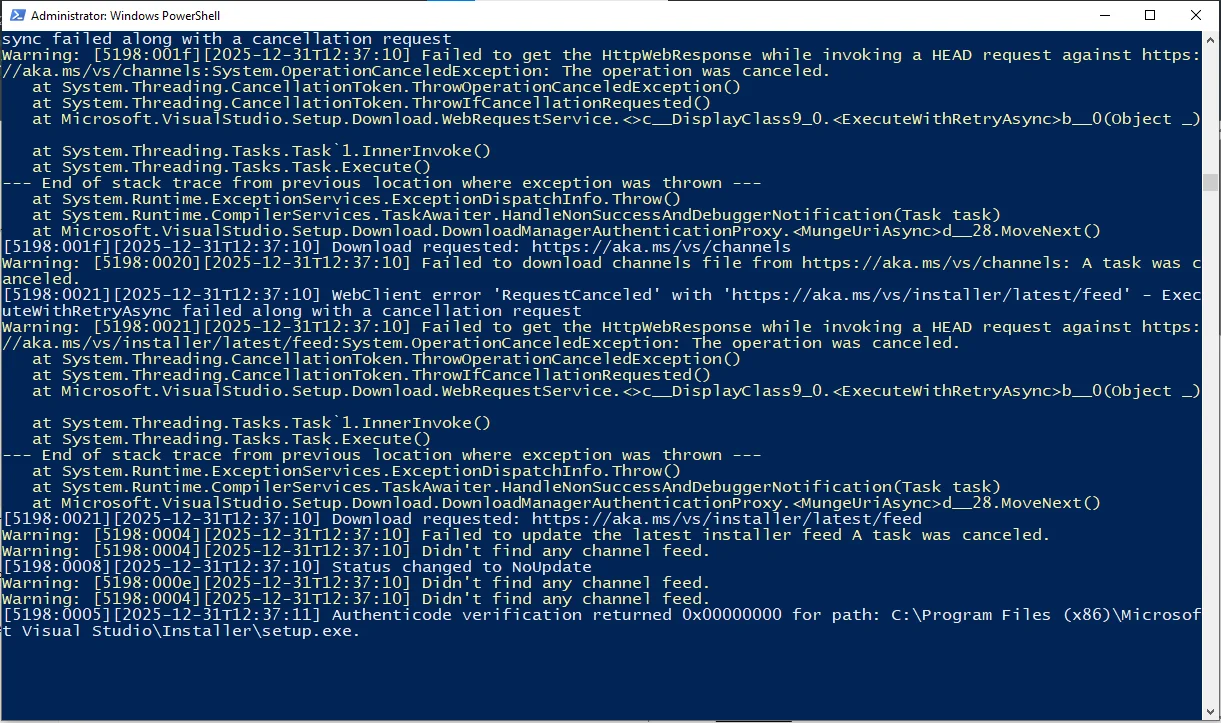
Now that Node.js is ready, you can install Claude Code globally using npm. This is the standard and recommended way to install Claude Code on any system — Windows, macOS, or Linux.
1. Open your terminal (Command Prompt, PowerShell, or Terminal on Mac/Linux) and run the following npm install command:
npm install -g @anthropic-ai/claude-code |
Note: On Windows, you can also use PowerShell and paste the command above. On earlier setups, you may have seen an install script — the npm method is the current standard.
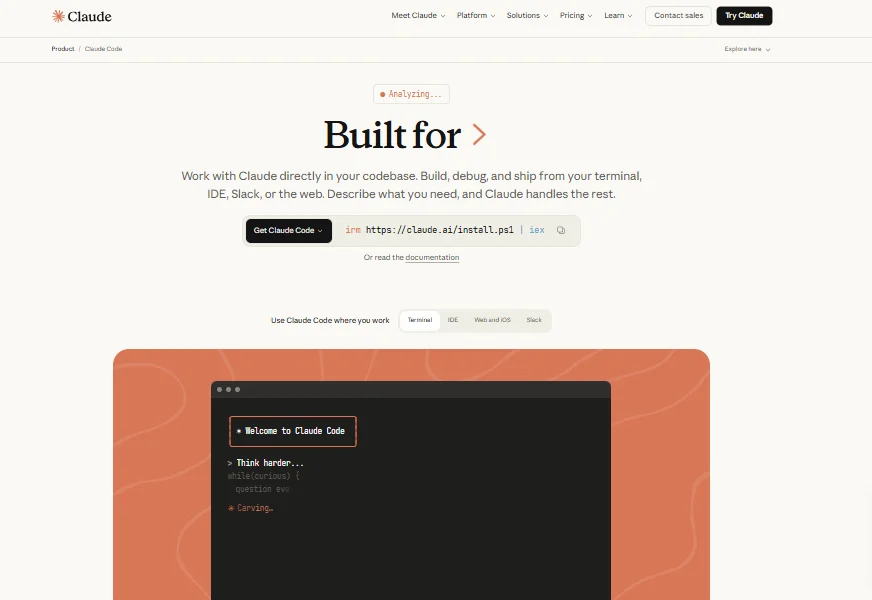
2. Once the installation finishes, navigate to your project folder using cd your-project-name and then launch Claude Code by typing:
claude |
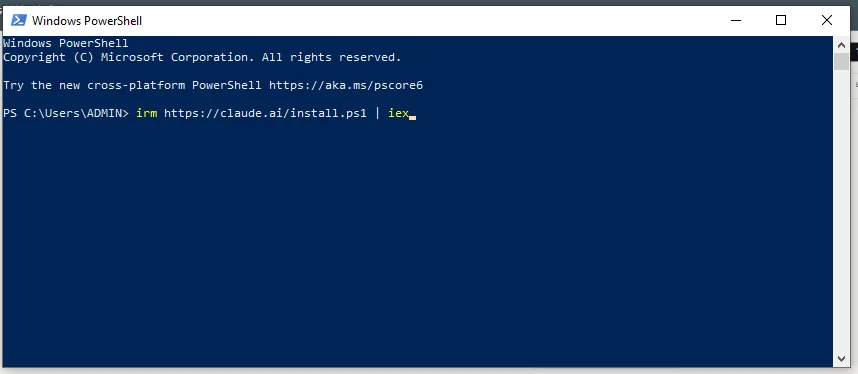
3. Claude Code will automatically download and set up in your system.
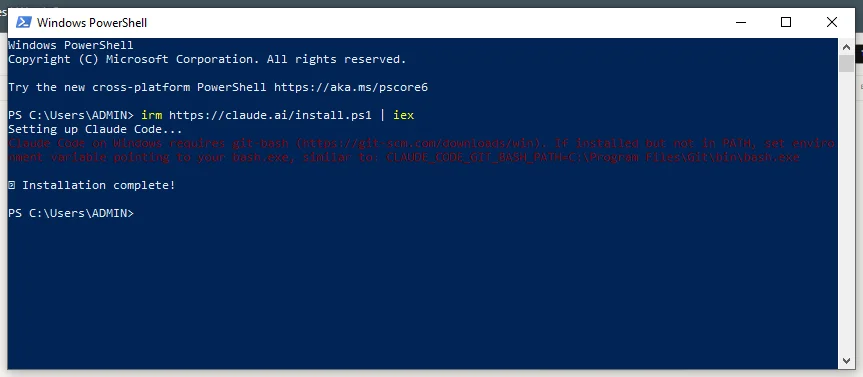
Note: I am assuming you have an IDE, VS Code, and a text editor as a developer. If not, you can check our installation guides on different programming language IDEs.
Using Claude Code can feel a little new for beginners who are not used to working in the terminal. Here are the steps to get started:
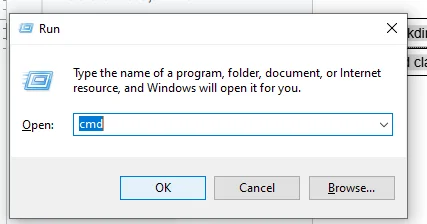
1. Press the Windows+R button, type cmd and click on the ok button as shown below.
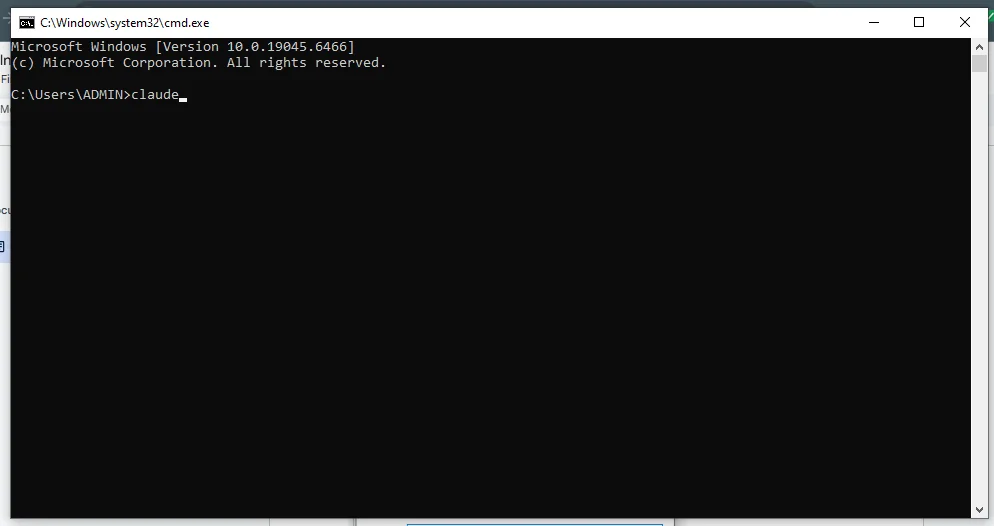
2. Navigate to your project folder using the cd command, then type claude in the terminal and press the Enter button.
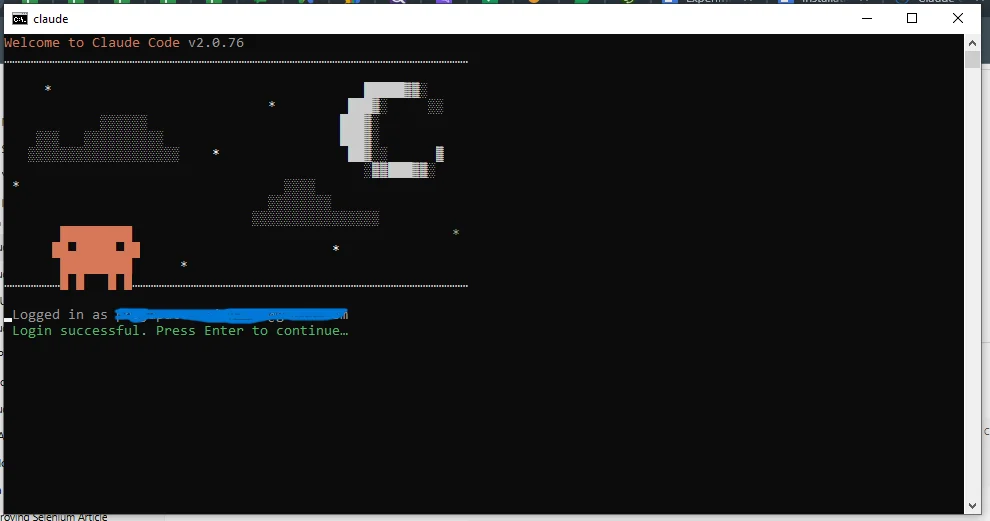
3. Log in to Claude Code with your Google account.
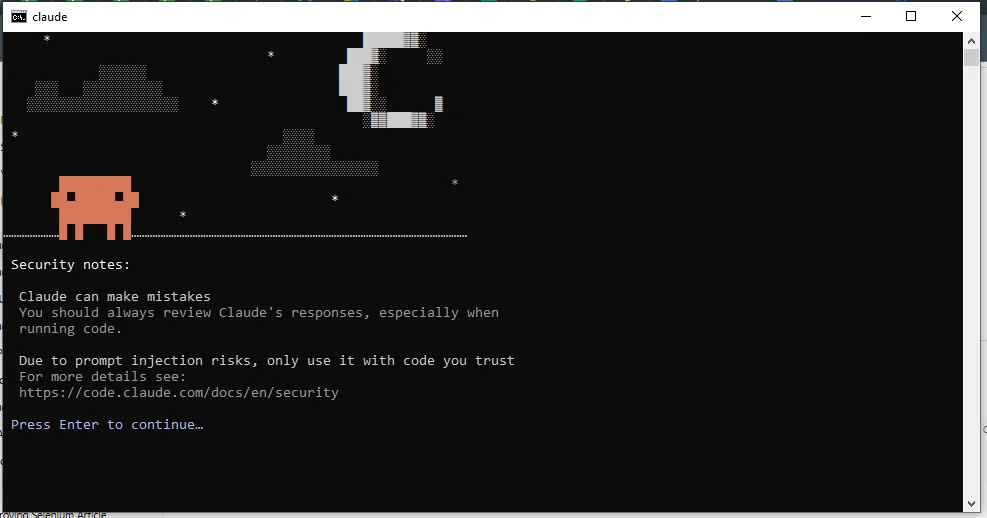
4. Check out the security notes and press the Enter button.
5. You are all set to use Claude Code now. A good first step is to run /init so Claude Code reads your project and generates a CLAUDE.md memory file automatically.
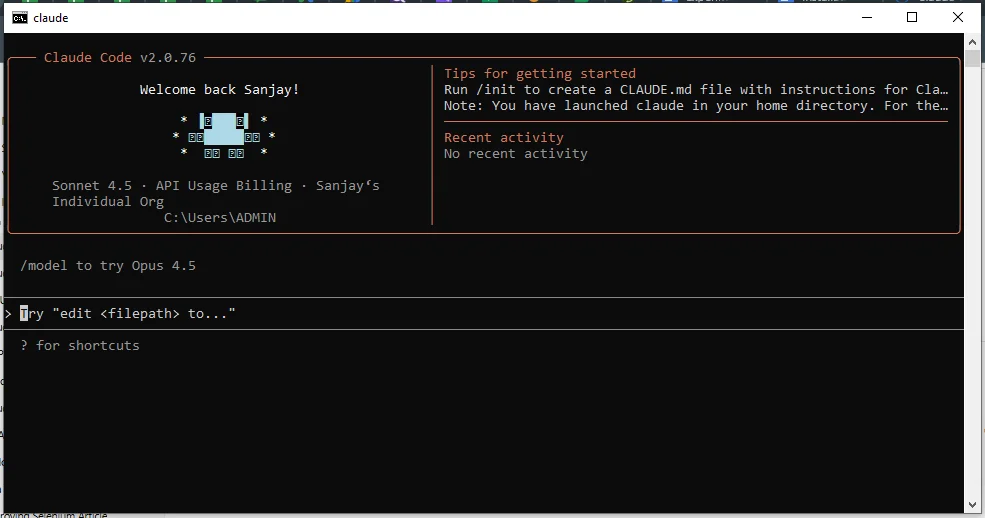
One thing I always tell beginners is to understand how Claude Code handles permissions before running it on important projects. Claude Code is designed to be cautious by default. It will ask for your approval before making changes to files or running commands. This is a very thoughtful design by Anthropic because you always stay in control of what happens in your project.
As you get more comfortable, you can adjust how much autonomy you give Claude Code — from approving every single action manually to letting it run more freely for tasks you trust it with. You can always interrupt it at any time by pressing Escape. This safety-first approach is one of the reasons I feel confident using it even on production code.
Here is a quick reference of essential Claude Code commands you'll use often during coding, debugging, refactoring, and managing workflows in your terminal.
| Command | Description |
|---|---|
claude | Start an interactive Claude Code session in your project folder |
claude --resume | Resume your last session |
claude "prompt" | Run a one-shot task (e.g., "explain this file") |
/init | Analyze your project and auto-generate a CLAUDE.md memory file |
/help | Show available slash commands |
/clear | Clear the current session context |
claude "read filename" | Read and explain a file |
claude "edit filename" | Edit an existing file |
claude "fix errors" | Attempt to fix code errors |
claude "refactor this" | Refactor code for readability or performance |
claude "write tests" | Generate test code |
claude "commit my changes" | Stage changes and write a descriptive Git commit message |
Claude Code is not limited to writing isolated code snippets. Using it in real-world projects is more like a support layer across different stages of the software development lifecycle. This helped me think, write, review, and improve code more efficiently.
When I began exploring Claude Code during my learning phase, I discovered several of its powerful frameworks. You can explore the following to understand it better:
Agile or Scrum-based teams work around organized user stories, sprint tasks and short delivery cycles. Claude Code assists developers by interpreting technical requirements, breaking large stories into smaller implementation steps and translating acceptance criteria into workable code structures. It is often used to scaffold features, clarify logic and explain existing code to team members during sprints. This helps reduce blockers and speed up delivery.
Claude Code does not directly run or monitor CI/CD pipelines, but it plays a valuable role in pipeline development and troubleshooting. Developers can use it to write and review CI/CD configuration files, such as YAML scripts for build and deployment workflows. When a pipeline fails, it can analyze error logs shared by the developer and explain the root cause. It also suggests fixes for build errors, dependency issues or deployment misconfigurations.
Claude Code also acts as a virtual pair programmer. Developers can interact with it while coding to reason through complex problems, explore alternative implementation approaches and refactor existing logic. It helps generate cleaner code, suggest optimizations and guide debugging step by step. This makes it useful when working on unfamiliar codebases or complicated features.
Claude Code is also used during code reviews and pull request preparation. Developers share code changes and ask Claude Code to identify potential bugs, performance issues or readability improvements. Instead of just flagging problems, it explains the reasoning behind each suggestion. This helps teams maintain consistent coding standards and improve overall code quality.
Claude Code can be used by everyone, whether you are in a technical or non-technical field. It depends on your access and your daily tasks. Let me tell you who all can use this AI-powered coding assistant from Anthropic:
They use it to write code and fix any errors. They make sure that code written by others is fully viable and in an easy format. It also helps improve big software projects.
They use Claude Code to write data processing scripts, automate repetitive analysis steps, and troubleshoot errors in their code without needing to leave their development environment.
Companies that have a team or enterprise subscription can also use this. It is very helpful for group work when it is connected with tools like GitHub for collaboration.
They use it to monitor systems, check logs, automate tasks, and build tools like CI/CD pipelines to keep software running properly.
Non-technical users can only use it for simple automation or text-based tasks. Still, they also need to have proper access and setup for using it.
Read Also: Top 45 Artificial Intelligence Interview Questions
Understanding Claude Code tips and advanced techniques will help you code faster, write better prompts, and get clear results from AI. Here are a few tips and techniques that I have personally applied when I was a beginner, just like you:
1. Explain your problems clearly. You have to tell it everything, from what your code does, what you expect, and what went wrong.
2. You do not need to use technical commands. Simply say "This code works for small data but fails for big data. Fix it." Claude Code will understand and fix it accordingly.
3. Always ask Claude Code to explain the solution step by step. It becomes easier to understand the logic and learn from it.
4. If your code is having any errors, always paste the full error message instead of summarizing it. This will help it to identify errors quickly.
5. Tell Claude Code that you are a beginner or experienced. It will help it give you an explanation according to your learning pattern.
6. To improve code quality and learning, always ask to explain code in a simple, cleaner, and easy-to-read format.
7. If the response does not solve your problem, you can ask it to try a different approach. It will refine it more clearly.
8. Set up a CLAUDE.md file in your project root right from the start. Describe your tech stack, coding standards, and testing setup in it. Claude Code will read it every session and you will never have to repeat the same instructions again.
9. Use /clear to reset context between unrelated tasks. Claude Code's context window is large but keeping it focused on one task at a time gives you better and more accurate results.
If you are an experienced developer who works with large systems, teams, and production code, then you can definitely refer to all the following techniques:
1. Ask Claude Code to understand and then explain the full project structure, data flow, and dependencies. This is very useful for large or legacy projects.
2. You can ask it to review your code and point out risky parts that could lead to security issues.
3. Rather than editing files one by one, ask Claude Code to clean and improve multiple files at the same time without breaking the code.
4. Sometimes your app crashes or behaves strangely. Take the help of Claude Code and find the real reason behind it.
5. When your code is running slow, Claude Code can suggest better logic and cleaner ways to write it so it works faster and smoother.
6. You can set up or improve build and deployment steps so your code updates safely without breaking things.
7. Use Claude Code with Git to automate your commit and pull request workflow. Just tell it to commit your changes with a meaningful message and it will handle the staging, writing, and committing — saving you a lot of time during a busy sprint.
In my opinion, when I am working on programming work, Claude Code performs so well. It can handle large code files and understand complex logic without getting confused. As I already discussed in its features, it's ok if you don't write instructions in programming language — it still gives a proper code, and that is my favorite part of this. Sometimes my code gets an error, Claude Code always helps me fix this by giving step by step process in the simplest format.
When it comes to its accuracy level, it is quite decent. It gives logical and meaningful solutions. It clearly explains code and makes fewer mistakes compared to many other AI tools.
When I started using it more, I found some of its limitations as well. Sometimes it does not have knowledge about the latest tools or frameworks. It is also not very strong in designing user interfaces or frontend styling. In some cases, it can attempt to run or test code but you must always review the output manually before treating it as final. But I feel like Anthropic will gradually improve this as well in the upcoming years.
The free account does not give you all the features. You may have to purchase a subscription plan for advanced features and functions. Here is a table showing different pricing plans available for individuals and teams:
| Plan | Price (per user / per month) | Claude Code Access & Notes |
| Free | $0 | Basic access to Claude with limited daily usage; no dedicated Claude Code included. |
| Pro | $20 (or ~$17/mo with annual billing) | Includes Claude Code with access to Sonnet 4.5 & Opus 4.5 models; suitable for individual developers and short coding workflows. |
| Max – 5× Usage | $100 | Includes Claude Code with significantly higher usage limits than Pro; good for heavier coding sessions and professional use. |
| Max – 20× Usage | $200 | Highest personal usage tier with Claude Code included, offering maximum session capacity and model access. |
| Team (Premium Seat) | $150 (min. 5 users) | Team subscription includes Claude Code plus collaboration tools and unified billing. |
| Enterprise | Custom pricing | Enterprise plan includes Claude Code access along with advanced security, admin controls, and premium support. |
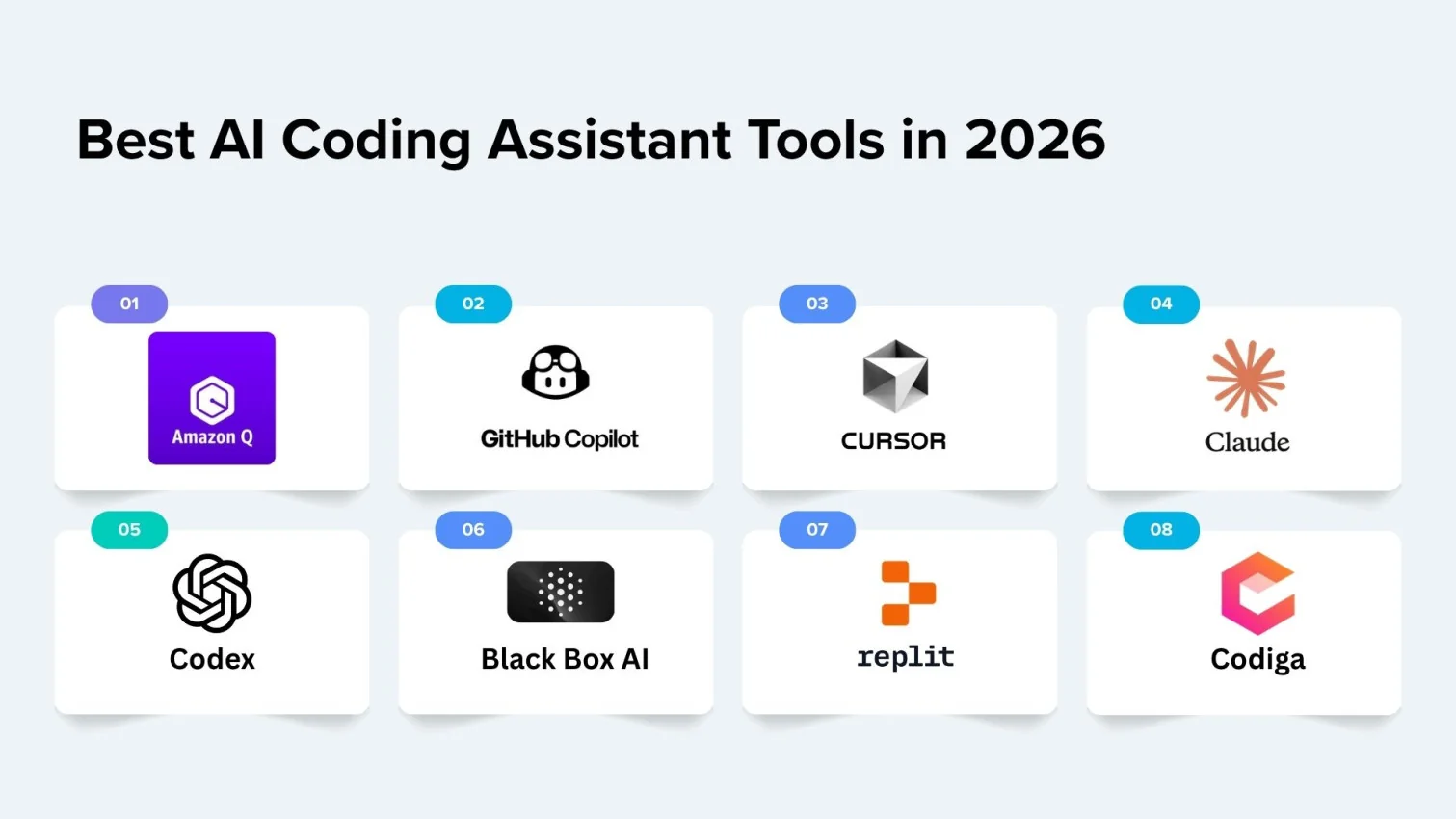
There are different types of AI chatbots. Let's see what makes these four tools different from each other:
| Parameters | Claude Code | ChatGPT | BlackBox | Cursor AI |
| What it is | An agentic terminal-based coding tool that lives in your project and acts autonomously. | It is a general AI tool that is used for chatting, learning, writing and coding. | BlackBox is mainly made for writing and fixing code only. | Cursor AI is a code editor with built-in AI. Like VS Code. |
| Primary use | Doing big coding tasks automatically across entire codebases from the terminal. | It helps in so many things, such as writing, studying, coding or creating ideas. | Used for writing code, fixing errors, and understanding code. | Writing and editing code directly in the editor. |
| How you use it | You run it in your terminal, inside your project folder, and give it goals in plain language. | You type your question, and it will reply. | It can be used through the website or extensions. | You use it directly inside the code editor. |
| Coding Strength | Very strong for large projects — reads full codebases, runs tests, manages Git. | Only good for learning and writing code. | Very strong for writing and fixing code. | Very fast and smart while coding live. |
| Best for | Developers who want their task to be handled autonomously by AI. | Suitable for beginners, students or general users. | Developers who need a powerful coding tool. | Programmers who code daily on an editor. |
| Interface style | Terminal-based — it works inside your project after you give it a goal. | You chat with it to get answers, explanations, and coding help. | You have to use chat and also some extra tools to write, fix, and improve code. | You write code in an editor where AI helps you while typing. |
| Real-time coding help | Medium | Medium | High | Very high |
| Ease of use | You should have some coding knowledge and comfort with the terminal. | Very easy to use. | It is simple but you still need to have some basic coding skills. | If you code daily then it is easy for you. |
| Who it suits | Advanced developers who want autonomous, project-level AI assistance. | Anyone (students, learners, creators). | Only developers who are very serious about their program. | Programmers who want a faster workflow. |
Learning the basics of Claude Code is not enough to understand its worth. You might be wondering if it can really be a good use. Here are some of the common reasons that prove how important it is and will boom in the upcoming years:
This growing adoption makes Claude Code a valuable tool for the future of software development.
In this guide, I have covered everything you need to know about Claude Code. Whether you are a beginner or an advanced user there is something valuable for everyone. Claude Code works like a coding partner that helps you think better and work faster — and unlike a browser-based chat tool, it actually lives inside your project and takes real action on your files.
Even if you come from a technical or non-technical background, this tool makes your work smoother and more efficient. Learning to use Claude Code now can also prepare you for more demanding job roles in the future.
Explore Our Trending Articles-
You can use Claude for free by creating an account on claude.ai. But it will only give you limited access. To use Claude Code as a terminal tool, you need a Pro or Max subscription or an Anthropic API key.
The agentic loop is how Claude Code works autonomously. When you give it a task, it plans the approach, reads your files, makes the code changes, runs tests, and keeps going until the job is done — without you having to guide every single step. You can interrupt it at any time by pressing Escape.
CLAUDE.md is a Markdown file you place in your project root. Claude Code reads it automatically at the start of every session. You use it to write your project's coding rules, tech stack details, and preferences so you do not have to repeat them every time. It is one of the most useful features for anyone working on the same project regularly.
You should not use Claude Code for highly sensitive data, real-time critical tasks or projects requiring full control over outputs as it's an AI tool with limitations and potential delays. Always review its output carefully before treating it as final.
Claude Code can boost developer productivity by automating coding tasks and debugging. Learning to use it positions developers for the future of AI-assisted software development.