An interface is an object in Java that shares common behaviours but whose implementation does not depend on the implementation of the other classes or objects with which it interacts. It is a reference type that allows the ability to share behaviours between different classes. Having worked with the Java concepts and fundamentals for over 5 years, I have come to understand exactly how interfaces function within the Java programming language, how to write code using the interface keyword and how this can be beneficial in creating flexible and maintainable systems that are loosely coupled.
This article will give you an overview of the interface keyword in Java and show how to implement it through examples to develop your understanding. Let's get started!
Learn interface Keywords in Java with simple explanation, syntax & examples. Understand abstraction, polymorphism & implementation easily to enhance your Java programming skills.
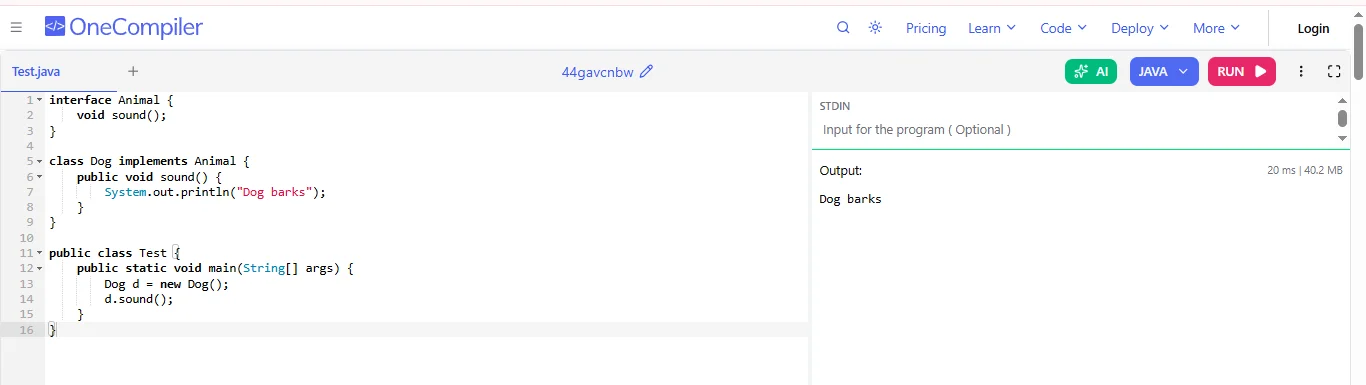
An interface in Java is a blueprint of a class that contains abstract methods and constants. It defines what a class must do, but not how it does it. Classes that implement an interface must provide the implementation of all its abstract methods. The interface keyword is used to create such a contract.
For example:
|
|
Interfaces help define a set of rules that classes must follow. They make programs more flexible, reusable and easier to maintain by separating what a class does from how it does it. Here are some of its usages:
1. Achieve Abstraction: Interfaces allow developers to define what a class should do without specifying how it should do it. This helps hide implementation details and focus on functionality.
2. Support Multiple Inheritance: Java does not support multiple inheritance with classes, but a class can implement multiple interfaces, which allows it to inherit behavior from multiple sources.
3. Promote Loose Coupling: Interfaces reduce dependency between classes. Code that depends on interfaces rather than concrete classes becomes more flexible and easier to modify.
4. Improve Code Maintainability: By separating the contract from the implementation, developers can change implementations without affecting other parts of the application.
5. Enable Polymorphism: Interfaces allow objects of different classes to be treated as the same type, which makes it easier to write generalized and reusable code.
6. Support Design Patterns and Frameworks: Many Java frameworks and design patterns like Dependency Injection, Strategy Pattern and DAO pattern rely heavily on interfaces to build scalable and extensible applications.
Read Also: Java Tutorial for Beginners
In Java, an interface is like a blueprint that tells a class what methods it must have, but it does not provide the actual code for those methods. When a class implements an interface, it agrees to write the code for all the methods declared in that interface. This helps in creating organized, reusable and flexible programs.
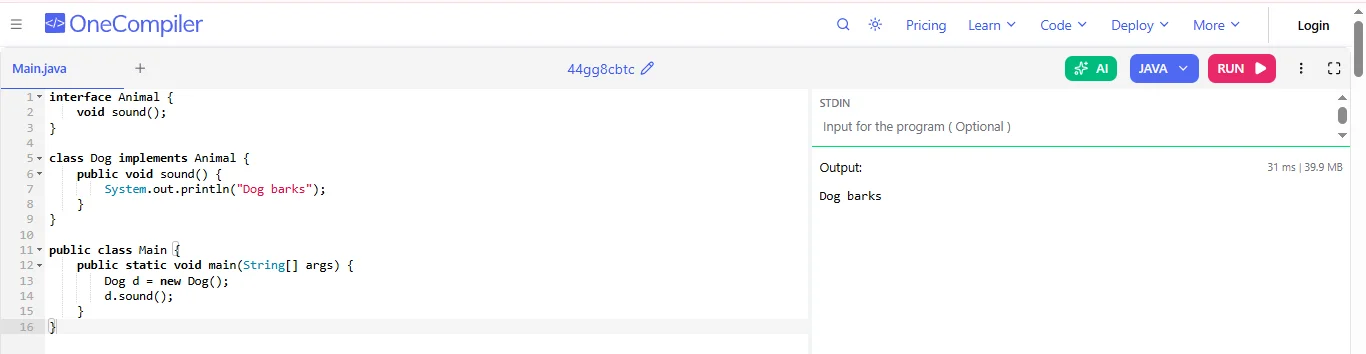
First, you define an interface using the interface keyword. Inside it, you only declare methods.
Example:
|
In this example, Animal is the interface and it declares a method sound().
Create a class that implements the interface using the implements keyword. The class must provide the actual code for the method.
Example:
|
The Dog class implements the Animal interface and defines the sound method.
At last, you create an object of the class and call the method.
Example:
|
The following examples demonstrate different ways interfaces can be created and used in Java programs:
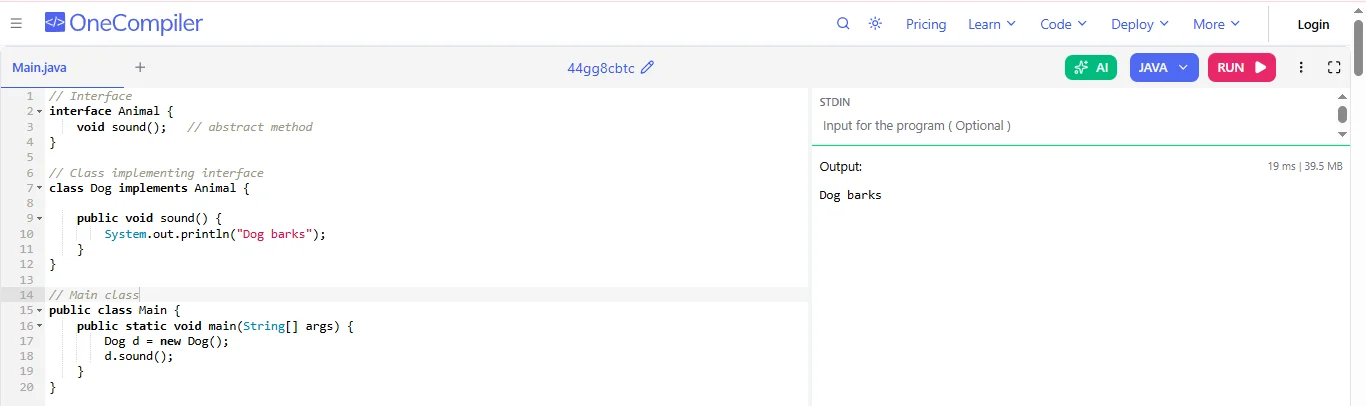
Basic interface contains abstract methods. A class implements the interface and provides the method body.
Example Code:
|
How it Works:
1. An interface Animal defines a method sound() without implementation.
2. class Dog implements Animal must provide the method body.
3. In main(), we create a Dog object and call sound().
Java 8 introduced default methods in interfaces. A default method already has an implementation, so implementing classes do not need to override it.
Example Code:
|
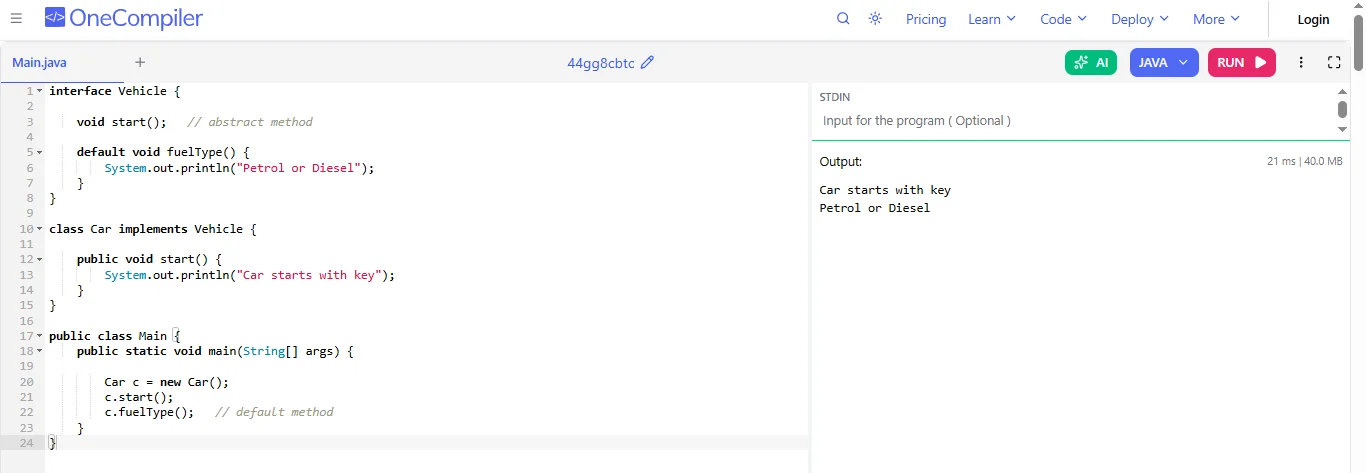
How it Works:
1. start is abstract: must be implemented.
2. fuelType is a default method: already implemented.
3. Car only implements start().
4. fuelType() can be called directly.
Java 8 also introduced static methods in interfaces.
Example Code:
|
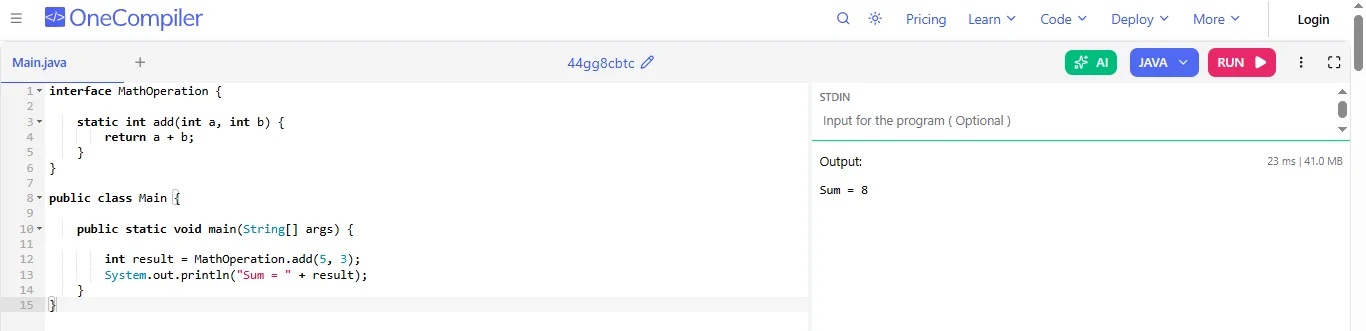
How it Works:
1. add() is a static method inside the interface.
2. No class implementation is required.
3. The method is called:
|
Read Also: Java Interview Questions and Answers
When you start following the best practices, it will always make sure that your code remains clean and easy to understand. Following are some practices that you can follow when you are working with Java interfaces:
Design interfaces with a single responsibility. Avoid creating large interfaces that force classes to implement methods they don’t need.
Example:
|
Your interface should always describe what a class can do and not how it does it.
Example:
|
An abstract class does not allow multiple inheritance of type, but an interface does.
Example:
|
Default methods help maintain backward compatibility but should be used sparingly to avoid confusing interface design.
Example:
|
In this blog, I have explained how the interface keyword in Java helps a contract that classes must follow by allowing different classes to implement the same behavior in their own way. It supports important concepts like abstraction, multiple inheritance of type, polymorphism and loose coupling. By using interfaces, developers can design programs that are more flexible, reusable and easier to maintain, which makes it an important part of building well structured Java applications.
You can use a class when you want to define objects with properties and full method implementations and an interface is used when you want to define a set of methods that multiple classes must implement.
We cannot decide on which is best as it all depends on the situation. Interfaces are better for defining behavior for multiple classes, while abstract classes are useful when classes share common code.
An interface is only declared by the interface keyword.
Explore Our Trending Articles-