Claude AI is an emerging tool in the world of artificial intelligence. It serves as an impactful assistant for both businesses and individuals. This guide is fabricated to display how this tool aims at attaining a seamless and smart interaction with machines.
This guide covers a number of topics to equip readers with a comprehensive understanding of this robust tool. It highlights what Claude Ai is, how it functions, how it differentiates from tools like ChatGPT, how to utilize it to make most out of it, its advantages and disadvantages. Let's dive right in.
Explore Our Article: Best AI Agent Frameworks
Claude AI, an innovative conversational AI tool, is the creation of Anthropic. Its name is presumably coined from the father of information theory, Claude Shannon. It is curated to offer ethical, smart and safe responses in conversations.
It shares similarities with ChatGPT, but what makes it unique is that it is built based on Anthropic's prime philosophy of constitutional AI. This philosophy emphasizes a system trained to obey principles and rules with reliability.
This tool can be utilized to perform a number of tasks, including brainstorming ideas, responding to questions, summarizing documents, and much more. Claude AI aims at providing users with assistance to perform a wide array of tasks through natural language understanding.
Claude AI is not limited to a single model. Anthropic has introduced a family of Claude models designed for different types of users and workloads. These models are named Haiku, Sonnet, and Opus. Each model is optimized for a balance between speed, intelligence, reasoning, creativity, and cost.
The purpose behind offering multiple models is to help users choose the right AI assistant according to their task requirements. Some users may need lightning-fast responses for everyday tasks, while others may require advanced reasoning and deep analysis for research or coding.
1. Claude Haiku: It is the fastest and lightest model in the Claude family. It is mainly designed for quick tasks like summarization, basic customer support, simple content generation, and fast responses. Businesses that need speed and lower operational costs often prefer Haiku.
2. Claude Sonnet: It is considered the balanced model in the lineup. It offers a strong mix of performance, reasoning, and speed. Sonnet is widely used for writing, coding assistance, business workflows, research, and day-to-day productivity tasks. It delivers better intelligence than Haiku while still maintaining fast response times.
3. Claude Opus: It is the most advanced and powerful model developed by Anthropic. It is built for highly complex tasks requiring deep reasoning, long-form content generation, advanced coding, research analysis, and multi-step problem solving. Opus is capable of handling detailed instructions with greater accuracy and contextual understanding.
4. Claude Fable 5: Introduced in 2026, Claude Fable 5 is Anthropic's most advanced publicly available model and the first model in the new Mythos class. It is designed for long-horizon reasoning, complex coding, scientific research, and autonomous agentic workflows. Unlike Haiku, Sonnet, and Opus, Fable 5 targets the most demanding enterprise and professional use cases with a context window of up to 1 million tokens.
Anthropic regularly updates its Claude model family to improve performance, reasoning, safety, and multimodal capabilities. While Haiku, Sonnet, and Opus remain the primary models for most users, Claude Fable 5 extends the lineup for advanced reasoning and enterprise-scale AI workloads, giving users more flexibility to choose a model based on their performance needs and budget.
The underlying Claude AI chatbot runs on an LLM, also called 'Claude'. It's capable of spotting patterns in large amounts of text. It uses a transformer setup, which has this neat "attention" feature that helps it understand words in context, looking at the words that come before them. Similar setups are found in other well-known AI tools like Google Gemini and ChatGPT.
Claude AI functions by interpreting user prompts and generating contextually relevant responses. Unlike traditional rule-based bots, Claude uses a machine learning technique called transformer architecture. It has been trained on vast amounts of text data and fine-tuned to align with ethical guidelines, ensuring safer outputs.
What makes Claude unique is its grounding in "Constitutional AI." This approach embeds ethical decision-making directly into the model's behavior. Instead of relying on Reinforcement Learning from Human Feedback (RLHF) alone, Claude uses a set of predefined constitutional rules to decide how to respond.
Here are some ideas that Anthropic uses in its models:
Anthropic, a firm that emphasizes transparency, research and artificial intelligence safety. This San Francisco-based company was founded in 2021 by former researchers and executives of OpenAI. Anthropic is one of the companies known for developing pioneering AI models.
However, the uniqueness of this company lies in its key objective to attain safety of these models. They are seeking reliability, interpretability and user's absolute control over these models. The Claude family of LLMs is one of the main results of this mission.
Claude enables its users to personalize their experiences in three ways. They can customize and organize through profile, style preferences and project instructions. All these options enable Claude to align with the user's requirements.
These are settings that help Claude get a better grasp of what you like when responding to you. These preferences will guide how Claude interacts with you, and you can switch them on and off anytime in the style selector.
To set your preferences:
i) On the lower left corner, click on your initials.
ii) Select Settings.
iii) In the section labeled What preferences should Claude consider in responses?, you can share your preferences. This includes:
- Your favorite approaches or methods
- Common terms or ideas you use
- Typical situations you face
- Your overall communication style
Styles customize how Claude communicates with you or human. Styles focus specifically on how Claude formats and delivers its responses. You can use styles anytime you are required to:
Project instructions help Claude get what's needed for a particular project. They apply only to chats in that project.
Keep in mind: Projects are only available on Claude Pro and Claude for Work (Team or Enterprise) plans.
You should use Project Instructions when you want to:
Related Article- Claude vs. ChatGPT: Which is Better?
Using Claude AI is straightforward. Here are a few ways to interact with it:
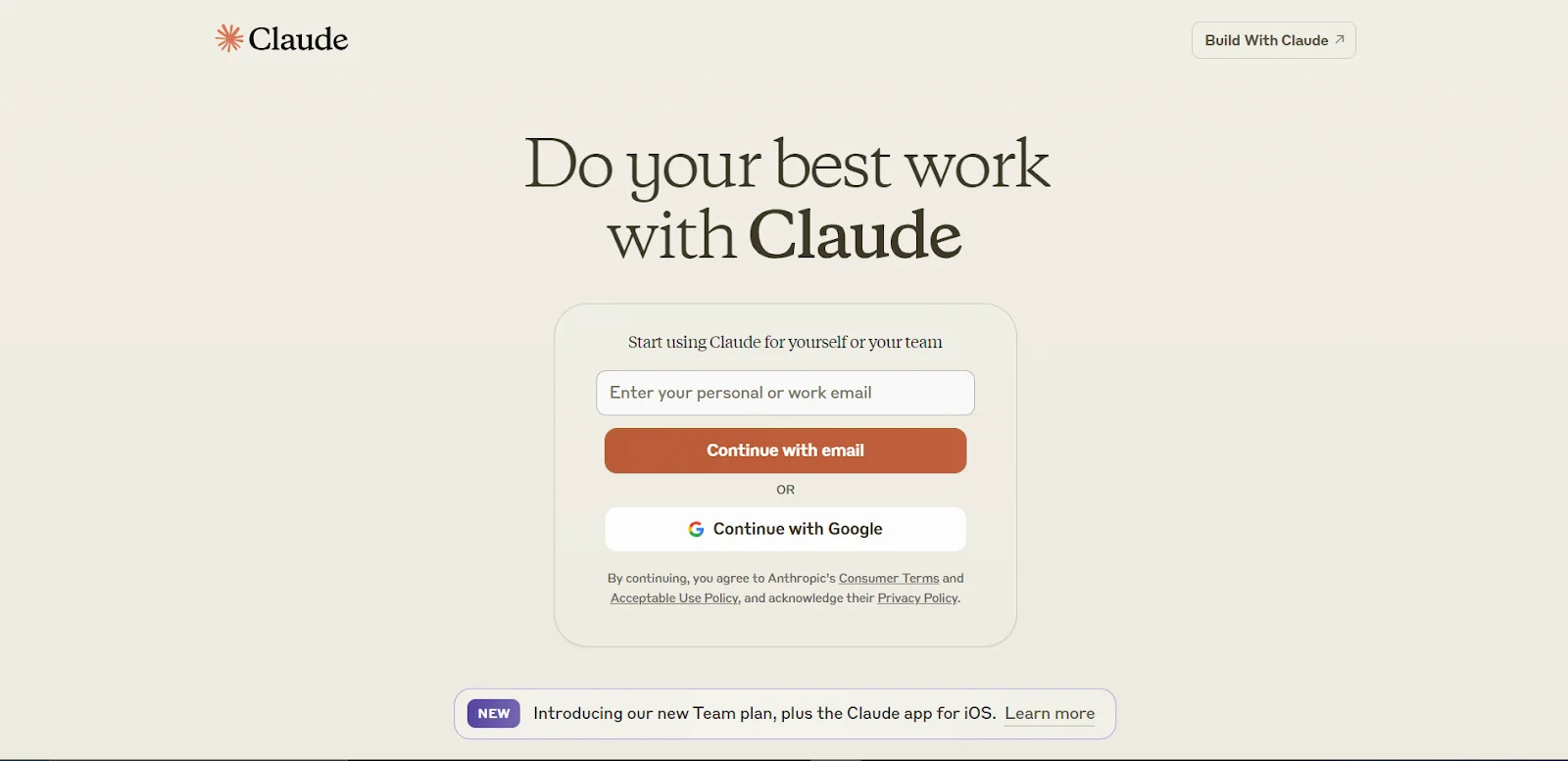
The first step is to visit the Claude website.
Enter the email address.
Click "Continue with email"
Look up the login code sent to your mail.
Copy and paste the code at the login page.
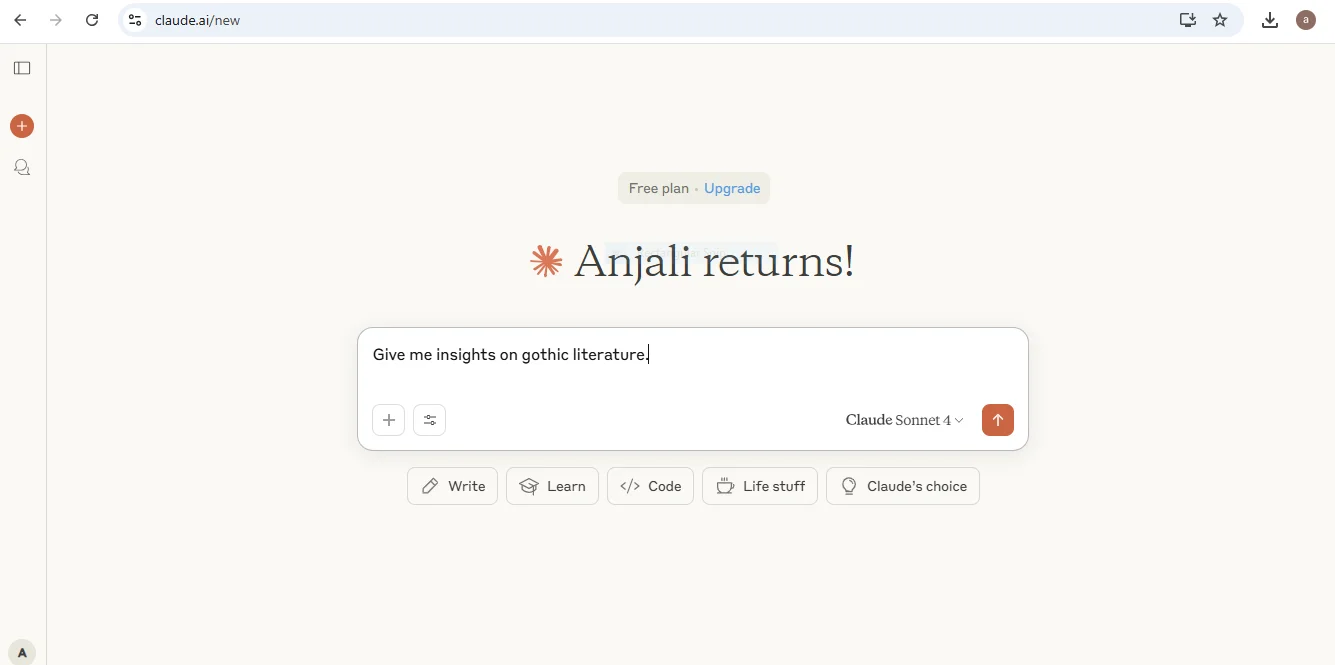
Upon that prompt you will get response given below-
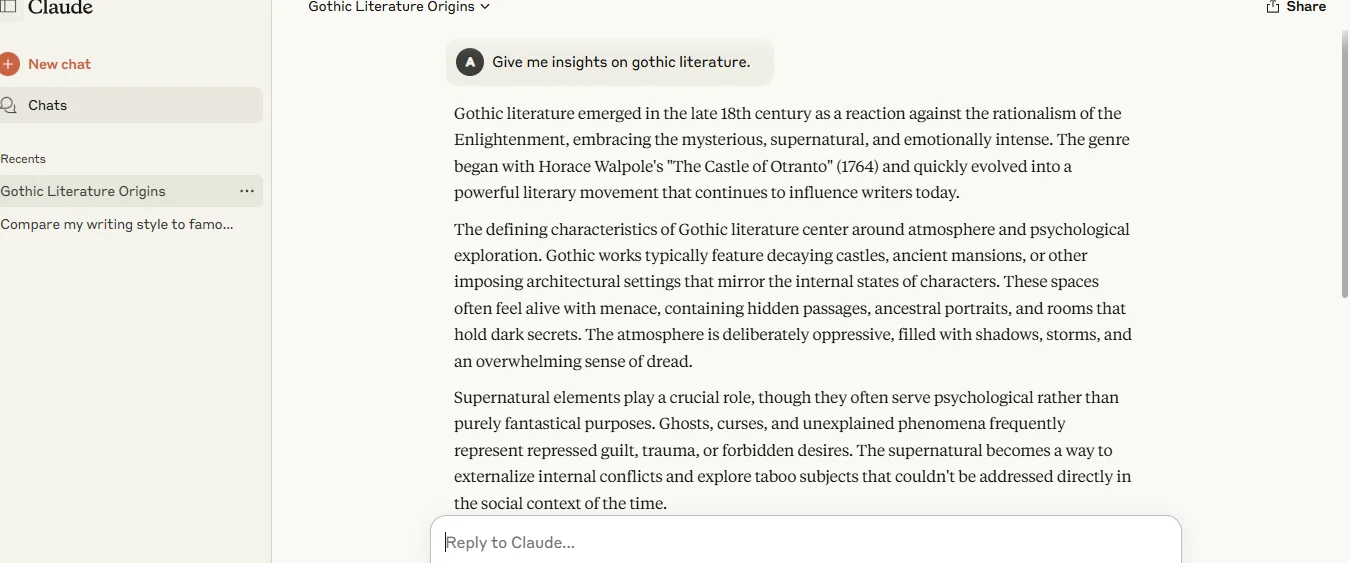
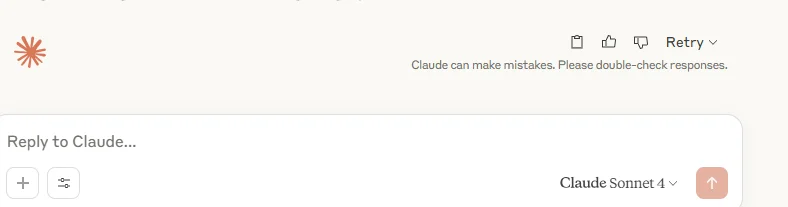
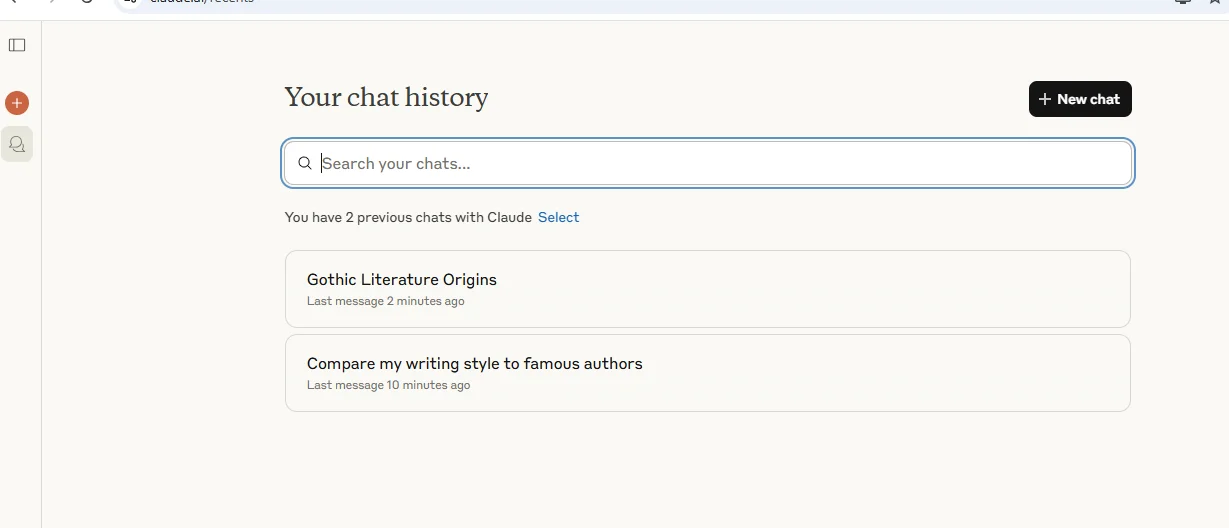
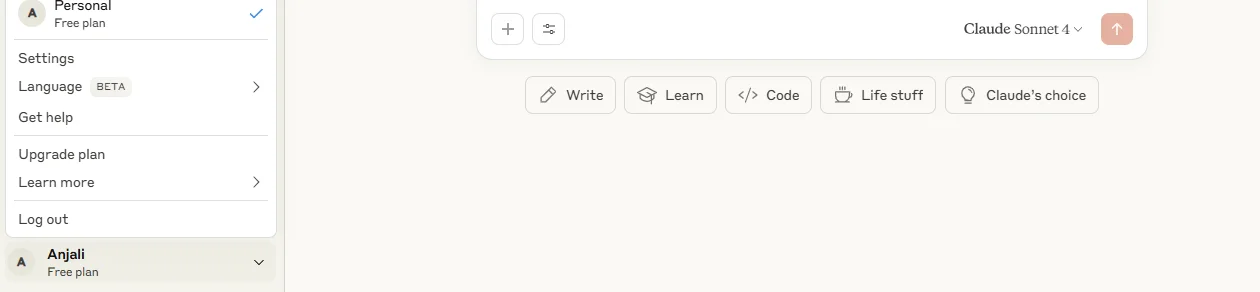
If you want to find out more about Claude, just click on your profile icon in the lower left corner and choose Help & Support. You'll land on a page with articles and tips that can help you make the most of Claude.
Related Article- The Best AI Chatbots [Updated 2026]
Let's begin with the advantages first.
One of the best advantages of this tool is its incredible pace. It can process about 30 pages of text per second, along with reading opaque research papers in a few seconds. Its extraordinary capabilities makes it a strong competitor among its peers. Claude AI's speed enables it to process large documents with ease.
Meeting ethical standards is a key part of what Claude does. Anthropic created Claude to show how to keep AI safe. The company is clear about its beliefs on AI safety:
Limitations exist on how much data can be handled all at once by a Generative AI platform. This limit is called the 'context window,' and having a bigger window allows more relevant responses. Claude has a large context window, up to 1 million tokens on Opus and Sonnet models, roughly 750,000 words or a small codebase's worth of text, which makes it well suited to processing very long documents in a single conversation.
This big context window makes Claude great for going through long documents. It can write lengthy pieces and stay on point, which really helps with complicated topics.
Here are some of the disadvantages of Claude.
Claude has its limits. While it's decent at generating text, it doesn't have the same breadth as some other platforms that can do both text and image creation. So, if you want an all-in-one tool for both, Claude isn't the one for you.
It also doesn't have plugins. These are handy add-ons that let you personalize your experience. For example, if you're trying to keep track of your fitness, you could use plugins to calculate calories and macros. Without them, you can't add those kinds of features with Claude.
Another thing to keep in mind is that Claude's information isn't always current. Its knowledge base gets updated regularly, but it's usually a few months behind. So, if you need the latest updates on things like the economy, laws, or entertainment news, it might not be the best choice.
Sometimes, Claude might give inaccurate responses. These mistakes, often called hallucinations, can pop up on any generative AI platform. They're designed to mimic human writing, not to verify facts.
Because of these inaccuracies, it's smart to double-check what Claude says, especially if you're using the info for important stuff like schoolwork or business messages.
Read Also- How To Build AI Agents- An Ultimate Guide For Beginners
The different Claude models and their versions can get you confused to choose the best one for your task. This is why you should know the difference between them. It helps you understand which tool is better for you. The choice of the best one between Haiku, Sonnet, and Opus depends entirely on the type of work you want the AI model to perform. While all three models are part of the Claude AI ecosystem, they differ significantly in speed, reasoning power, accuracy, and pricing.
Claude Haiku focuses heavily on speed and efficiency. It is ideal for users who need instant responses without requiring highly advanced reasoning. Tasks such as answering FAQs, generating short summaries, and handling repetitive workflows are well-suited for Haiku.
Claude Sonnet sits in the middle and is often considered the most practical option for general users and businesses. It provides stronger reasoning than Haiku while maintaining impressive speed. Sonnet is frequently used for content writing, programming support, brainstorming, data analysis, and professional communication.
Claude Opus is designed for users who require the highest level of intelligence and contextual understanding. It performs exceptionally well in difficult reasoning tasks, technical problem solving, long-form content creation, and advanced coding projects. However, Opus may consume more resources and is generally more expensive compared to the other models.
For beginners and regular productivity tasks, Sonnet is usually the preferred choice because it balances performance and cost effectively. Enterprises and researchers handling highly complex tasks may benefit more from Opus, while Haiku works best for lightweight and high-speed applications.
| Feature | Haiku | Sonnet | Opus |
| Speed | Very Fast | Fast | Moderate |
| Reasoning Ability | Basic | Advanced | Highest |
| Content Quality | Good | Very Good | Excellent |
| Coding Support | Limited | Strong | Advanced |
| Best Use Case | Quick tasks and automation | Daily productivity and business work | Research and complex workflows |
| Cost | Lowest | Medium | Highest |
As Anthropic continues improving Claude AI, the differences between these models may evolve further. Still, the Haiku, Sonnet, and Opus lineup currently gives users the flexibility to choose an AI model based on their performance needs, complexity of tasks, and budget.
Claude AI provides multiple options, including a cost-free plan with limited usage and a paid subscription. Another option is the team and enterprise plans discussed below with others -
Detailed Breakdown of Claude AI Subscription Costs
| Plan | Price (per user/month) | Key Features |
| Free | $0 (free forever) | Basic access to Claude Sonnet 5 (default model) on web, iOS, Android; limited daily usage and features |
| Pro | US $20/month (or US $18/mo if billed annually) | 5x more usage than Free, priority access, access to Claude Opus 4.8, Sonnet 5 & Haiku 4.5, Projects, up to 1M token context on Opus/Sonnet, early features |
| Max - 5x | US $100/month | 5x the Pro usage, priority access to features, includes Claude Code, aimed at heavy users |
| Max - 20x | US $200/month | 20x the Pro usage, priority access, includes Claude Code, for power-user workloads |
| Team Standard | US $25/seat/month (or $20/seat annually); 5-150 seat range | All Pro features + central billing, collaboration, SSO, admin controls, priority at peak times |
| Team Premium | US $125/seat/month (or $100/seat annually) | Everything in Team Standard + 5x usage + Claude Code included |
| Enterprise | Custom pricing (typically ~$60/seat/month, often with a 70-seat minimum) | Team Premium features + full 1M context window, HIPAA readiness, SAML SSO, domain capture, spend controls, audit logs, dedicated support, data training disabled by contract |
While both Claude AI and ChatGPT are large language models, there are several distinctions between the two:
| Feature | Claude AI | ChatGPT |
| Access | Android, Desktop, Web, API, IOS | Android, IOS, Web, Desktop, API |
| Context Window | 1,000,000 | 128,000 |
| Data Usage and Storage | Claude AI doesn't use your prompts or responses for training unless you give permission and keeps data for 90 days. | ChatGPT might use conversations for training unless you choose not to. |
| Ethical and Safety Focus | Claude AI follows Constitutional AI principles for moderation | ChatGPT relies on feedback from users to improve. |
| Free Tier Available | Yes, with limited access to the models. | Yes, with limited access to the models. |
| Customization and Use Cases | Claude AI doesn't support creating fine-tuned models. | ChatGPT allows you to create those specialized GPTs. |
Also Explore: Best Claude Alternatives
It is safe to conclude that Claude AI serves as a reliable tool, emphasizing on safe and responsible interaction. Its unique and transparent approach highlights coherence, trust and ethics to all the users. All these abilities make it a strong competitor in the market, becoming an ideal choice for personal and enterprise use.
The answer depends on an user's requirements. Claude is safer while ChatGPT is rather creative.
Antropic underlines ethical use of data. However, one must look up specific platform policies to clear their queries.
Yes, no artificial intelligence is perfect or guarantees 100% accurate results.