Java 8 Interview Questions and Answers

Java 8 Interview Questions and Answers

July 9th, 2026
4
10: 00 Minutes

Java 8 changed the way developers write Java code. It brought functional programming into the Java ecosystem with features like lambda expressions, streams, the Optional class, and the new Date and Time API. These additions made Java applications more expressive, concise, and easier to maintain.

Having both conducted technical interviews and appeared in Java interviews myself, I know the kinds of Java 8 questions recruiters and hiring managers frequently ask. From assessing core concepts to evaluating problem-solving skills with real-world scenarios, Java 8 remains one of the most important topics in Java interviews.

If you are preparing for a Java interview, you need to know Java 8 well. Most companies expect Java developers to be comfortable with Java 8 features, whether you are a fresher attending your first interview, a mid-level developer looking for career growth, or an experienced professional targeting senior or principal engineering roles.

This guide covers Java 8 interview questions for every experience level. The questions are organized into sections for freshers, intermediate developers, experienced professionals, and scenario-based interviews to help you prepare for both conceptual and practical discussions.

Let's get started.

Java 8 Interview Questions for Freshers

These Java 8 interview questions for freshers focus on core concepts. Interviewers want to ensure that you understand the basics before moving on to more complex topics.

1. What are the major features introduced in Java 8?

Java 8 introduced several important features. The key ones are:

  • Lambda Expressions — for writing concise functional-style code
  • Stream API — for processing collections of data
  • Functional Interfaces — as the foundation for lambda expressions
  • Optional Class — to handle null values safely
  • Default and Static Methods — in interfaces
  • Method References — to refer to methods directly
  • New Date and Time API — the java.time package
  • Nashorn JavaScript Engine — for running JavaScript on the JVM

These features together pushed Java toward a more modern programming style.

2. What is a lambda expression in Java 8?

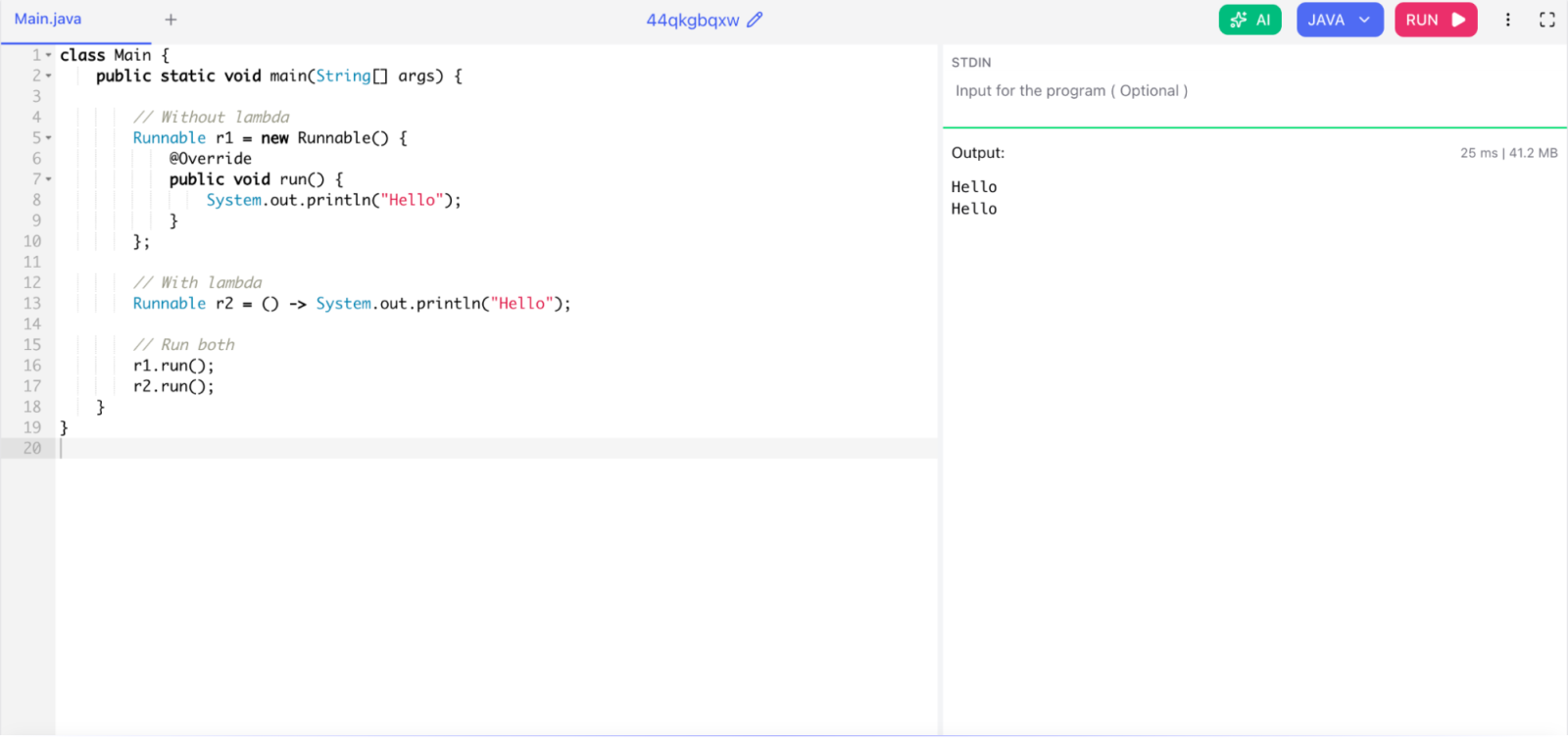
A lambda expression is an anonymous function. It does not have a name, but it has parameters and a body. You use it to write short, inline implementations of functional interfaces.

Syntax:

(parameters) -> expression
(parameters) -> { statements; }

Example:

class Main {
    public static void main(String[] args) {

        // Without lambda
        Runnable r1 = new Runnable() {
            @Override
            public void run() {
                System.out.println("Hello");
            }
        };

        // With lambda
        Runnable r2 = () -> System.out.println("Hello");

        // Run both
        r1.run();
        r2.run();
    }
}

lambda expression in Java 8

Lambda expressions reduce boilerplate code and make your code easier to read.

Read Also: Collections in Java: Learn to Implement Them

3. What is a functional interface?

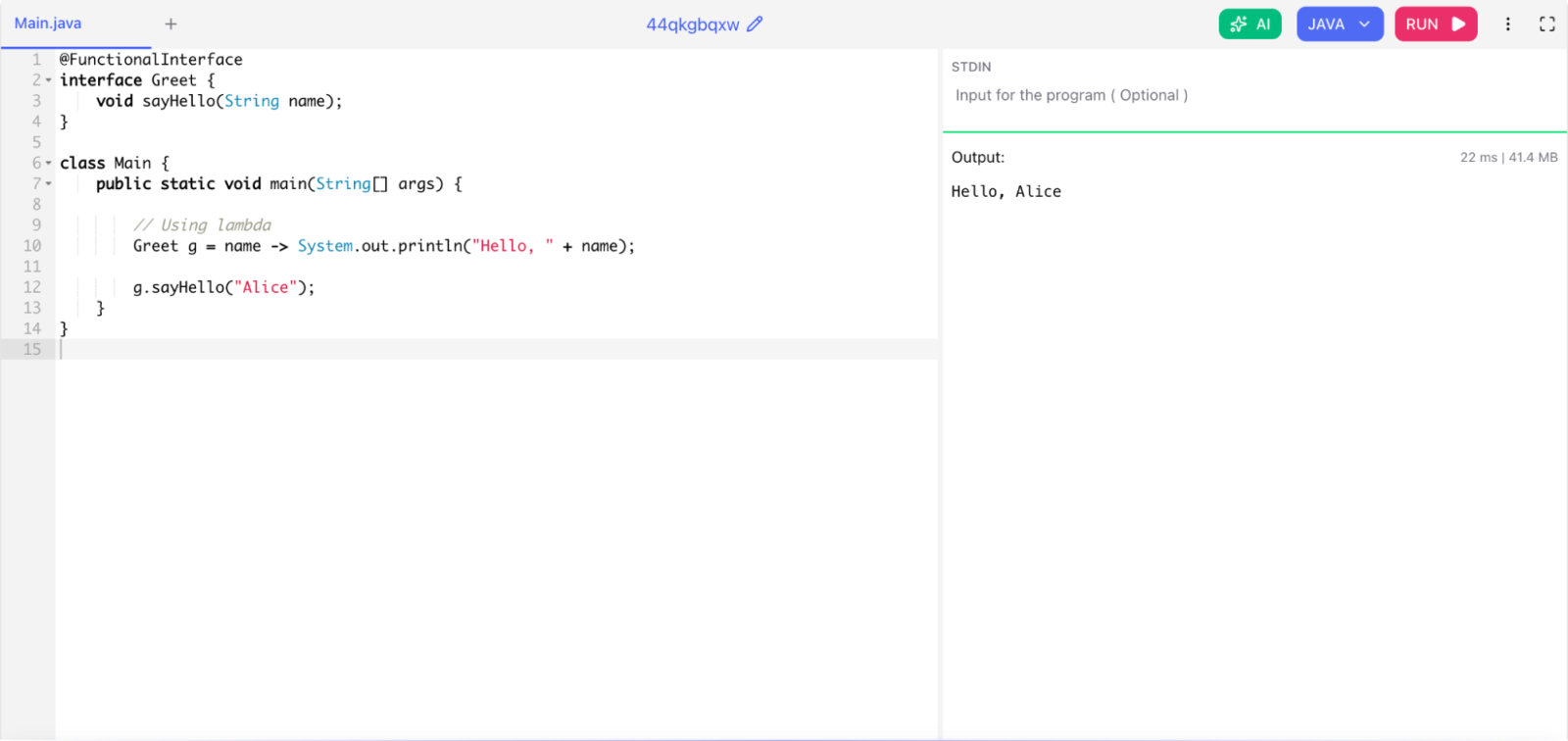
A functional interface is an interface that has exactly one abstract method. Java 8 uses the @FunctionalInterface annotation to mark these interfaces, though the annotation is optional.

Example:

@FunctionalInterface
interface Greet {
    void sayHello(String name);
}

class Main {
    public static void main(String[] args) {

        // Using lambda
        Greet g = name -> System.out.println("Hello, " + name);

        g.sayHello("Alice");
    }
}

functional interface

Common built-in functional interfaces include Runnable, Callable, Comparator, Predicate, Function, Consumer, and Supplier.

4. What is the Stream API in Java 8?

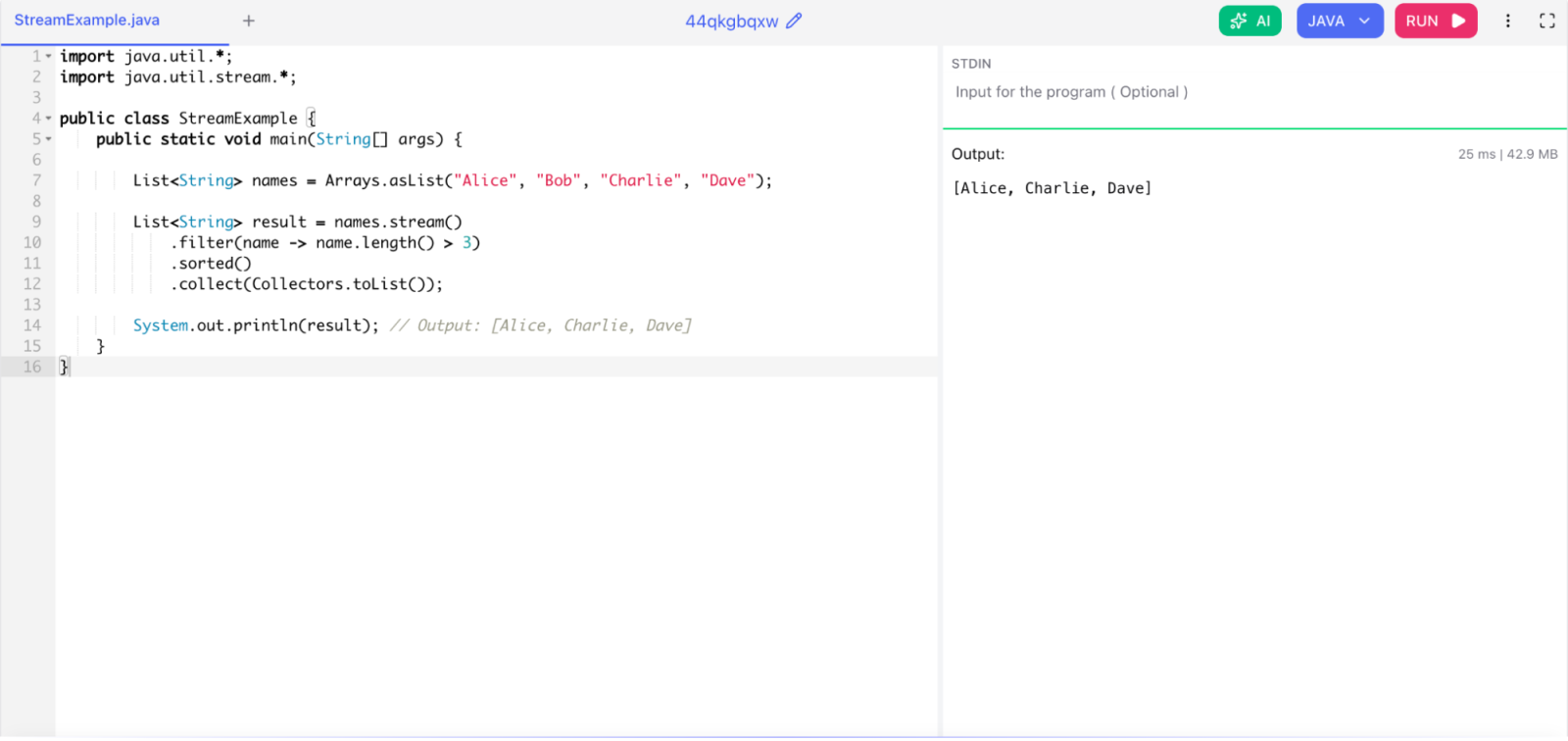
The Stream API lets you process sequences of elements in a functional style. A stream is not a data structure. It does not store data. Instead, it carries values from a source like a collection or an array through a pipeline of operations.

Streams support two types of operations:

  • Intermediate operations (lazy): filter(), map(), sorted(), distinct() — they return a new stream.
  • Terminal operations (eager): collect(), forEach(), count(), reduce() — they produce a result.

Example:

import java.util.*;
import java.util.stream.*;

public class StreamExample {
    public static void main(String[] args) {

        List<String> names = Arrays.asList("Alice", "Bob", "Charlie", "Dave");

        List<String> result = names.stream()
            .filter(name -> name.length() > 3)
            .sorted()
            .collect(Collectors.toList());

        System.out.println(result); // Output: [Alice, Charlie, Dave]
    }
}

Stream API in Java 8

5. What is the Optional class? Why is it useful?

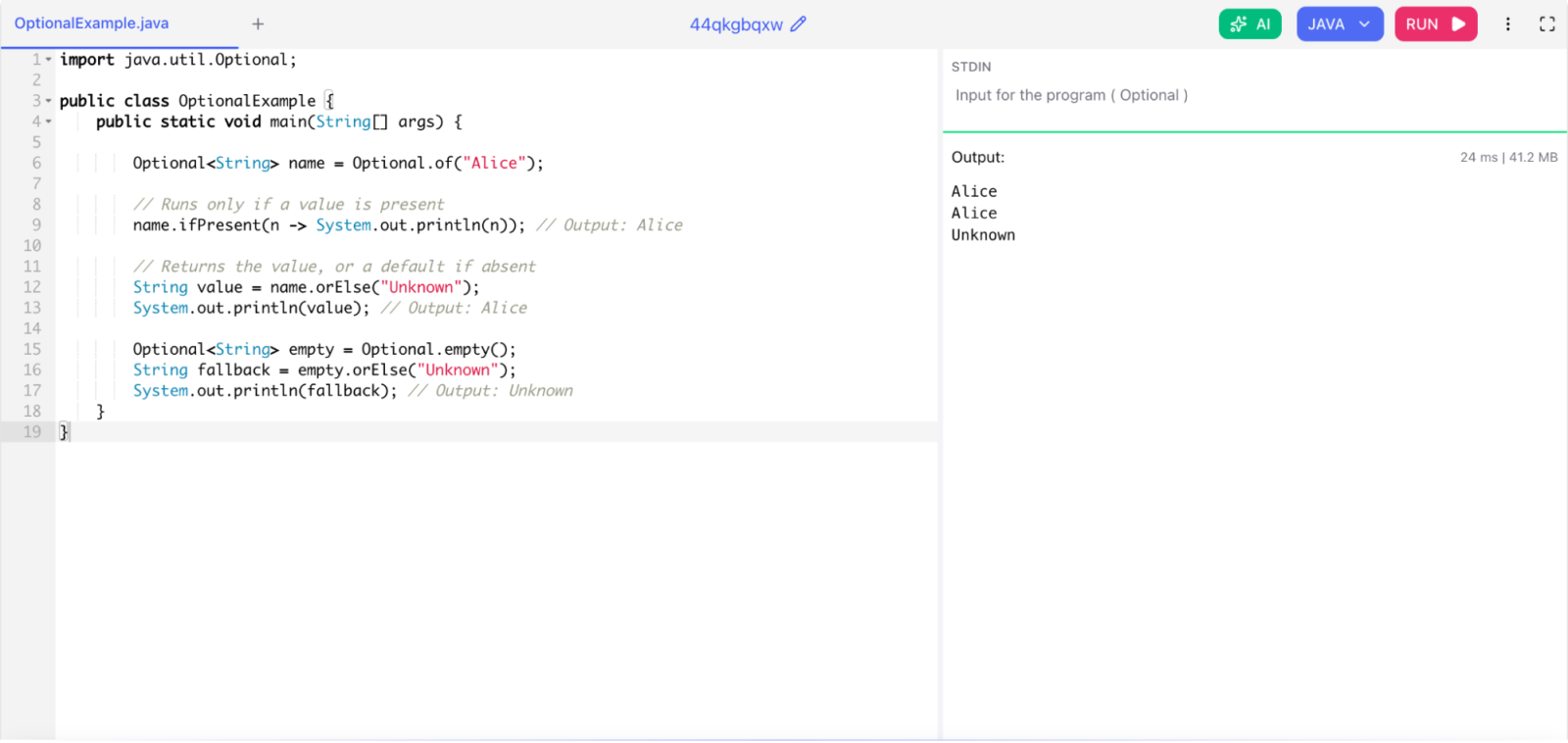
Optional<T> is a container object that may or may not contain a non-null value. It helps you avoid NullPointerException by forcing you to handle the case where a value might be absent.

Example:

import java.util.Optional;

public class OptionalExample {
    public static void main(String[] args) {

        Optional<String> name = Optional.of("Alice");

        // Runs only if a value is present
        name.ifPresent(n -> System.out.println(n)); // Output: Alice

        // Returns the value, or a default if absent
        String value = name.orElse("Unknown");
        System.out.println(value); // Output: Alice

        Optional<String> empty = Optional.empty();
        String fallback = empty.orElse("Unknown");
        System.out.println(fallback); // Output: Unknown
    }
}

Optional class

Optional makes your code more expressive and reduces the need for null checks scattered throughout your code.

Read Also: What are Packages in Java?

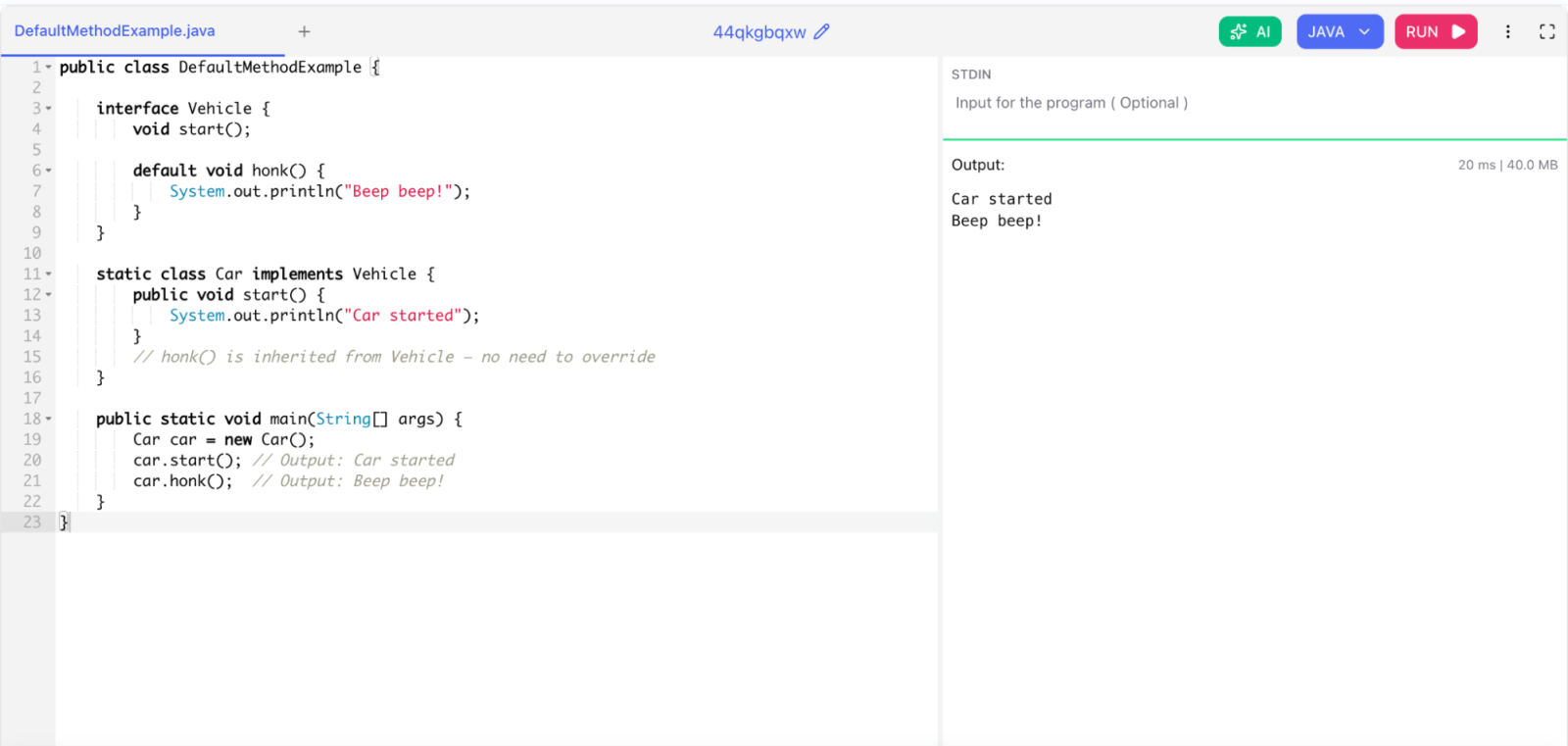
6. What are default methods in interfaces?

Default methods allow you to add method implementations directly inside an interface. Before Java 8, interfaces could only have abstract methods. Default methods let you add new functionality to an interface without breaking existing implementations.

Example:

public class DefaultMethodExample {

    interface Vehicle {
        void start();

        default void honk() {
            System.out.println("Beep beep!");
        }
    }

    static class Car implements Vehicle {
        public void start() {
            System.out.println("Car started");
        }
        // honk() is inherited from Vehicle — no need to override
    }

    public static void main(String[] args) {
        Car car = new Car();
        car.start(); // Output: Car started
        car.honk();  // Output: Beep beep!
    }
}

What are default methods in interfaces

7. What is a method reference in Java 8?

A method reference is a shorthand for a lambda expression that calls a specific method. You use the :: operator.

Four types of method references:

Type Syntax Example
Static method ClassName::methodName Math::abs
Instance method of a specific object instance::methodName str::toUpperCase
Instance method of an arbitrary object ClassName::methodName String::toLowerCase
Constructor reference ClassName::new ArrayList::new

8. What is the new Date and Time API in Java 8?

Java 8 introduced the java.time package to replace the old java.util.Date and java.util.Calendar classes. The old API was mutable, not thread-safe, and hard to use correctly. The new API is immutable and thread-safe.

Key classes:

  • LocalDate — date only (year, month, day), no time
  • LocalTime — time only, no date
  • LocalDateTime — date and time, no time zone
  • ZonedDateTime — date, time, and time zone
  • Period — difference between two dates in days/months/years
  • Duration — difference between two times in hours/minutes/seconds

Related Article: List of Java Keywords

Java 8 Interview Questions for Intermediate Developers

These Java 8 interview questions for intermediate developers go deeper. Interviewers want to see that you can not only explain features but also apply them correctly and understand the trade-offs.

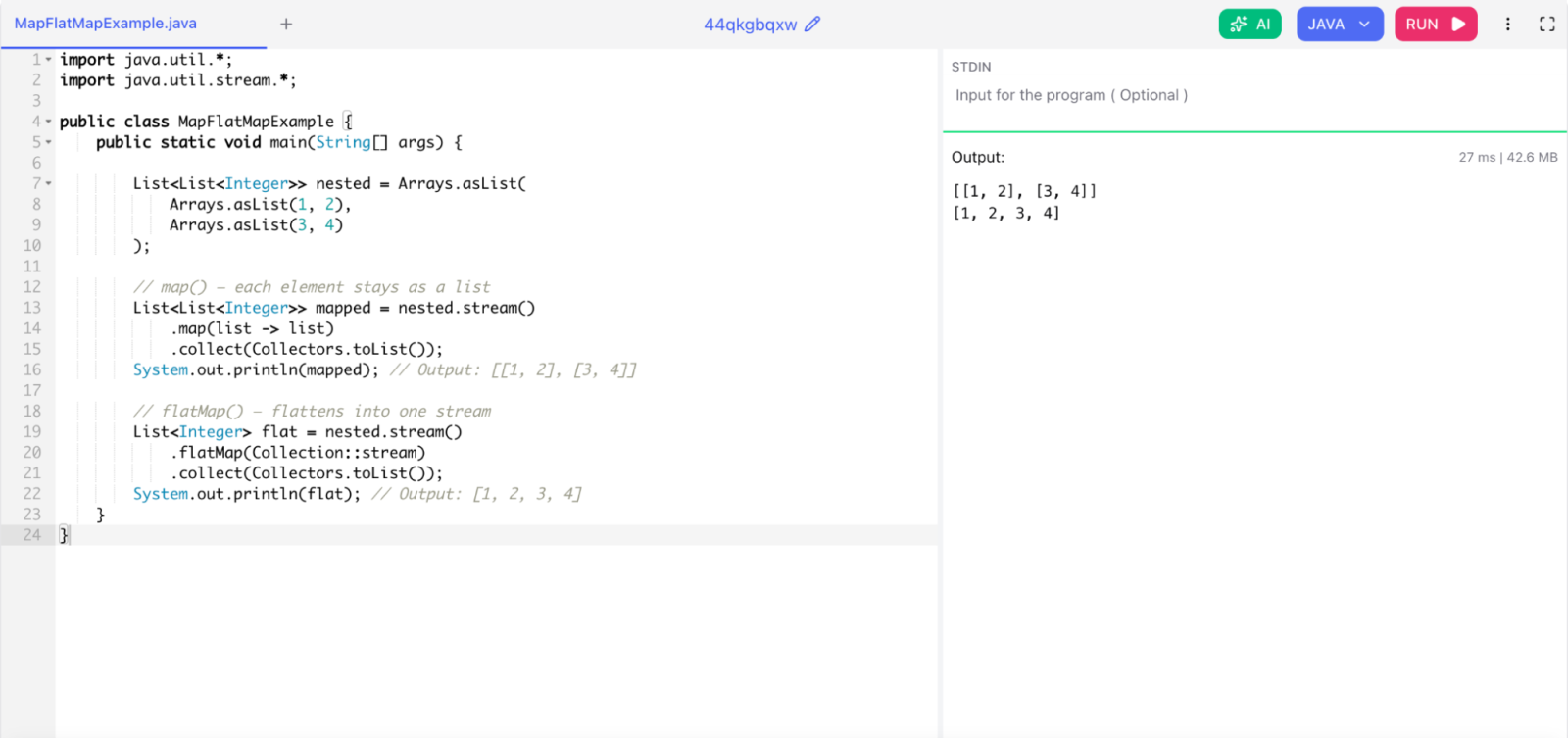
1. What is the difference between map() and flatMap() in streams?

Both map() and flatMap() are intermediate stream operations, but they behave differently.

map() applies a function to each element and produces one output per input. The structure is preserved.

flatMap() applies a function that returns a stream for each element, then flattens all those streams into one single stream.

Example:

import java.util.*;
import java.util.stream.*;

public class MapFlatMapExample {
    public static void main(String[] args) {

        List<List<Integer>> nested = Arrays.asList(
            Arrays.asList(1, 2),
            Arrays.asList(3, 4)
        );

        // map() — each element stays as a list
        List<List<Integer>> mapped = nested.stream()
            .map(list -> list)
            .collect(Collectors.toList());
        System.out.println(mapped); // Output: [[1, 2], [3, 4]]

        // flatMap() — flattens into one stream
        List<Integer> flat = nested.stream()
            .flatMap(Collection::stream)
            .collect(Collectors.toList());
        System.out.println(flat); // Output: [1, 2, 3, 4]
    }
}

difference between map() and flatMap() in streams

Use flatMap() when your mapping function returns a stream and you want one flat stream instead of a stream of streams.

2. What is the difference between Predicate, Function, Consumer, and Supplier?

These are all built-in functional interfaces in java.util.function.

Interface Input Output Use Case
Predicate<T> T boolean Test a condition
Function<T, R> T R Transform a value
Consumer<T> T void Consume a value, no return
Supplier<T> none T Produce a value

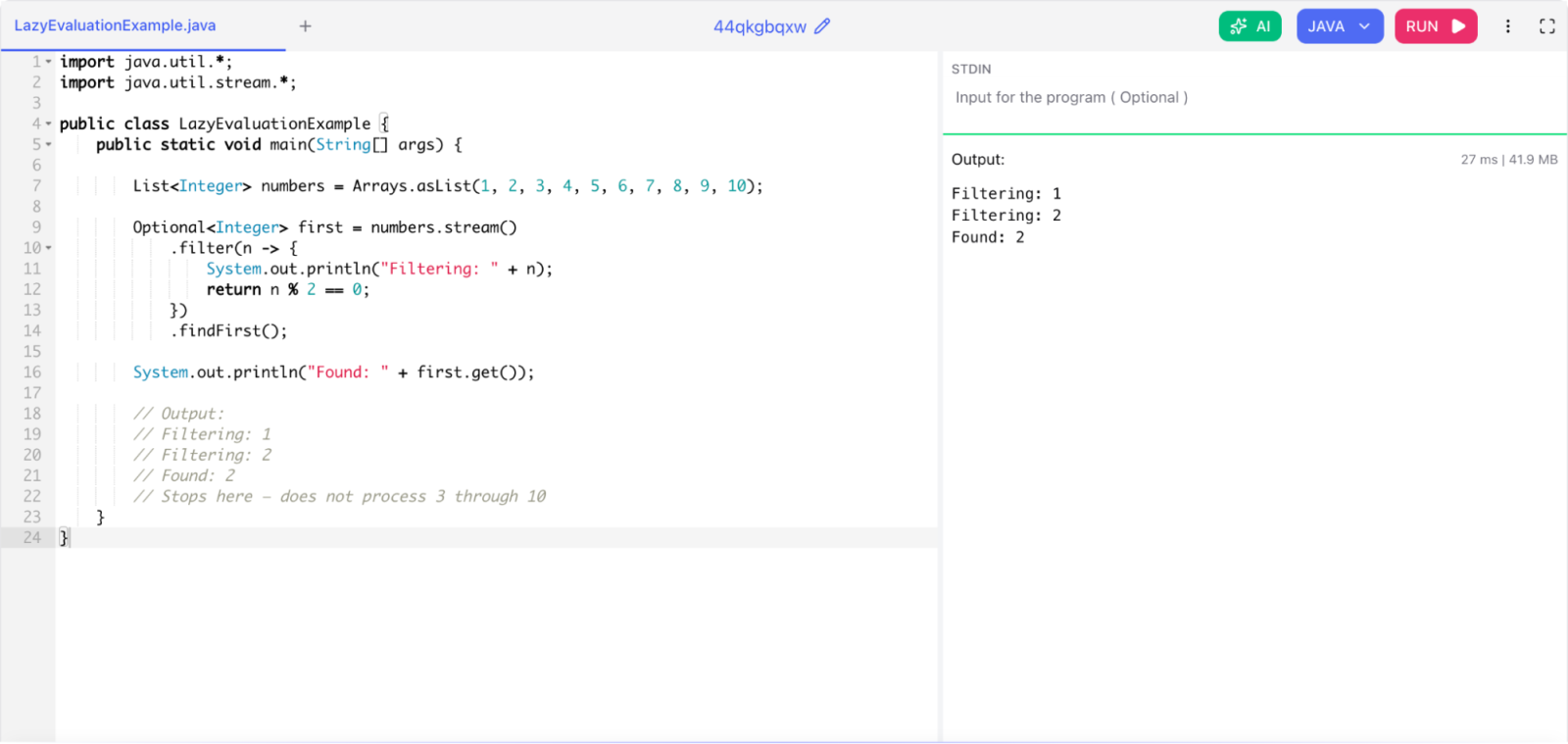
3. What is lazy evaluation in streams? How does it improve performance?

Stream operations are lazy by default. Intermediate operations like filter() and map() do not execute immediately. They wait until a terminal operation is called.

This design improves performance because Java can optimize the pipeline. If you chain filter().map().findFirst(), Java does not process the entire collection. It stops as soon as it finds the first matching element.

Example:

import java.util.*;
import java.util.stream.*;

public class LazyEvaluationExample {
    public static void main(String[] args) {

        List<Integer> numbers = Arrays.asList(1, 2, 3, 4, 5, 6, 7, 8, 9, 10);

        Optional<Integer> first = numbers.stream()
            .filter(n -> {
                System.out.println("Filtering: " + n);
                return n % 2 == 0;
            })
            .findFirst();

        System.out.println("Found: " + first.get());

        // Output:
        // Filtering: 1
        // Filtering: 2
        // Found: 2
        // Stops here — does not process 3 through 10
    }
}

lazy evaluation

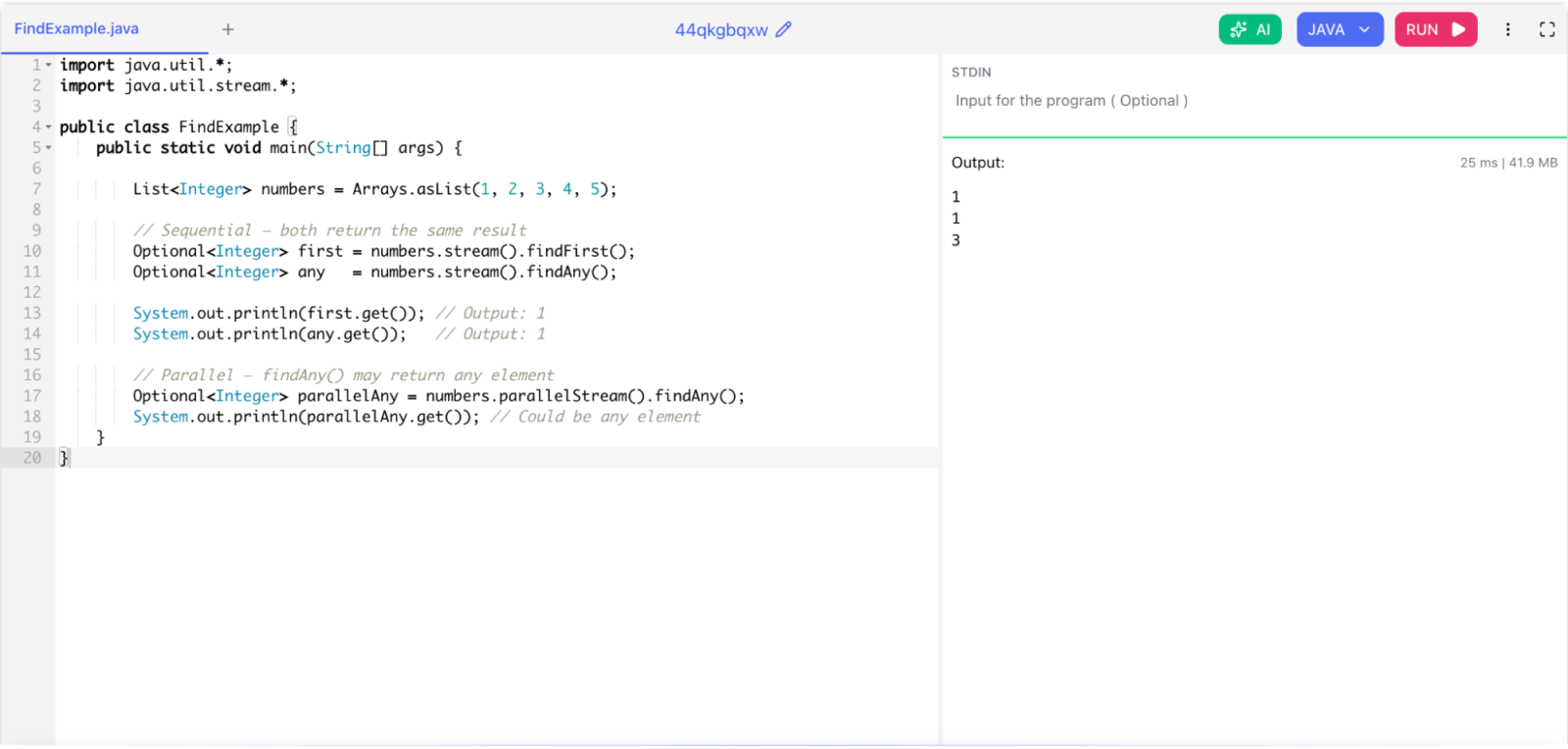
4. What is the difference between findFirst() and findAny()?

Both return an Optional element from the stream, but they differ in behavior with parallel streams.

findFirst() always returns the first element in encounter order. It is deterministic.

findAny() returns any element. In parallel streams it may return a different element each run for better performance.

import java.util.*;
import java.util.stream.*;

public class FindExample {
    public static void main(String[] args) {

        List<Integer> numbers = Arrays.asList(1, 2, 3, 4, 5);

        // Sequential — both return the same result
        Optional<Integer> first = numbers.stream().findFirst();
        Optional<Integer> any   = numbers.stream().findAny();

        System.out.println(first.get()); // Output: 1
        System.out.println(any.get());   // Output: 1

        // Parallel — findAny() may return any element
        Optional<Integer> parallelAny = numbers.parallelStream().findAny();
        System.out.println(parallelAny.get()); // Could be any element
    }
}

difference between findFirst() and findAny()

In sequential streams, both return the same result. Use findAny() in parallel streams when you do not care which element you get and want maximum speed.

Also Read: What is JDBC (Java Database Connectivity)

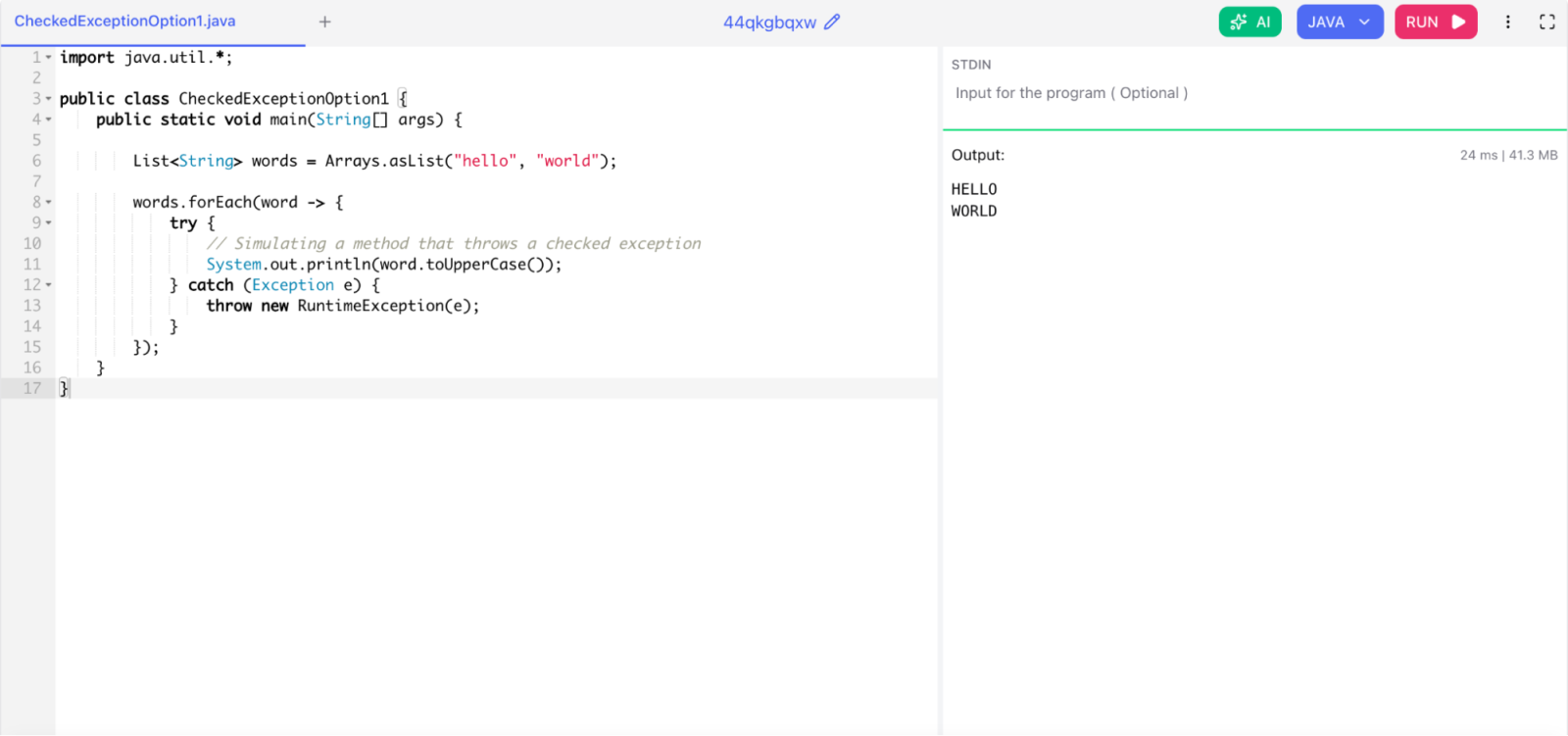
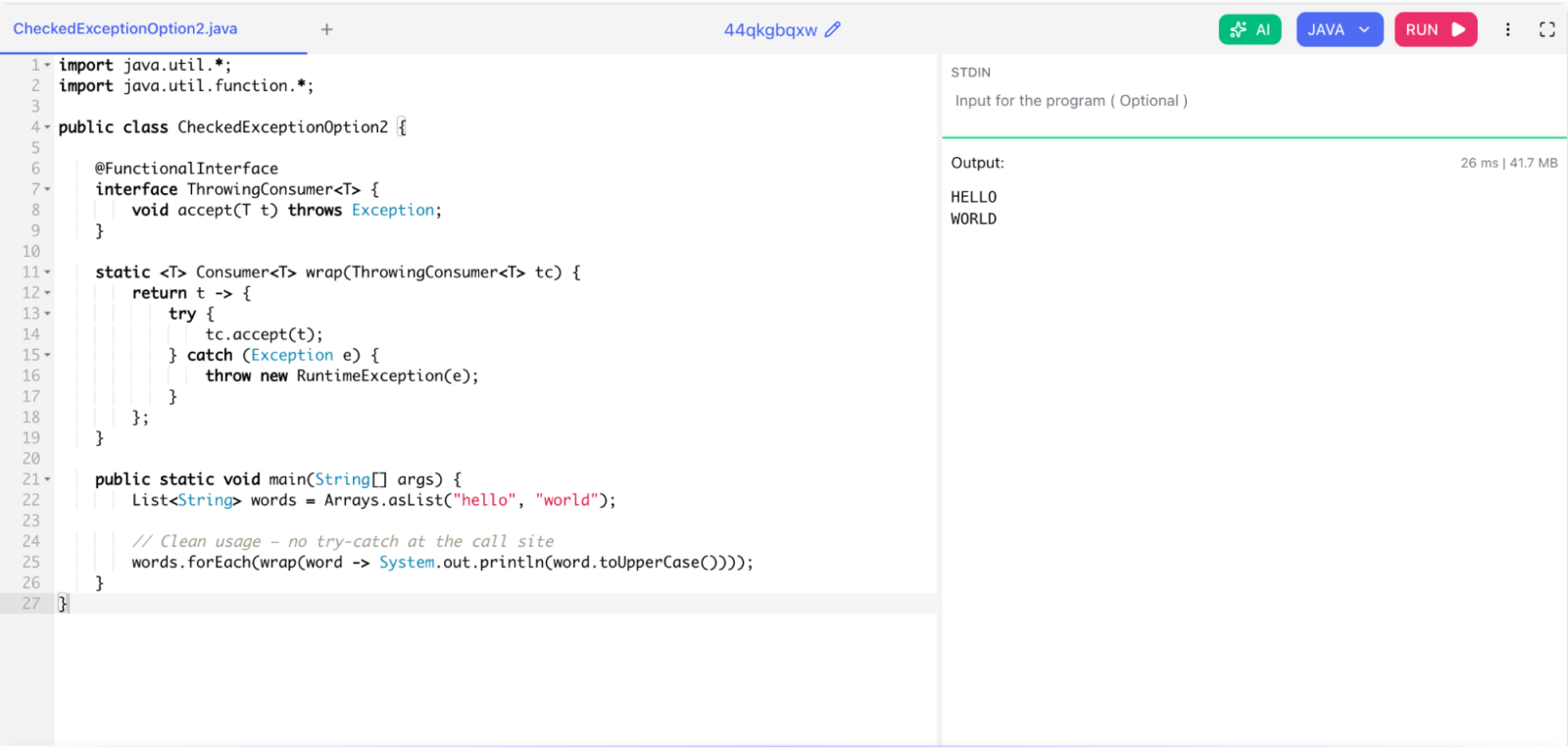
5. How do you handle checked exceptions inside lambda expressions?

Lambda expressions do not allow checked exceptions directly unless the functional interface declares them. You have two practical options.

Option 1: Wrap in try-catch inside the lambda

import java.util.*;

public class CheckedExceptionOption1 {
    public static void main(String[] args) {

        List<String> words = Arrays.asList("hello", "world");

        words.forEach(word -> {
            try {
                // Simulating a method that throws a checked exception
                System.out.println(word.toUpperCase());
            } catch (Exception e) {
                throw new RuntimeException(e);
            }
        });
    }
}

How do you handle checked exceptions inside lambda expressions (option 1)

Option 2: Create a reusable wrapper utility

import java.util.*;
import java.util.function.*;

public class CheckedExceptionOption2 {

    @FunctionalInterface
    interface ThrowingConsumer<T> {
        void accept(T t) throws Exception;
    }

    static <T> Consumer<T> wrap(ThrowingConsumer<T> tc) {
        return t -> {
            try {
                tc.accept(t);
            } catch (Exception e) {
                throw new RuntimeException(e);
            }
        };
    }

    public static void main(String[] args) {
        List<String> words = Arrays.asList("hello", "world");

        // Clean usage — no try-catch at the call site
        words.forEach(wrap(word -> System.out.println(word.toUpperCase())));
    }
}

How do you handle checked exceptions inside lambda expressions ( option 2)

Option 2 is cleaner when you reuse the same pattern in multiple places.

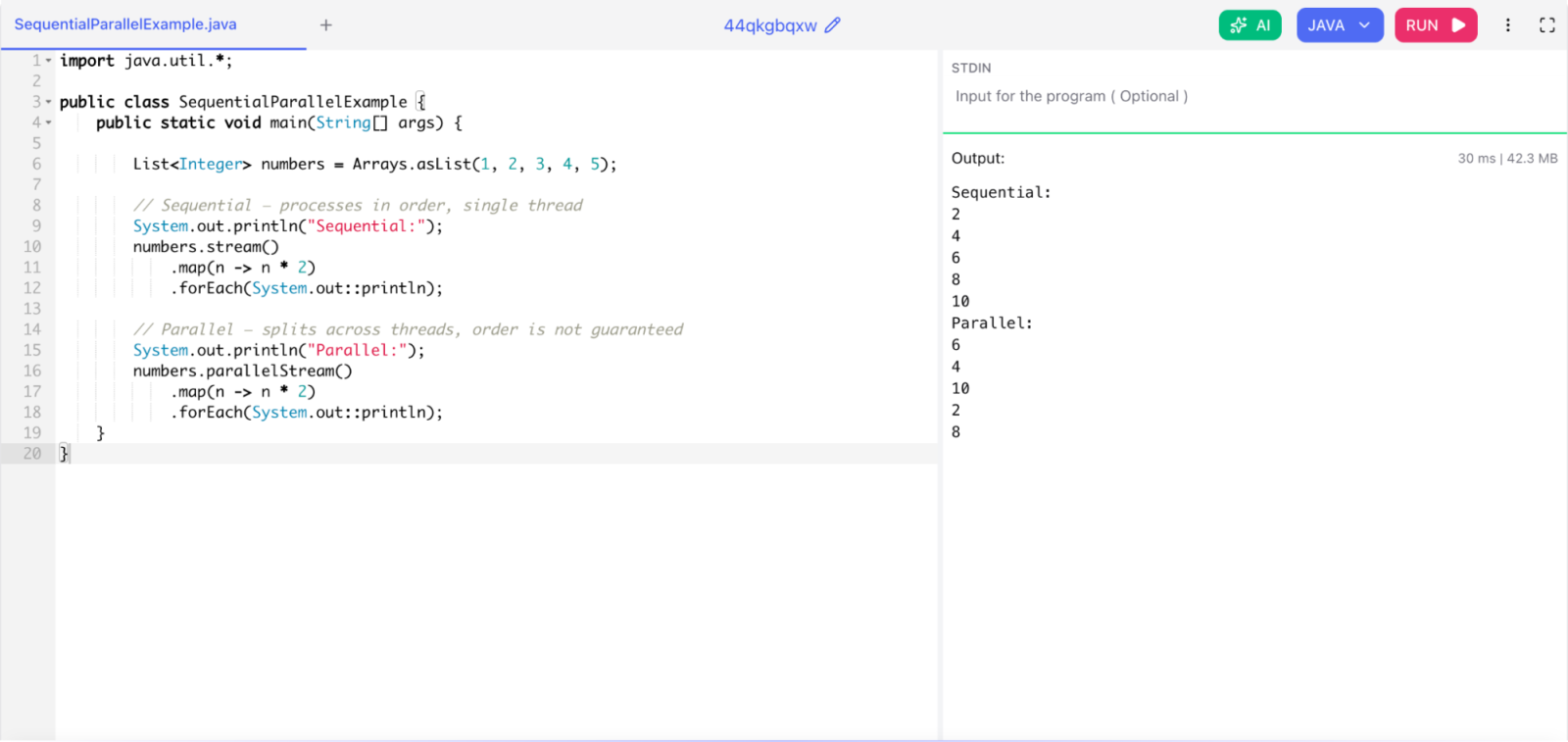
6. What is the difference between sequential and parallel streams?

A sequential stream processes elements one at a time in a single thread. A parallel stream splits the data into chunks and processes them concurrently using threads from the common ForkJoinPool.

import java.util.*;

public class SequentialParallelExample {
    public static void main(String[] args) {

        List<Integer> numbers = Arrays.asList(1, 2, 3, 4, 5);

        // Sequential — processes in order, single thread
        System.out.println("Sequential:");
        numbers.stream()
            .map(n -> n * 2)
            .forEach(System.out::println);

        // Parallel — splits across threads, order is not guaranteed
        System.out.println("Parallel:");
        numbers.parallelStream()
            .map(n -> n * 2)
            .forEach(System.out::println);
    }
}
  • When parallel helps: large datasets, CPU-bound work, stateless operations, and when no strict ordering is needed.
  • When parallel hurts: small datasets, I/O-bound work, shared mutable state, or operations that require strict ordering.

 What is the difference between sequential and parallel streams

Always benchmark before switching to parallel streams. Thread management overhead can make parallel streams slower on small inputs.

Read Also: Write Your First Java Program - Hello World

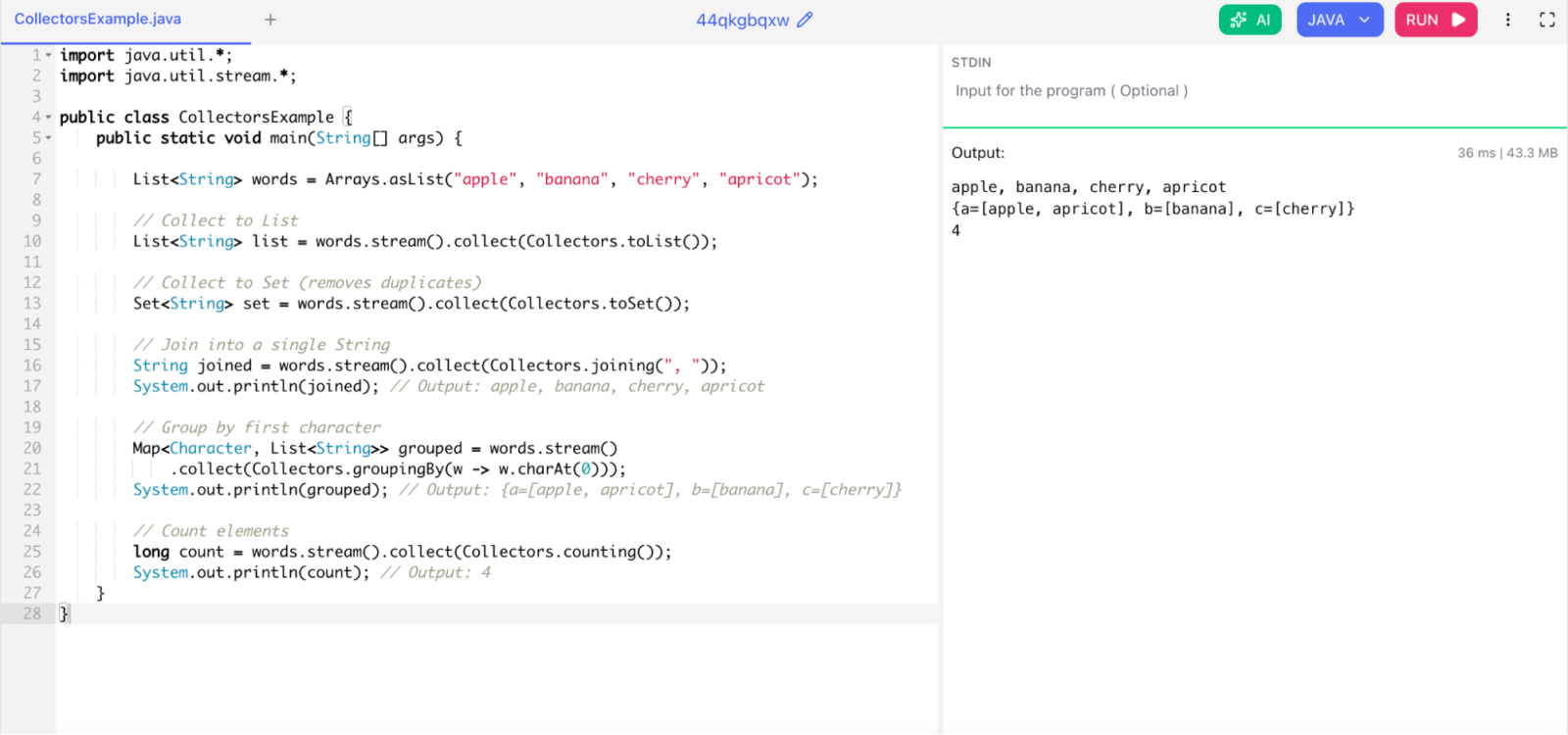
7. What are Collectors in the Stream API?

Collectors is a utility class that provides ready-made implementations of the Collector interface. You use them with the collect() terminal operation to accumulate stream elements into a result container.

Example:

import java.util.*;
import java.util.stream.*;

public class CollectorsExample {
    public static void main(String[] args) {

        List<String> words = Arrays.asList("apple", "banana", "cherry", "apricot");

        // Collect to List
        List<String> list = words.stream().collect(Collectors.toList());

        // Collect to Set (removes duplicates)
        Set<String> set = words.stream().collect(Collectors.toSet());

        // Join into a single String
        String joined = words.stream().collect(Collectors.joining(", "));
        System.out.println(joined); // Output: apple, banana, cherry, apricot

        // Group by first character
        Map<Character, List<String>> grouped = words.stream()
            .collect(Collectors.groupingBy(w -> w.charAt(0)));
        System.out.println(grouped); // Output: {a=[apple, apricot], b=[banana], c=[cherry]}

        // Count elements
        long count = words.stream().collect(Collectors.counting());
        System.out.println(count); // Output: 4
    }
}

What are Collectors in the Stream API

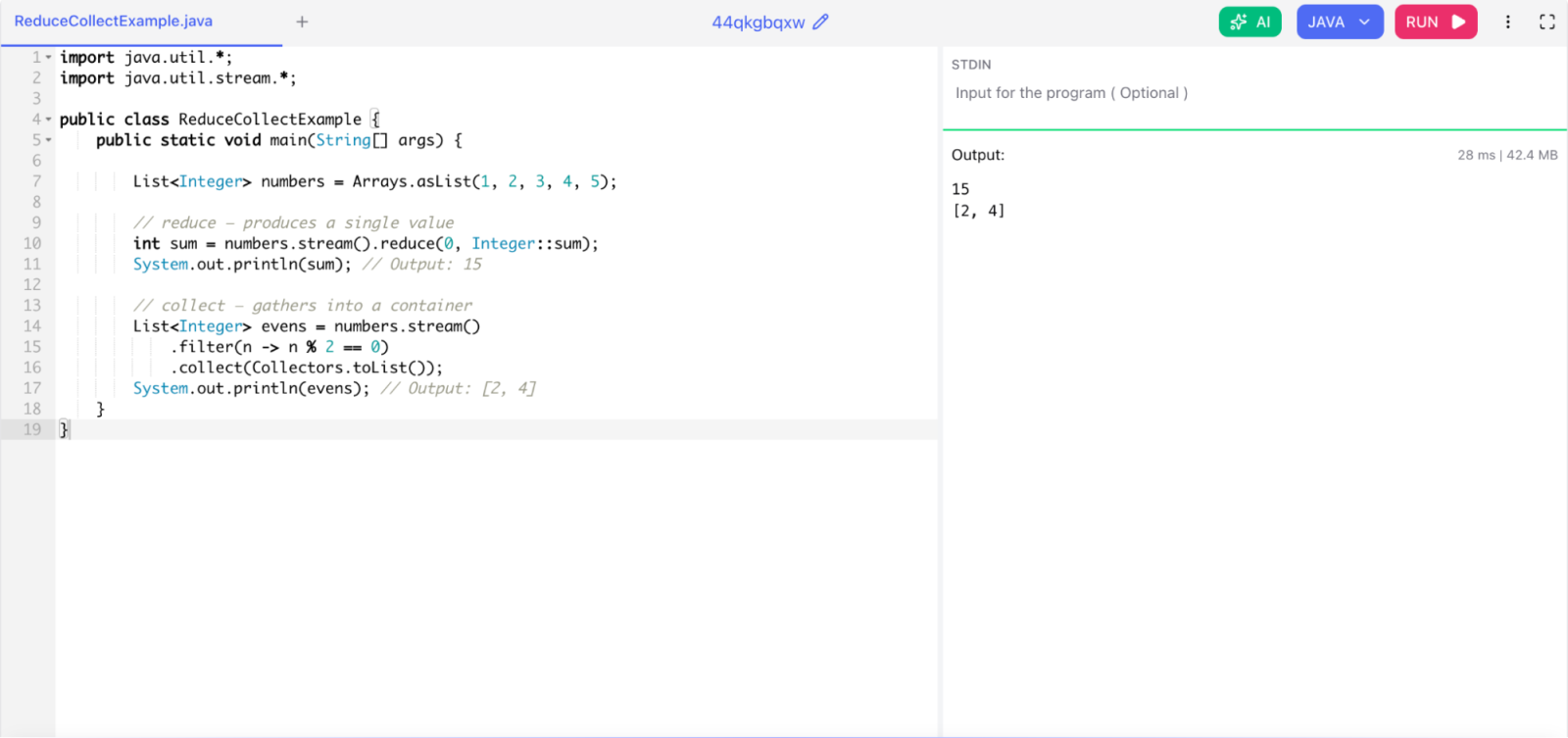
8. What is the difference between reduce() and collect()?

Both are terminal operations that aggregate stream elements, but they serve different purposes.

  • reduce() combines elements into a single immutable result like a number or a string.
  • collect() accumulates elements into a mutable container like a List, Set, or Map.

Example:

import java.util.*;
import java.util.stream.*;

public class ReduceCollectExample {
    public static void main(String[] args) {

        List<Integer> numbers = Arrays.asList(1, 2, 3, 4, 5);

        // reduce — produces a single value
        int sum = numbers.stream().reduce(0, Integer::sum);
        System.out.println(sum); // Output: 15

        // collect — gathers into a container
        List<Integer> evens = numbers.stream()
            .filter(n -> n % 2 == 0)
            .collect(Collectors.toList());
        System.out.println(evens); // Output: [2, 4]
    }
}

What is the difference between reduce() and collect()

Do not use reduce() to build a collection. It creates a new collection object on every step, which is very inefficient. Use collect() for that instead.

Related Article: How to Learn Java from Scratch?

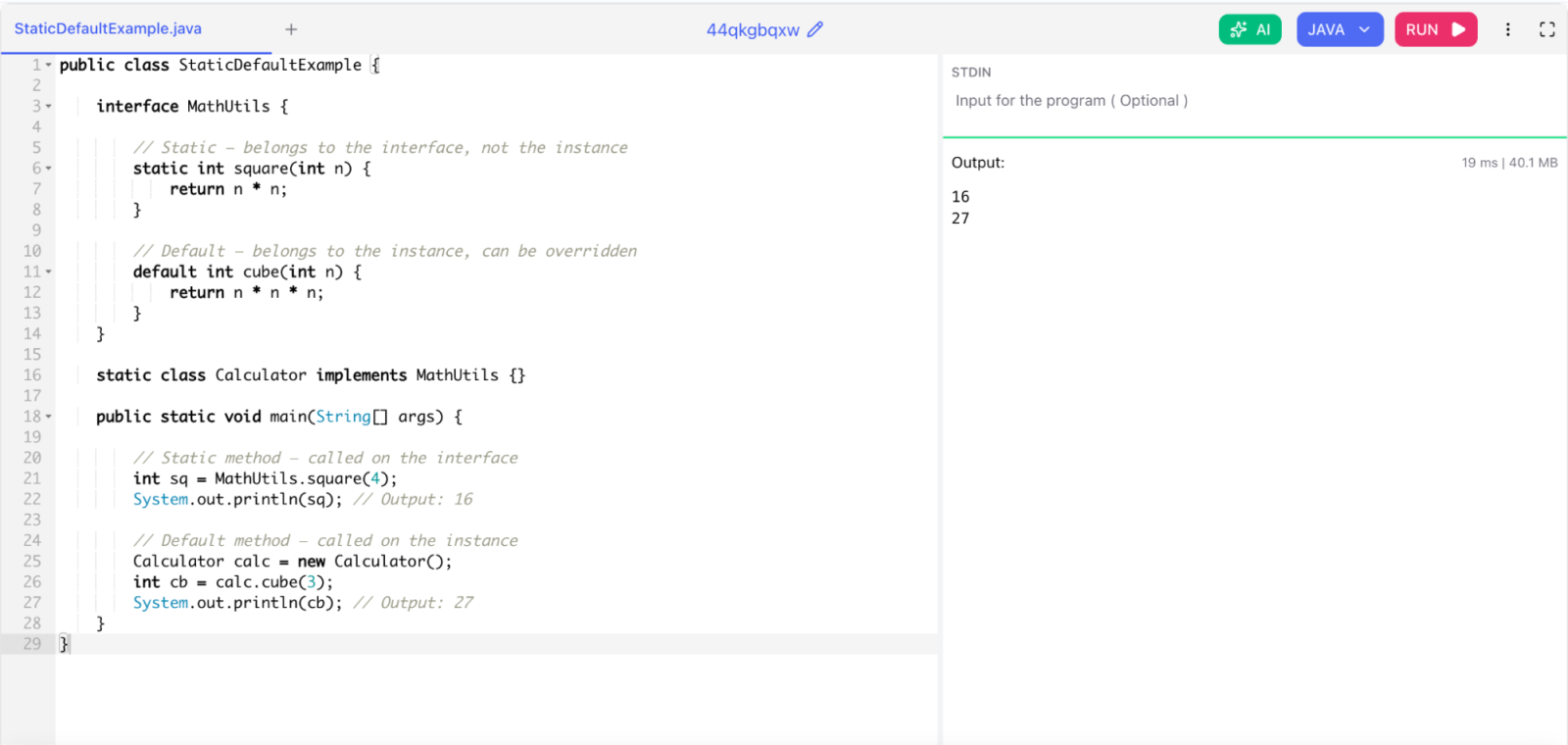
9. What are static methods in interfaces? How do they differ from default methods?

Both were introduced in Java 8, but they have different rules.

  • Default methods are instance-level. Implementing classes can override them.
  • Static methods belong to the interface itself. You cannot override them. You call them using the interface name directly.
public class StaticDefaultExample {

    interface MathUtils {

        // Static — belongs to the interface, not the instance
        static int square(int n) {
            return n * n;
        }

        // Default — belongs to the instance, can be overridden
        default int cube(int n) {
            return n * n * n;
        }
    }

    static class Calculator implements MathUtils {}

    public static void main(String[] args) {

        // Static method — called on the interface
        int sq = MathUtils.square(4);
        System.out.println(sq); // Output: 16

        // Default method — called on the instance
        Calculator calc = new Calculator();
        int cb = calc.cube(3);
        System.out.println(cb); // Output: 27
    }
}

What are static methods in interfaces

Java 8 Interview Questions for Experienced Professionals

These Java 8 interview questions for experienced professionals test your in-depth knowledge. Senior engineers are expected to understand internals, performance trade-offs, and design decisions.

1. How does the internal implementation of Stream work in Java 8?

Streams in Java 8 use a pipeline model. A stream pipeline consists of a source, zero or more intermediate operations, and one terminal operation.

Internally, each intermediate operation creates a new Reference Pipeline stage. These stages are linked together. When the terminal operation is triggered, Java traverses the entire pipeline using a Spliterator from the source in a single pass.

This single-pass design is what makes streams efficient. Java does not create intermediate collections between operations. All operations fire together on each element as it moves through the pipeline.

Also Read: Classes and Objects in Java

2. What is the Spliterator? How does it differ from Iterator?

Spliterator stands for Splittable Iterator. Java 8 introduced it as a replacement for Iterator inside the Stream API. It supports both traversal and splitting for parallel execution.

Feature Iterator Spliterator
Splitting for parallel use Not supported Supported via trySplit()
Characteristics reporting None Reports SORTED, DISTINCT, SIZED, ORDERED, etc.
Size estimation Not supported Supported via estimateSize()
Traversal style External (hasNext + next) Internal (forEachRemaining)

The Stream API uses Spliterator internally so it can divide work across threads for parallel streams.

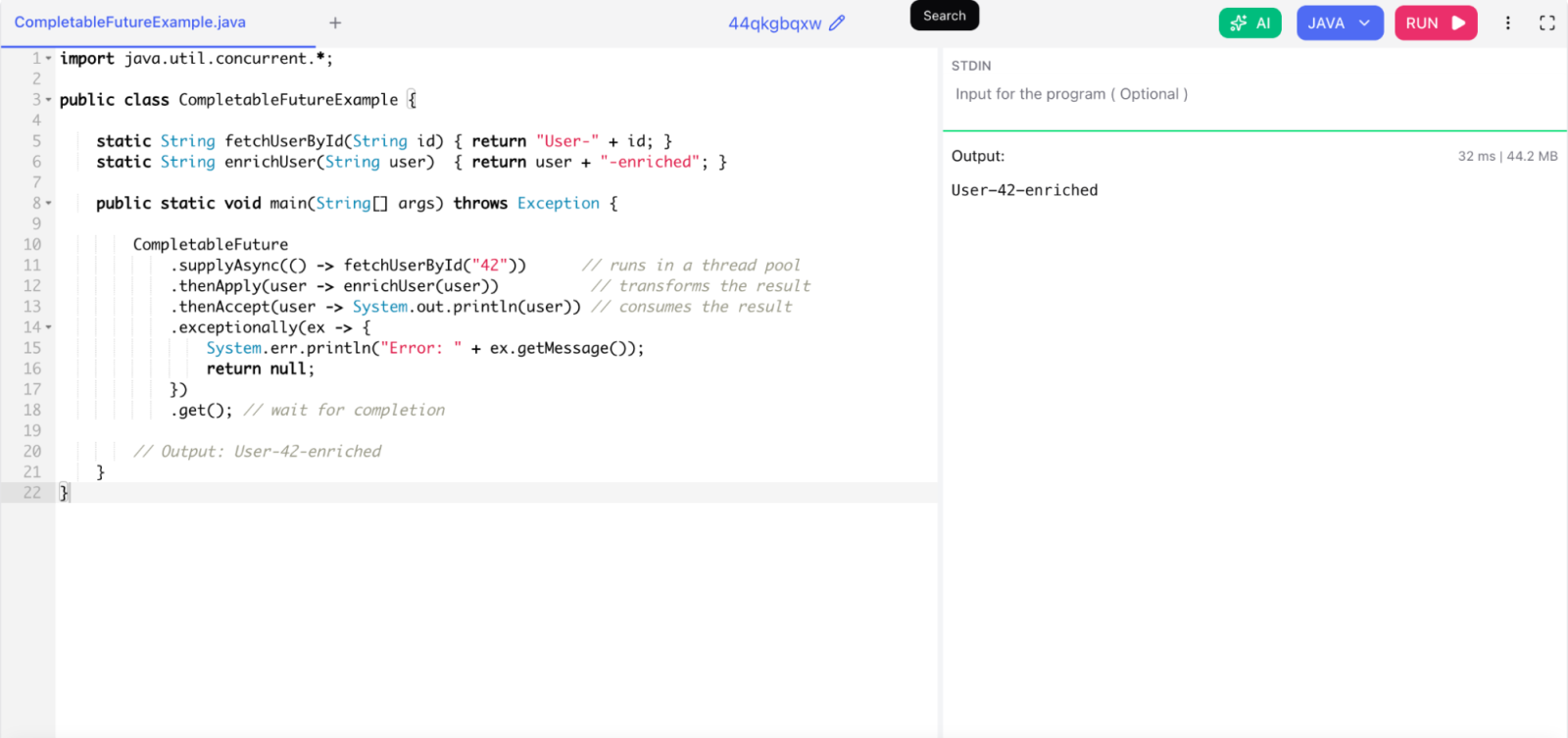
3. How does CompletableFuture work in Java 8? How is it better than Future?

CompletableFuture is Java 8's solution for non-blocking asynchronous programming. It implements both Future and CompletionStage, which means you can chain tasks together without blocking.

Problems with the old Future:

  • get() is blocking — it stops the current thread until the result is ready
  • You cannot chain multiple futures
  • You cannot manually complete a future
  • No built-in exception handling inside the pipeline

CompletableFuture solves all of this:

import java.util.concurrent.*;

public class CompletableFutureExample {

    static String fetchUserById(String id) { return "User-" + id; }
    static String enrichUser(String user)  { return user + "-enriched"; }

    public static void main(String[] args) throws Exception {

        CompletableFuture
            .supplyAsync(() -> fetchUserById("42"))      // runs in a thread pool
            .thenApply(user -> enrichUser(user))          // transforms the result
            .thenAccept(user -> System.out.println(user)) // consumes the result
            .exceptionally(ex -> {
                System.err.println("Error: " + ex.getMessage());
                return null;
            })
            .get(); // wait for completion

        // Output: User-42-enriched
    }
}

How does CompletableFuture work in Java 8

The chain runs without blocking the calling thread until you explicitly call get() or join().

4. What are the performance implications of using parallel streams?

Parallel streams are not always faster. You need to weigh the benefits against the costs.

When parallel streams help:

  • Large datasets — generally over 10,000 elements
  • CPU-bound, stateless operations
  • Collections that split cheaply like ArrayList and arrays
  • No ordering requirement on the output

When parallel streams hurt:

  • Small datasets — thread coordination overhead dominates
  • I/O-bound operations — threads just wait, no CPU benefit
  • LinkedList — splits poorly, hurts performance
  • Shared mutable state — causes race conditions and wrong results
  • The ForkJoinPool is shared across the entire JVM — heavy parallel stream use can starve other tasks

Always benchmark with realistic data before switching to parallel. Assuming parallel always means faster is one of the most common mistakes with streams.

Read Also: What is Java Used For?

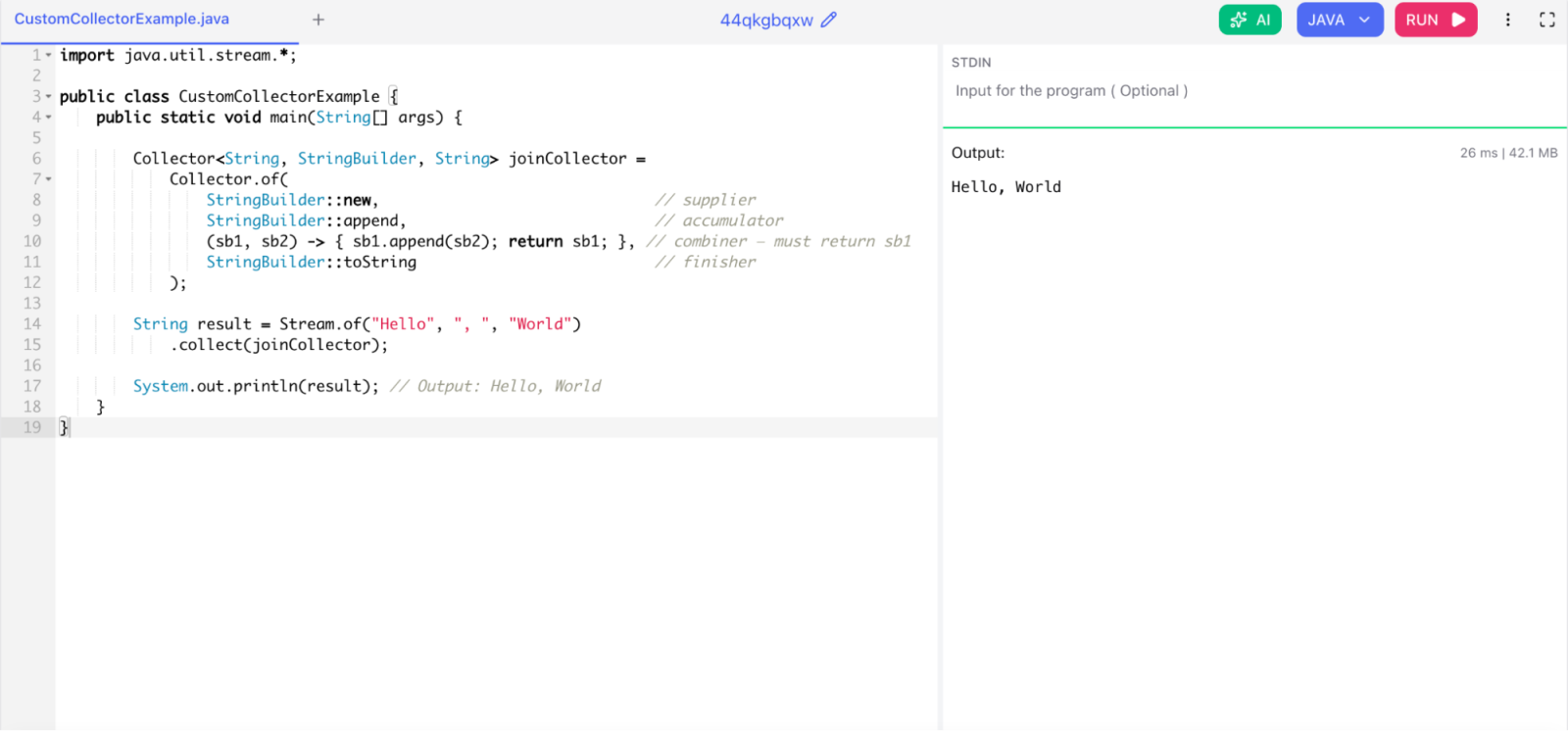
5. What is a Collector and how do you write a custom one?

A Collector has four components: a supplier (creates the mutable container), an accumulator (adds an element to the container), a combiner (merges two containers in parallel), and a finisher (transforms the container into the final result).

import java.util.stream.*;

public class CustomCollectorExample {
    public static void main(String[] args) {

        Collector<String, StringBuilder, String> joinCollector =
            Collector.of(
                StringBuilder::new,                              // supplier
                StringBuilder::append,                           // accumulator
                (sb1, sb2) -> { sb1.append(sb2); return sb1; }, // combiner — must return sb1
                StringBuilder::toString                          // finisher
            );

        String result = Stream.of("Hello", ", ", "World")
            .collect(joinCollector);

        System.out.println(result); // Output: Hello, World
    }
}

What is a Collector and how do you write a custom one

Important: The combiner must return the merged StringBuilder. A common mistake is writing (sb1, sb2) -> sb1.append(sb2) in a block lambda without a return statement, which causes a compile error.

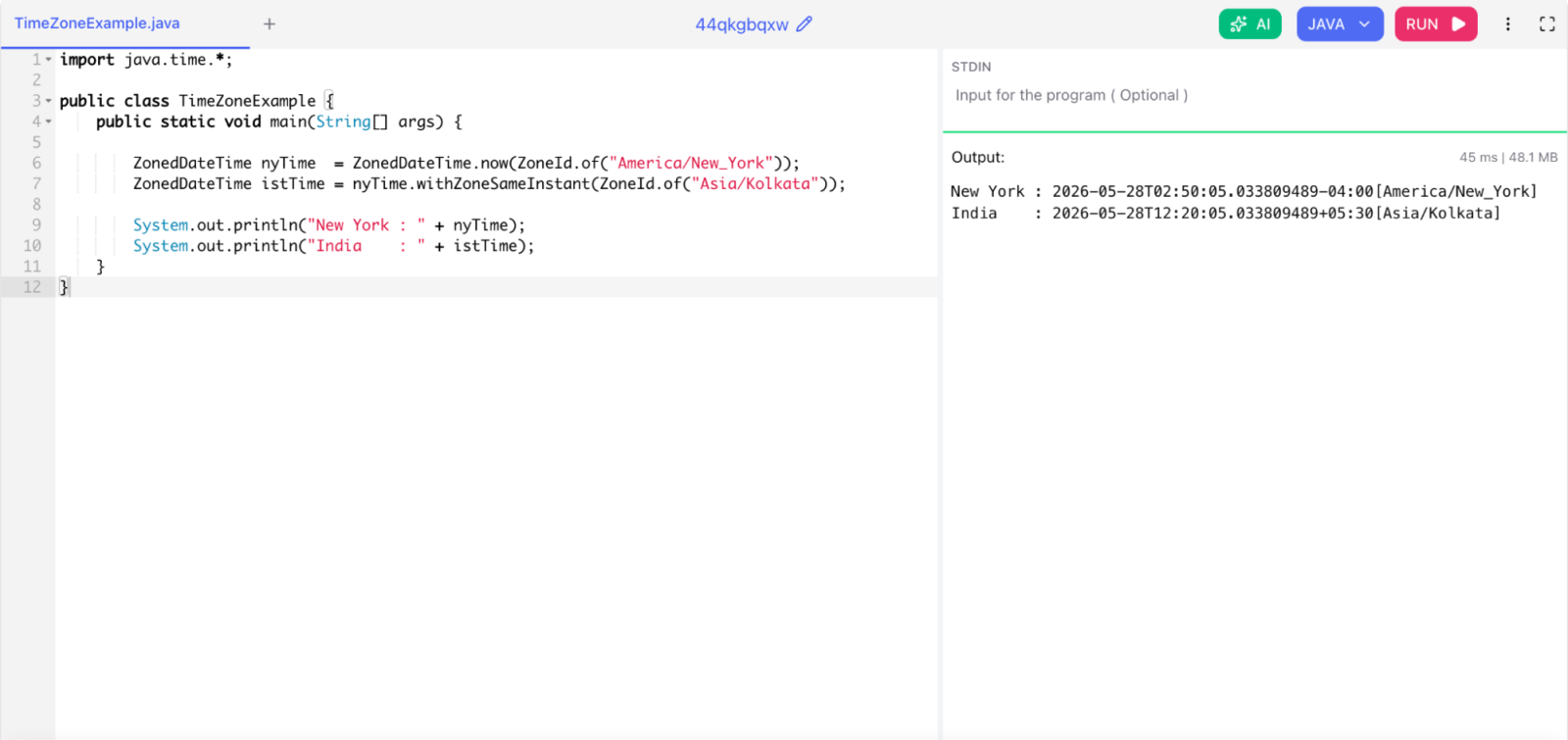
6. How does the new Date and Time API handle time zones differently from the old API?

The old java.util.Date stores UTC milliseconds since the Unix epoch. All time zone logic lived in Calendar and TimeZone, which were mutable and error-prone.

The new java.time API separates concerns clearly:

  • LocalDate, LocalTime, LocalDateTime — no time zone awareness at all
  • OffsetDateTime — stores a fixed UTC offset
  • ZonedDateTime — stores a full time zone ID with DST rules
import java.time.*;

public class TimeZoneExample {
    public static void main(String[] args) {

        ZonedDateTime nyTime  = ZonedDateTime.now(ZoneId.of("America/New_York"));
        ZonedDateTime istTime = nyTime.withZoneSameInstant(ZoneId.of("Asia/Kolkata"));

        System.out.println("New York : " + nyTime);
        System.out.println("India    : " + istTime);
    }
}

How does the new Date and Time API handle time zones differently from the old API

The new API uses the IANA time zone database through ZoneRules, which handles daylight saving time transitions accurately. The old API depended on JVM-bundled time zone data that was often outdated.

7. What is the diamond problem in interfaces and how does Java 8 handle it?

When a class implements two interfaces that both declare a default method with the same signature, the compiler cannot decide which one to use. It forces the implementing class to override the method and resolve the conflict explicitly.

public class DiamondProblemExample {

    interface InterfaceA {
        default void greet() {
            System.out.println("Hello from A");
        }
    }

    interface InterfaceB {
        default void greet() {
            System.out.println("Hello from B");
        }
    }

    static class C implements InterfaceA, InterfaceB {
        @Override
        public void greet() {
            InterfaceA.super.greet(); // explicitly choose A's default
        }
    }

    public static void main(String[] args) {
        new C().greet(); // Output: Hello from A
    }
}

Java 8 resolves conflicts with three rules:

  1. A class method always wins over an interface default method.
  2. A more specific interface (a subinterface) wins over a less specific one.
  3. If neither rule applies, the class must override the method manually.

Related Article: Pattern Program in Java (Different Patterns to Practice)

Scenario-Based Java 8 Interview Questions

Scenario-based Java 8 interview questions test how you apply your knowledge to real-world problems. These questions reveal how you think, not just what you know.

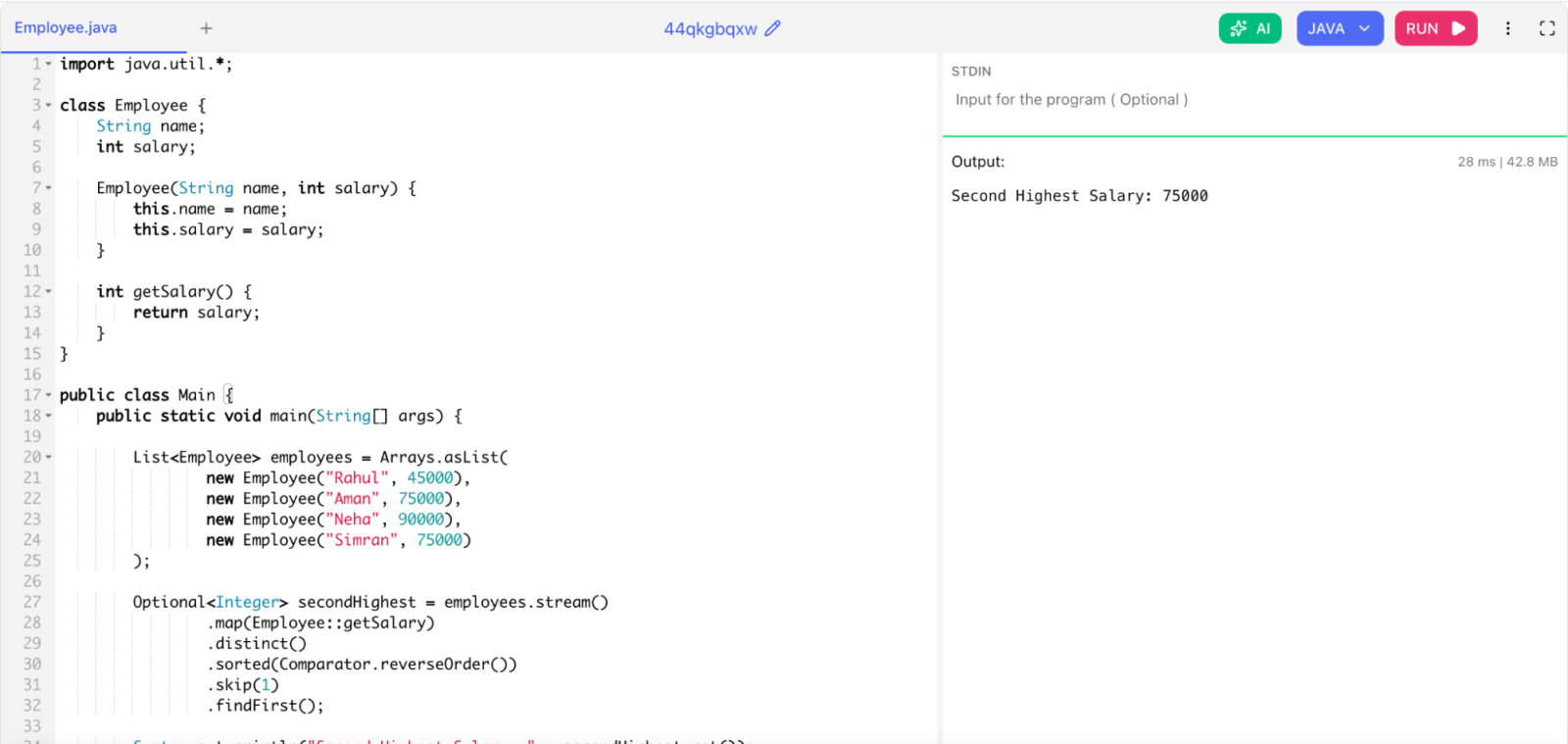
1. Find Second-Highest Salary Using Stream API

Scenario: A company wants to identify the employee with the second highest salary for bonus distribution. The salary list may contain duplicate values.

In Java 8, we can solve this problem using the Stream API.

First, we convert the employee list into a salary stream using map(). Then we remove duplicate salaries using distinct(). After that, we sort salaries in descending order using sorted(Comparator.reverseOrder()). Finally, we skip the highest salary using skip(1) and fetch the next value using findFirst().

This approach is clean, readable, and efficient compared to traditional loops.

import java.util.*;

class Employee {
    String name;
    int salary;

    Employee(String name, int salary) {
        this.name = name;
        this.salary = salary;
    }

    int getSalary() {
        return salary;
    }
}

public class Main {
    public static void main(String[] args) {

        List<Employee> employees = Arrays.asList(
                new Employee("Rahul", 45000),
                new Employee("Aman", 75000),
                new Employee("Neha", 90000),
                new Employee("Simran", 75000)
        );

        Optional<Integer> secondHighest = employees.stream()
                .map(Employee::getSalary)
                .distinct()
                .sorted(Comparator.reverseOrder())
                .skip(1)
                .findFirst();

        System.out.println("Second Highest Salary: " + secondHighest.get());
    }
}

Find Second-Highest Salary Using Stream API

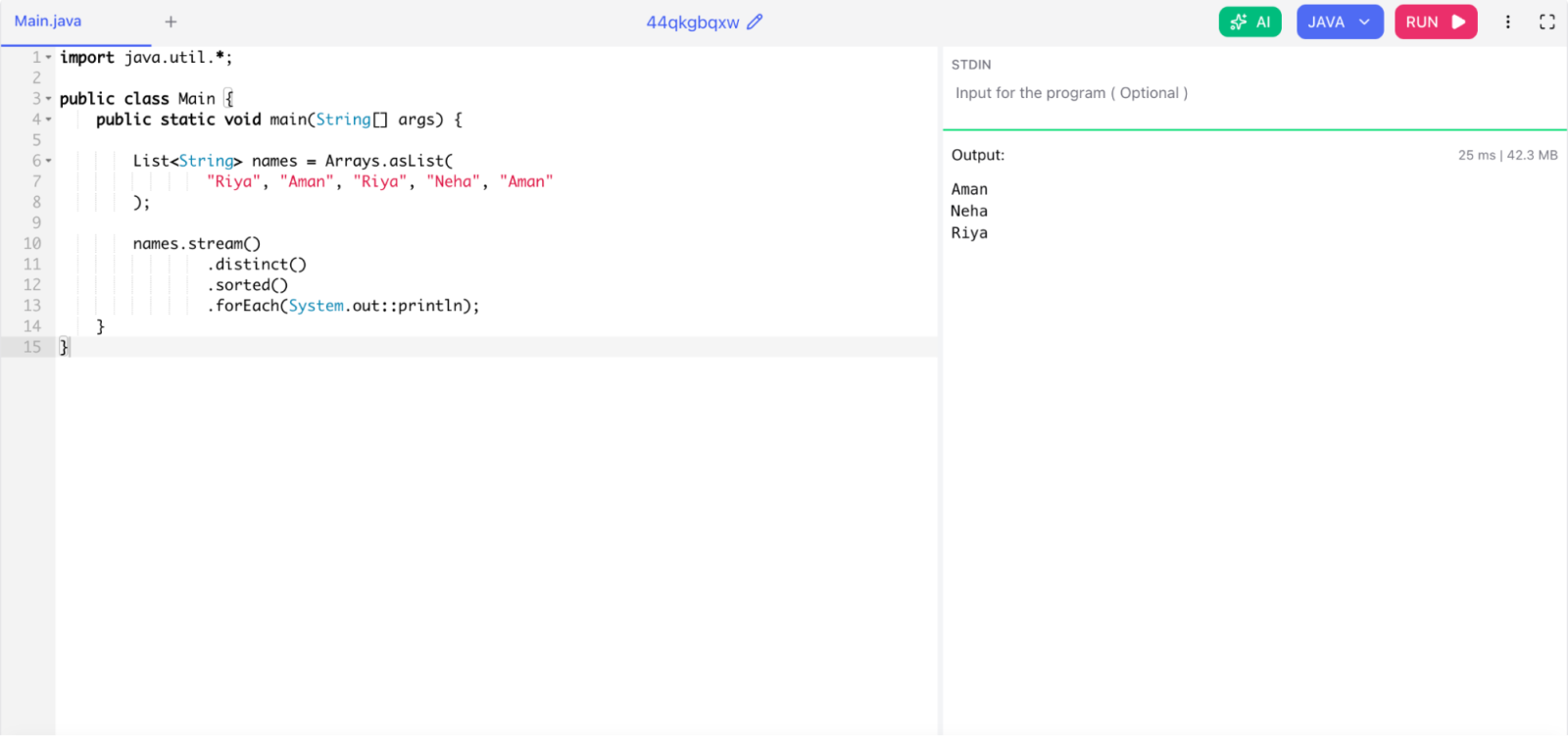
2. Remove Duplicate Customer Names

Scenario: An e-commerce platform stores duplicate customer names due to multiple registrations. The company wants a unique sorted customer list.

Java 8 Stream API provides the distinct() method to remove duplicate values from a collection. After removing duplicates, we can use sorted() to arrange names alphabetically.

This approach reduces manual coding and improves readability.

import java.util.*;

public class Main {
    public static void main(String[] args) {

        List<String> names = Arrays.asList(
                "Riya", "Aman", "Riya", "Neha", "Aman"
        );

        names.stream()
                .distinct()
                .sorted()
                .forEach(System.out::println);
    }
}

Remove Duplicate Customer Names

Read Also: What is Interface in Java?

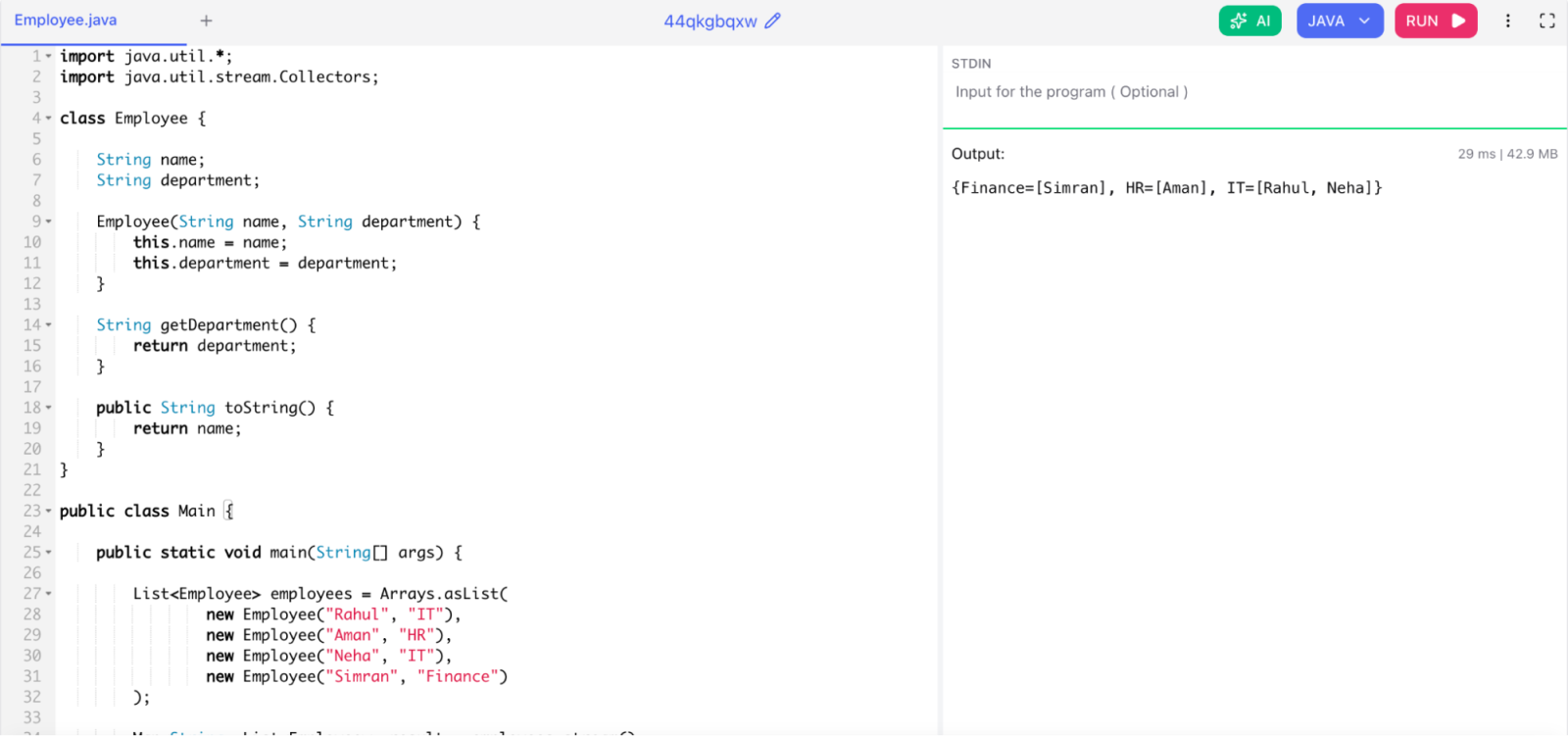
3. Group Employees by Department

Scenario: A company wants to generate department-wise employee reports for management.

Java 8 provides Collectors.groupingBy() to group objects based on a field or condition. Here, employees are grouped according to their department names.

The result is stored inside a Map, where:

  • Key = Department name
  • Value = List of employees

This method is widely used in real-world reporting applications.

import java.util.*;
import java.util.stream.Collectors;

class Employee {

    String name;
    String department;

    Employee(String name, String department) {
        this.name = name;
        this.department = department;
    }

    String getDepartment() {
        return department;
    }

    public String toString() {
        return name;
    }
}

public class Main {

    public static void main(String[] args) {

        List<Employee> employees = Arrays.asList(
                new Employee("Rahul", "IT"),
                new Employee("Aman", "HR"),
                new Employee("Neha", "IT"),
                new Employee("Simran", "Finance")
        );

        Map<String, List<Employee>> result = employees.stream()
                .collect(Collectors.groupingBy(Employee::getDepartment));

        System.out.println(result);
    }
}

Group Employees by Department

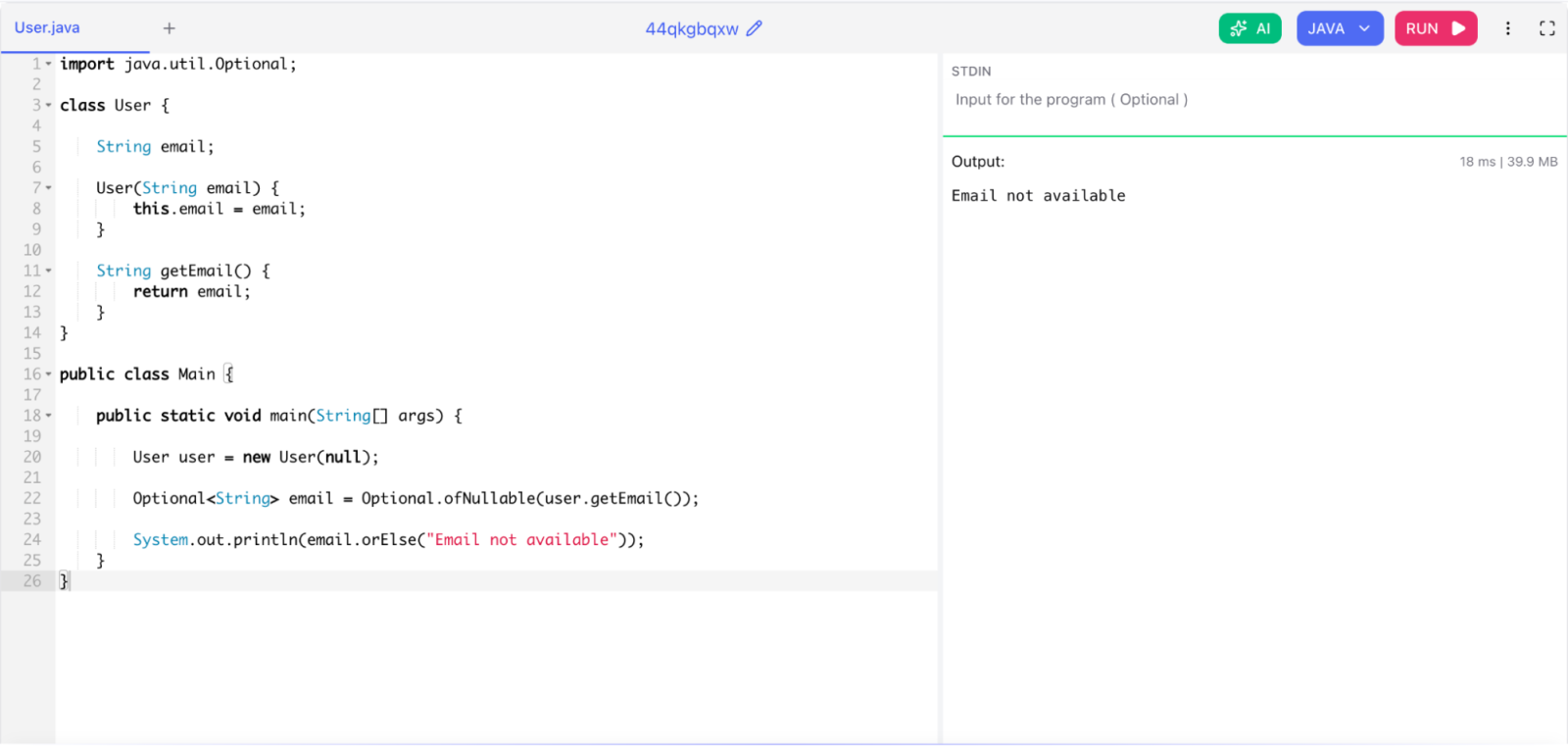
4. Handle Null Values Using Optional

Scenario: A user profile may not always contain an email address. The application should avoid NullPointerException.

Before Java 8, developers manually checked null values using if conditions. Java 8 introduced the Optional class to handle null values safely.

Optional.ofNullable() creates an Optional object that can contain either a value or null.

orElse() provides a default value if the object is null.

This improves code safety and readability.

import java.util.Optional;

class User {

    String email;

    User(String email) {
        this.email = email;
    }

    String getEmail() {
        return email;
    }
}

public class Main {

    public static void main(String[] args) {

        User user = new User(null);

        Optional<String> email = Optional.ofNullable(user.getEmail());

        System.out.println(email.orElse("Email not available"));
    }
}

Handle Null Values Using Optional

5. Process Orders Asynchronously Using CompletableFuture

Scenario: An online shopping application wants to process orders asynchronously to improve system performance and reduce waiting time.

Java 8 introduced CompletableFuture for asynchronous programming.

  • supplyAsync() runs a task in a separate thread.
  • thenAccept() processes the result after task completion.

This helps applications perform multiple operations simultaneously without blocking the main thread.

It is commonly used in:

  • Payment processing
  • API calls
  • Background tasks
  • Microservices
import java.util.concurrent.CompletableFuture;

public class Main {

    public static void main(String[] args) {

        CompletableFuture.supplyAsync(() -> {
            return "Order Processed Successfully";
        }).thenAccept(result -> {
            System.out.println(result);
        });

        System.out.println("Main Thread Running");
    }
}

Related Article: StringBuilder Class in Java

Wrapping Up

Java 8 is not just an older version. It is the foundation of modern Java development. The features it introduced — lambdas, streams, Optional, CompletableFuture, and the new Date-Time API — are still central to how Java developers write code today.

If you are preparing for a Java interview, make sure you can do more than define these features. You should be able to write code with them, explain their trade-offs, and apply them to real-world scenarios. That is what separates candidates who pass from those who do not.

Keep practicing. Build small programs that use these features. Read the JDK source code for the stream pipeline classes. The more you use Java 8, the more natural it feels.

FAQs

1. Is Java 8 still relevant for interviews?

Yes. Java 8 remains one of the most widely used Java versions in production systems. Even companies running Java 11, 17, or 21 still ask Java 8 questions because lambdas and streams are fundamental to modern Java. You should know Java 8 thoroughly regardless of what version the company runs.

2. What is the most important Java 8 topic to know for interviews?

The Stream API comes up most often. Interviewers ask you to write stream pipelines, explain lazy evaluation, and discuss the difference between operations like map, flatMap, reduce, and collect. Lambda expressions and functional interfaces are close behind.

3. How is Java 8 different from Java 7?

Java 8 introduced functional programming support that Java 7 did not have. The major additions are lambda expressions, the Stream API, functional interfaces, Optional, default and static interface methods, method references, and the new Date-Time API. These changes made Java code much more concise and expressive.

4. Can you use lambda expressions with any interface in Java 8?

No. You can only use lambda expressions with functional interfaces, interfaces that have exactly one abstract method. If an interface has more than one abstract method, the compiler will not accept a lambda in its place.

About the Author
Sanjay Prajapat
About the Author

Sanjay Prajapat is a Data Engineer and technology writer with expertise in Python, SQL, data visualization, and machine learning. He simplifies complex concepts into engaging content, helping beginners and professionals learn effectively while exploring emerging fields like AI, ML, and cybersecurity in today’s evolving tech landscape.

Drop Us a Query
Fields marked * are mandatory
×

Your Shopping Cart


Your shopping cart is empty.