Want to improve your Bash (Bourne Again SHell) and Bash Shell skills? This Bash Cheat sheet could be your handy shortcut. It is designed to help beginners quickly understand and recall the most important Bash concepts and commands.
It focuses on the important commands you will actually use while working with Linux systems, servers or development environments. Each section is written in simple language and structured for fast revision, which makes it useful for learning, interview preparation and daily terminal usage. Let’s begin!
Bash is a command-line interpreter used to interact with Unix-based operating systems such as Linux and macOS. It allows users to execute commands, automate tasks using scripts, manage files, control processes and work efficiently without a graphical interface.
Bash is mostly used by developers, system administrators and DevOps engineers due to its powerful text processing, job control and scripting capabilities. It is also the default shell in most Linux distributions. This makes it essential to learn for anyone working with servers, cloud platforms or open-source systems.
In real-world environments, Bash is widely used to manage cloud servers, automate deployments and monitor application logs. System administrators often use Bash to troubleshoot production issues while DevOps engineers rely on Bash scripts inside CI/CD pipelines to automate repetitive infrastructure tasks.
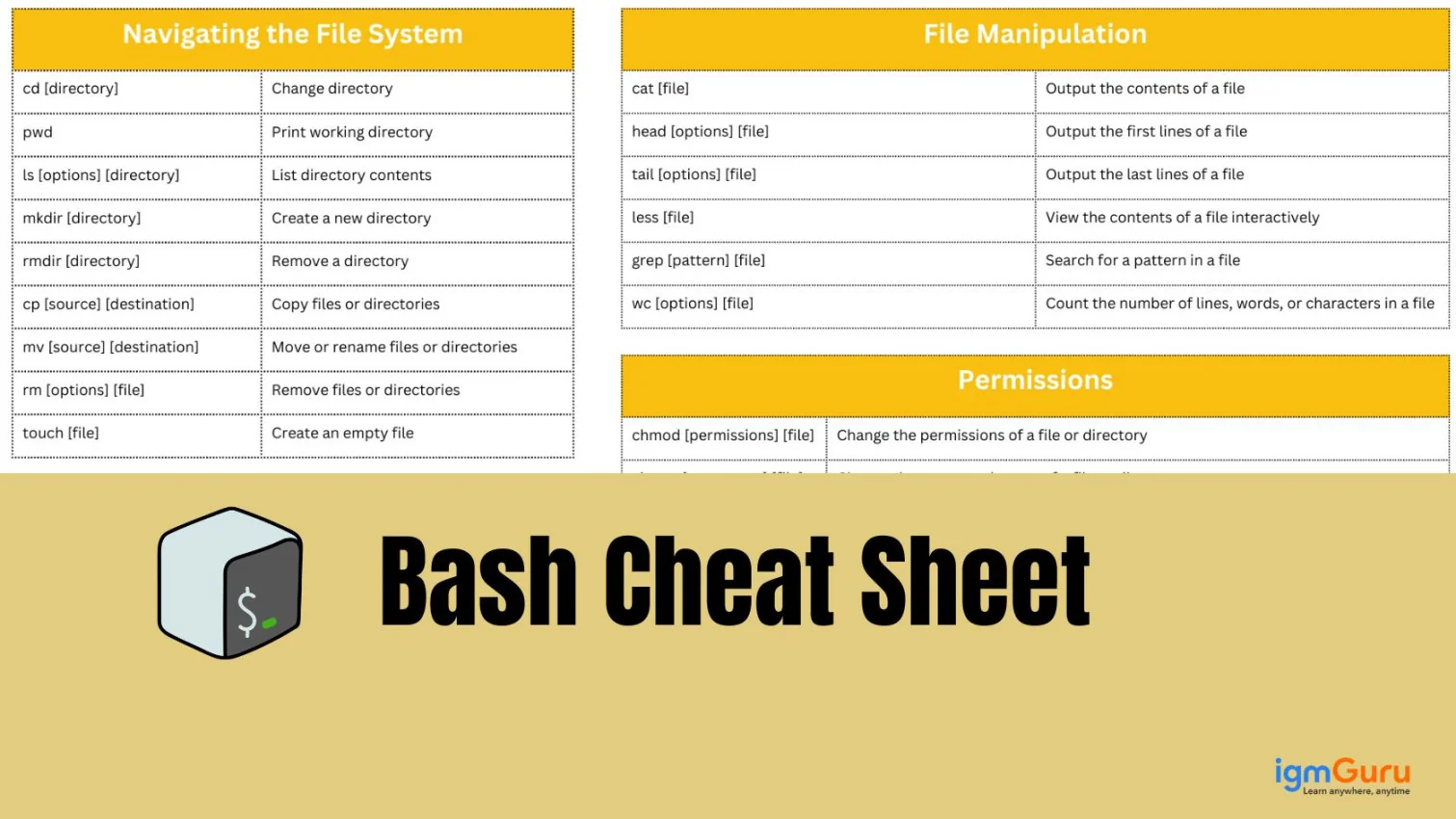
Basic Bash commands are used for everyday tasks like navigating directories, managing files and viewing system information. These commands form the foundation of Bash usage and are usually the first things beginners learn.
Understanding them helps users move around the file system, create or delete files and check where they are working from within the terminal.
|
File and directory management commands help users create, copy, move, rename and delete files or folders. These commands are critical when working on servers where graphical file managers are unavailable. Bash provides simple yet powerful tools to handle large directory structures efficiently.
|
Note: Be careful while using delete commands such as rm, especially with options like -r or -rf, because they permanently remove files and directories. Always double-check the path before executing destructive commands.
Bash provides multiple commands to view file contents without opening them in an editor. These commands allow quick inspection of logs, configuration files, and text data, which is especially useful for troubleshooting and monitoring systems.
|
File permissions control who can read, write or execute a file. Bash uses a permission model that enhances system security by restricting unauthorized access. Understanding permissions is essential when working with scripts, shared servers and production environments.
|
Bash offers powerful text-search and processing tools that allow users to filter, search and manipulate text files. These commands are heavily used in log analysis, data processing and automation tasks.
|
Variables in Bash store data such as strings or numbers that can be reused in scripts or commands. They make scripts dynamic and flexible, allowing users to pass values and control program behavior.
|
Read Also: Variables and Data Types in Go
Conditional statements allow Bash scripts to make decisions based on conditions. They are used to execute commands only when specific criteria are met such as checking file existence or comparing values.
|
Loops enable repeated execution of commands. They are useful for automating repetitive tasks such as processing multiple files or running checks at intervals.
|
A Bash script is a file containing multiple Bash commands executed sequentially. Scripts help automate tasks, reduce manual work and ensure consistency in system operations.
|
Keyboard shortcuts improve productivity by reducing typing and speeding up command execution.
Read Also: Excel Keywords Shortcuts
These advanced commands are commonly used for file searching, recursive log scanning, structured text extraction and bulk text replacement. They are especially helpful when working with large datasets, server logs or automation tasks.
|
Bash is widely used in Linux-based servers, cloud platforms and DevOps environments. It is commonly used to automate deployments, manage Docker containers, configure servers and process log files. Many CI/CD tools execute Bash scripts during build and deployment stages. Because of this, Bash remains an essential skill for developers, system administrators and DevOps professionals.
Bash is a foundational skill for anyone working with Linux, cloud platforms or DevOps tools. Once you understand basic commands, file handling, permissions and scripting concepts, working in the terminal becomes much faster and more efficient.
This Bash cheat sheet covered the most commonly used features to help you build confidence without unnecessary complexity. Regular practice and small scripting exercises will strengthen your command over Bash and prepare you for real-world tasks as well as technical interviews.
Explore Our Trending Articles-
Bash is not Linux itself. Linux is an operating system and Bash is a shell that runs on Linux and allows users to interact with the system using commands. Bash acts as a bridge between the user and the operating system.
Learning Bash is useful even if you use a graphical interface. Many advanced tasks, server environments and automation workflows rely heavily on command-line operations where Bash is essential.
Bash scripting is beginner-friendly when learned step by step. Starting with basic commands, variables and conditions makes it easy to understand. Complexity increases only when you begin writing advanced automation scripts.
Bash is widely used in Linux systems, cloud servers, DevOps pipelines, system administration and automation scripts. It is also commonly used in CI/CD workflows and server maintenance tasks.
Most beginners can learn Bash basics within a few days of regular practice. Mastering scripting and advanced usage may take a few weeks depending on hands-on experience.
Yes, certain commands like file deletion or permission changes can cause issues if used incorrectly. However, understanding commands before running them and avoiding system-level directories reduces risks significantly.
Course Schedule| Course Name | Batch Type | Details |
| Bash Scripting Training | Every Weekday | View Details |
| Bash Scripting Training | Every Weekend | View Details |